> ## Documentation Index
> Fetch the complete documentation index at: https://docs.comfy.org/llms.txt
> Use this file to discover all available pages before exploring further.
# Log in to your Comfy account
> Access your Comfy account for ComfyUI to use all platform features and services.
Your Comfy account gives you access to [partner nodes (Partner Node)](/tutorials/partner-nodes/overview) and [cloud subscriptions](https://www.comfy.org/cloud), enabling you to use premium features and services across the ComfyUI platform.
## Supported login methods
ComfyUI supports the following login methods:
* **Email**: Log in with your email address and password
* **Google**: Log in with your Google account
* **GitHub**: Log in with your GitHub account
## Logging in on Comfy Cloud
To access your Comfy account for ComfyUI on Comfy Cloud:
1. Navigate to [Comfy Cloud](https://www.comfy.org)
2. Click **Log in** or **Sign in**
3. Choose your login method:
* **Email**: Enter your email address and password, then click **Log in**
* **Google**: Click the Google login button and authenticate
* **GitHub**: Click the GitHub login button and authenticate
## Logging in locally
If you have ComfyUI installed locally:
1. Open ComfyUI on your local machine
2. Navigate to **Settings** in the interface
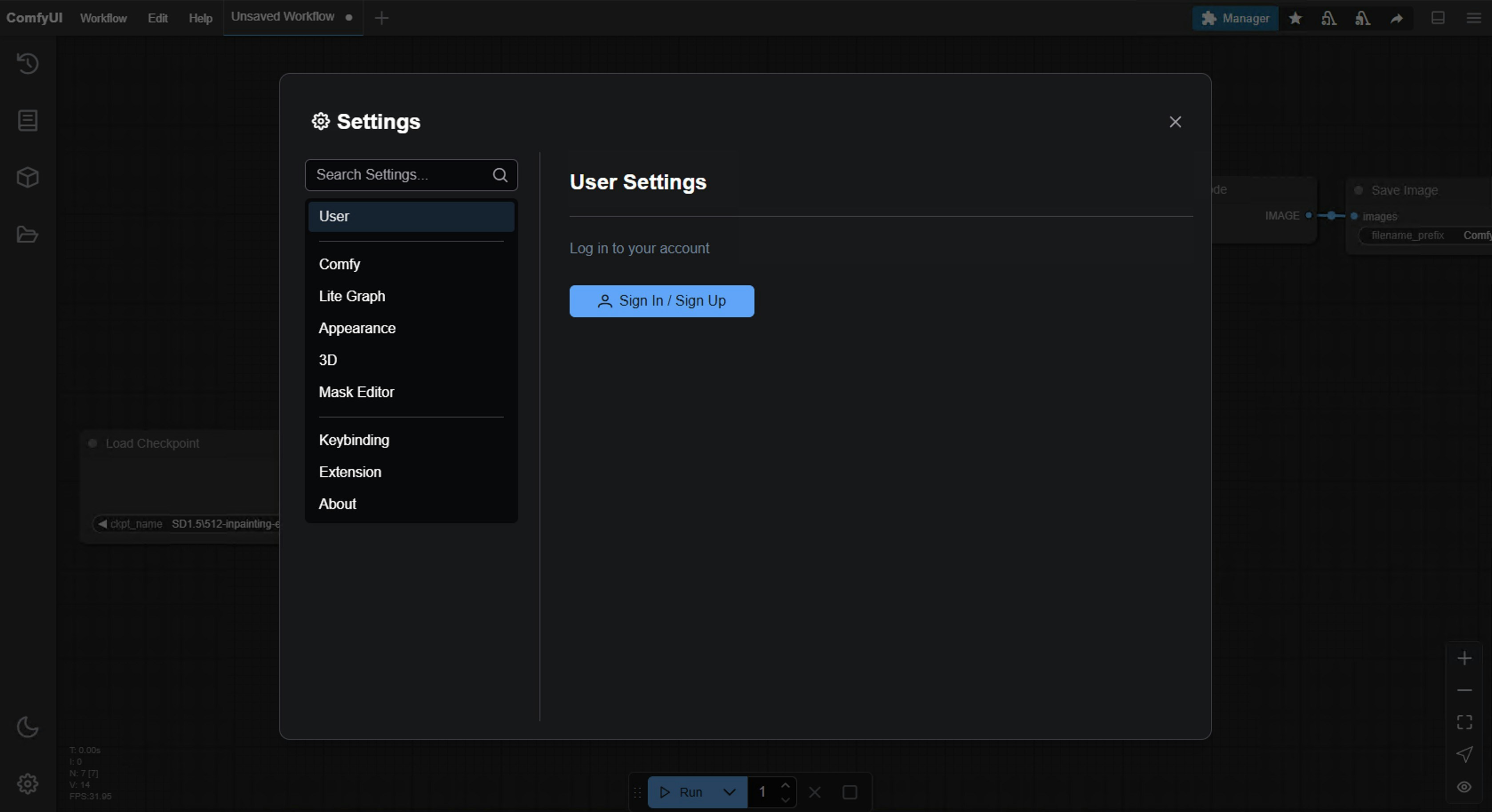
3. Go to the **User** section (see [User settings](/interface/user) for details)
4. Choose your login method:
* **Email**: Enter your email address and password
* **Google**: Click the Google login button and authenticate
* **GitHub**: Click the GitHub login button and authenticate
* **API Key**: Use an API Key for non-whitelisted deployments (see below)
 ### Logging in with an API Key
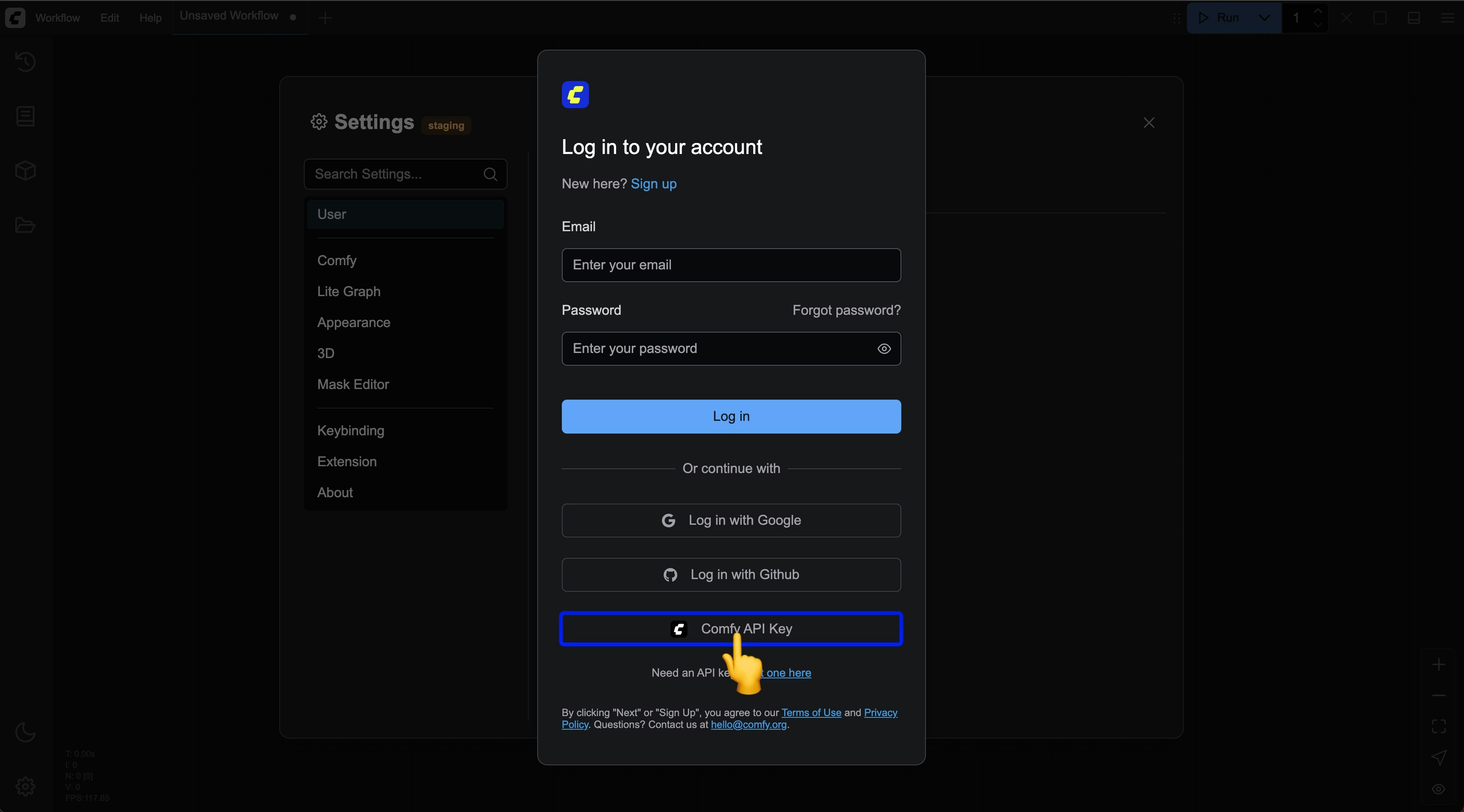
Since not all ComfyUI deployments are on our domain authorization whitelist, we have provided API Key login in a recent update (2025-05-10) for logging in through non-whitelisted sites. Below are the steps for logging in with an API Key:
Select `Comfy API Key` login in the login popup
### Logging in with an API Key
Since not all ComfyUI deployments are on our domain authorization whitelist, we have provided API Key login in a recent update (2025-05-10) for logging in through non-whitelisted sites. Below are the steps for logging in with an API Key:
Select `Comfy API Key` login in the login popup
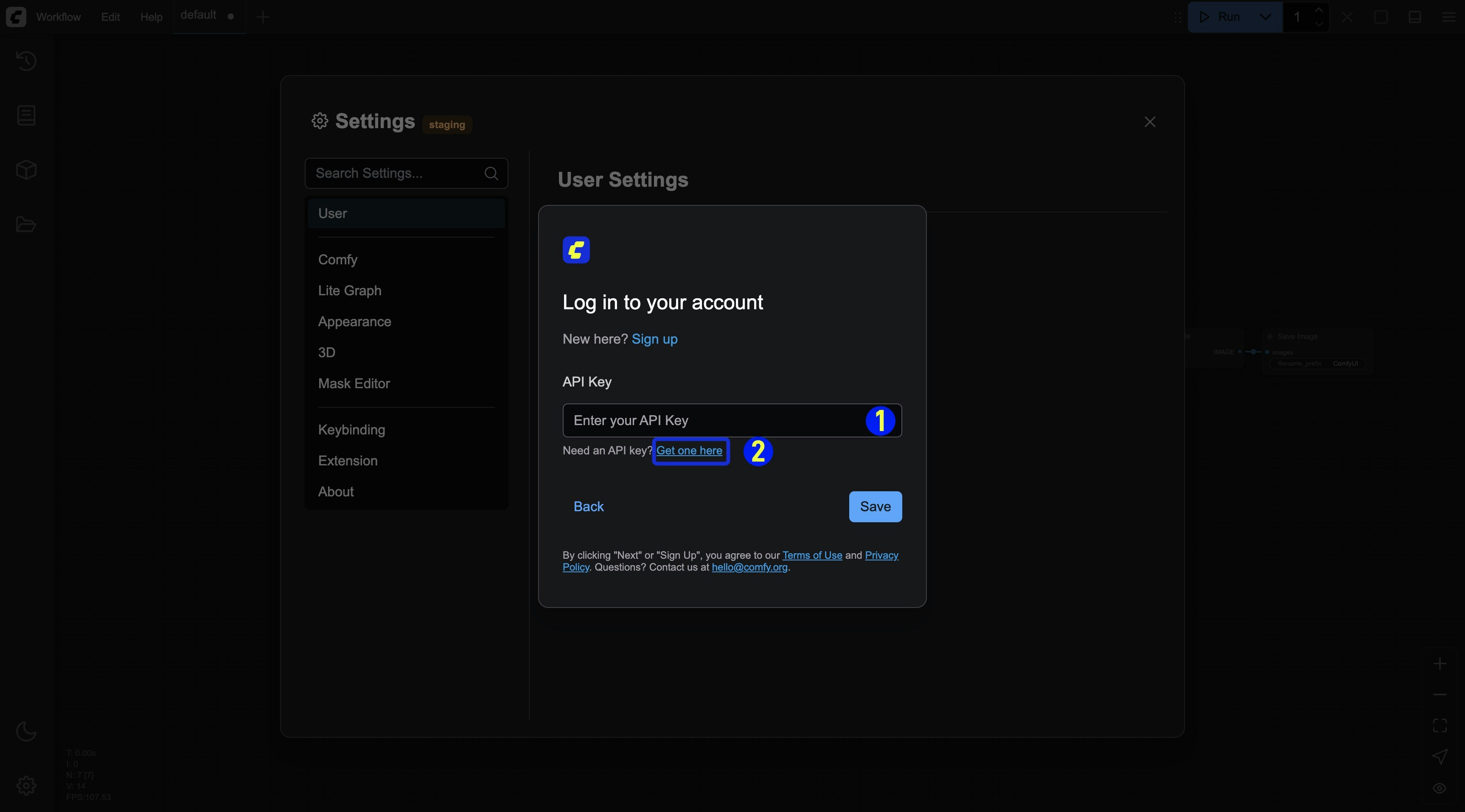 1. Enter your API Key and save it
2. If you don't have an API Key, click the `Get one here` link to go to [https://platform.comfy.org/login](https://platform.comfy.org/login) and log in to obtain it.
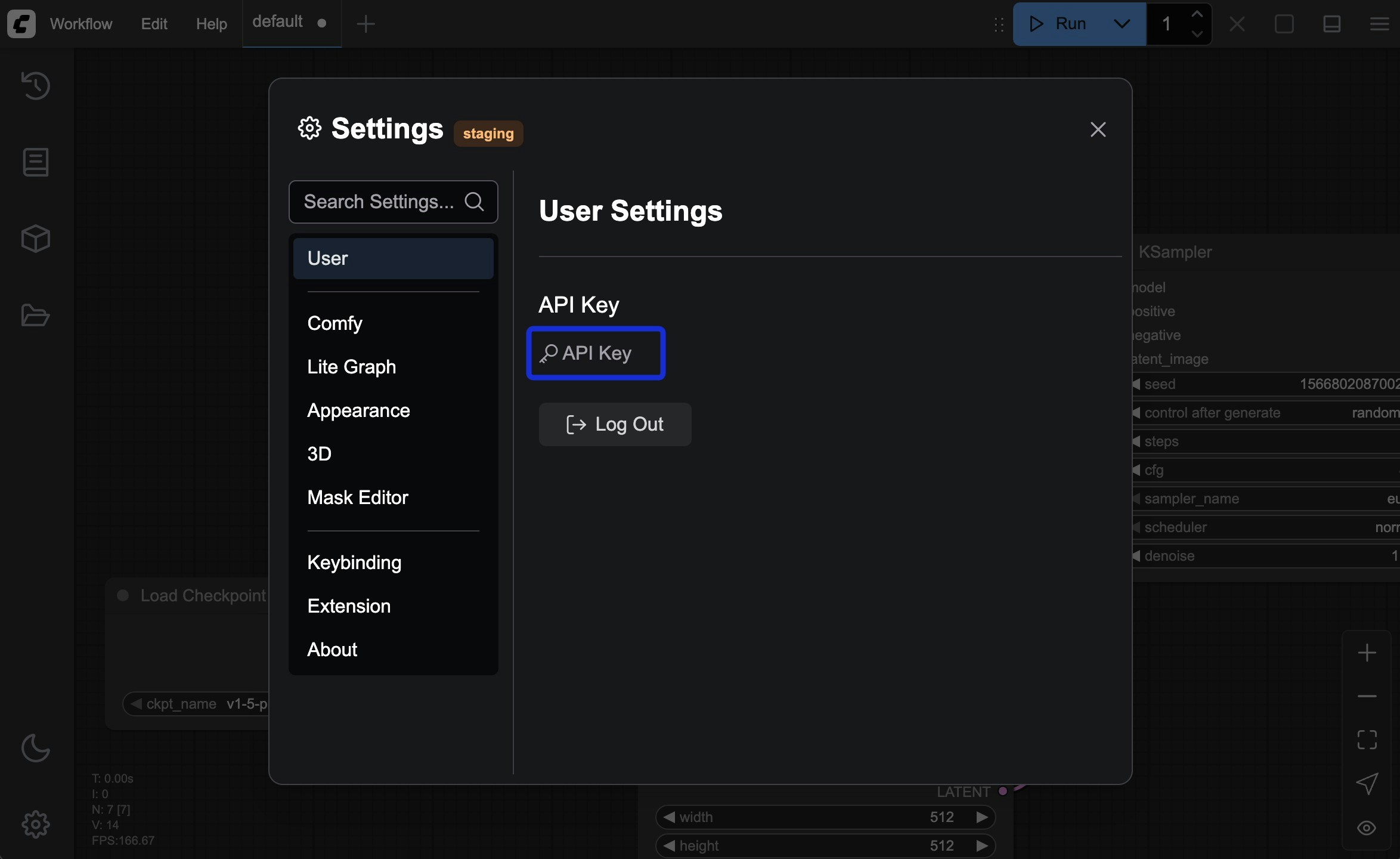
After a successful login, you can see the corresponding API Key login information in the settings menu
1. Enter your API Key and save it
2. If you don't have an API Key, click the `Get one here` link to go to [https://platform.comfy.org/login](https://platform.comfy.org/login) and log in to obtain it.
After a successful login, you can see the corresponding API Key login information in the settings menu
 Please refer to the following steps to apply for and obtain an API Key:
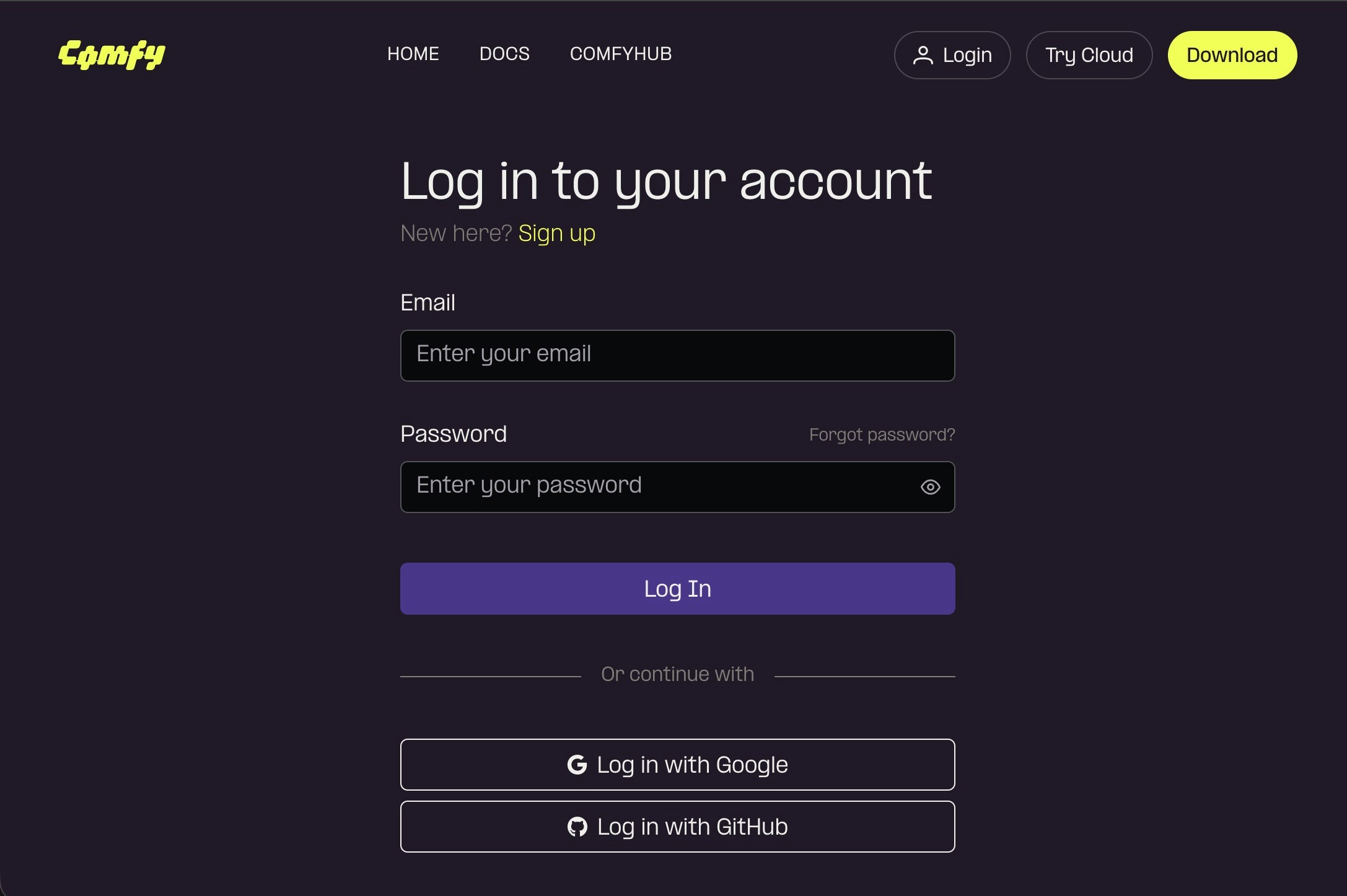
Please visit [https://platform.comfy.org/login](https://platform.comfy.org/login) and log in with the corresponding account
Please refer to the following steps to apply for and obtain an API Key:
Please visit [https://platform.comfy.org/login](https://platform.comfy.org/login) and log in with the corresponding account
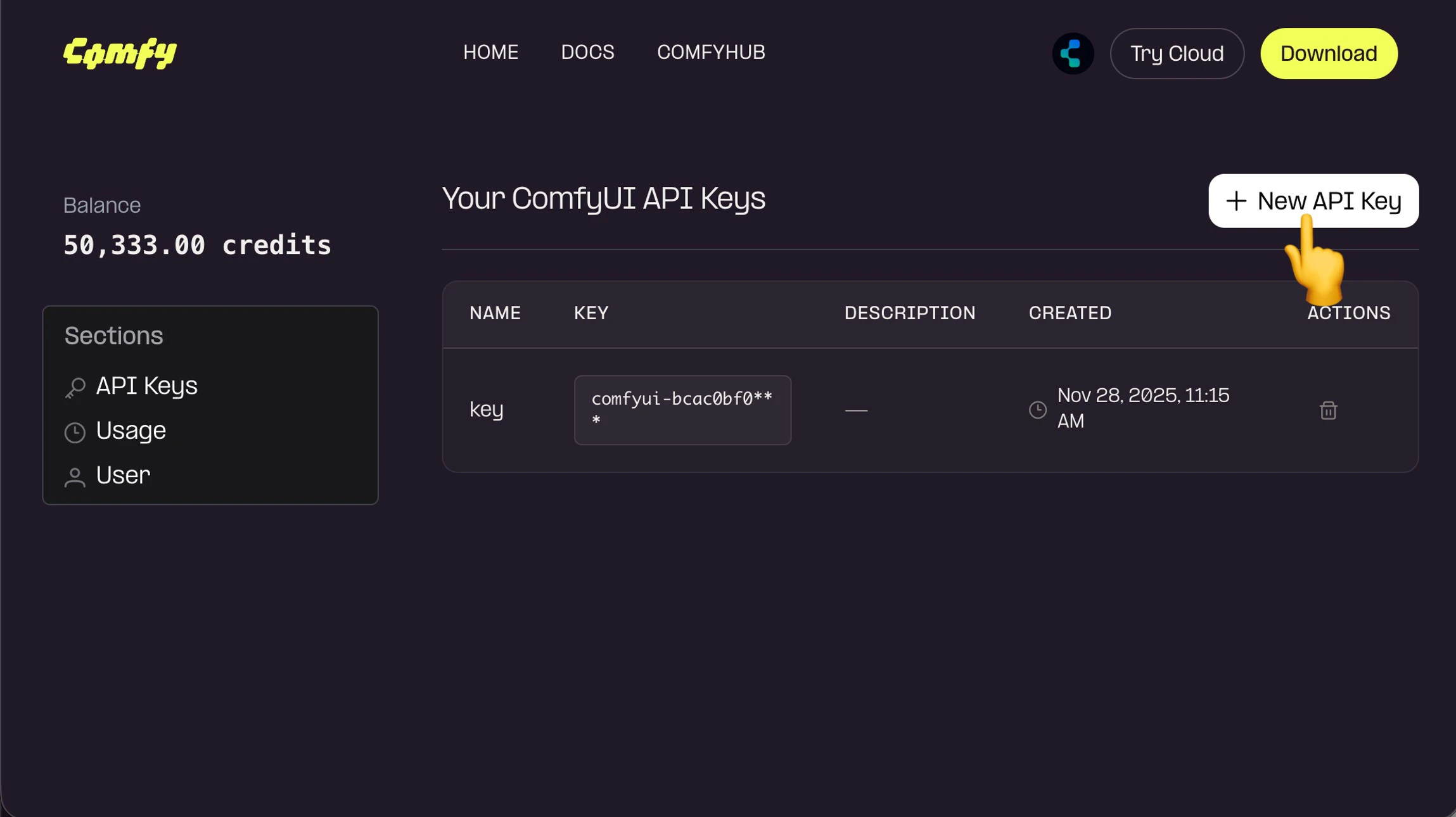
 Click `+ New` in API Keys to create an API Key
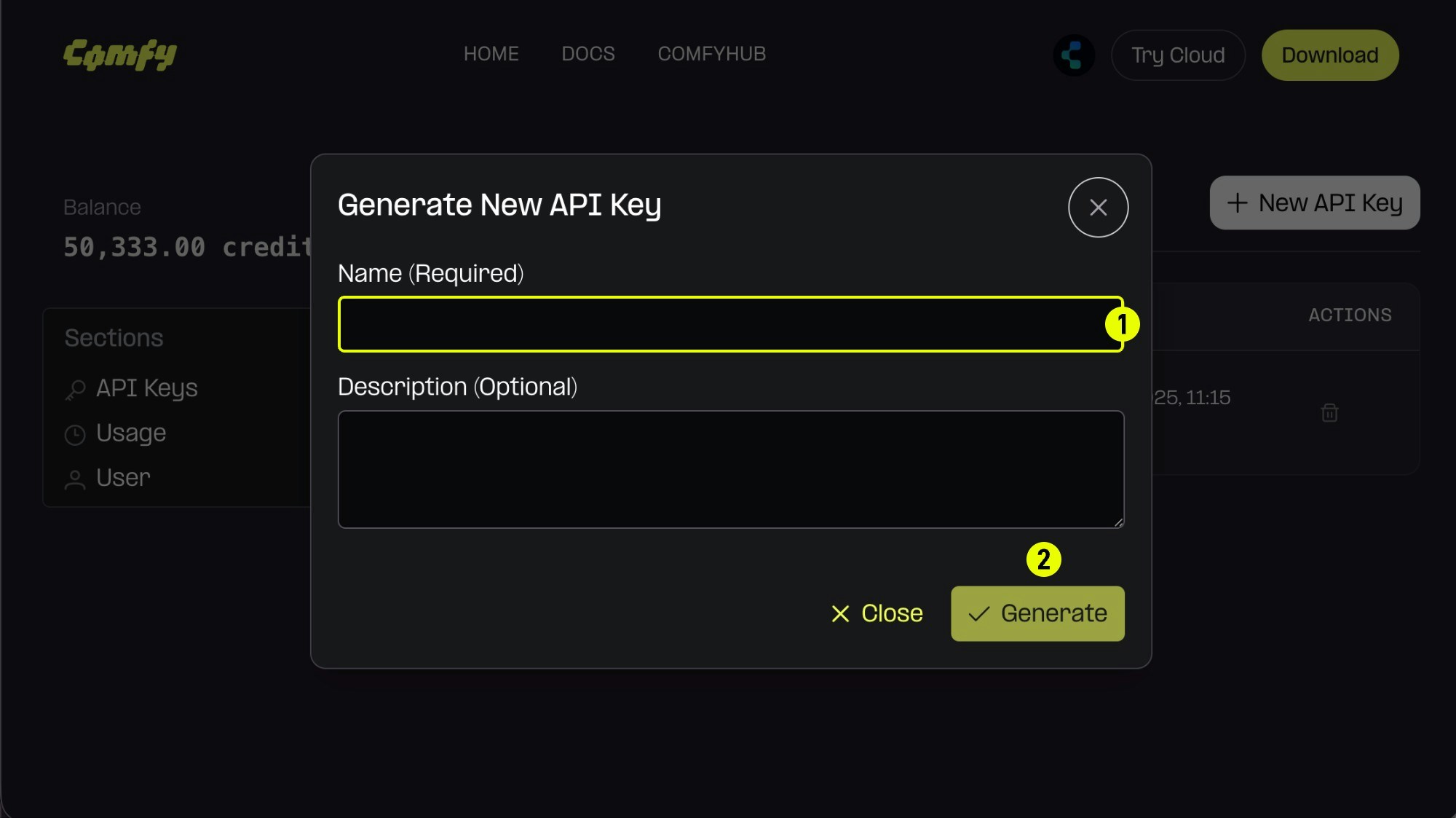 1. (Required) Enter the API Key name,
2. Click `Generate` to create
1. (Required) Enter the API Key name,
2. Click `Generate` to create
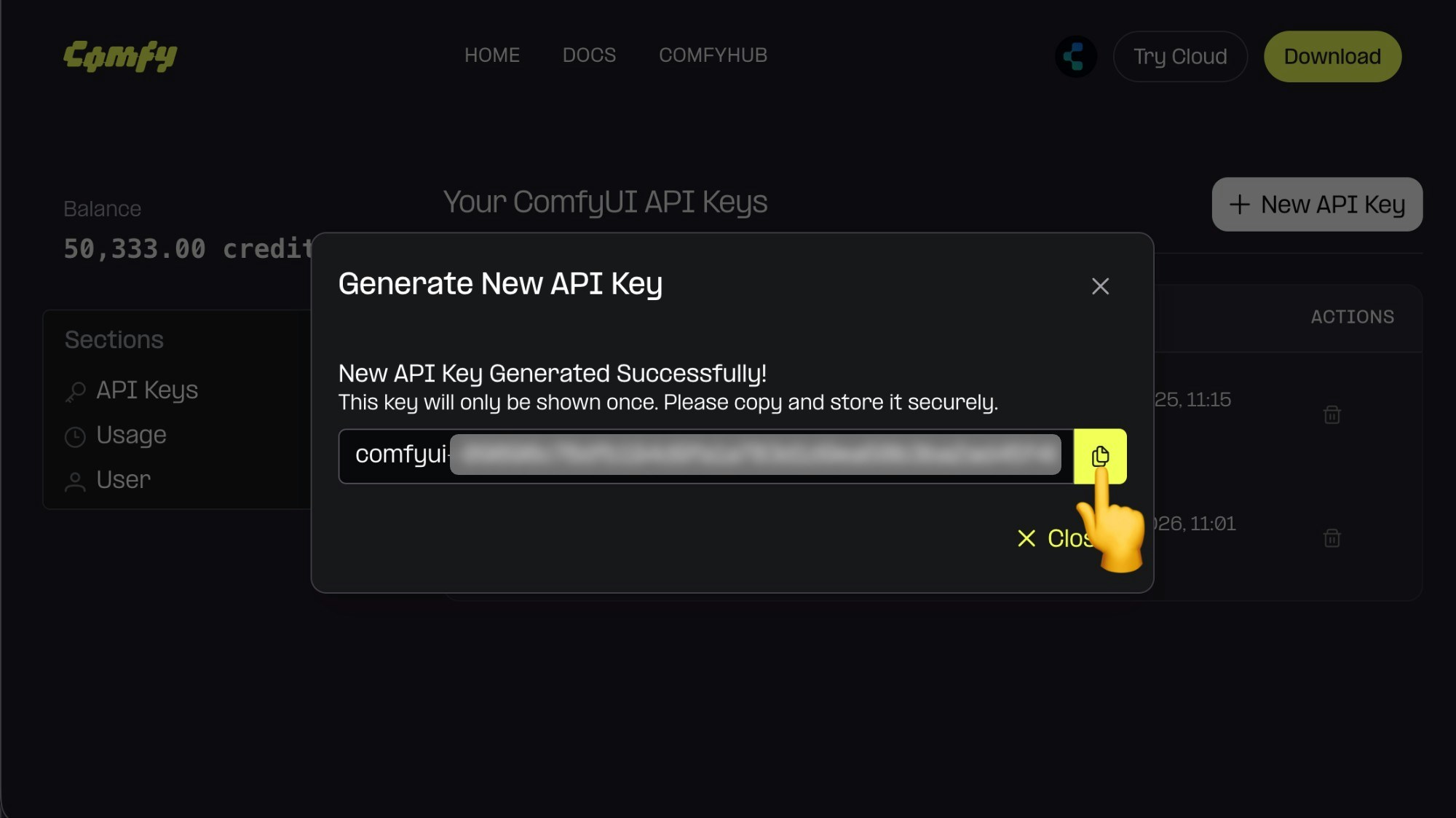 Since the API Key is only visible upon first creation, please save it immediately after creation. It cannot be viewed later, so please keep it safe.
Please note that you should not share your API Key with others. Once it leaked, you can delete it and create a new one.
Since the API Key is only visible upon first creation, please save it immediately after creation. It cannot be viewed later, so please keep it safe.
Please note that you should not share your API Key with others. Once it leaked, you can delete it and create a new one.
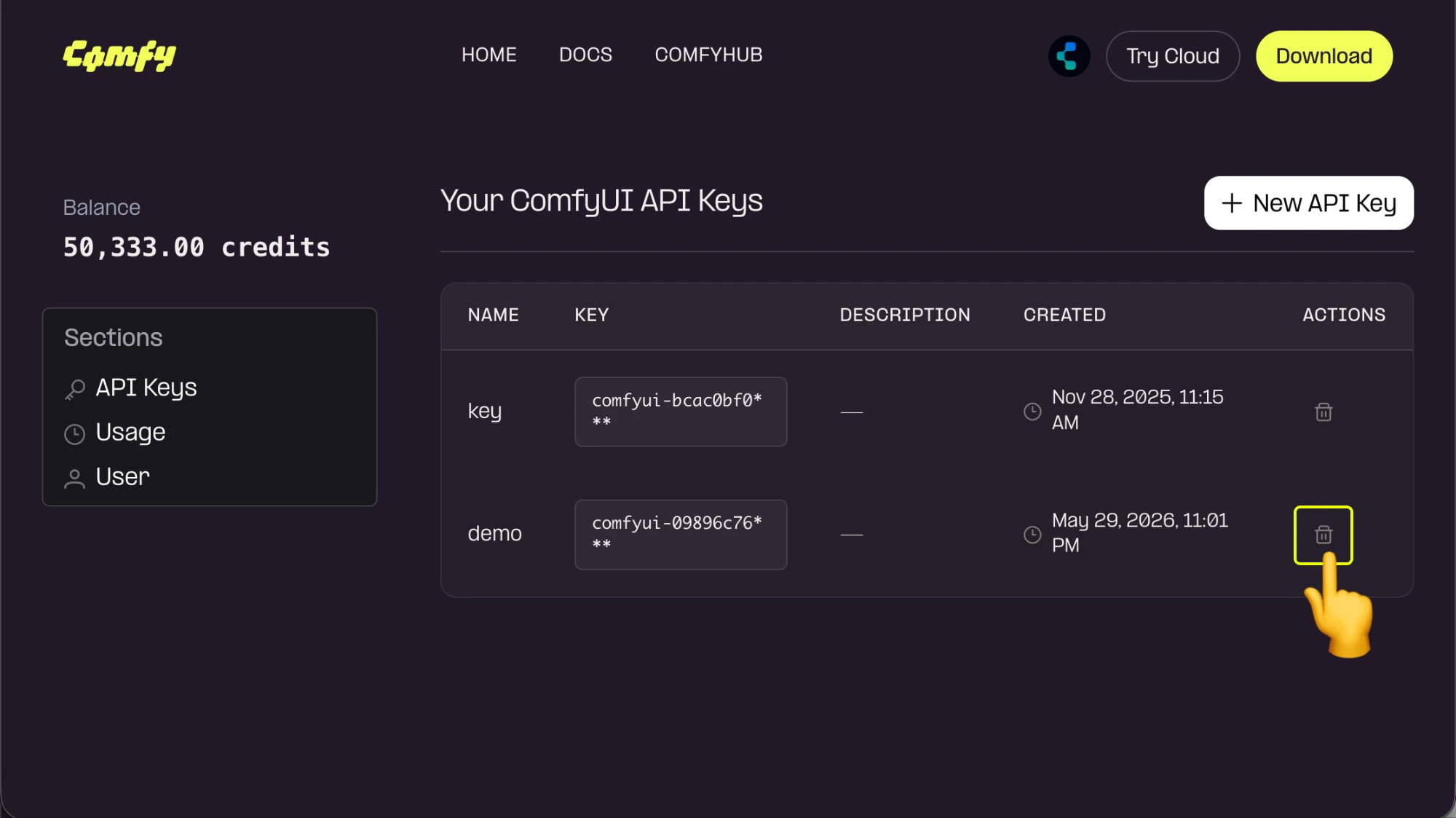 For unused API Keys or those at risk of being leaked, you can click `Delete` to remove them to prevent unnecessary losses.
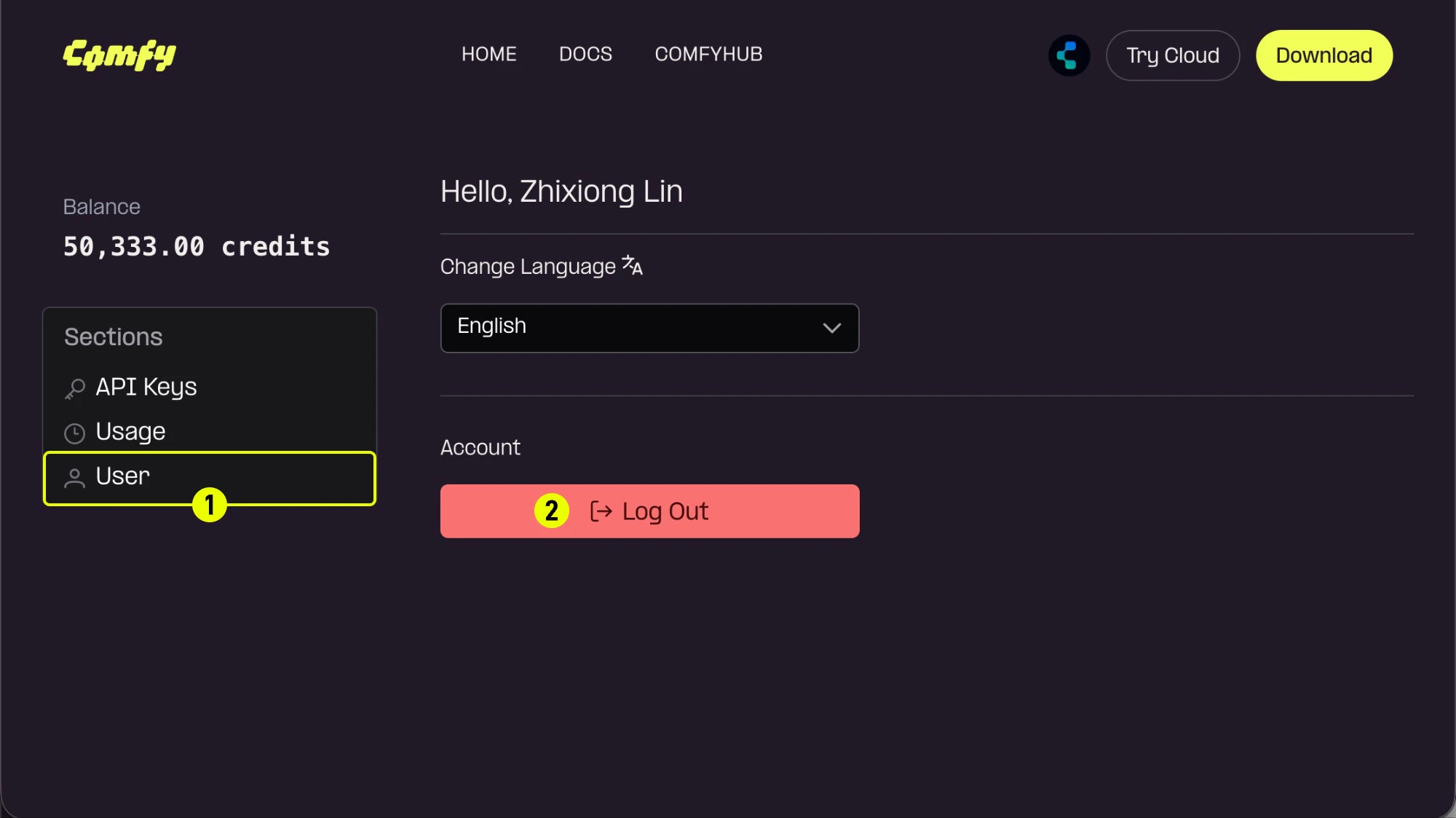 If you have obtained an API Key and are logged in on a public device, please log out promptly.
## Forgot your password
If you can't remember your password (for email login):
1. Click the **Forgot password?** link on the login page
2. Enter your registered email address
3. Check your email for password reset instructions
4. Click the reset link in the email
5. Create a new password
6. Log in with your new password
## Troubleshooting login issues
If you're having trouble logging in:
* Verify your email address is correct
* Check that Caps Lock is not enabled when entering your password
* Clear your browser cookies and cache
* Try using a different browser or incognito mode
* Ensure your account email has been verified
* Contact [support](/support/contact-support) if issues persist
## Security tips
To keep your account secure:
* Use a strong, unique password
* Don't share your login credentials
* Log out when using shared devices
* Regularly update your password
If you have obtained an API Key and are logged in on a public device, please log out promptly.
## Forgot your password
If you can't remember your password (for email login):
1. Click the **Forgot password?** link on the login page
2. Enter your registered email address
3. Check your email for password reset instructions
4. Click the reset link in the email
5. Create a new password
6. Log in with your new password
## Troubleshooting login issues
If you're having trouble logging in:
* Verify your email address is correct
* Check that Caps Lock is not enabled when entering your password
* Clear your browser cookies and cache
* Try using a different browser or incognito mode
* Ensure your account email has been verified
* Contact [support](/support/contact-support) if issues persist
## Security tips
To keep your account secure:
* Use a strong, unique password
* Don't share your login credentials
* Log out when using shared devices
* Regularly update your password