> ## Documentation Index
> Fetch the complete documentation index at: https://docs.comfy.org/llms.txt
> Use this file to discover all available pages before exploring further.
# MultiGPU_WorkUnits - ComfyUI Built-in Node Documentation
> Complete documentation for the MultiGPU_WorkUnits node in ComfyUI. Learn its inputs, outputs, parameters and usage.
# COMFYUI MultiGPU CFG Split Node
## Overview:
The MultiGPU CFG Split Node allows diffusion processing to occur using multiple GPUs installed in the same system. Performance results are workflow dependent, but speedups of up to 1.95x have been measured in common workflows.
## Key Details:
Mixing different GPU types is not supported, the installed GPUs must be the same (ie 2x 5090, or 2x 5080, etc.)
ComfyUI will automatically detect multiple installed GPUs at startup.
## Supported GPUs:
Any homogeneous dual GPU setups with Ampere+ architecture (e.g 2 x 3090 or 2 x RTX6000 Pro)
## Supported Models:
* LTX-2.3
* WAN 2.2
* FLUX.2 Klein - Base Versions
* Z-Image
* Stable Diffusion 3.5 Large
* Hunyuan Video
* Qwen-Image-Edit-2511
* Hunyuan-3D-v2.1
* SDXL
## Inputs
| Parameter | Data Type | Required | Range | Description |
| ---------- | --------- | -------- | --------------------------------------- | ----------------------------------------------------------------------------------------------------------------------------------------- |
| `model` | MODEL | Yes | N/A | The model to prepare for MultiGPU CFG splitting before sampling. |
| `max_gpus` | INT | Yes | Minimum: 1
Step: 1
Default: 2 | The maximum number of identical GPUs to use for splitting the workload. Set this to the number of matching GPUs installed in your system. |
## Outputs
| Output Name | Data Type | Description |
| ----------- | --------- | ------------------------------------------------------------------------------ |
| `MODEL` | MODEL | The model prepared for MultiGPU CFG splitting, ready for accelerated sampling. |
## Node:
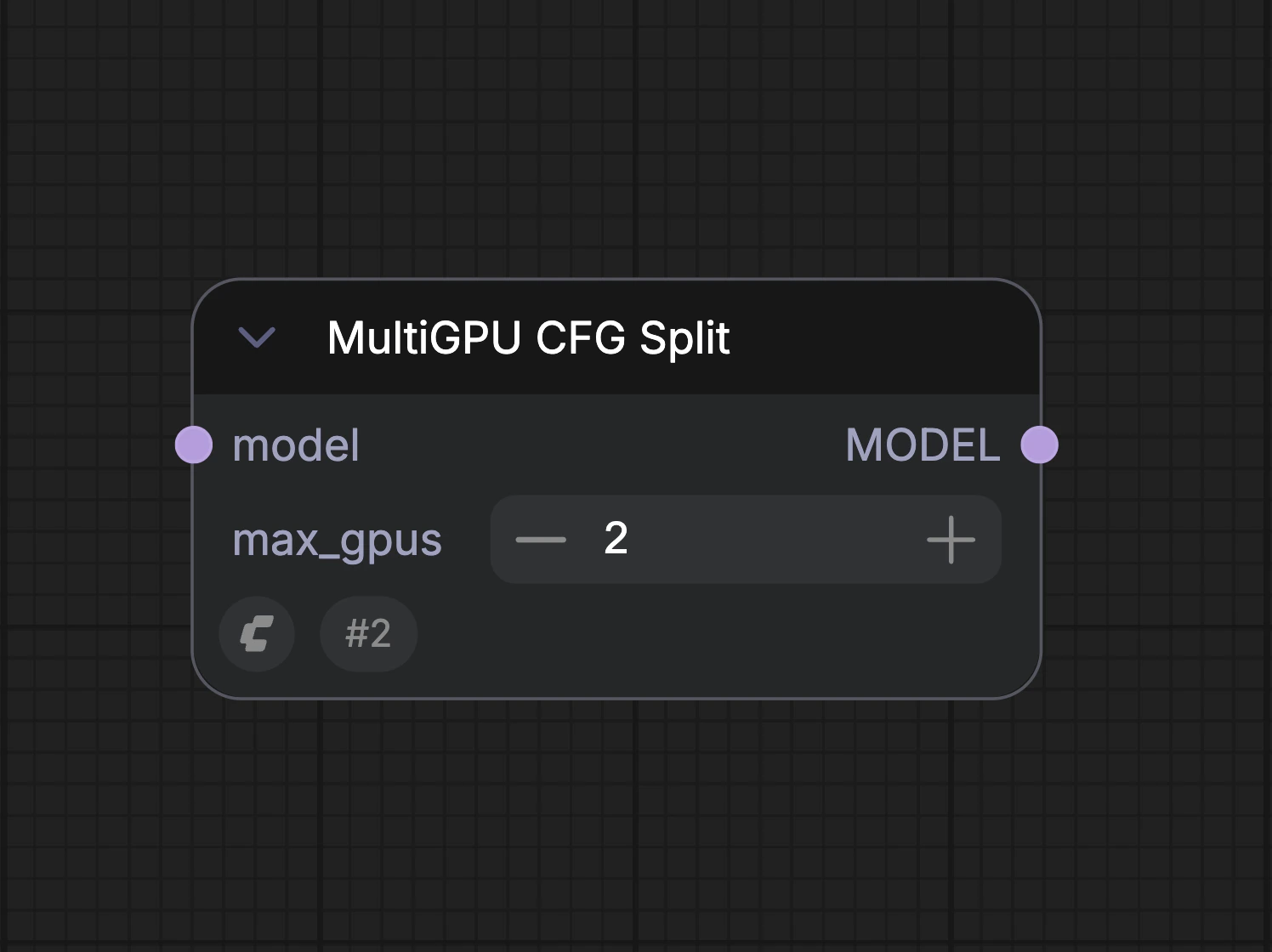 \
The max\_gpus field should be set to the maximum number of identical GPUs installed in the system.
**Node placement:** The MultiGPU CFG Split needs to be placed between the Model Load node and Sampling node. If other nodes are connected to the model output of the model loader node, the MultiGPU CFG should be the last node in the chain before the Sampling node.
\
The max\_gpus field should be set to the maximum number of identical GPUs installed in the system.
**Node placement:** The MultiGPU CFG Split needs to be placed between the Model Load node and Sampling node. If other nodes are connected to the model output of the model loader node, the MultiGPU CFG should be the last node in the chain before the Sampling node.
 **Workflow Requirements:** The node works by splitting the diffusion workflow at the CFG level, due to this, the CFG in the workflow must be greater than CFG=1. Distilled workflows which require a CFG =1 will not show a performance benefit when using the MultiGPU CFG Split node to run on multiple GPUs.
## Verifying Multi-GPU Utilization
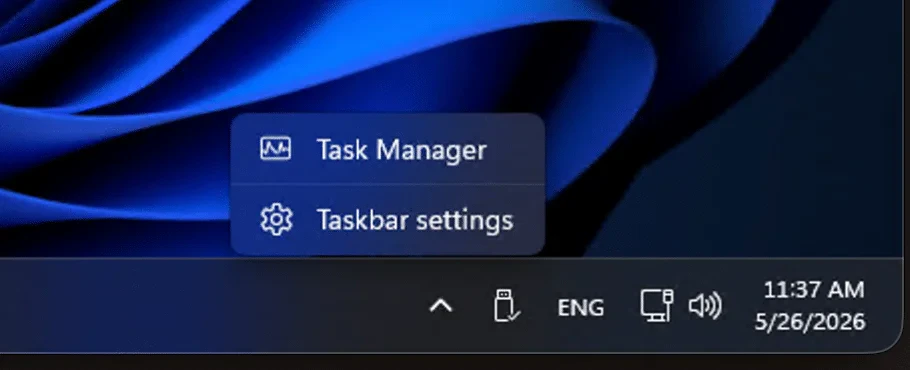
When running a workflow with MultiGPU CFG Split enabled, you can look at the Windows Task Manager and select the performance category\
**Workflow Requirements:** The node works by splitting the diffusion workflow at the CFG level, due to this, the CFG in the workflow must be greater than CFG=1. Distilled workflows which require a CFG =1 will not show a performance benefit when using the MultiGPU CFG Split node to run on multiple GPUs.
## Verifying Multi-GPU Utilization
When running a workflow with MultiGPU CFG Split enabled, you can look at the Windows Task Manager and select the performance category\
 \
\
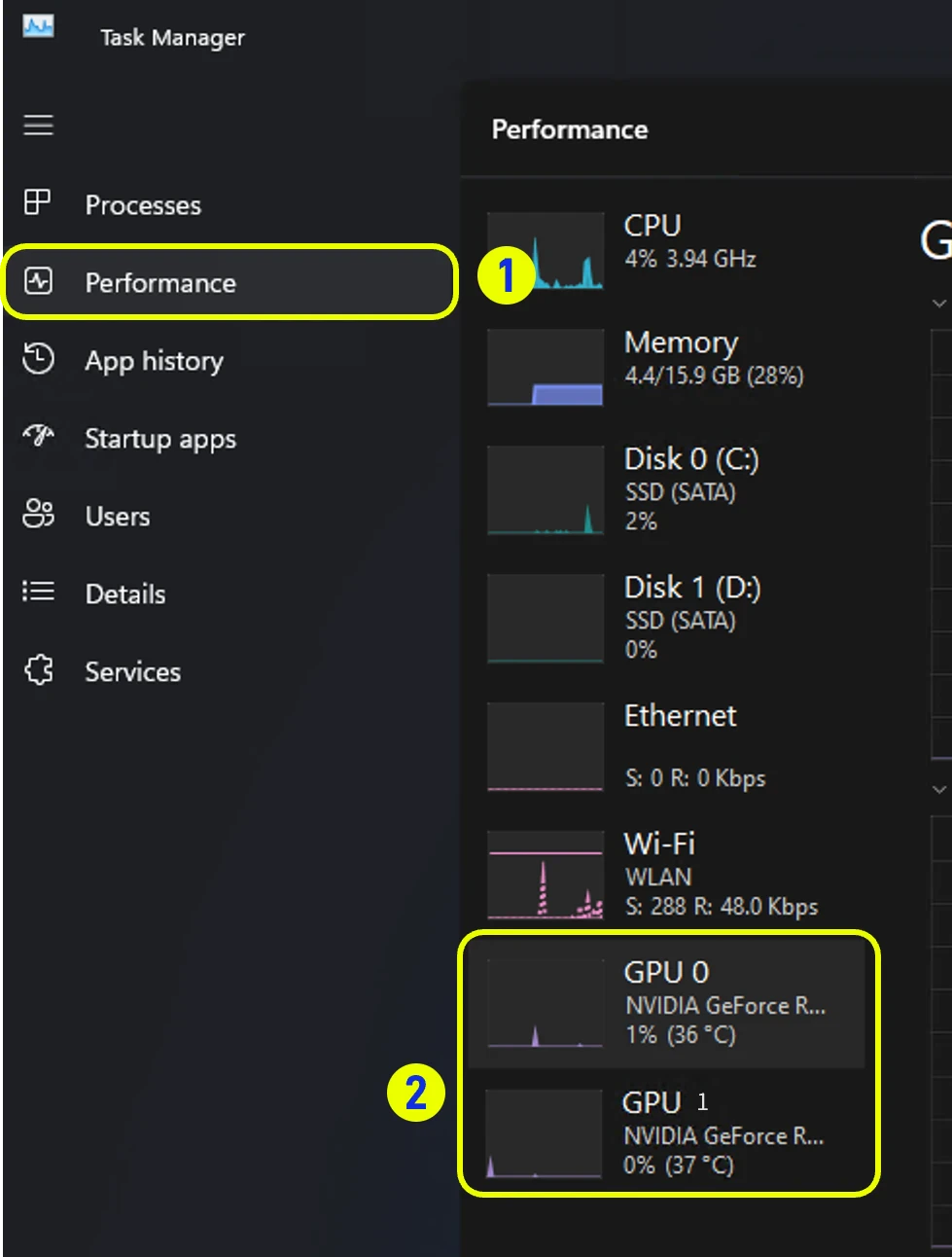 \
You should see activity on both installed GPUs while the sampler is running in the workflow.
## Sample Multi-GPU Workflow: (Wan 2.2 FP8)
[Sample workflow (Wan 2.2 FP8)](https://raw.githubusercontent.com/Comfy-Org/embedded-docs/refs/heads/main/comfyui_embedded_docs/docs/MultiGPU_WorkUnits/asset/video_wan2_2_14B_t2v_mGPU.json)
***
**Source fingerprint (SHA-256):** `7293ee785e29aea9a1a70a10444b99e89fb23c866505628ec57c209a2b8aaee0`
\
You should see activity on both installed GPUs while the sampler is running in the workflow.
## Sample Multi-GPU Workflow: (Wan 2.2 FP8)
[Sample workflow (Wan 2.2 FP8)](https://raw.githubusercontent.com/Comfy-Org/embedded-docs/refs/heads/main/comfyui_embedded_docs/docs/MultiGPU_WorkUnits/asset/video_wan2_2_14B_t2v_mGPU.json)
***
**Source fingerprint (SHA-256):** `7293ee785e29aea9a1a70a10444b99e89fb23c866505628ec57c209a2b8aaee0`