> ## Documentation Index
> Fetch the complete documentation index at: https://docs.comfy.org/llms.txt
> Use this file to discover all available pages before exploring further.
# Autogrow Inputs - Dynamic Node Inputs in ComfyUI
> Autogrow inputs add a new slot to a node when you fill the last one, so a single node can take as many images, masks or latents as you need.
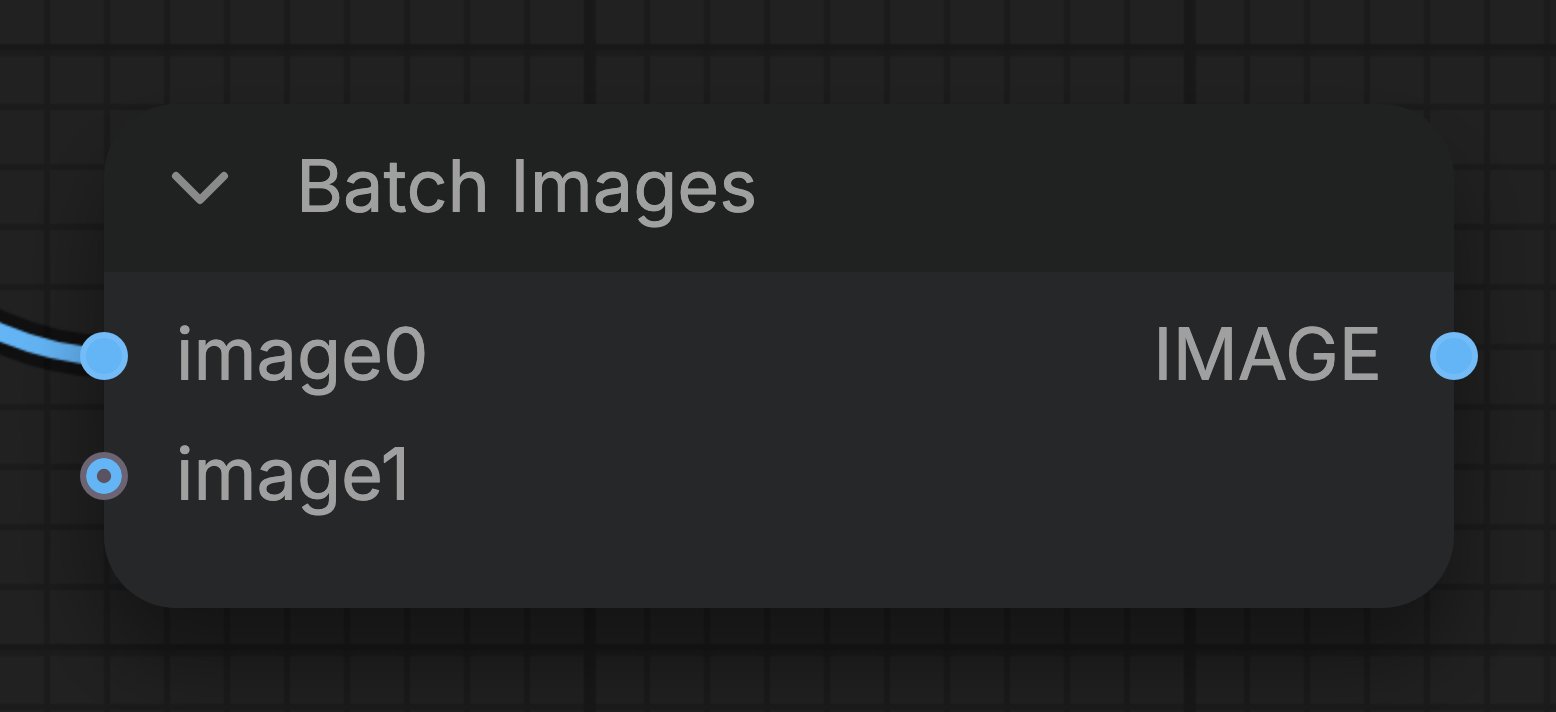 Some nodes in ComfyUI have **autogrow inputs**, also called **dynamic inputs**. These nodes do not show a fixed list of slots. They add another input as soon as you connect the last free one, so a single node can batch two images or twenty without any extra setup.
## How autogrow inputs work
1. **Connect the last free input.** In the example on this page, an image source is linked to `image0` on the **Batch Images** node, while `image1` is still free.
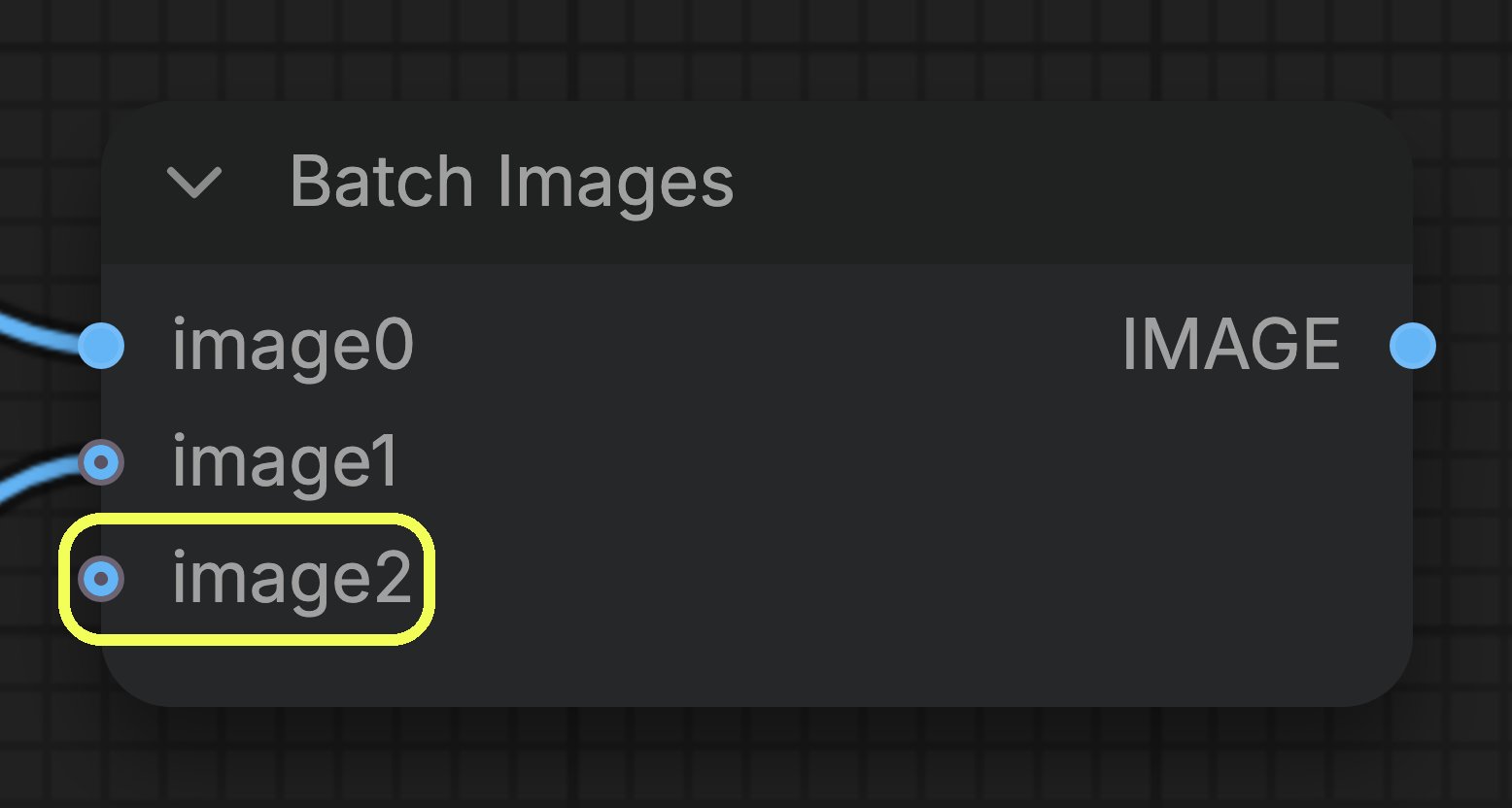
2. **Watch the node grow.** As soon as you fill the last free input, the node appends a new empty input below it. In the picture below, the new `image2` input appears after `image1` is connected.
3. **Repeat as needed.** Every time you fill the last input, the node grows again, until it reaches the maximum number of inputs that node allows.
Some nodes in ComfyUI have **autogrow inputs**, also called **dynamic inputs**. These nodes do not show a fixed list of slots. They add another input as soon as you connect the last free one, so a single node can batch two images or twenty without any extra setup.
## How autogrow inputs work
1. **Connect the last free input.** In the example on this page, an image source is linked to `image0` on the **Batch Images** node, while `image1` is still free.
2. **Watch the node grow.** As soon as you fill the last free input, the node appends a new empty input below it. In the picture below, the new `image2` input appears after `image1` is connected.
3. **Repeat as needed.** Every time you fill the last input, the node grows again, until it reaches the maximum number of inputs that node allows.
 Two more details worth knowing:
* **Order matters.** The inputs are passed to the node in the order they appear, so `image0` comes before `image1` and so on. Keep that in mind when the result depends on the sequence, for example when you batch images that run through a video model.
* **The free input is a placeholder.** It is only part of the node's data once you connect something to it. A node that allows zero inputs still runs when every slot is empty.
## Nodes that use autogrow inputs
| Node | Input that grows | Maximum inputs |
| - | - | - |
| **Batch Images** | `image` | 50 |
| **Batch Masks** | `mask` | 50 |
| **Batch Latents** | `latent` | 50 |
| **And** / **Or** | `value` | 10 |
| **Nano Banana 2** and other partner nodes that take reference images | `image_1`, `image_2`, and so on | up to 14 images |
Each node decides its own limits. Hover the input in ComfyUI to read its tooltip when you are not sure how many values it accepts.
Autogrow is part of the ComfyUI V3 node schema. If you write custom nodes, see [Dynamic Inputs](/custom-nodes/v3_migration#dynamic-inputs) for the `Autogrow` template API.
Combine several images into one batch, with as many inputs as you need.
This documentation is built and hosted on [Mintlify](https://mintlify.com), a developer documentation platform.
Two more details worth knowing:
* **Order matters.** The inputs are passed to the node in the order they appear, so `image0` comes before `image1` and so on. Keep that in mind when the result depends on the sequence, for example when you batch images that run through a video model.
* **The free input is a placeholder.** It is only part of the node's data once you connect something to it. A node that allows zero inputs still runs when every slot is empty.
## Nodes that use autogrow inputs
| Node | Input that grows | Maximum inputs |
| - | - | - |
| **Batch Images** | `image` | 50 |
| **Batch Masks** | `mask` | 50 |
| **Batch Latents** | `latent` | 50 |
| **And** / **Or** | `value` | 10 |
| **Nano Banana 2** and other partner nodes that take reference images | `image_1`, `image_2`, and so on | up to 14 images |
Each node decides its own limits. Hover the input in ComfyUI to read its tooltip when you are not sure how many values it accepts.
Autogrow is part of the ComfyUI V3 node schema. If you write custom nodes, see [Dynamic Inputs](/custom-nodes/v3_migration#dynamic-inputs) for the `Autogrow` template API.
Combine several images into one batch, with as many inputs as you need.
This documentation is built and hosted on [Mintlify](https://mintlify.com), a developer documentation platform.