> ## Documentation Index
> Fetch the complete documentation index at: https://docs.comfy.org/llms.txt
> Use this file to discover all available pages before exploring further.
# ComfyUI Help Center: Release Notes, Support, and Feedback
> Open the ComfyUI Help Center to reach release notes, documentation, community links, support, system status, feedback, and the ComfyUI update action.
The Help Center is the panel behind the question mark icon at the bottom of the ComfyUI sidebar. It gathers the links and actions you would otherwise look for outside the editor: release notes, documentation, community and support channels, system status, feedback, and the ComfyUI update action.
## Open the Help Center
Click the question mark icon at the bottom of the left sidebar. The tooltip reads **Help Center**, and a red dot on the icon means there is something new to read.
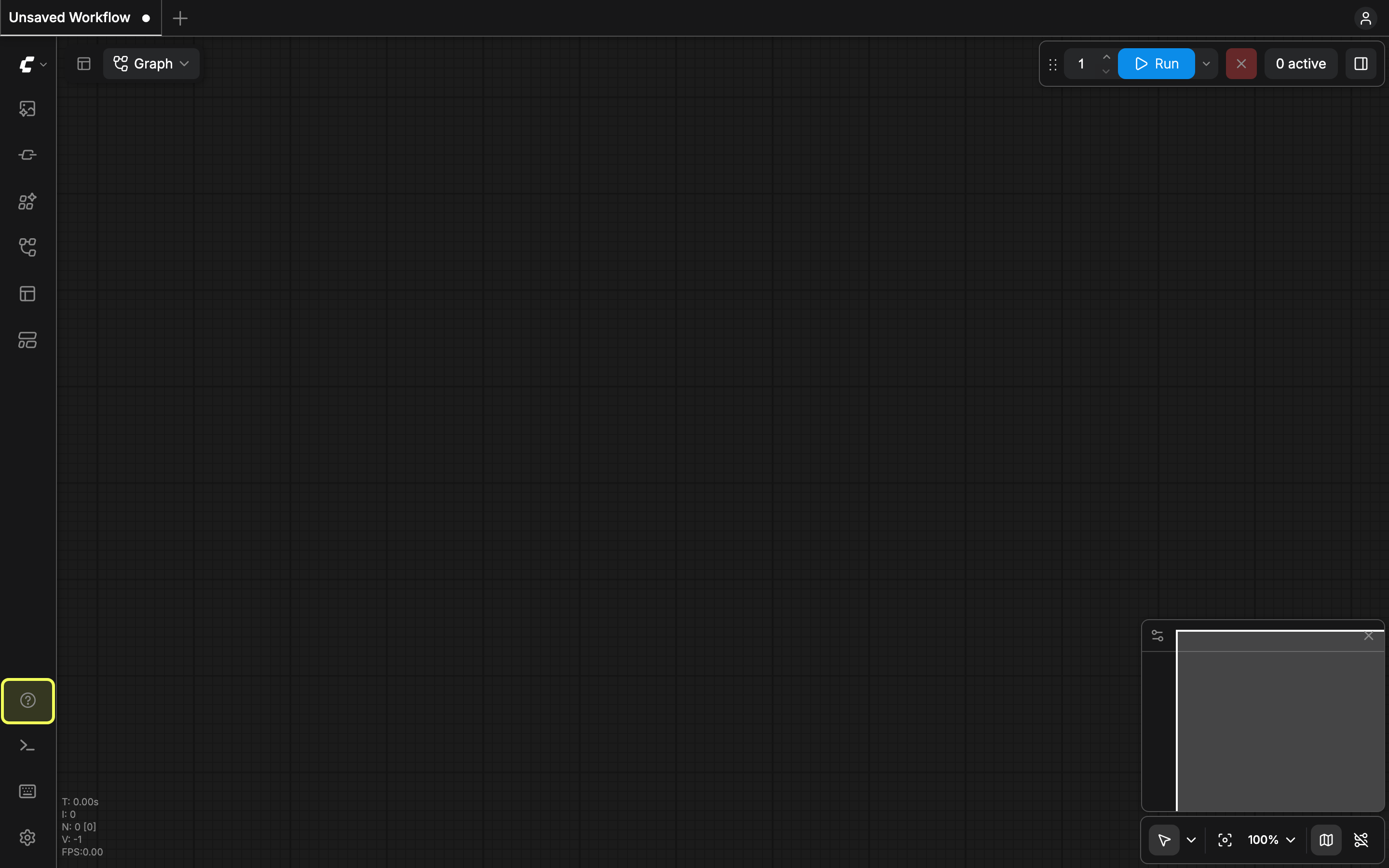 Click the icon again to close the panel. In **App mode** (linear mode), the same icon opens the feedback form directly instead of the menu.
## Menu entries
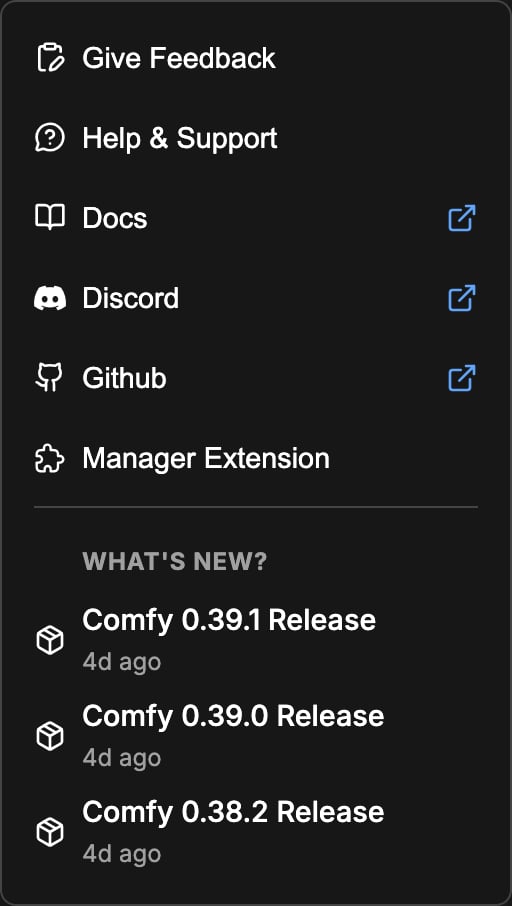
The panel lists the entries below. Some of them only appear on the Comfy Cloud build, and some only on a local install.
| Entry | What it does |
| - | - |
| **Give Feedback** | Opens the feedback form on Comfy Cloud and nightly builds. On other builds it starts the support contact flow. |
| **Help & Support** | Opens the support contact flow. |
| **Docs** | Opens docs.comfy.org, or the Cloud getting started page when you are on Comfy Cloud. |
| **Discord** | Opens the ComfyUI Discord server. |
| **Github** | Opens the ComfyUI repository. |
| **System Status** | Opens the Comfy status page at status.comfy.org. Comfy Cloud only. |
| **Manager Extension** | Opens the custom node manager. Local installs only. |
| **Update ComfyUI** | Queues a ComfyUI update. Local installs that use the new Manager, excluding the desktop app. |
| **More...** | Extra entries, shown only when at least one is available. On the desktop app: **Desktop User Guide**, **Open Dev Tools**, and **Re-Install**. With developer mode on: **Replay Onboarding**. |
Click the icon again to close the panel. In **App mode** (linear mode), the same icon opens the feedback form directly instead of the menu.
## Menu entries
The panel lists the entries below. Some of them only appear on the Comfy Cloud build, and some only on a local install.
| Entry | What it does |
| - | - |
| **Give Feedback** | Opens the feedback form on Comfy Cloud and nightly builds. On other builds it starts the support contact flow. |
| **Help & Support** | Opens the support contact flow. |
| **Docs** | Opens docs.comfy.org, or the Cloud getting started page when you are on Comfy Cloud. |
| **Discord** | Opens the ComfyUI Discord server. |
| **Github** | Opens the ComfyUI repository. |
| **System Status** | Opens the Comfy status page at status.comfy.org. Comfy Cloud only. |
| **Manager Extension** | Opens the custom node manager. Local installs only. |
| **Update ComfyUI** | Queues a ComfyUI update. Local installs that use the new Manager, excluding the desktop app. |
| **More...** | Extra entries, shown only when at least one is available. On the desktop app: **Desktop User Guide**, **Open Dev Tools**, and **Re-Install**. With developer mode on: **Replay Onboarding**. |
 ## What's New
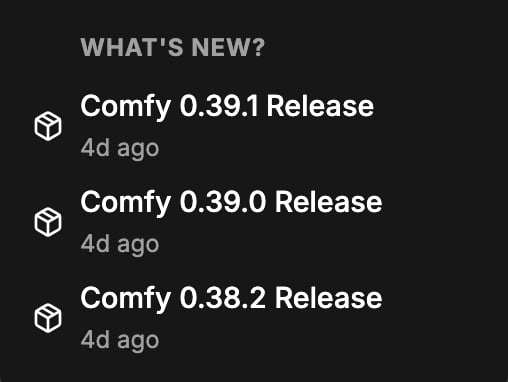
The **What's New?** section under the menu lists the most recent ComfyUI releases with the version number and the release date. Click a release to open its entry on the [changelog](/changelog) page.
## What's New
The **What's New?** section under the menu lists the most recent ComfyUI releases with the version number and the release date. Click a release to open its entry on the [changelog](/changelog) page.
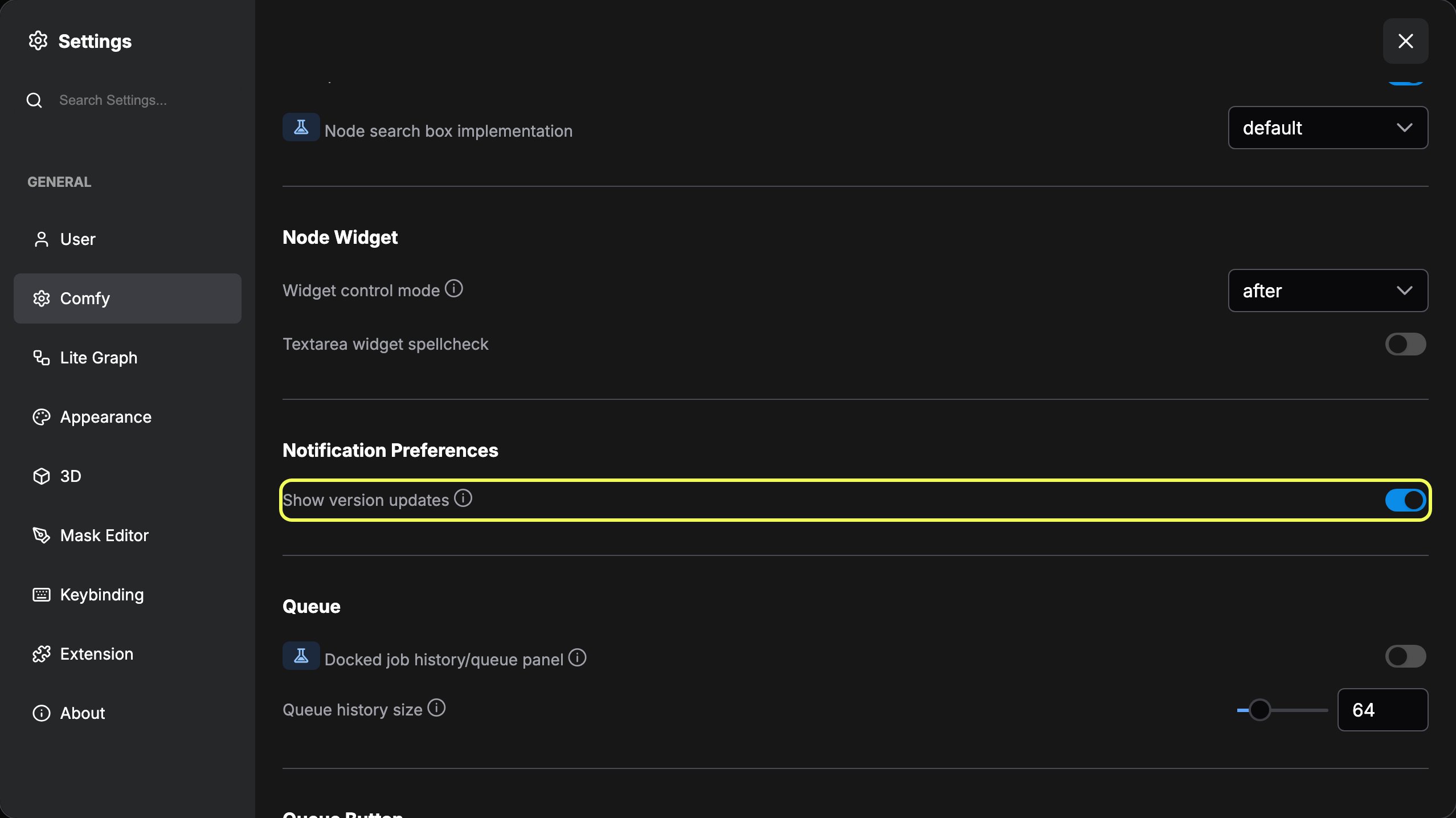
 The section follows the **Show version updates** setting, under **Comfy** then **Notification Preferences** in Settings, which is on by default. Turning it off hides the section.
 ## The red dot
The sidebar icon shows a red dot when there is something to read or resolve:
* **Unread release notes**: a newer version is available and you have not opened its notes yet. The desktop app shows this marker, and only while **Show version updates** is on.
* **Node conflicts**: the custom node manager found a problem with an installed custom node, such as a ComfyUI or frontend version mismatch, a node that failed to import, or a package that is not supported on your operating system or GPU.
The dot clears when you open the release notes, and once you acknowledge the node conflicts.
This documentation is built and hosted on [Mintlify](https://mintlify.com), a developer documentation platform.
## The red dot
The sidebar icon shows a red dot when there is something to read or resolve:
* **Unread release notes**: a newer version is available and you have not opened its notes yet. The desktop app shows this marker, and only while **Show version updates** is on.
* **Node conflicts**: the custom node manager found a problem with an installed custom node, such as a ComfyUI or frontend version mismatch, a node that failed to import, or a package that is not supported on your operating system or GPU.
The dot clears when you open the release notes, and once you acknowledge the node conflicts.
This documentation is built and hosted on [Mintlify](https://mintlify.com), a developer documentation platform.