> ## Documentation Index
> Fetch the complete documentation index at: https://docs.comfy.org/llms.txt
> Use this file to discover all available pages before exploring further.
# About Page
> Detailed description of ComfyUI About settings page
The settings described on this page are located in the **ComfyUI in-app settings menu**. You can open it by navigating to **Settings** (gear icon) or using the `Ctrl + ,` keyboard shortcut, then select the corresponding category to view and configure these options.
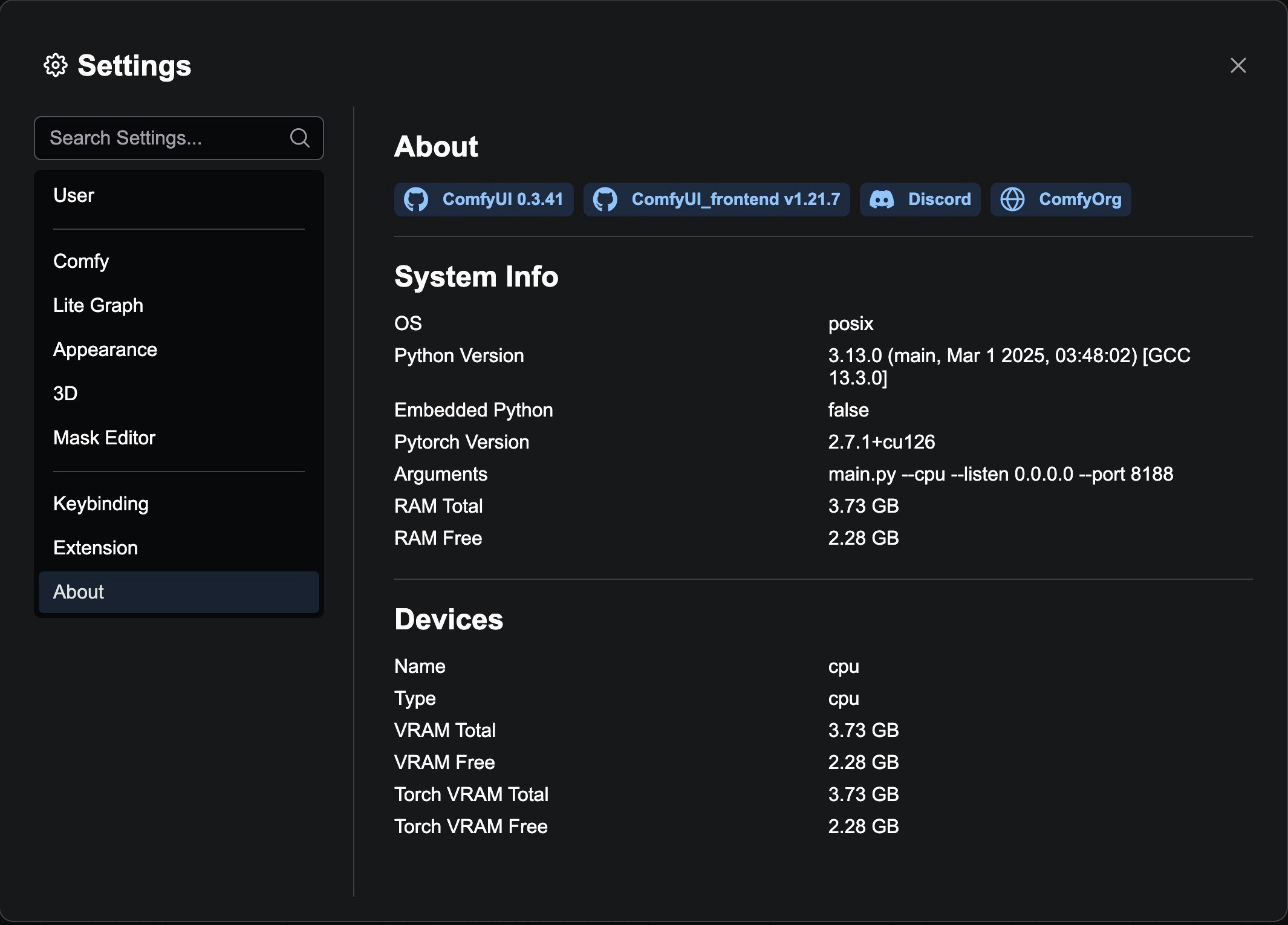
The About page is an information display panel in the ComfyUI settings system, used to show application version information, related links, and system statistics. These settings can provide us with critical information when you submit feedback or report issues.
 ### Version Information Badges
The About page displays the following core version information:
* **ComfyUI Version**: Shows the backend ComfyUI version number, linked to the official GitHub repository
* **ComfyUI\_frontend Version**: Shows the frontend interface version number, linked to the frontend GitHub repository
* **Discord Community**: Provides a link to the ComfyOrg Discord server
* **Official Website**: Links to the ComfyOrg official website
Since the version information here mainly corresponds to stable version information, if you are using the nightly version, the corresponding commit hash will not be displayed here. If you are using the nightly version, you can use the `git log` command in the corresponding ComfyUI main directory to view the corresponding commit hash and other information.
Another common issue is that different dependency packages may fail and rollback during updates.
### Custom Node Badges
If custom nodes are installed, the About page will also display additional badge information provided by custom nodes. These badges are registered by each custom node through the `aboutPageBadges` property.
### System Info
The bottom of the page displays detailed system statistics, including:
* Hardware configuration information
* Software environment information
* System performance data
## Extension Developer Guide
Extension developers can add custom badges to the About page by adding the `aboutPageBadges` property to their extension configuration:
```javascript theme={null}
app.registerExtension({
name: 'MyExtension',
aboutPageBadges: [
{
label: 'My Extension v1.0.0',
url: 'https://github.com/myuser/myextension',
icon: 'pi pi-github'
}
]
})
```
### Version Information Badges
The About page displays the following core version information:
* **ComfyUI Version**: Shows the backend ComfyUI version number, linked to the official GitHub repository
* **ComfyUI\_frontend Version**: Shows the frontend interface version number, linked to the frontend GitHub repository
* **Discord Community**: Provides a link to the ComfyOrg Discord server
* **Official Website**: Links to the ComfyOrg official website
Since the version information here mainly corresponds to stable version information, if you are using the nightly version, the corresponding commit hash will not be displayed here. If you are using the nightly version, you can use the `git log` command in the corresponding ComfyUI main directory to view the corresponding commit hash and other information.
Another common issue is that different dependency packages may fail and rollback during updates.
### Custom Node Badges
If custom nodes are installed, the About page will also display additional badge information provided by custom nodes. These badges are registered by each custom node through the `aboutPageBadges` property.
### System Info
The bottom of the page displays detailed system statistics, including:
* Hardware configuration information
* Software environment information
* System performance data
## Extension Developer Guide
Extension developers can add custom badges to the About page by adding the `aboutPageBadges` property to their extension configuration:
```javascript theme={null}
app.registerExtension({
name: 'MyExtension',
aboutPageBadges: [
{
label: 'My Extension v1.0.0',
url: 'https://github.com/myuser/myextension',
icon: 'pi pi-github'
}
]
})
```