> ## Documentation Index
> Fetch the complete documentation index at: https://docs.comfy.org/llms.txt
> Use this file to discover all available pages before exploring further.

# デモアプリ

> Comfy API で構築された動作するデモアプリから始めましょう。

動作するデモアプリから始めて、ワークフローとインターフェースを自分のプロジェクト向けに調整しましょう。最速で進めたい場合は Comfy Cloud を、独自のモデルやノードが必要な場合は「自分でデプロイ」を選びます。
<div className="sample-card-grid">
  <div className="sample-card" data-sample-card="true">
    <div className="sample-card-inner">
      <div className="sample-card-face sample-card-front" data-sample-front="true">
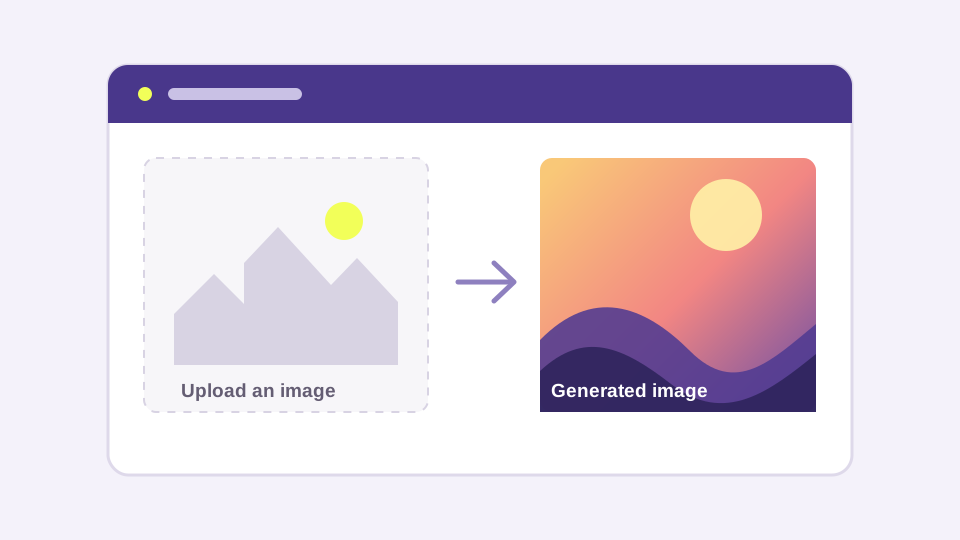
        <img src="https://mintcdn.com/dripart/h9CkwK6HVnehRaV4/images/samples/img2img-web-app.svg?fit=max&auto=format&n=h9CkwK6HVnehRaV4&q=85&s=20739845b77b13a7f3b9298e7c497e9f" alt="画像から画像へのウェブアプリのプレビュー" className="sample-card-preview" data-sample-preview="api" noZoom="true" width="960" height="540" data-path="images/samples/img2img-web-app.svg" />

        <div className="sample-card-body">
          <h2>画像から画像へのウェブアプリ</h2>
          <p>画像をアップロードし、Comfy ワークフローを実行して、結果を Next.js アプリで表示します。</p>

          <div className="sample-card-actions">
            <button type="button" data-sample-open="api">Comfy Cloud を使用</button>
            <button type="button" data-sample-open="endpoint">自分でデプロイ</button>
          </div>

          <div className="sample-card-links">
            <a href="https://github.com/Comfy-Org/comfy-examples/blob/main/img2img-web-app/workflows/workflow_api.json?raw=1">ワークフローをダウンロード ↗</a><span>·</span><a href="https://github.com/Comfy-Org/comfy-examples/tree/main/img2img-web-app">ソースを表示 ↗</a>
          </div>
        </div>
      </div>

      <div className="sample-card-face sample-card-back" data-sample-path="api" aria-hidden="true" inert="true">
        <div className="sample-path-body">
          <button type="button" data-sample-back="true">← デモアプリに戻る</button>
          <p className="sample-path-eyebrow">Comfy Cloud</p><h2>Comfy Cloud で画像から画像へのウェブアプリを使用する</h2>
          <p>Comfy Cloud をマネージドエンドポイントとして使用します。APIキーを作成し、アプリのコピーをデプロイします。</p>

          <div className="sample-path-steps">
            <div className="sample-path-step"><span className="sample-path-number">1</span><div className="sample-path-copy"><strong>APIキーを作成</strong><span>Comfy APIキーを作成して保存します。対象となる Comfy Cloud サブスクリプションも必須です。</span></div><a href="https://platform.comfy.org/profile/api-keys">APIキーを作成 ↗</a></div>
            <div className="sample-path-step"><span className="sample-path-number">2</span><div className="sample-path-copy"><strong>アプリを Vercel にデプロイ</strong><span>プロバイダーがあなたのアカウントにこのサンプルのコピーを作成します。</span></div><a href="https://vercel.com/new/clone?repository-url=https%3A%2F%2Fgithub.com%2FComfy-Org%2Fcomfy-examples%2Ftree%2Fmain%2Fimg2img-web-app&env=COMFY_BASE_URL%2CCOMFY_API_KEY&envDefaults=%7B%22COMFY_BASE_URL%22%3A%22https%3A%2F%2Fcloud.comfy.org%22%7D">アプリをデプロイ ↗</a></div>
          </div>
        </div>
      </div>

      <div className="sample-card-face sample-card-back" data-sample-path="endpoint" aria-hidden="true" inert="true">
        <div className="sample-path-body">
          <button type="button" data-sample-back="true">← デモアプリに戻る</button>
          <p className="sample-path-eyebrow">自分でデプロイ</p><h2>画像から画像へのウェブアプリ用に独自のエンドポイントをデプロイする</h2>
          <p>独自のモデルやカスタムノードが必要な場合は、Comfy API のサーバーレスエンドポイントを作成します。</p>

          <div className="sample-path-steps">
            <div className="sample-path-step"><span className="sample-path-number">1</span><div className="sample-path-copy"><strong>ワークフローをダウンロード</strong><span>専用のデプロイフローでこの API 形式のワークフローを使用します。</span></div><a href="https://github.com/Comfy-Org/comfy-examples/blob/main/img2img-web-app/workflows/workflow_api.json?raw=1">ワークフローをダウンロード ↗</a></div>
            <div className="sample-path-step"><span className="sample-path-number">2</span><div className="sample-path-copy"><strong>APIキーを作成</strong><span>デプロイしたアプリが使用するキーを作成して保存します。</span></div><a href="https://platform.comfy.org/profile/api-keys">APIキーを作成 ↗</a></div>
            <div className="sample-path-step"><span className="sample-path-number">3</span><div className="sample-path-copy"><strong>ワークフローを貼り付けてデプロイ</strong><span>Builds でワークフローを貼り付け、エンドポイントを設定し、その URL を待ちます。</span></div><a href="https://platform.comfy.org/profile/builds">Builds を開く ↗</a></div>
            <div className="sample-path-step"><span className="sample-path-number">4</span><div className="sample-path-copy"><strong>エンドポイント URL と APIキーを貼り付け</strong><span>アプリのデプロイ時に COMFY\_BASE\_URL と COMFY\_API\_KEY を設定します。</span></div><a href="https://vercel.com/new/clone?repository-url=https%3A%2F%2Fgithub.com%2FComfy-Org%2Fcomfy-examples%2Ftree%2Fmain%2Fimg2img-web-app&env=COMFY_BASE_URL%2CCOMFY_API_KEY">アプリをデプロイ ↗</a></div>
          </div>
        </div>
      </div>
    </div>
  </div>

  <div className="sample-card" data-sample-card="true">
    <div className="sample-card-inner">
      <div className="sample-card-face sample-card-front" data-sample-front="true">
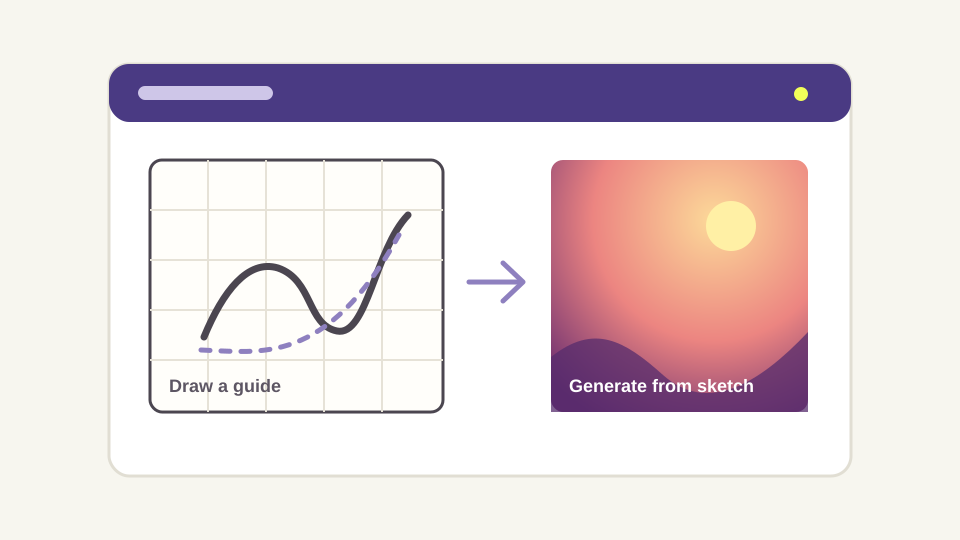
        <img src="https://mintcdn.com/dripart/h9CkwK6HVnehRaV4/images/samples/sketch-to-image.svg?fit=max&auto=format&n=h9CkwK6HVnehRaV4&q=85&s=f4b31ac4090338aad4196bf1ccf4c1af" alt="スケッチから画像へのアプリのプレビュー" className="sample-card-preview" data-sample-preview="api" noZoom="true" width="960" height="540" data-path="images/samples/sketch-to-image.svg" />

        <div className="sample-card-body">
          <h2>スケッチから画像</h2><p>ガイドを描くかインポートし、そのガイドとプロンプトから画像を生成します。</p>
          <div className="sample-card-actions"><button type="button" data-sample-open="api">Comfy Cloud を使用</button><button type="button" data-sample-open="endpoint">自分でデプロイ</button></div>
          <div className="sample-card-links"><a href="https://github.com/Comfy-Org/comfy-examples/blob/main/sketch-to-image/workflows/workflow_api.json?raw=1">ワークフローをダウンロード ↗</a><span>·</span><a href="https://github.com/Comfy-Org/comfy-examples/tree/main/sketch-to-image">ソースを表示 ↗</a></div>
        </div>
      </div>

      <div className="sample-card-face sample-card-back" data-sample-path="api" aria-hidden="true" inert="true">
        <div className="sample-path-body">
          <button type="button" data-sample-back="true">← デモアプリに戻る</button>
          <p className="sample-path-eyebrow">Comfy Cloud</p>
          <h2>Comfy Cloud でスケッチから画像を使用する</h2>
          <p>Comfy Cloud をマネージドエンドポイントとして使用します。APIキーを作成し、アプリのコピーをデプロイします。</p>

          <div className="sample-path-steps">
            <div className="sample-path-step"><span className="sample-path-number">1</span><div className="sample-path-copy"><strong>APIキーを作成</strong><span>Comfy APIキーを作成して保存します。対象となる Comfy Cloud サブスクリプションも必須です。</span></div><a href="https://platform.comfy.org/profile/api-keys">APIキーを作成 ↗</a></div>
            <div className="sample-path-step"><span className="sample-path-number">2</span><div className="sample-path-copy"><strong>アプリを Vercel にデプロイ</strong><span>プロバイダーがあなたのアカウントにこのサンプルのコピーを作成します。</span></div><a href="https://vercel.com/new/clone?repository-url=https%3A%2F%2Fgithub.com%2FComfy-Org%2Fcomfy-examples%2Ftree%2Fmain%2Fsketch-to-image&env=COMFY_BASE_URL%2CCOMFY_API_KEY&envDefaults=%7B%22COMFY_BASE_URL%22%3A%22https%3A%2F%2Fcloud.comfy.org%22%7D">アプリをデプロイ ↗</a></div>
          </div>
        </div>
      </div>

      <div className="sample-card-face sample-card-back" data-sample-path="endpoint" aria-hidden="true" inert="true">
        <div className="sample-path-body">
          <button type="button" data-sample-back="true">← デモアプリに戻る</button>
          <p className="sample-path-eyebrow">自分でデプロイ</p>
          <h2>スケッチから画像用に独自のエンドポイントをデプロイする</h2>
          <p>独自のモデルやカスタムノードが必要な場合は、Comfy API のサーバーレスエンドポイントを作成します。</p>

          <div className="sample-path-steps">
            <div className="sample-path-step"><span className="sample-path-number">1</span><div className="sample-path-copy"><strong>ワークフローをダウンロード</strong><span>専用のデプロイフローでこの API 形式のワークフローを使用します。</span></div><a href="https://github.com/Comfy-Org/comfy-examples/blob/main/sketch-to-image/workflows/workflow_api.json?raw=1">ワークフローをダウンロード ↗</a></div>
            <div className="sample-path-step"><span className="sample-path-number">2</span><div className="sample-path-copy"><strong>APIキーを作成</strong><span>デプロイしたアプリが使用するキーを作成して保存します。</span></div><a href="https://platform.comfy.org/profile/api-keys">APIキーを作成 ↗</a></div>
            <div className="sample-path-step"><span className="sample-path-number">3</span><div className="sample-path-copy"><strong>ワークフローを貼り付けてデプロイ</strong><span>Builds でワークフローを貼り付け、エンドポイントを設定し、その URL を待ちます。</span></div><a href="https://platform.comfy.org/profile/builds">Builds を開く ↗</a></div>
            <div className="sample-path-step"><span className="sample-path-number">4</span><div className="sample-path-copy"><strong>エンドポイント URL と APIキーを貼り付け</strong><span>アプリのデプロイ時に COMFY\_BASE\_URL と COMFY\_API\_KEY を設定します。</span></div><a href="https://vercel.com/new/clone?repository-url=https%3A%2F%2Fgithub.com%2FComfy-Org%2Fcomfy-examples%2Ftree%2Fmain%2Fsketch-to-image&env=COMFY_BASE_URL%2CCOMFY_API_KEY">アプリをデプロイ ↗</a></div>
          </div>
        </div>
      </div>
    </div>
  </div>

  <div className="sample-card" data-sample-card="true">
    <div className="sample-card-inner">
      <div className="sample-card-face sample-card-front" data-sample-front="true">
        <img src="https://mintcdn.com/dripart/h9CkwK6HVnehRaV4/images/samples/discord-image-bot.svg?fit=max&auto=format&n=h9CkwK6HVnehRaV4&q=85&s=785b60d710c773d303743a65333f9455" alt="Discord 画像ボットのプレビュー" className="sample-card-preview" data-sample-preview="api" noZoom="true" width="960" height="540" data-path="images/samples/discord-image-bot.svg" />

        <div className="sample-card-body">
          <h2>Discord 画像ボット</h2><p>Discord サーバーに `/imagine` コマンドを追加し、同梱の Comfy ワークフローを実行します。</p>
          <div className="sample-card-actions"><button type="button" data-sample-open="api">Comfy Cloud を使用</button><button type="button" data-sample-open="endpoint">自分でデプロイ</button></div>
          <div className="sample-card-links"><a href="https://github.com/Comfy-Org/comfy-discord-image-bot/blob/main/workflows/workflow_api.json?raw=1">ワークフローをダウンロード ↗</a><span>·</span><a href="https://github.com/Comfy-Org/comfy-discord-image-bot">ソースを表示 ↗</a></div>
        </div>
      </div>

      <div className="sample-card-face sample-card-back" data-sample-path="api" aria-hidden="true" inert="true">
        <div className="sample-path-body">
          <button type="button" data-sample-back="true">← デモアプリに戻る</button>
          <p className="sample-path-eyebrow">Comfy Cloud</p>
          <h2>Comfy Cloud で Discord 画像ボットを使用する</h2>
          <p>Comfy Cloud をマネージドエンドポイントとして使用します。APIキーを作成し、アプリのコピーをデプロイします。</p>

          <div className="sample-path-steps">
            <div className="sample-path-step"><span className="sample-path-number">1</span><div className="sample-path-copy"><strong>APIキーを作成</strong><span>Comfy APIキーを作成して保存します。対象となる Comfy Cloud サブスクリプションも必須です。</span></div><a href="https://platform.comfy.org/profile/api-keys">APIキーを作成 ↗</a></div>
            <div className="sample-path-step"><span className="sample-path-number">2</span><div className="sample-path-copy"><strong>アプリを Render にデプロイ</strong><span>プロバイダーがあなたのアカウントにこのサンプルのコピーを作成します。</span></div><a href="https://render.com/deploy?repo=https%3A%2F%2Fgithub.com%2FComfy-Org%2Fcomfy-discord-image-bot">アプリをデプロイ ↗</a></div>
          </div>
        </div>
      </div>

      <div className="sample-card-face sample-card-back" data-sample-path="endpoint" aria-hidden="true" inert="true">
        <div className="sample-path-body">
          <button type="button" data-sample-back="true">← デモアプリに戻る</button>
          <p className="sample-path-eyebrow">自分でデプロイ</p>
          <h2>Discord 画像ボット用に独自のエンドポイントをデプロイする</h2>
          <p>独自のモデルやカスタムノードが必要な場合は、Comfy API のサーバーレスエンドポイントを作成します。</p>

          <div className="sample-path-steps">
            <div className="sample-path-step"><span className="sample-path-number">1</span><div className="sample-path-copy"><strong>ワークフローをダウンロード</strong><span>専用のデプロイフローでこの API 形式のワークフローを使用します。</span></div><a href="https://github.com/Comfy-Org/comfy-discord-image-bot/blob/main/workflows/workflow_api.json?raw=1">ワークフローをダウンロード ↗</a></div>
            <div className="sample-path-step"><span className="sample-path-number">2</span><div className="sample-path-copy"><strong>APIキーを作成</strong><span>デプロイしたアプリが使用するキーを作成して保存します。</span></div><a href="https://platform.comfy.org/profile/api-keys">APIキーを作成 ↗</a></div>
            <div className="sample-path-step"><span className="sample-path-number">3</span><div className="sample-path-copy"><strong>ワークフローを貼り付けてデプロイ</strong><span>Builds でワークフローを貼り付け、エンドポイントを設定し、その URL を待ちます。</span></div><a href="https://platform.comfy.org/profile/builds">Builds を開く ↗</a></div>
            <div className="sample-path-step"><span className="sample-path-number">4</span><div className="sample-path-copy"><strong>エンドポイント URL と APIキーを貼り付け</strong><span>アプリのデプロイ時に COMFY\_BASE\_URL と COMFY\_API\_KEY を設定します。</span></div><a href="https://render.com/deploy?repo=https%3A%2F%2Fgithub.com%2FComfy-Org%2Fcomfy-discord-image-bot">アプリをデプロイ ↗</a></div>
          </div>
        </div>
      </div>
    </div>
  </div>
</div>

<Note>
  どちらの方法でも [Comfy APIキー](https://platform.comfy.org/profile/api-keys) が必要です。「自分でデプロイ」の場合は、ワークフローをダウンロードし、Builds でそれを貼り付けてサーバーレスエンドポイントを設定し、その URL を待ってから、その URL と APIキーを Vercel または Render のデプロイに貼り付けます。
</Note>

デモアプリを追加したいですか？ [examples リポジトリ](https://github.com/Comfy-Org/comfy-examples) を参照してください。
