> ## Documentation Index
> Fetch the complete documentation index at: https://docs.comfy.org/llms.txt
> Use this file to discover all available pages before exploring further.
# キャンバス操作 - ミニマップ、ズーム、フォーカスモード
> ComfyUI のキャンバス操作と View メニューでミニマップ、リンク表示、キャンバス情報、ズーム、フィット、Select/Hand、Focus Mode を使います。
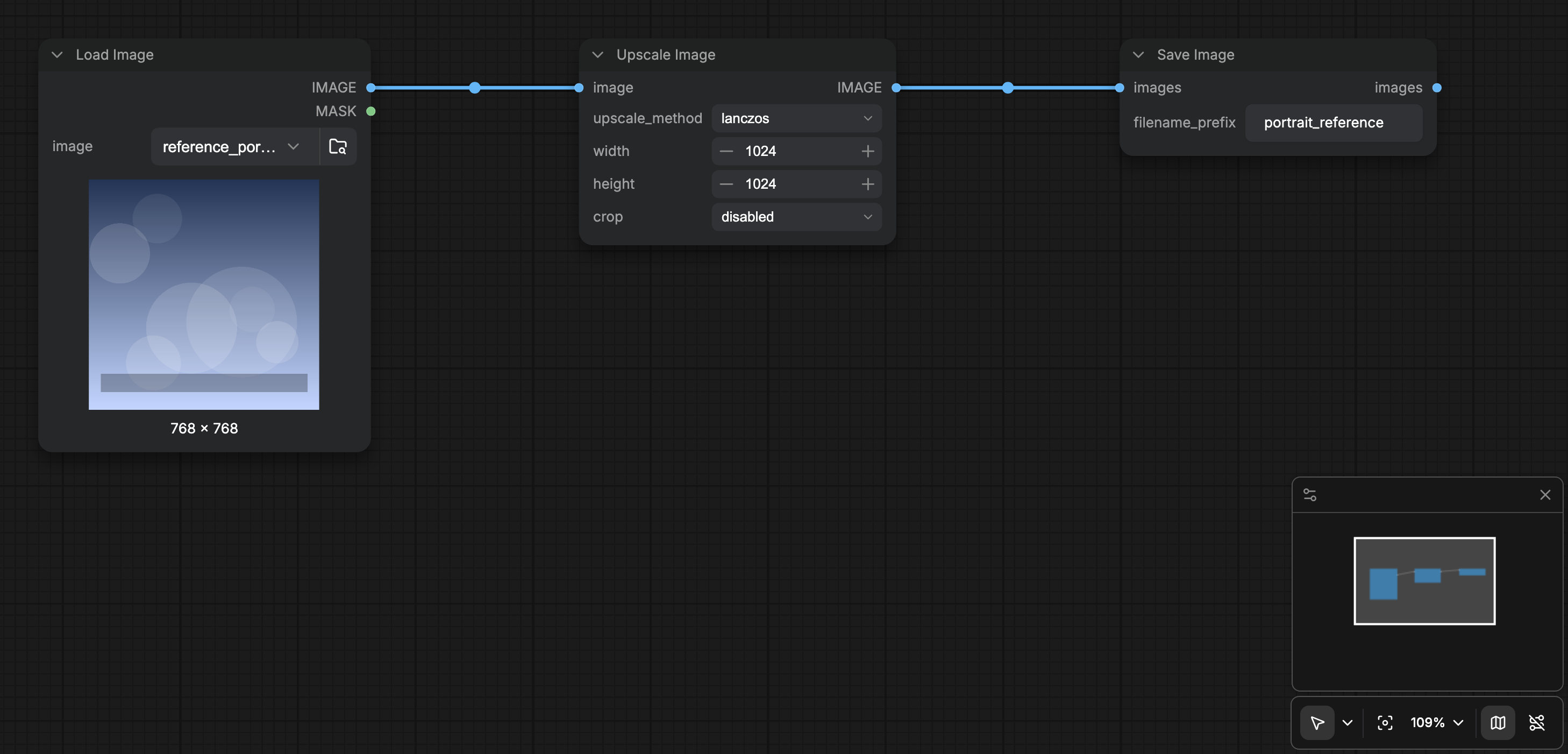
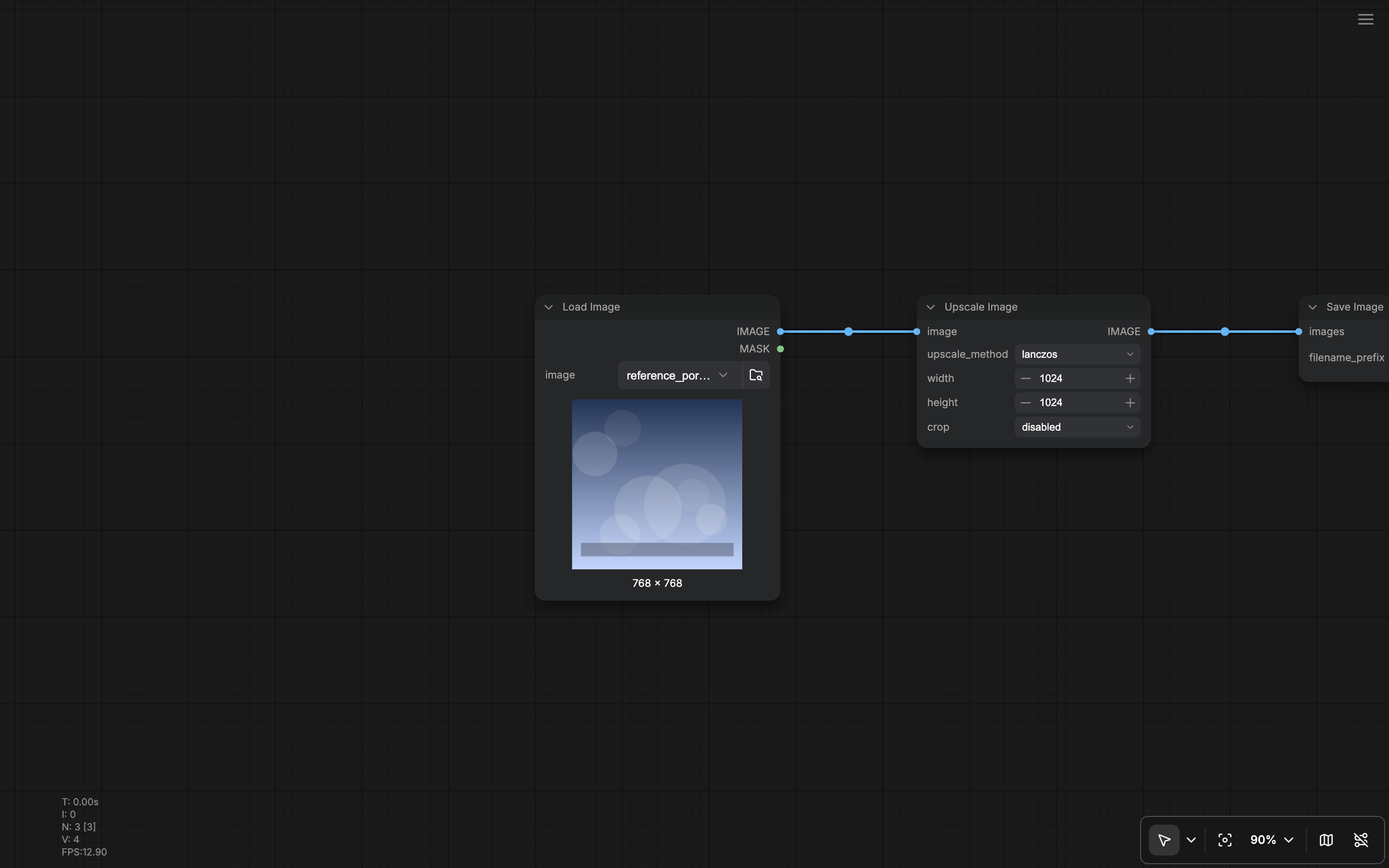
キャンバス右下のツールバーと **View** メニューでグラフの移動方法を制御します。View の主要コマンドには、ボトムパネル切替、テンプレート閲覧、**Focus Mode**、キャンバス性能情報、ミニマップ、リンク表示、ズームイン/アウト、フィットビューがあります。
 ## キャンバスツールバー
**Show graph canvas menu**(`Comfy.Graph.CanvasMenu`)がオン(既定)のとき、キャンバス右下にフローティングツールバーがあります。
| 操作 | 内容 |
| - | - |
| **Canvas mode** | **Select**(ノード編集)と **Hand**(パン専用 / 読み取り専用)を切替。既定: `v` で Select 解除、`h` で Hand ロック。 |
| **Fit view** | ビューポートにグラフを収める(`Comfy.Canvas.FitView`、既定 `.`)。 |
| **Zoom** | ズームイン、ズームアウト、フィット、パーセント欄(1-1000%)のポップオーバー。既定ショートカットに `Alt` + `=` / `Alt` + `-`。 |
| **Minimap** | 概要マップを切替(`Comfy.Canvas.ToggleMinimap`、既定 `Alt` + `Shift` + `M`)。`Comfy.Minimap.Visible` として保持。 |
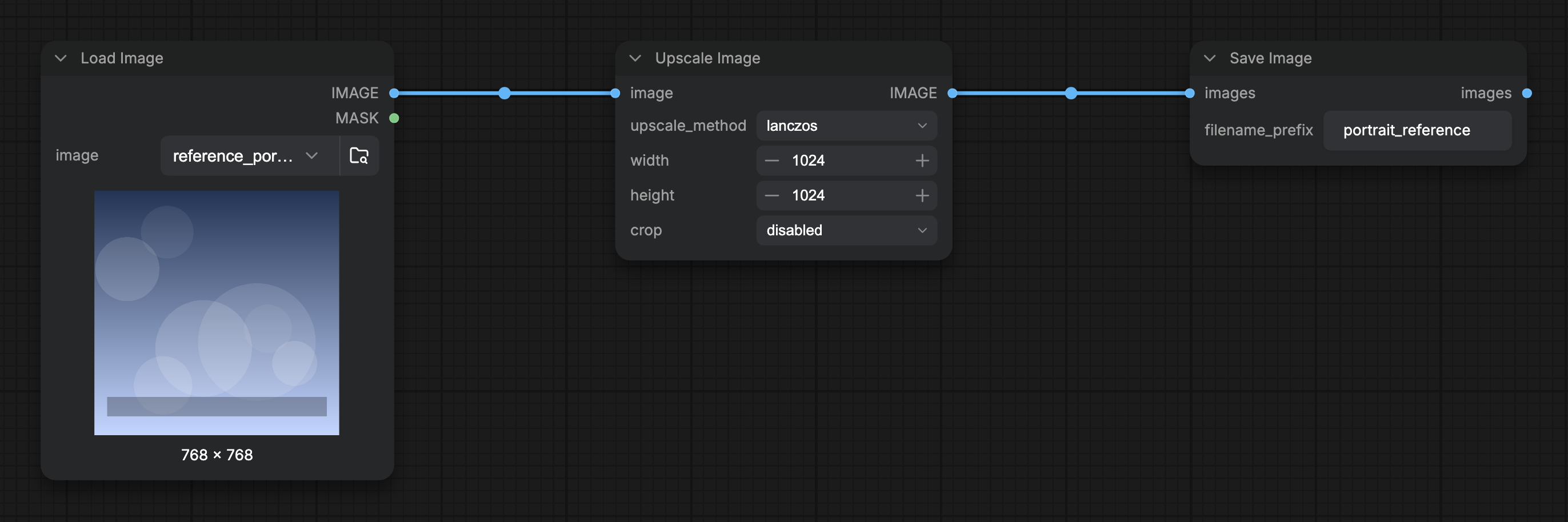
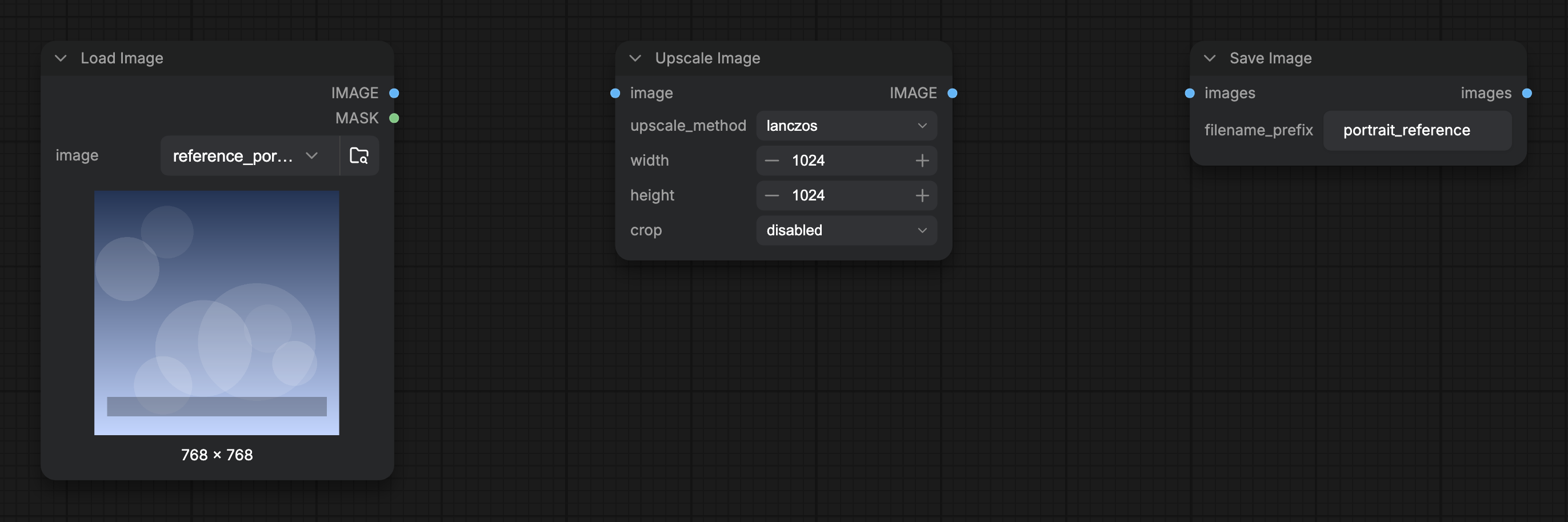
| **Link visibility** | 非表示リンク描画モードを切替えて接続線の表示/非表示(`Comfy.Canvas.ToggleLinkVisibility`)。 |
Lite Graph / Canvas 設定の **Show graph canvas menu** でツールバー全体を隠せます。
## View メニュー
**View** メニューには同じナビゲーションコマンドが登録され、メニューバーやコマンドパレットから実行できます。
* Toggle Bottom Panel
* Browse Templates
* Focus Mode
* Canvas Performance(`Comfy.ToggleCanvasInfo`、`Comfy.Graph.CanvasInfo` を切替)
* Toggle Minimap
* Toggle Link Visibility
* Zoom In / Zoom Out / Fit View
## Focus Mode
**Focus Mode**(`Workspace.ToggleFocusMode`)はワークスペースのクロムを隠し、グラフに集中できます。オンのとき:
* 上部メニューセクションが隠れる(新メニュー)。
* 左右サイドバーパネルとボトムパネルがスプリッタレイアウトで描画されない。
* Focus Mode 終了用のハンバーガー(**Show menu**)が出る。
もう一度 Focus Mode を切替えるか、ハンバーガーでフルワークスペースに戻ります。
## ミニマップオプション
表示/非表示以外に、Settings の Minimap で地図の描画内容(ノード色、リンク、グループ、bypass、エラー状態)を制御します。[Lite Graph 設定](/ja/interface/settings/lite-graph) と、あれば関連する Appearance 項目を参照してください。
## リンクとキャンバスのグローバル設定
リンク形状や接続リンクの表示は、何も選択していないときの [右サイドパネル](/ja/interface/right-side-panel) **Global Settings** のクイック切替、および Lite Graph 設定(`Comfy.LinkRenderMode` など)でも変更できます。グリッド間隔とスナップも同じ Global Settings / Lite Graph にあります。
## 関連ページ
* [インターフェース概要](/ja/interface/overview)
* [ショートカット](/ja/interface/shortcuts)
* [Lite Graph 設定](/ja/interface/settings/lite-graph)
* [右サイドパネル](/ja/interface/right-side-panel)(Global Settings のクイック切替)
* [ボトムパネル](/ja/interface/bottom-panel)
This documentation is built and hosted on [Mintlify](https://mintlify.com), a developer documentation platform.
## キャンバスツールバー
**Show graph canvas menu**(`Comfy.Graph.CanvasMenu`)がオン(既定)のとき、キャンバス右下にフローティングツールバーがあります。
| 操作 | 内容 |
| - | - |
| **Canvas mode** | **Select**(ノード編集)と **Hand**(パン専用 / 読み取り専用)を切替。既定: `v` で Select 解除、`h` で Hand ロック。 |
| **Fit view** | ビューポートにグラフを収める(`Comfy.Canvas.FitView`、既定 `.`)。 |
| **Zoom** | ズームイン、ズームアウト、フィット、パーセント欄(1-1000%)のポップオーバー。既定ショートカットに `Alt` + `=` / `Alt` + `-`。 |
| **Minimap** | 概要マップを切替(`Comfy.Canvas.ToggleMinimap`、既定 `Alt` + `Shift` + `M`)。`Comfy.Minimap.Visible` として保持。 |
| **Link visibility** | 非表示リンク描画モードを切替えて接続線の表示/非表示(`Comfy.Canvas.ToggleLinkVisibility`)。 |
Lite Graph / Canvas 設定の **Show graph canvas menu** でツールバー全体を隠せます。
## View メニュー
**View** メニューには同じナビゲーションコマンドが登録され、メニューバーやコマンドパレットから実行できます。
* Toggle Bottom Panel
* Browse Templates
* Focus Mode
* Canvas Performance(`Comfy.ToggleCanvasInfo`、`Comfy.Graph.CanvasInfo` を切替)
* Toggle Minimap
* Toggle Link Visibility
* Zoom In / Zoom Out / Fit View
## Focus Mode
**Focus Mode**(`Workspace.ToggleFocusMode`)はワークスペースのクロムを隠し、グラフに集中できます。オンのとき:
* 上部メニューセクションが隠れる(新メニュー)。
* 左右サイドバーパネルとボトムパネルがスプリッタレイアウトで描画されない。
* Focus Mode 終了用のハンバーガー(**Show menu**)が出る。
もう一度 Focus Mode を切替えるか、ハンバーガーでフルワークスペースに戻ります。
## ミニマップオプション
表示/非表示以外に、Settings の Minimap で地図の描画内容(ノード色、リンク、グループ、bypass、エラー状態)を制御します。[Lite Graph 設定](/ja/interface/settings/lite-graph) と、あれば関連する Appearance 項目を参照してください。
## リンクとキャンバスのグローバル設定
リンク形状や接続リンクの表示は、何も選択していないときの [右サイドパネル](/ja/interface/right-side-panel) **Global Settings** のクイック切替、および Lite Graph 設定(`Comfy.LinkRenderMode` など)でも変更できます。グリッド間隔とスナップも同じ Global Settings / Lite Graph にあります。
## 関連ページ
* [インターフェース概要](/ja/interface/overview)
* [ショートカット](/ja/interface/shortcuts)
* [Lite Graph 設定](/ja/interface/settings/lite-graph)
* [右サイドパネル](/ja/interface/right-side-panel)(Global Settings のクイック切替)
* [ボトムパネル](/ja/interface/bottom-panel)
This documentation is built and hosted on [Mintlify](https://mintlify.com), a developer documentation platform.