> ## Documentation Index
> Fetch the complete documentation index at: https://docs.comfy.org/llms.txt
> Use this file to discover all available pages before exploring further.
# PiD Latent Upscale ComfyUI ワークフロー例
> PiD(Pixel Diffusion Decoder)は、蒸留された 4 ステップのピクセル空間処理で拡散モデルの latent を 4 倍の超解像画像に変換します。別途 VAE デコードは不要です。
**PiD(Pixel Diffusion Decoder)** は、蒸留された 4 ステップのピクセル空間処理で拡散モデルの **latent** を **4 倍の超解像画像** に変換します。別途 VAE デコードは不要です。このワークフローでは、PiD を使って Z-Image-Turbo の latent を **1024px から 4096px** にアップスケールする方法を紹介します。
**関連リンク**:
* [Comfy-Org/PixelDiT on Hugging Face](https://huggingface.co/Comfy-Org/PixelDiT)
* [nvidia/PixelDiT-1300M-1024px(公式リリース)](https://huggingface.co/nvidia/PixelDiT-1300M-1024px)
 ComfyUI が最新版に更新されていることを確認してください。
* [ComfyUI のダウンロード](https://www.comfy.org/download)
* [更新手順](/ja/installation/update_comfyui)
このガイドで紹介するワークフローは、[ワークフローテンプレート](/ja/interface/features/template)から入手できます。
テンプレート内に該当のワークフローが見つからない場合、ComfyUI のバージョンが古くなっている可能性があります。
ワークフローを読み込んだ際にノードが欠落している場合の考えられる原因:
1. 最新の ComfyUI(Nightly 版)を使用していない
2. 起動時に一部のノードのインポートに失敗している
* [Cloud](https://cloud.comfy.org) は、ComfyUI の安定版リリース後に更新されます。
したがって、このドキュメントでコアノードが見つからない場合、それは新しいコアノードがまだ最新の安定版にリリースされていない可能性があります。次回の安定版リリースをお待ちください。
JSON をダウンロードするか、テンプレートライブラリで "Image Upscale: PiD Latent Decode" を検索してください
## PiD の仕組み
PiD は拡散モデル名だけでなく、上流モデルの **VAE / latent 空間**(エンコーダー側)に基づいてチェックポイントを対応させます。最初の生成に使ったモデルの latent 空間に対応する PiD チェックポイントを選ぶ必要があります。
このワークフローでは **Z-Image-Turbo**(1024px の latent から 4096px を出力)を使用します。Z-Image-Turbo は Flux.1 と同じ 16ch VAE を共有しています。
このワークフローはモジュール処理のためにサブグラフノードを使用しています。ワークフローのカスタマイズや拡張方法はサブグラフのドキュメントを参照してください。
### 利用可能な PiD チェックポイント
すべてのチェックポイントは [Comfy-Org/PixelDiT](https://huggingface.co/Comfy-Org/PixelDiT) から `models/diffusion_models/` にダウンロードします。
| チェックポイント | 入力から出力 | 対応 latent(VAE バックボーン) |
| - | - | - |
| [`pid_flux1_512_to_2048_4step_bf16`](https://huggingface.co/Comfy-Org/PixelDiT/resolve/main/diffusion_models/pid_flux1_512_to_2048_4step_bf16.safetensors) | 512 to 2048 | Flux1-dev 16-ch VAE (Flux.1, Z-Image) |
| [`pid_flux1_1024_to_4096_4step_bf16`](https://huggingface.co/Comfy-Org/PixelDiT/resolve/main/diffusion_models/pid_flux1_1024_to_4096_4step_bf16.safetensors) | 1024 to 4096 | Flux1-dev 16-ch VAE (Flux.1, Z-Image) **(このワークフロー)** |
| [`pid_flux2_512_to_2048_4step_bf16`](https://huggingface.co/Comfy-Org/PixelDiT/resolve/main/diffusion_models/pid_flux2_512_to_2048_4step_bf16.safetensors) | 512 to 2048 | Flux2-dev 128-ch VAE (Flux.2) |
| [`pid_flux2_1024_to_4096_4step_bf16`](https://huggingface.co/Comfy-Org/PixelDiT/resolve/main/diffusion_models/pid_flux2_1024_to_4096_4step_bf16.safetensors) | 1024 to 4096 | Flux2-dev 128-ch VAE (Flux.2) |
| [`pid_sd3_512_to_2048_4step_bf16`](https://huggingface.co/Comfy-Org/PixelDiT/resolve/main/diffusion_models/pid_sd3_512_to_2048_4step_bf16.safetensors) | 512 to 2048 | SD3 medium 16-ch VAE |
| [`pid_sd3_1024_to_4096_4step_bf16`](https://huggingface.co/Comfy-Org/PixelDiT/resolve/main/diffusion_models/pid_sd3_1024_to_4096_4step_bf16.safetensors) | 1024 to 4096 | SD3 medium 16-ch VAE |
### サブグラフの設定
**Latent Upscale Decode (PiD)** サブグラフで次の項目を設定します:
| 設定 | 値 | 説明 |
| - | - | - |
| `latent_format` | `flux` | Flux.1/Flux.2/Z-Image は `flux`、SD3 は `sd3`(Flux.2 は 128 チャンネルで自動検出) |
| `degrade_sigma` | `0.0` | 入力 latent がどれだけ「完成」しているか。完全にノイズ除去済みなら `0.0`(デフォルト)、部分的なら `0.1–0.8`、純粋なノイズなら `1.0` |
### 実行手順
1. **latent を生成する**。T2I ワークフロー(例:Z-Image-Turbo)で latent 画像を生成します。
2. **PiD に接続する**。latent を **Latent Upscale Decode (PiD)** サブグラフノードに入力します。
3. **チェックポイントを選ぶ**。上流モデルの VAE latent 空間に合った PiD チェックポイントを選びます。
4. **出力サイズを設定する**。PiD の出力サイズを入力 latent 解像度の **4 倍** に設定します。
5. **実行する**。サブグラフが 1 回の 4 ステップ処理でデコードとアップスケールを行います。
## モデルのダウンロード
PiD は PixelDiT モデルファミリーの一部です。このワークフローでは最初の生成用に Z-Image-Turbo モデルも必要です。
pid\_flux1\_1024\_to\_4096\_4step\_bf16.safetensors:Flux.1 / Z-Image latent 空間用の PiD チェックポイント
z\_image\_turbo\_bf16.safetensors:PiD でアップスケールする前の初期生成に使用
qwen\_3\_4b.safetensors:Z-Image-Turbo 用テキストエンコーダー
ae.safetensors:Z-Image-Turbo 用 VAE
gemma\_2\_2b\_it\_elm\_fp8\_scaled.safetensors:PiD サブグラフの CLIPLoader 用テキストエンコーダー(type: pixeldit)
> PiD は内蔵の **pixel\_space** VAE を使用します。PiD 自体に別の VAE ファイルは不要です。
### モデルの保存場所
```
📂 ComfyUI/
├── 📂 models/
│ ├── 📂 text_encoders/
│ │ ├── qwen_3_4b.safetensors
│ │ └── gemma_2_2b_it_elm_fp8_scaled.safetensors
│ ├── 📂 diffusion_models/
│ │ ├── pid_flux1_1024_to_4096_4step_bf16.safetensors
│ │ └── z_image_turbo_bf16.safetensors
│ └── 📂 vae/
│ └── ae.safetensors
```
### 出力例
ComfyUI が最新版に更新されていることを確認してください。
* [ComfyUI のダウンロード](https://www.comfy.org/download)
* [更新手順](/ja/installation/update_comfyui)
このガイドで紹介するワークフローは、[ワークフローテンプレート](/ja/interface/features/template)から入手できます。
テンプレート内に該当のワークフローが見つからない場合、ComfyUI のバージョンが古くなっている可能性があります。
ワークフローを読み込んだ際にノードが欠落している場合の考えられる原因:
1. 最新の ComfyUI(Nightly 版)を使用していない
2. 起動時に一部のノードのインポートに失敗している
* [Cloud](https://cloud.comfy.org) は、ComfyUI の安定版リリース後に更新されます。
したがって、このドキュメントでコアノードが見つからない場合、それは新しいコアノードがまだ最新の安定版にリリースされていない可能性があります。次回の安定版リリースをお待ちください。
JSON をダウンロードするか、テンプレートライブラリで "Image Upscale: PiD Latent Decode" を検索してください
## PiD の仕組み
PiD は拡散モデル名だけでなく、上流モデルの **VAE / latent 空間**(エンコーダー側)に基づいてチェックポイントを対応させます。最初の生成に使ったモデルの latent 空間に対応する PiD チェックポイントを選ぶ必要があります。
このワークフローでは **Z-Image-Turbo**(1024px の latent から 4096px を出力)を使用します。Z-Image-Turbo は Flux.1 と同じ 16ch VAE を共有しています。
このワークフローはモジュール処理のためにサブグラフノードを使用しています。ワークフローのカスタマイズや拡張方法はサブグラフのドキュメントを参照してください。
### 利用可能な PiD チェックポイント
すべてのチェックポイントは [Comfy-Org/PixelDiT](https://huggingface.co/Comfy-Org/PixelDiT) から `models/diffusion_models/` にダウンロードします。
| チェックポイント | 入力から出力 | 対応 latent(VAE バックボーン) |
| - | - | - |
| [`pid_flux1_512_to_2048_4step_bf16`](https://huggingface.co/Comfy-Org/PixelDiT/resolve/main/diffusion_models/pid_flux1_512_to_2048_4step_bf16.safetensors) | 512 to 2048 | Flux1-dev 16-ch VAE (Flux.1, Z-Image) |
| [`pid_flux1_1024_to_4096_4step_bf16`](https://huggingface.co/Comfy-Org/PixelDiT/resolve/main/diffusion_models/pid_flux1_1024_to_4096_4step_bf16.safetensors) | 1024 to 4096 | Flux1-dev 16-ch VAE (Flux.1, Z-Image) **(このワークフロー)** |
| [`pid_flux2_512_to_2048_4step_bf16`](https://huggingface.co/Comfy-Org/PixelDiT/resolve/main/diffusion_models/pid_flux2_512_to_2048_4step_bf16.safetensors) | 512 to 2048 | Flux2-dev 128-ch VAE (Flux.2) |
| [`pid_flux2_1024_to_4096_4step_bf16`](https://huggingface.co/Comfy-Org/PixelDiT/resolve/main/diffusion_models/pid_flux2_1024_to_4096_4step_bf16.safetensors) | 1024 to 4096 | Flux2-dev 128-ch VAE (Flux.2) |
| [`pid_sd3_512_to_2048_4step_bf16`](https://huggingface.co/Comfy-Org/PixelDiT/resolve/main/diffusion_models/pid_sd3_512_to_2048_4step_bf16.safetensors) | 512 to 2048 | SD3 medium 16-ch VAE |
| [`pid_sd3_1024_to_4096_4step_bf16`](https://huggingface.co/Comfy-Org/PixelDiT/resolve/main/diffusion_models/pid_sd3_1024_to_4096_4step_bf16.safetensors) | 1024 to 4096 | SD3 medium 16-ch VAE |
### サブグラフの設定
**Latent Upscale Decode (PiD)** サブグラフで次の項目を設定します:
| 設定 | 値 | 説明 |
| - | - | - |
| `latent_format` | `flux` | Flux.1/Flux.2/Z-Image は `flux`、SD3 は `sd3`(Flux.2 は 128 チャンネルで自動検出) |
| `degrade_sigma` | `0.0` | 入力 latent がどれだけ「完成」しているか。完全にノイズ除去済みなら `0.0`(デフォルト)、部分的なら `0.1–0.8`、純粋なノイズなら `1.0` |
### 実行手順
1. **latent を生成する**。T2I ワークフロー(例:Z-Image-Turbo)で latent 画像を生成します。
2. **PiD に接続する**。latent を **Latent Upscale Decode (PiD)** サブグラフノードに入力します。
3. **チェックポイントを選ぶ**。上流モデルの VAE latent 空間に合った PiD チェックポイントを選びます。
4. **出力サイズを設定する**。PiD の出力サイズを入力 latent 解像度の **4 倍** に設定します。
5. **実行する**。サブグラフが 1 回の 4 ステップ処理でデコードとアップスケールを行います。
## モデルのダウンロード
PiD は PixelDiT モデルファミリーの一部です。このワークフローでは最初の生成用に Z-Image-Turbo モデルも必要です。
pid\_flux1\_1024\_to\_4096\_4step\_bf16.safetensors:Flux.1 / Z-Image latent 空間用の PiD チェックポイント
z\_image\_turbo\_bf16.safetensors:PiD でアップスケールする前の初期生成に使用
qwen\_3\_4b.safetensors:Z-Image-Turbo 用テキストエンコーダー
ae.safetensors:Z-Image-Turbo 用 VAE
gemma\_2\_2b\_it\_elm\_fp8\_scaled.safetensors:PiD サブグラフの CLIPLoader 用テキストエンコーダー(type: pixeldit)
> PiD は内蔵の **pixel\_space** VAE を使用します。PiD 自体に別の VAE ファイルは不要です。
### モデルの保存場所
```
📂 ComfyUI/
├── 📂 models/
│ ├── 📂 text_encoders/
│ │ ├── qwen_3_4b.safetensors
│ │ └── gemma_2_2b_it_elm_fp8_scaled.safetensors
│ ├── 📂 diffusion_models/
│ │ ├── pid_flux1_1024_to_4096_4step_bf16.safetensors
│ │ └── z_image_turbo_bf16.safetensors
│ └── 📂 vae/
│ └── ae.safetensors
```
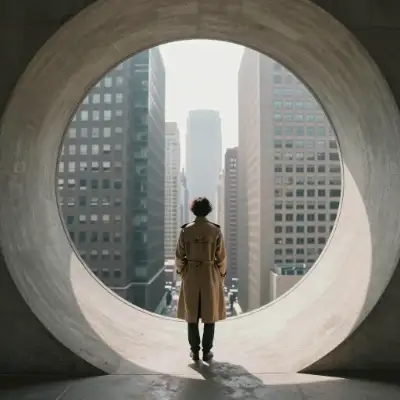
### 出力例
 This documentation is built and hosted on [Mintlify](https://mintlify.com), a developer documentation platform.