> ## Documentation Index
> Fetch the complete documentation index at: https://docs.comfy.org/llms.txt
> Use this file to discover all available pages before exploring further.
# Changing your subscription plan
> Learn how to change your Comfy Cloud subscription plan
## How to change your subscription plan
You can upgrade or downgrade your Comfy Cloud subscription plan at any time. Follow these steps to change your plan:
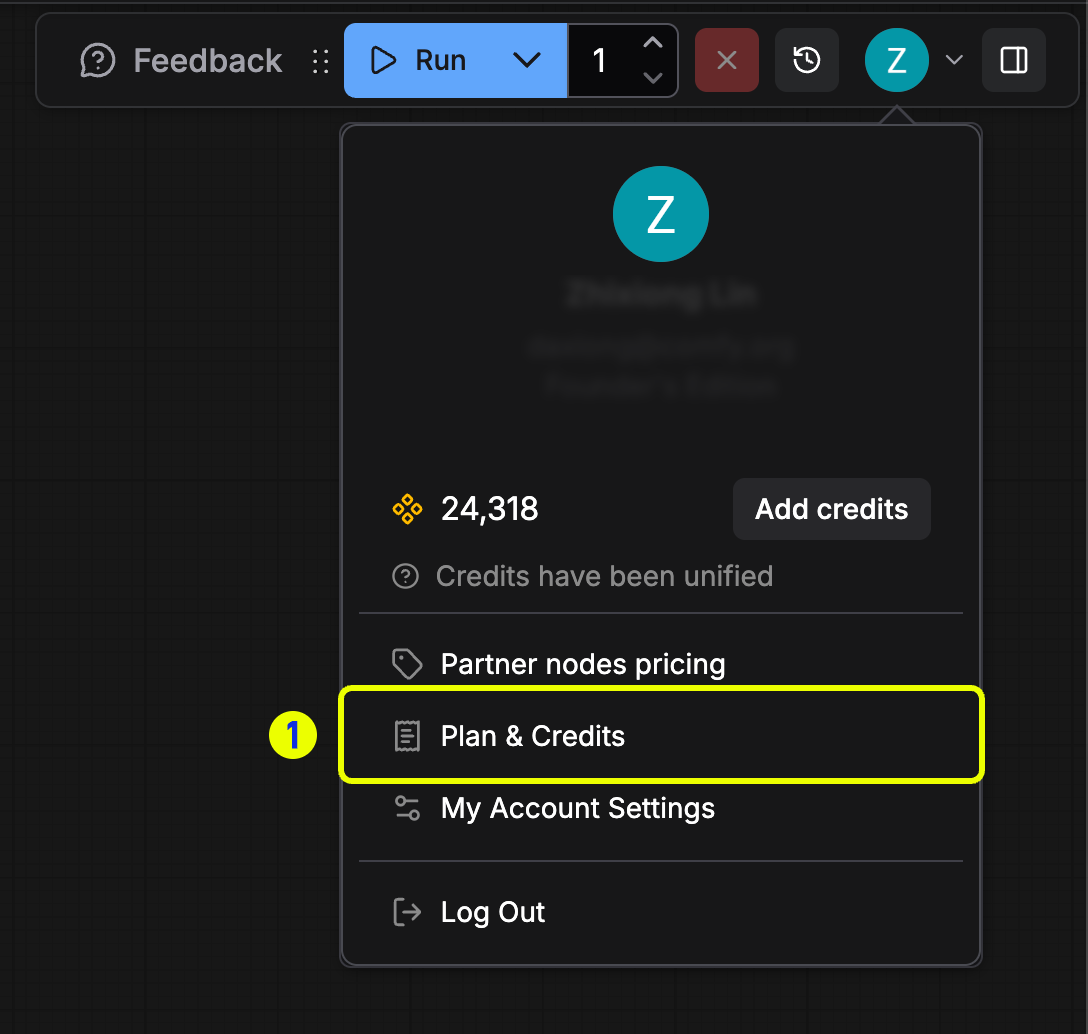
### Step 1: Open the settings panel
Click the **Plan & Credits** menu to open the settings panel.
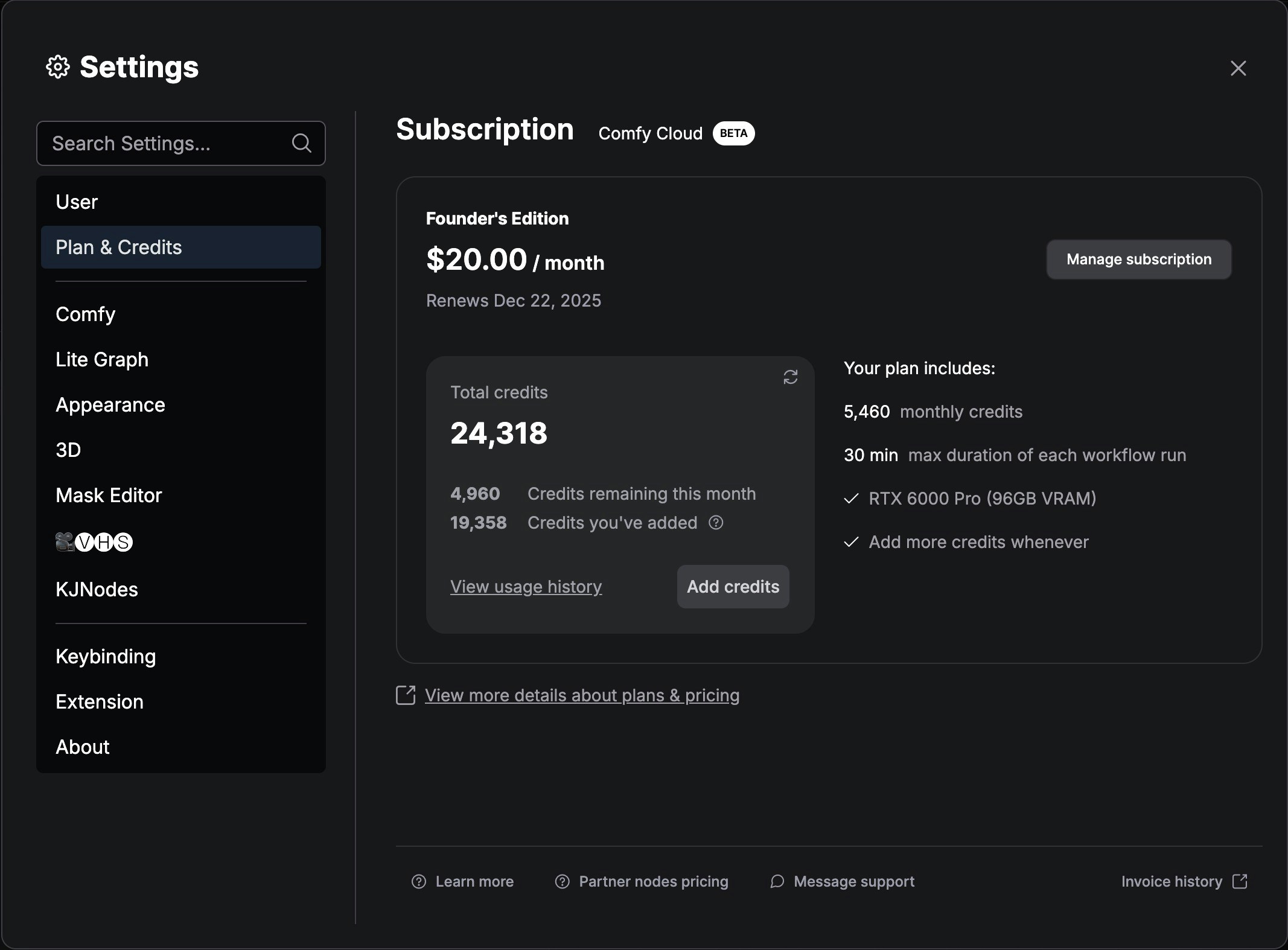
 ### Step 2: Access subscription management
In the **Plan & Credits** panel, click the **Manage subscription** button to open the subscription settings.
### Step 2: Access subscription management
In the **Plan & Credits** panel, click the **Manage subscription** button to open the subscription settings.
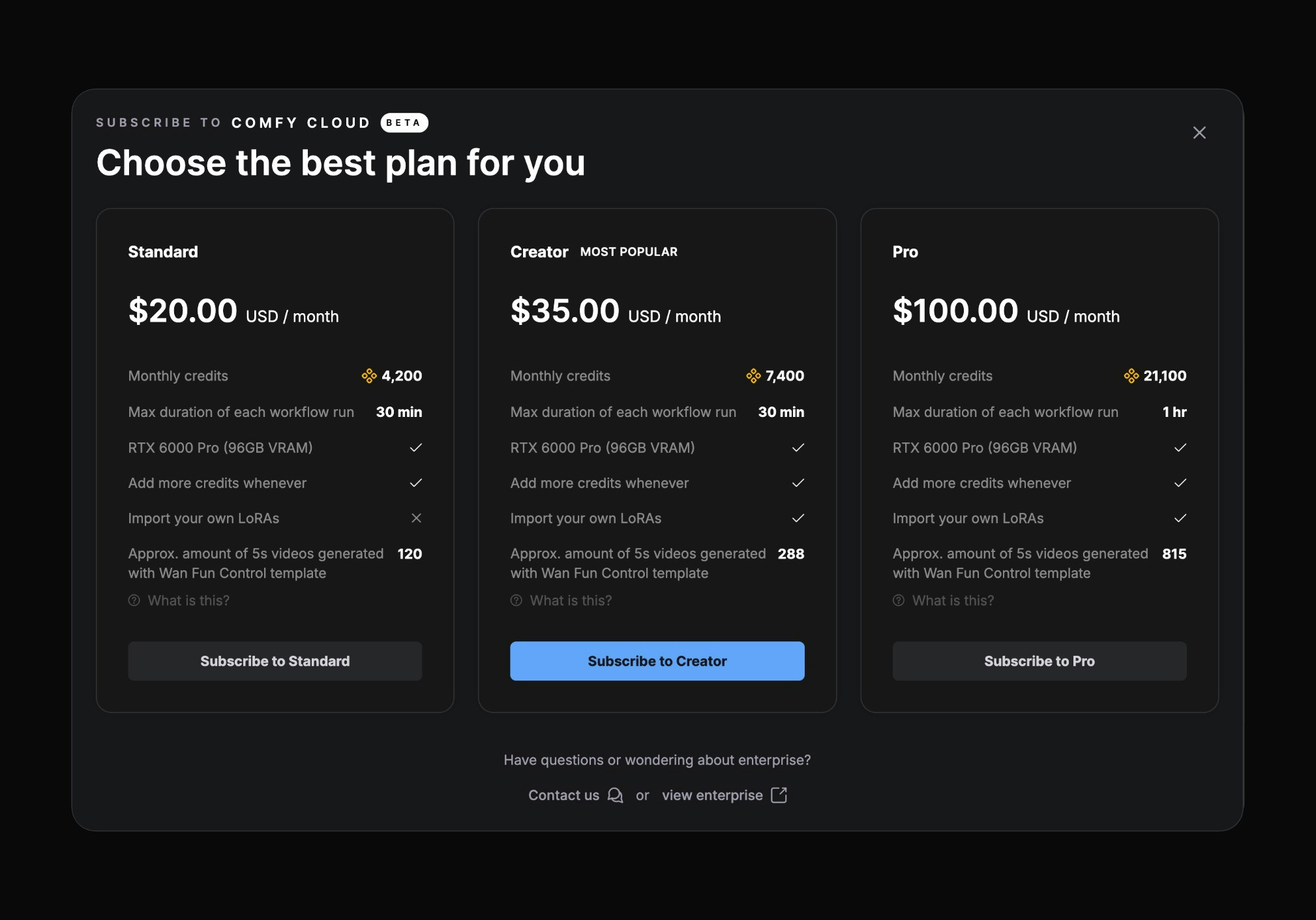
 ### Step 3: Select a new plan
Select any plan you want, then click the **Change** button.
### Step 3: Select a new plan
Select any plan you want, then click the **Change** button.
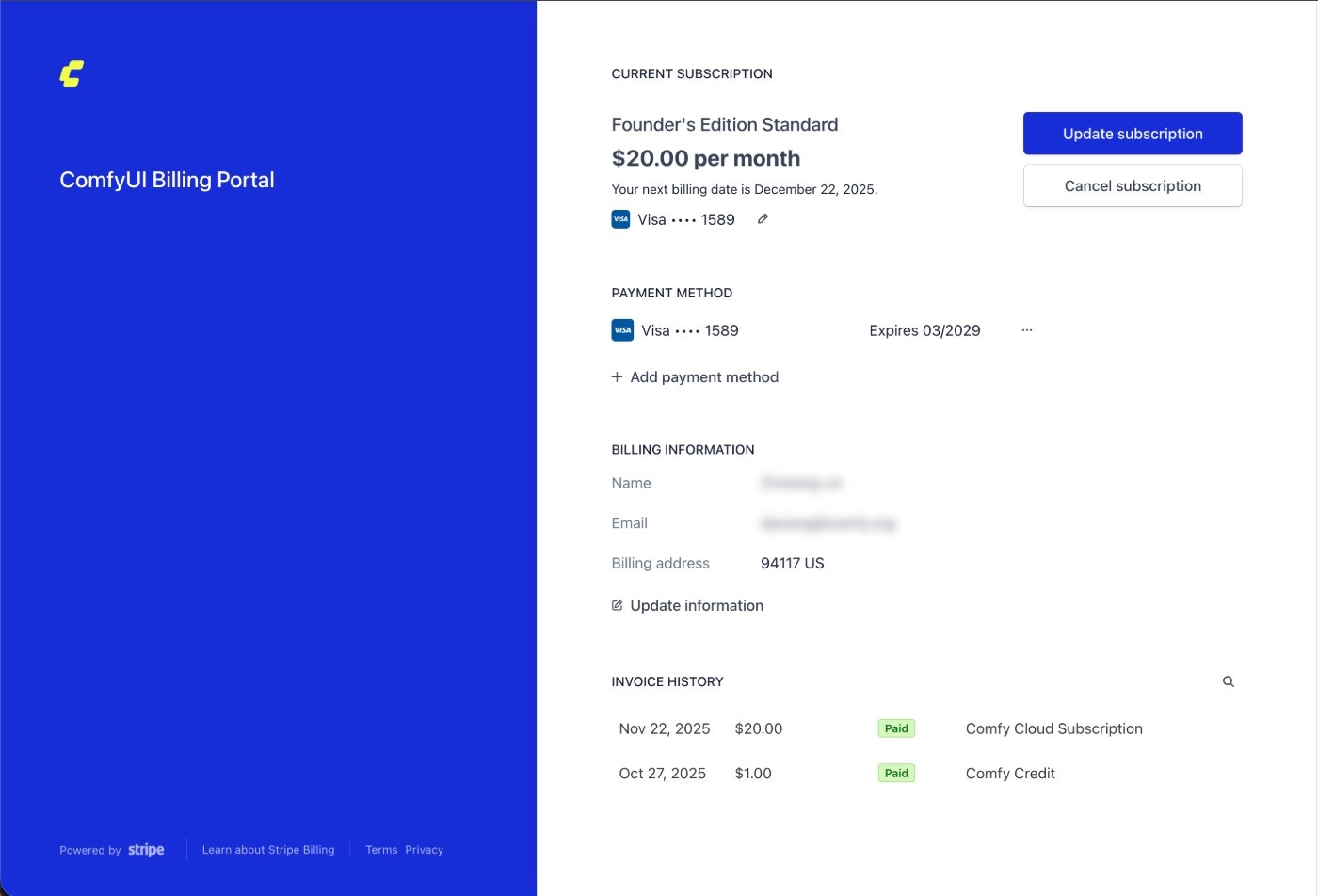
 ### Step 4: Open the billing portal
After opening the Comfy billing portal, click the **Update subscription** button.
### Step 4: Open the billing portal
After opening the Comfy billing portal, click the **Update subscription** button.
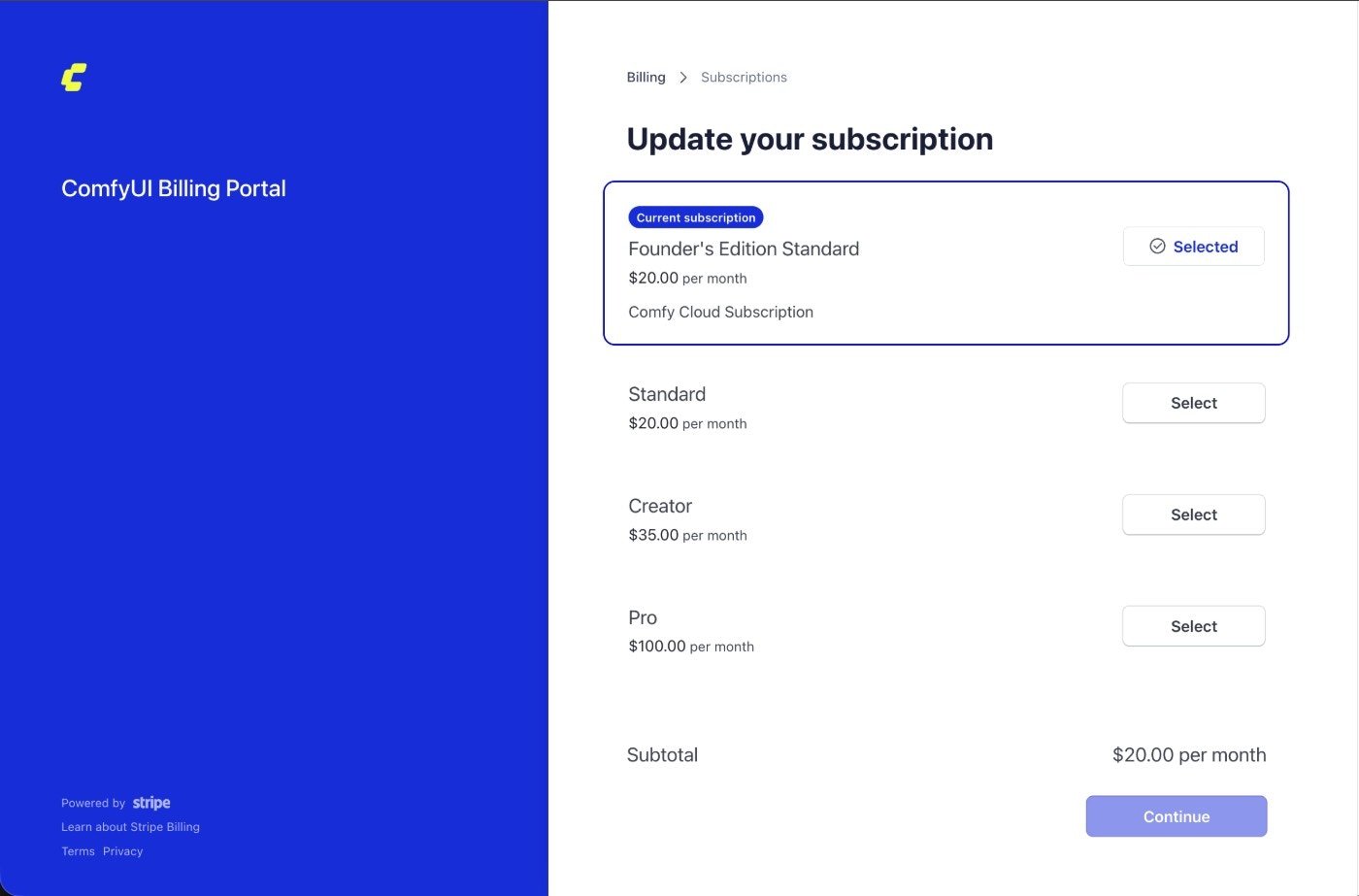
 ### Step 5: Confirm your new plan
Select the plan you want, then click **Continue** to confirm your selection.
### Step 5: Confirm your new plan
Select the plan you want, then click **Continue** to confirm your selection.
 ## Billing for plan changes
### Upgrading to a higher-priced plan
If your current subscription plan price is lower than the target plan, you will need to pay the price difference. You will receive an equivalent credit amount corresponding to the price difference.
### Downgrading to a lower-priced plan
If your current subscription plan price is higher than the target plan, your subscription will switch to the new plan after the current billing cycle ends. The new subscription will be based on the new pricing plan.
## Billing for plan changes
### Upgrading to a higher-priced plan
If your current subscription plan price is lower than the target plan, you will need to pay the price difference. You will receive an equivalent credit amount corresponding to the price difference.
### Downgrading to a lower-priced plan
If your current subscription plan price is higher than the target plan, your subscription will switch to the new plan after the current billing cycle ends. The new subscription will be based on the new pricing plan.