> ## Documentation Index
> Fetch the complete documentation index at: https://docs.comfy.org/llms.txt
> Use this file to discover all available pages before exploring further.
# Subscribing to Comfy Cloud
> Learn how to subscribe to Comfy Cloud
## How to subscribe
You can browse and use Comfy Cloud normally without a subscription, but you need to subscribe to run workflows.
To subscribe to Comfy Cloud:
1. Visit [cloud.comfy.org](https://cloud.comfy.org/?utm_source=docs) and log in to your account.
2. Click the **Subscribe** button.
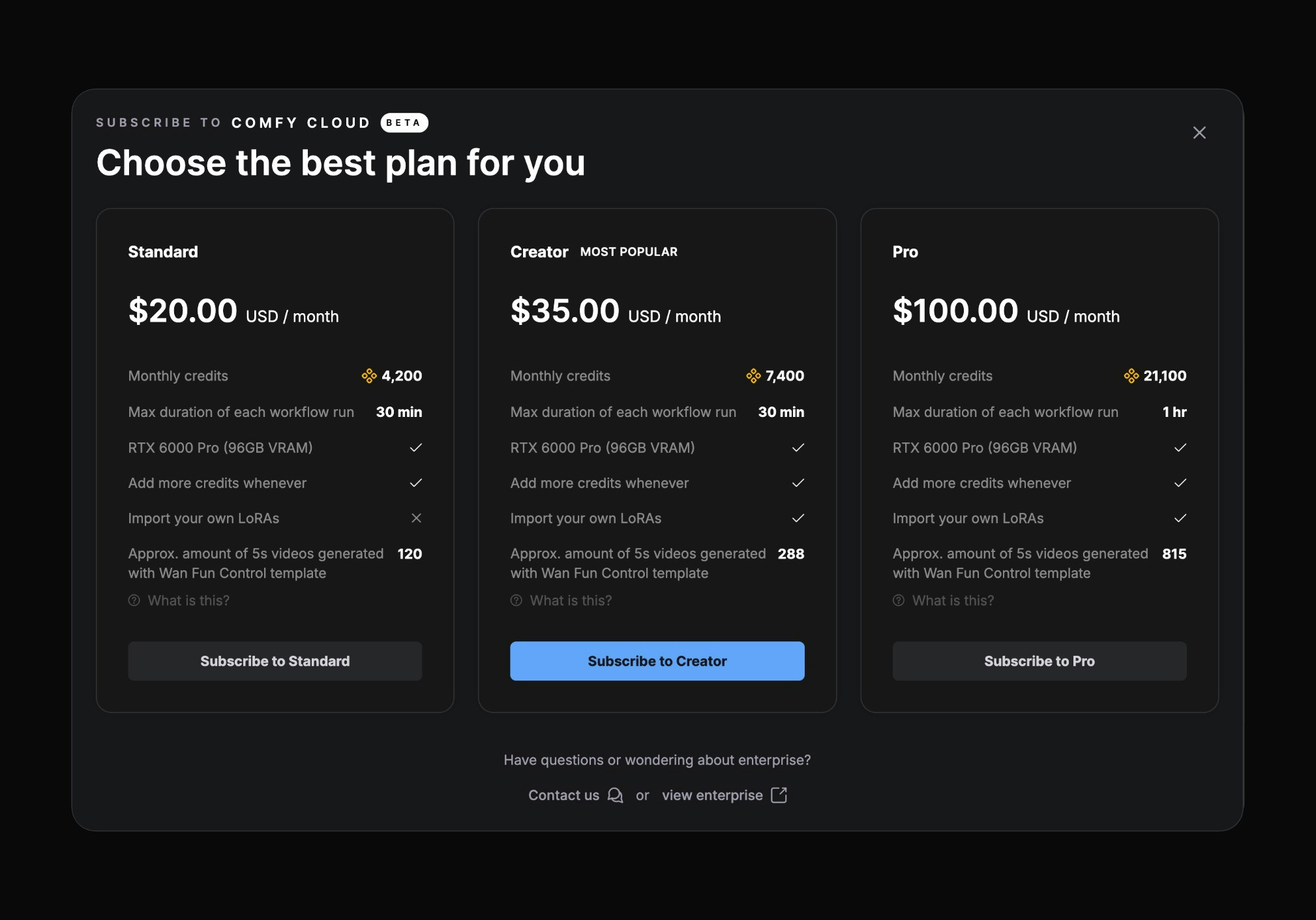 3. Select your desired subscription plan.
For detailed information about Comfy Cloud subscription plans and pricing, visit [comfy.org/cloud/pricing](https://www.comfy.org/cloud/pricing).
Comfy Cloud subscriptions are managed through Stripe, our payment processor.
## Applying a promotion code
If you have a promotion code, you can apply it during checkout to receive a discount on your subscription:
### Step 1: Activate the promotion code field
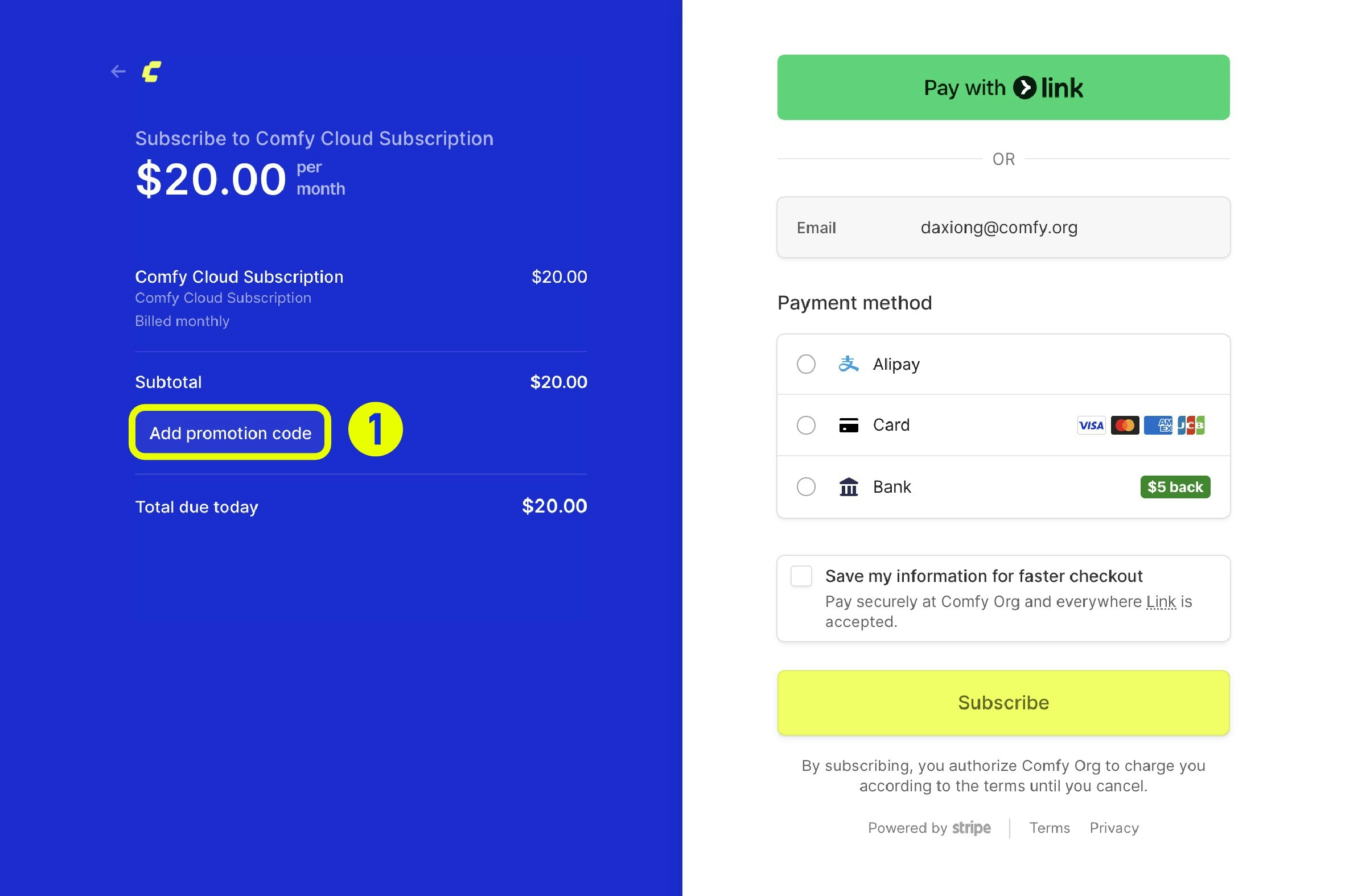
During checkout, click the **Add promotion code** button to reveal the input field.
3. Select your desired subscription plan.
For detailed information about Comfy Cloud subscription plans and pricing, visit [comfy.org/cloud/pricing](https://www.comfy.org/cloud/pricing).
Comfy Cloud subscriptions are managed through Stripe, our payment processor.
## Applying a promotion code
If you have a promotion code, you can apply it during checkout to receive a discount on your subscription:
### Step 1: Activate the promotion code field
During checkout, click the **Add promotion code** button to reveal the input field.
 ### Step 2: Enter and apply your code
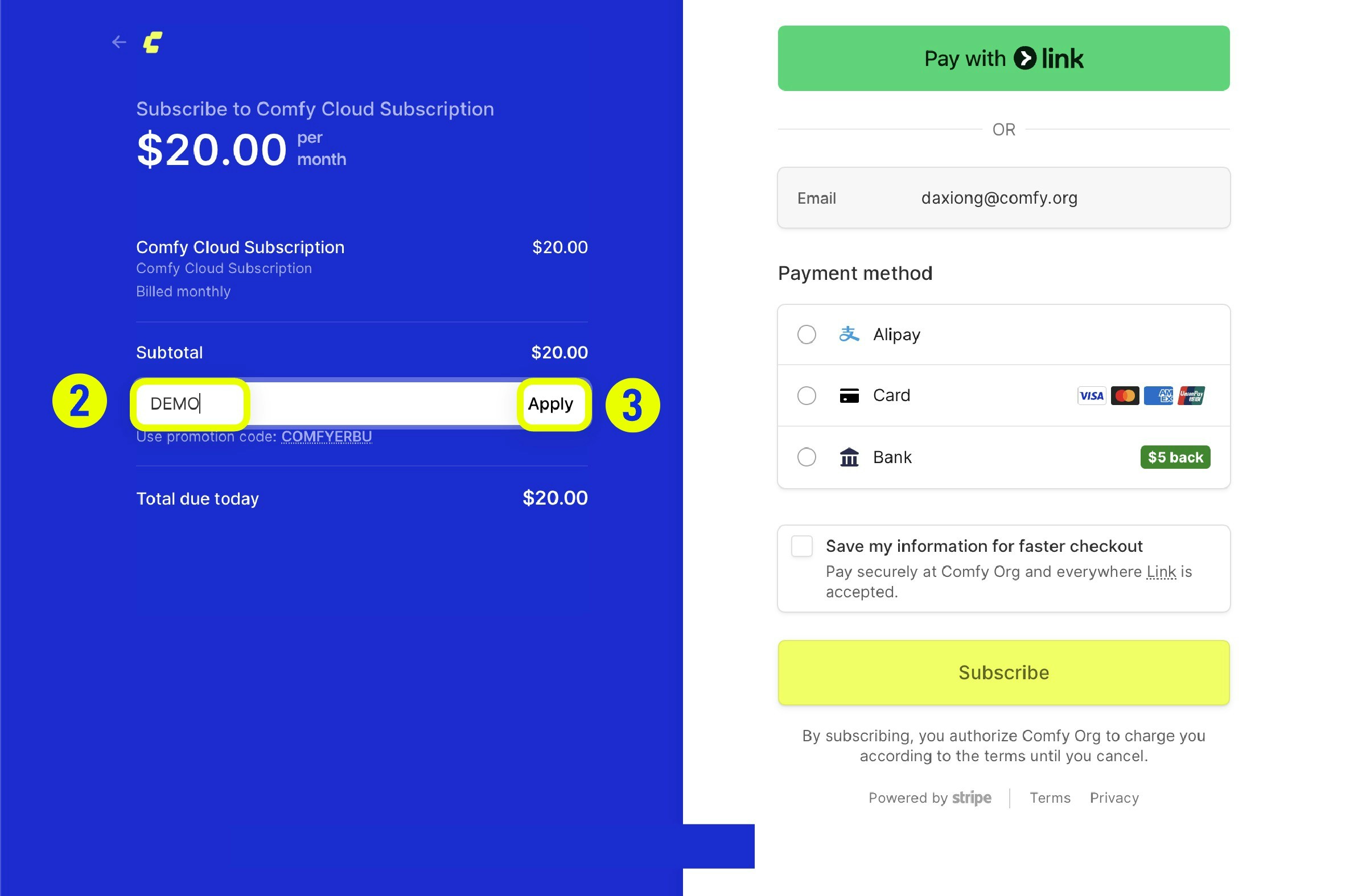
Type your promotion code into the field and click **Apply**.
### Step 2: Enter and apply your code
Type your promotion code into the field and click **Apply**.
 ### Step 3: Verify the discount
If the code is valid, you'll see the updated price reflecting your discount.
### Step 3: Verify the discount
If the code is valid, you'll see the updated price reflecting your discount.
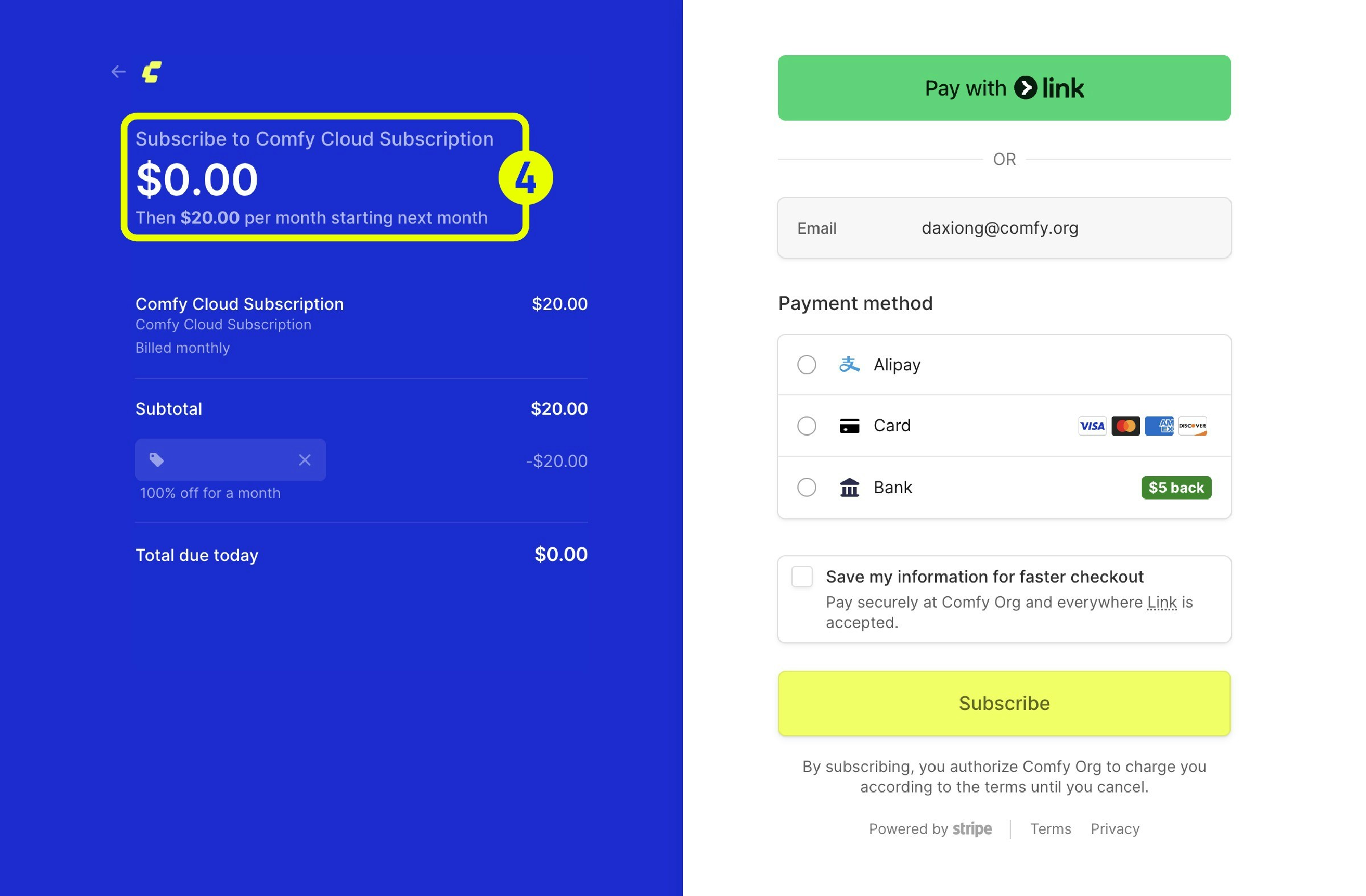 Complete the payment process to activate your subscription with the applied discount.
Promotion codes may have specific terms and conditions, such as expiration dates or usage limits. Make sure to review the details of your promotion code before applying it.
## Subscription renewal
Your subscription renews automatically on the same day and time each month as when you first subscribed.
All Comfy Cloud subscription plans automatically renew unless you set your plan to cancel.
Complete the payment process to activate your subscription with the applied discount.
Promotion codes may have specific terms and conditions, such as expiration dates or usage limits. Make sure to review the details of your promotion code before applying it.
## Subscription renewal
Your subscription renews automatically on the same day and time each month as when you first subscribed.
All Comfy Cloud subscription plans automatically renew unless you set your plan to cancel.