> ## Documentation Index
> Fetch the complete documentation index at: https://docs.comfy.org/llms.txt
> Use this file to discover all available pages before exploring further.
# Recraft V4 Image & Vector Generation in ComfyUI
> Generate professional images and production-ready vectors with Recraft V4 in ComfyUI
Recraft V4 is a new image generation model built for professional design work. It was developed in collaboration with designers and optimized for composition, lighting, color relationships, and material realism.
To use the Partner Nodes, you need to ensure that you are logged in properly and using a permitted network environment. Please refer to the [Partner Nodes Overview](/tutorials/partner-nodes/overview) section of the documentation to understand the specific requirements for using the Partner Nodes.
Make sure your ComfyUI is updated.
* [Download ComfyUI](https://www.comfy.org/download)
* [Update Guide](/installation/update_comfyui)
Workflows in this guide can be found in the [Workflow Templates](/interface/features/template).
If you can't find them in the template, your ComfyUI may be outdated. (Desktop version's update will delay sometime)
If nodes are missing when loading a workflow, possible reasons:
1. You are not using the latest ComfyUI version (Nightly version)
2. Some nodes failed to import at startup
* The Desktop is base on ComfyUI stable release, it will auto-update when there is a new Desktop stable release available.
* [Cloud](https://cloud.comfy.org) will update after ComfyUI stable release.
So, if you find any core node missing in this document, it might be because the new core nodes have not yet been released in the latest stable version. Please wait for the next stable release.
## What's new in V4
* **Raster + vector in one model** — photorealistic images, stylized illustrations, and production-ready SVGs from the same model
* **Better detail** — cleaner textures, more accurate lighting, tighter geometry. Holds up in complex scenes
* **Faces and anatomy that work** — reliable proportions and expressions, even with multiple subjects or action poses
* **Text rendering** — legible text for signage, packaging, infographics. Handles short and mid-length phrases well
* **SVG output** — editable vectors with clean lines and proper color segmentation. Production-quality vector output
* **Prompt accuracy** — follows detailed creative direction closely, including spatial relationships, materials, and reflections
* **V4 Pro** — same model, higher resolution. Outputs at 2048×2048 for print and large-format work
## Recraft V4 text to image workflow
Open in Comfy Cloud
Download JSON or search "Recraft V4 Text to Image" in Template Library
### Steps to run the workflow
1. (Optional) Modify the `Recraft Style` node to control the visual style
2. (Optional) Edit the `prompt` parameter in the `Recraft Text to Image` node
3. (Optional) Change the `size` parameter for different output dimensions
4. Click the `Run` button or use the shortcut `Ctrl(cmd) + Enter` to generate the image
5. After the API returns the result, view the generated image in the `Save Image` node
### Image showcase
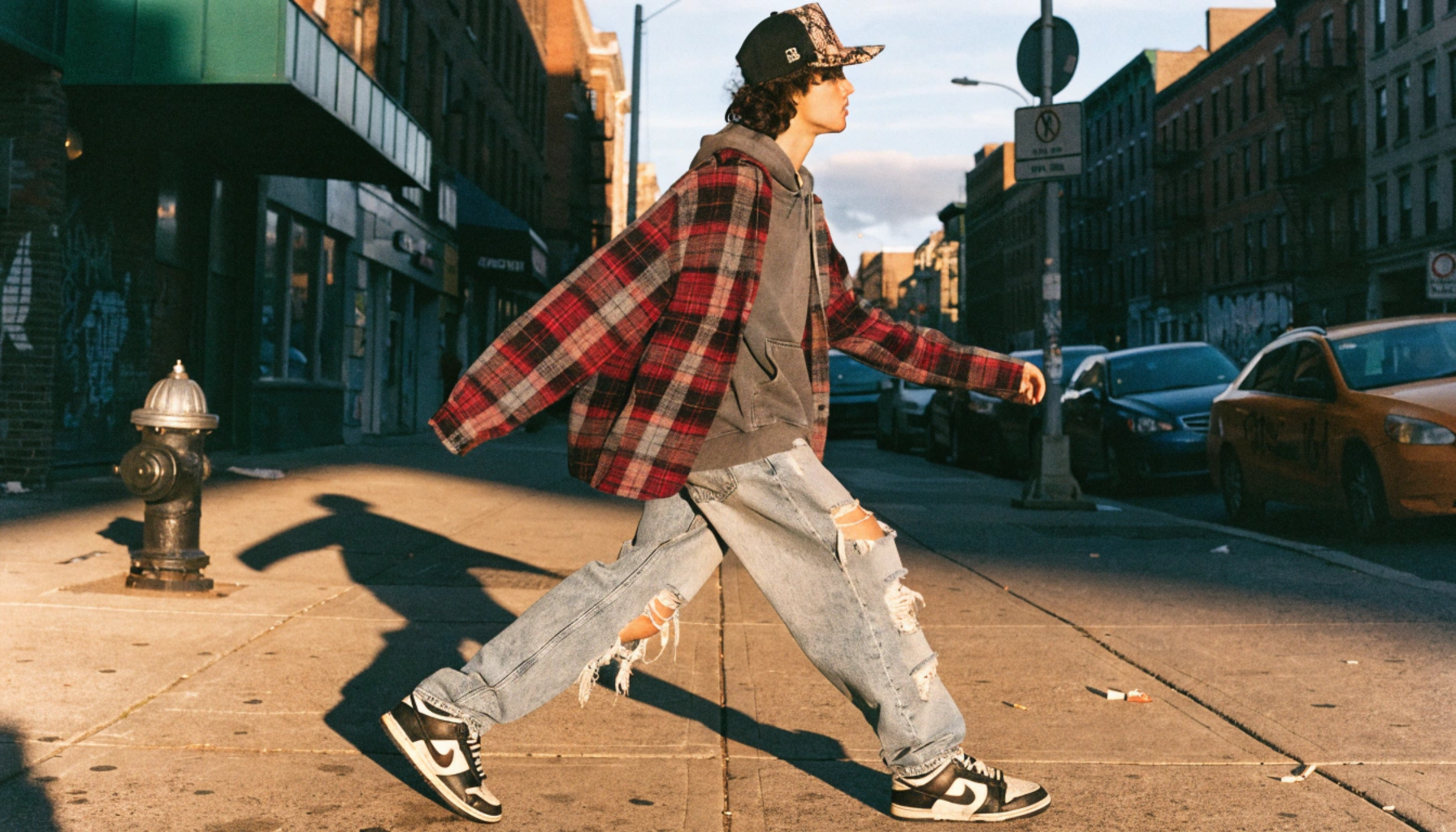
*Full-body editorial street photo of a young person wearing an oversized vintage Fear of God flannel layered over a faded Pyrex Vision hoodie, distressed wide-leg denim, original Just Don python-brim snapback, and beat-up Nike Dunk Lows. Shot on a gritty Brooklyn sidewalk, golden hour, 35mm film grain.*
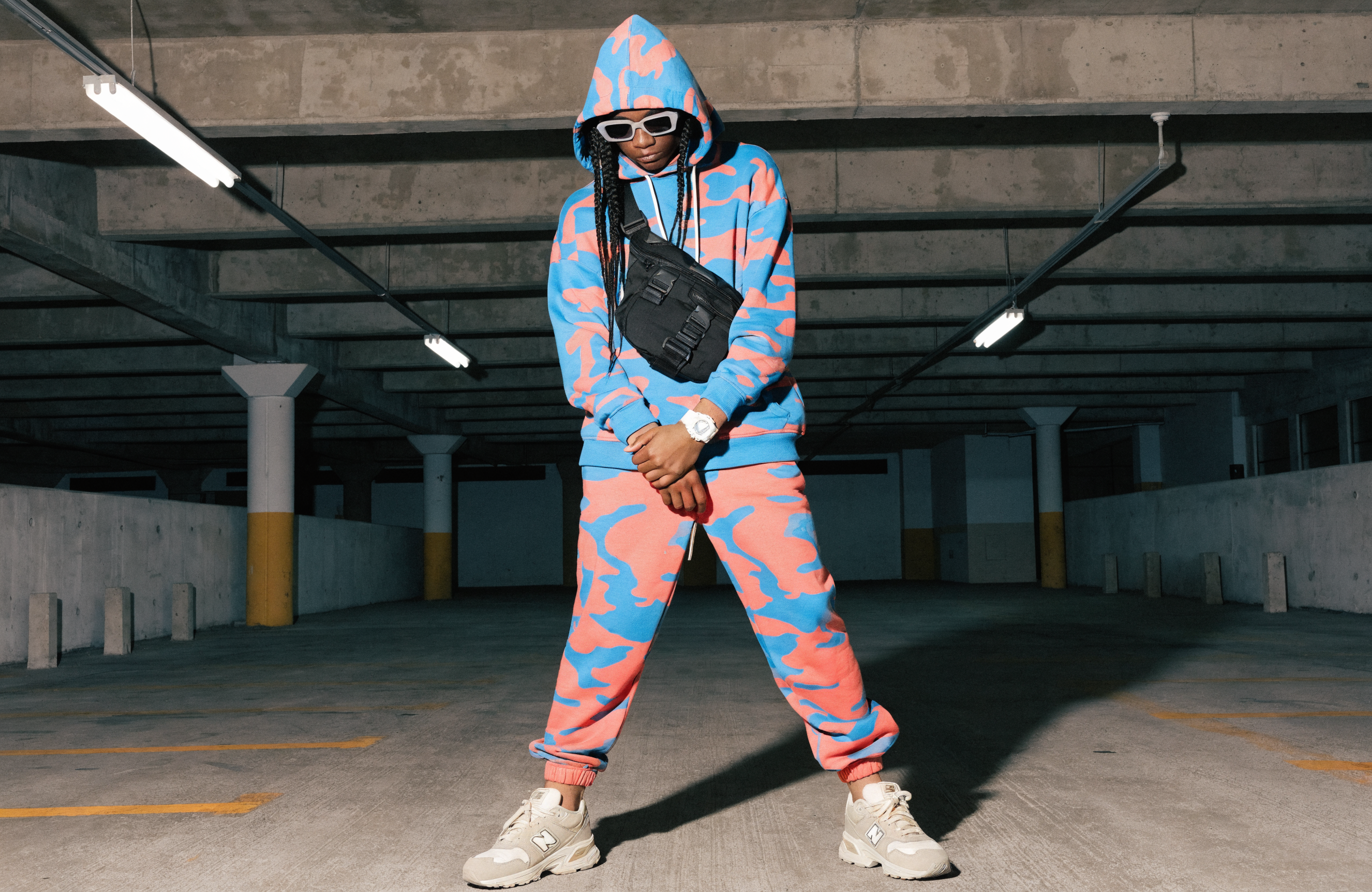
*Full outfit shot: electric blue and coral camo hoodie, matching camo joggers, white G-Shock watch, matte black techwear crossbody harness bag, and New Balance 550s in a cream colorway. Concrete parking garage backdrop, harsh fluorescent overhead lighting casting sharp shadows.*
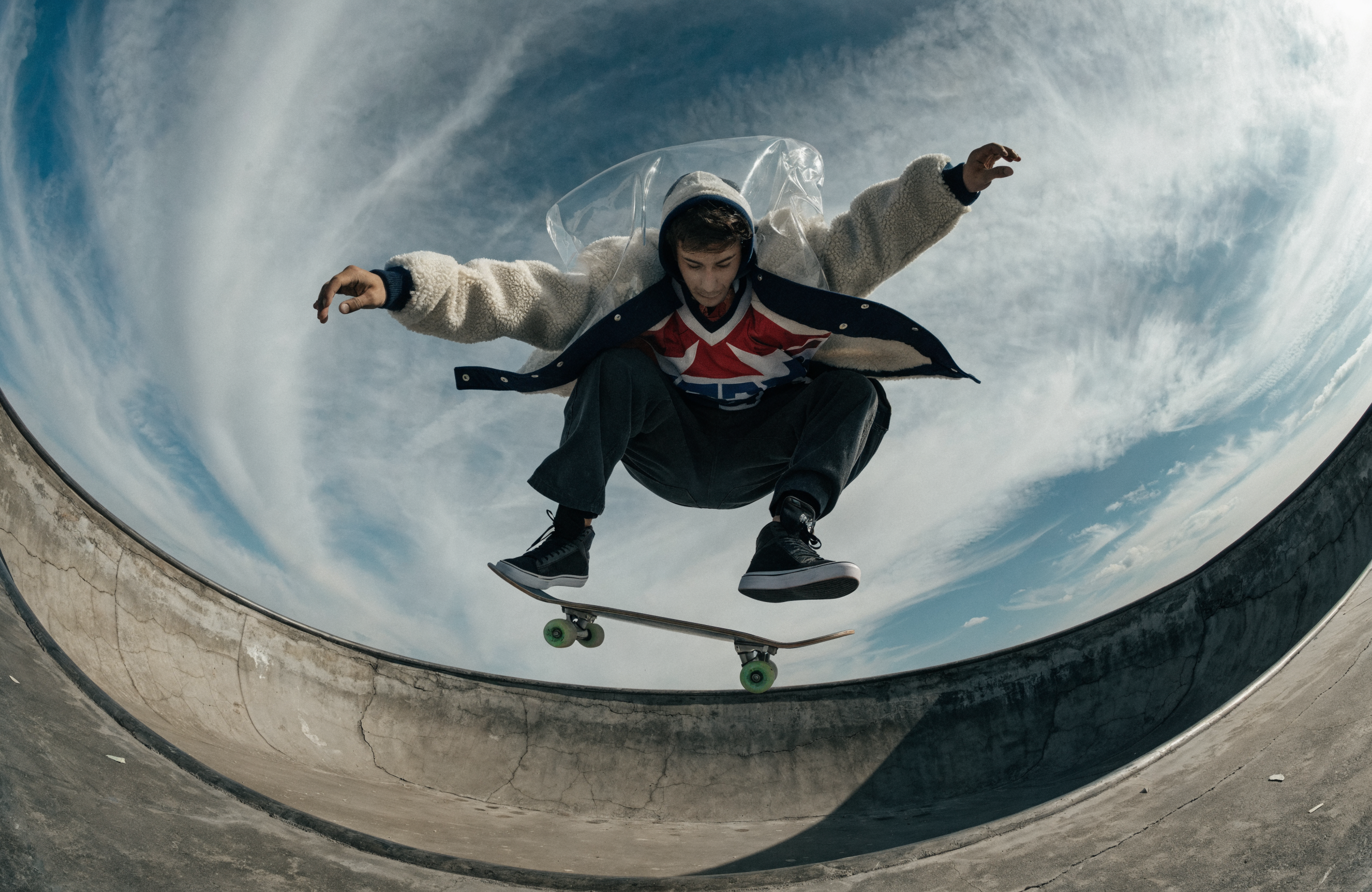
*Fish-eye lens, shot from inside an empty concrete pool — a guy in a shearling bomber and transparent PVC shell is mid-kickflip at the lip of the pool directly above the camera, board separating from his feet, his layered outfit catching air and fanning open revealing the hockey jersey underneath.*
## Recraft V4 text to vector workflow
Recraft V4 can generate production-ready SVG vector outputs directly. This is useful for logos, icons, brand assets, or anything that needs to scale. SVG outputs are compatible with Illustrator, Figma, and Sketch.
Open in Comfy Cloud
Download JSON or search "Recraft V4 Text to Vector" in Template Library
### Vector showcase
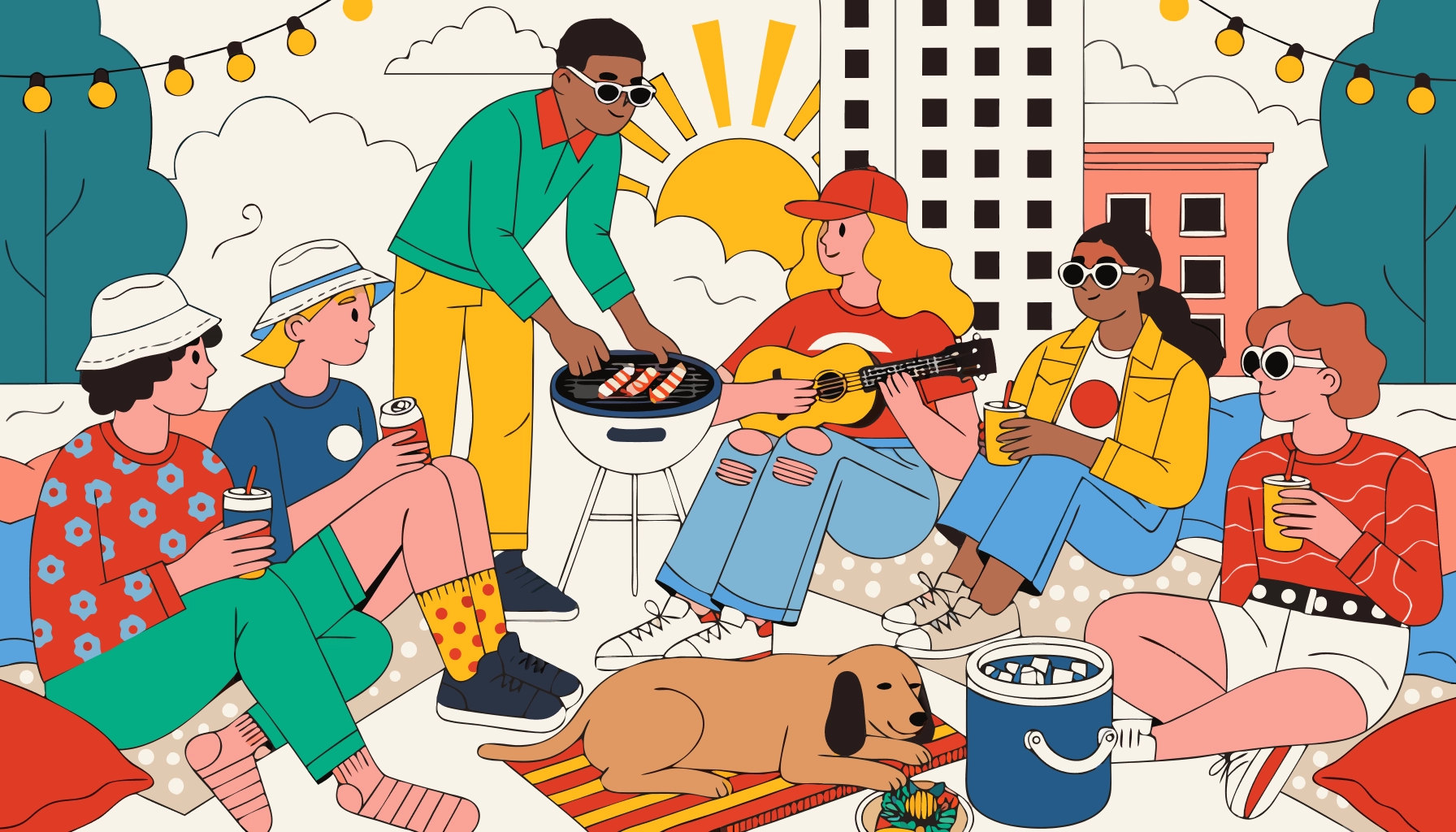
*A group of friends lounging on a rooftop at sunset, string lights overhead, one person tending a small grill, another strumming a ukulele, a dog napping on a blanket beside a cooler — warm, relaxed, retro lifestyle illustration*
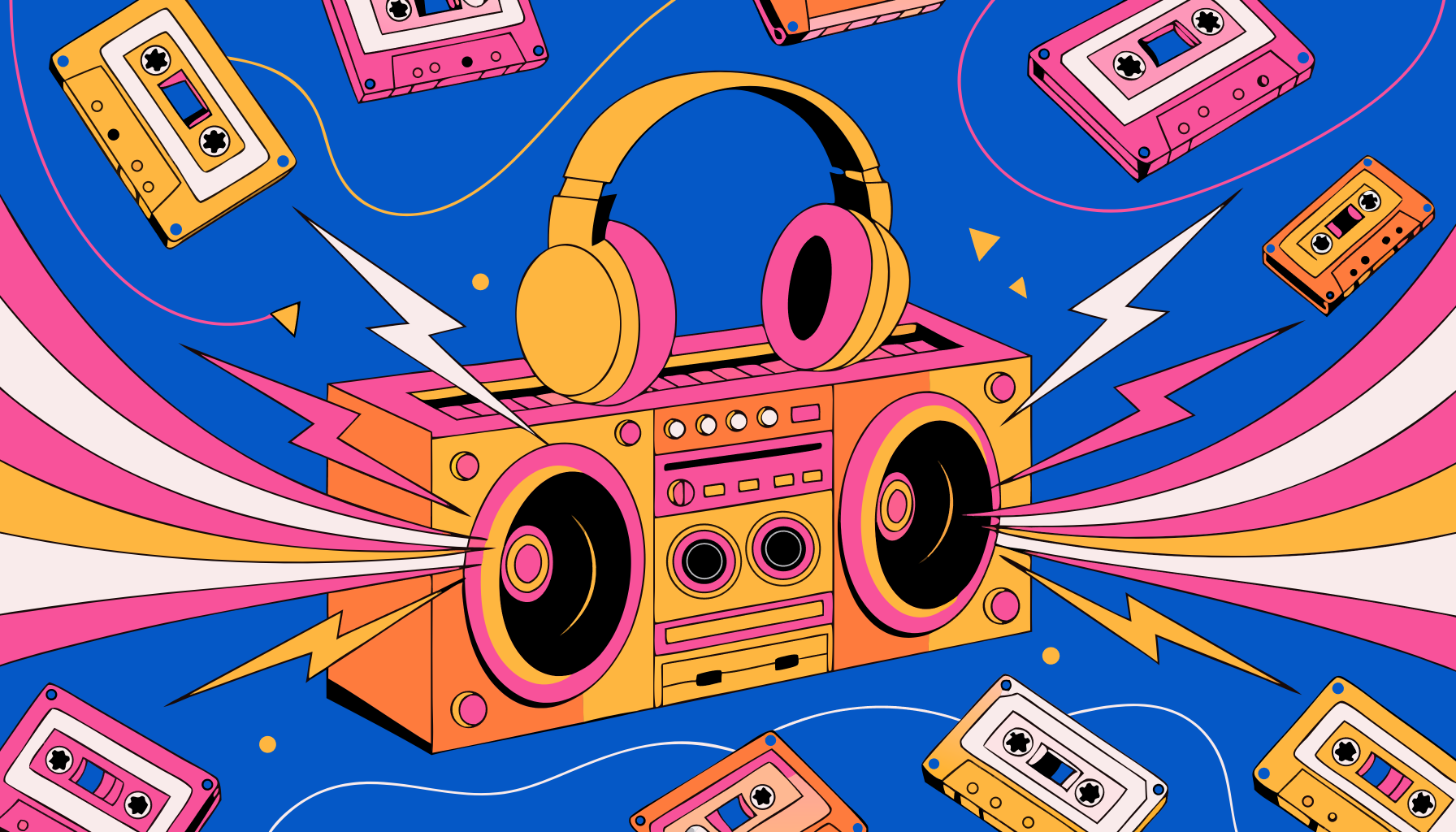
*A giant neon boombox blasting music, with lightning bolts and sound waves exploding out of the speakers, melting cassette tapes swirling around it, and a pair of oversized headphones draped on top — bold, chaotic, and electrifying*

*Adorable kitten sticker, the kitten is using ComfyUI on a little tiny laptop*
## Additional notes
* **Recraft Style**: Offers various preset styles like realistic photos, digital art, and logo designs
* **Seed Parameter**: Only used to determine if the node should run again; the actual generation result is not affected by the seed value