> ## Documentation Index
> Fetch the complete documentation index at: https://docs.comfy.org/llms.txt
> Use this file to discover all available pages before exploring further.
# Reve Image Create, Edit, and Remix in ComfyUI
> Learn how to use Reve Partner nodes in ComfyUI for high-quality image generation, editing, and remixing at up to 4K resolution
Reve is an image generation model available in ComfyUI through Partner Nodes. It supports text-to-image generation at up to **4K resolution**, image editing, and image remixing through three dedicated nodes.
## About Reve
**Key features:**
* **Up to 4K resolution**: Generates sharp, detailed images at high resolutions
* **Built-in aesthetic training**: Produces results suited for fashion editorial, cinematic, and natural lighting styles
* **Image editing**: Modifies lighting conditions, color grading, and adds motion effects to existing images
* **Image remixing**: Combines elements from reference images into a target image while preserving consistency
To use the Partner Nodes, you need to ensure that you are logged in properly and using a permitted network environment. Please refer to the [Partner Nodes Overview](/tutorials/partner-nodes/overview) section of the documentation to understand the specific requirements for using the Partner Nodes.
Make sure your ComfyUI is updated.
* [Download ComfyUI](https://www.comfy.org/download)
* [Update Guide](/installation/update_comfyui)
Workflows in this guide can be found in the [Workflow Templates](/interface/features/template).
If you can't find them in the template, your ComfyUI may be outdated. (Desktop version's update will delay sometime)
If nodes are missing when loading a workflow, possible reasons:
1. You are not using the latest ComfyUI version (Nightly version)
2. Some nodes failed to import at startup
* The Desktop is base on ComfyUI stable release, it will auto-update when there is a new Desktop stable release available.
* [Cloud](https://cloud.comfy.org) will update after ComfyUI stable release.
So, if you find any core node missing in this document, it might be because the new core nodes have not yet been released in the latest stable version. Please wait for the next stable release.
## Reve Create
The Reve Image Create node generates images from text prompts. The model performs well with prompts describing fashion editorial styles, specific lighting conditions, natural textures, and motion.
Run the Reve Image Create workflow on Comfy Cloud.
Download the workflow JSON file for local use.
### Example outputs
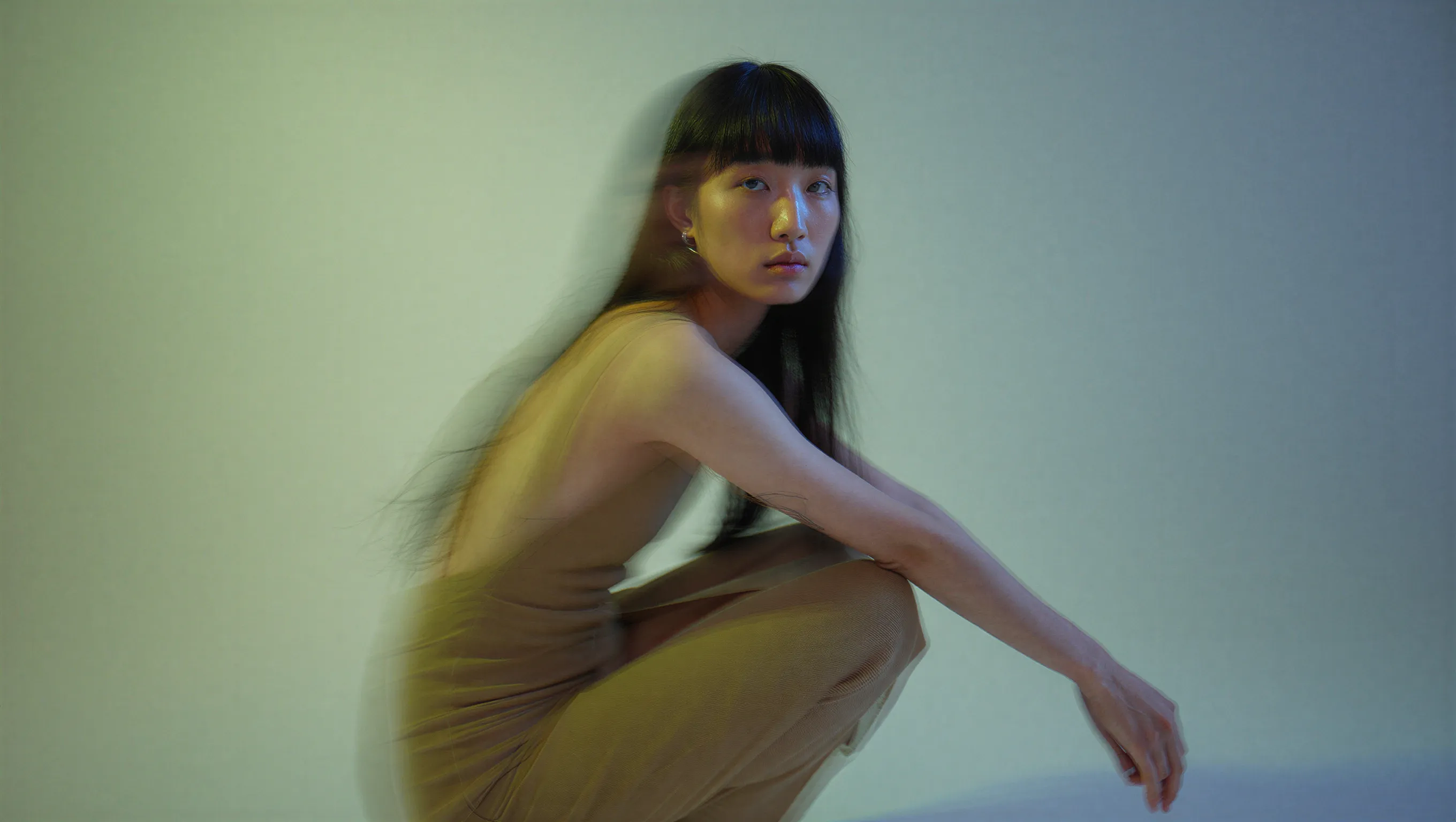
```
A high-fashion editorial portrait of a young East Asian model with long, straight black hair and thick bangs, crouched in a studio setting. She wears a minimalist, muted beige dress. The image features a cinematic dual-tone lighting setup, where the left side is washed in a soft greenish-yellow glow and the right side is cast in cool, muted blue-grey, creating a subtle color bleed effect. There is a slight motion blur, with the subject looking directly at the camera with a calm, neutral expression. High-end fashion magazine aesthetic, soft focus background, structured silhouette.
```
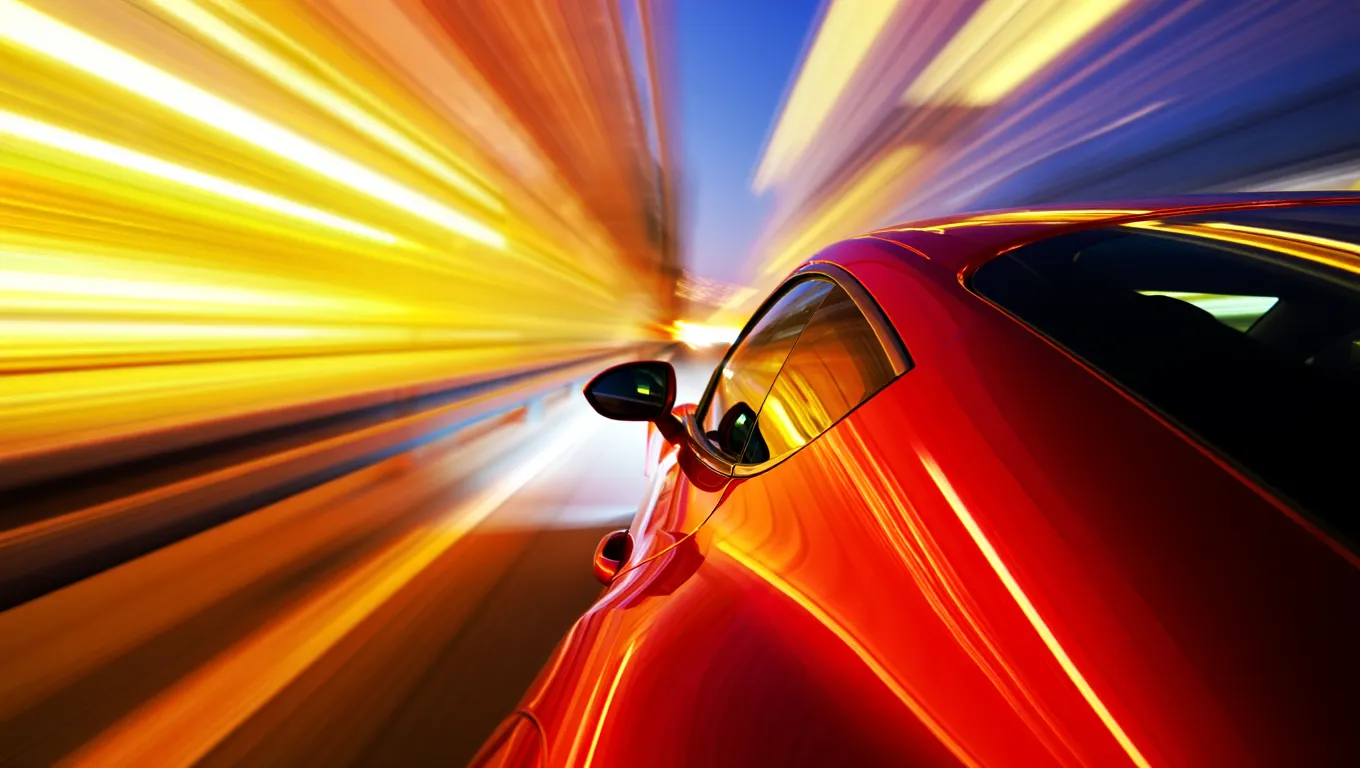
```
A high-speed, cinematic capture of a vibrant red sports car speeding through the night. The camera angle is positioned near the rear-three-quarter view, emphasizing the sleek, metallic curves and the car's aerodynamic design. The entire background is transformed into a dramatic radial blur of brilliant yellow, orange, and white light streaks, suggesting extreme velocity. The car's surface reflects the warm ambient lights of the city, contrasting sharply with the deep, dark blue of the night sky.
```
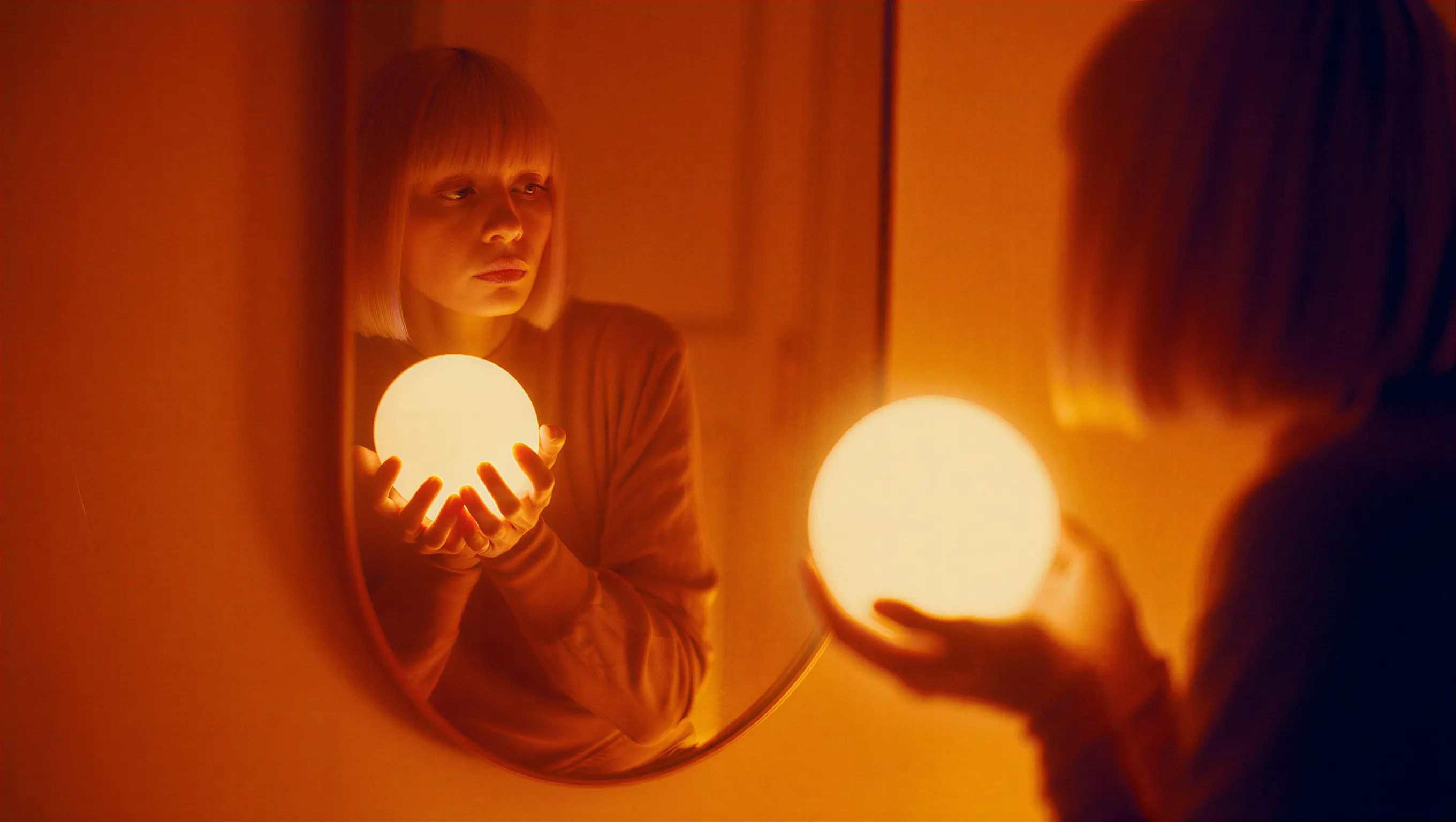
```
A cinematic photograph of a woman with a bob haircut looking at her reflection in a mirror, her hands gently cradling a brilliant, glowing spherical white orb. The image is saturated in deep orange and amber tones, with heavy light leaks and lens flares washing out the center of the frame as the sphere radiates subtle, ethereal light. The composition features a soft, dreamy focus with significant analog film grain, creating a nostalgic atmosphere where the reflected face in the mirror appears slightly blurred and obscured by the warmth of the light leakage.
```
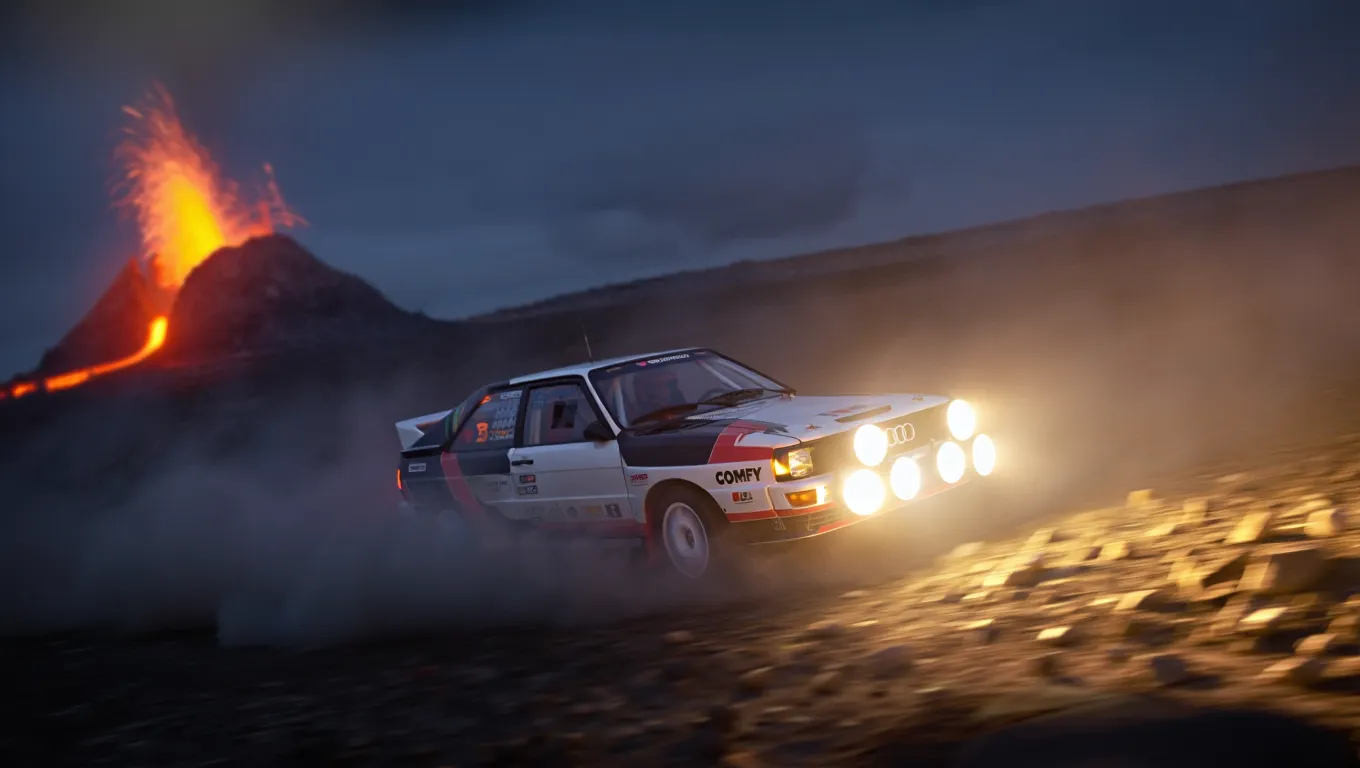
```
A high-action, wide-angle nighttime shot of a legendary Audi Quattro rally car drifting through a barren rocky field at the base of a volcano. The car is coated in white and black. Powerful auxiliary spotlights on the front of the car cast a bright, warm glow, catching the thick dust kicked up by the aggressive tread of the tires. In the background, out-of-focus volcano spraying lava. The scene is cold and dark, with the intense light from the lava creating dramatic contrast.
```
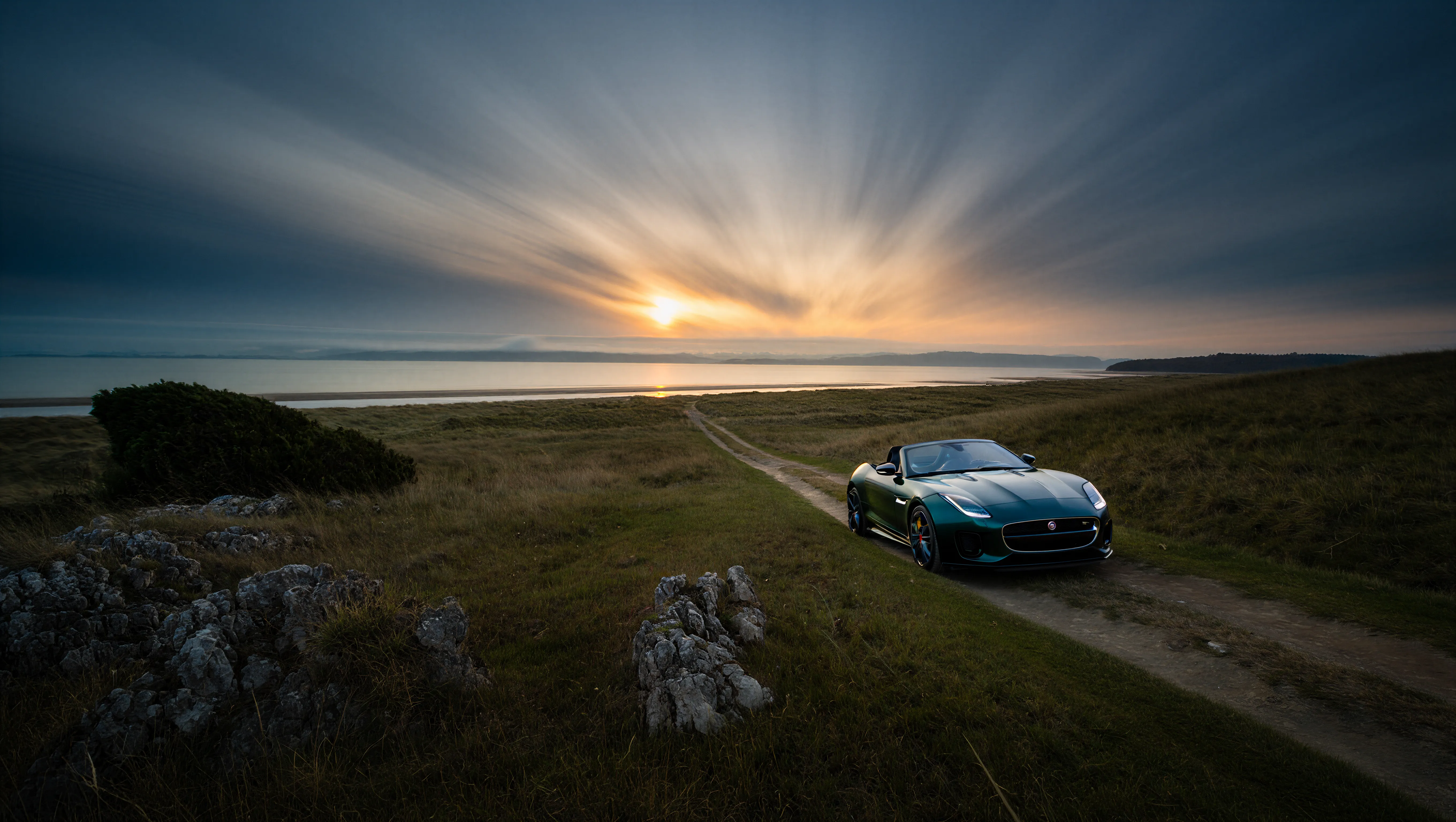
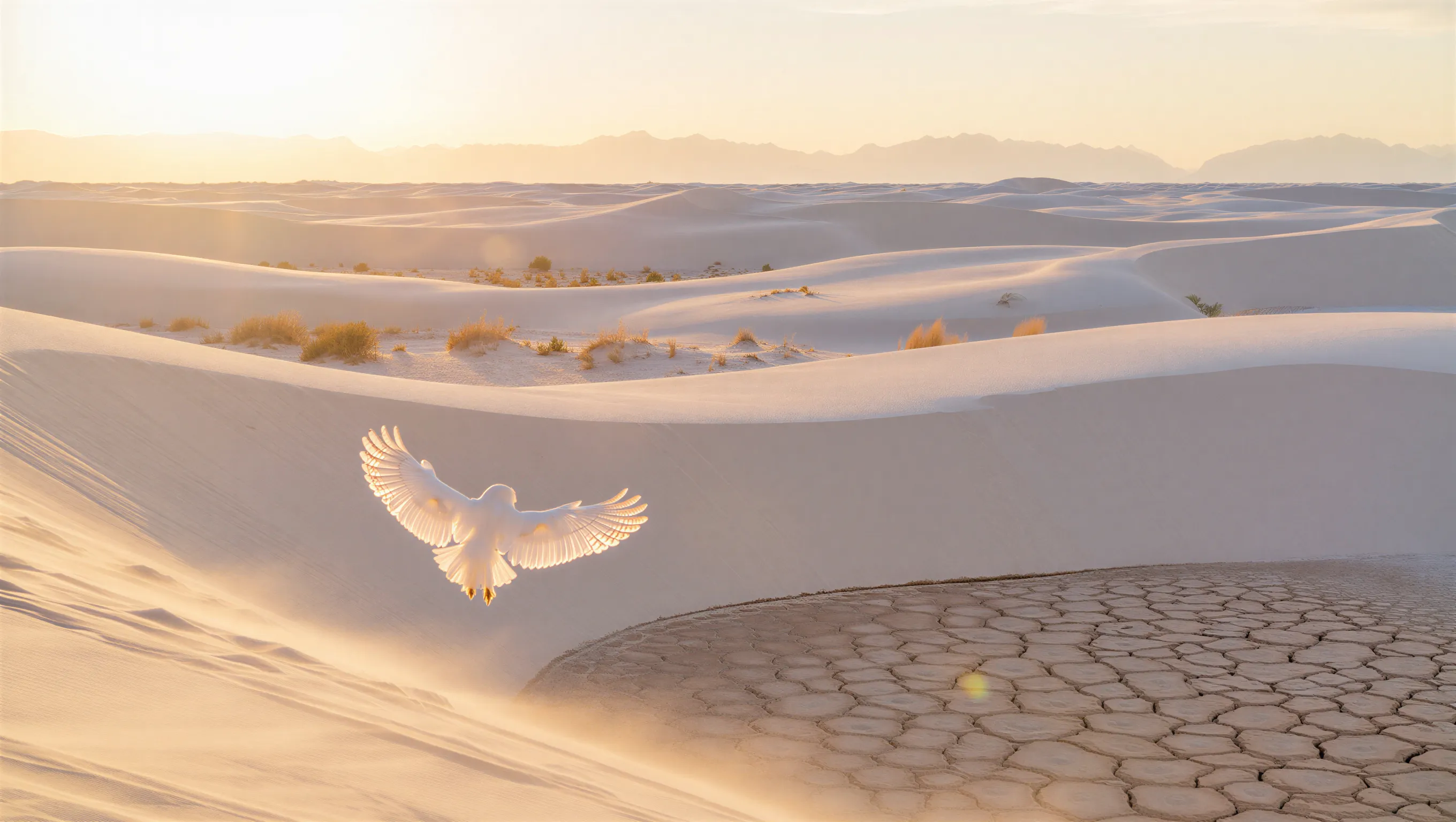
The following examples demonstrate 4K resolution output with fine detail preservation:
```
A wide-angle landscape photograph of a solitary Jaguar F-Type car in British green, on a dirt trail facing a distant beach at twilight. The sky features dramatic long-exposure cloud streaks radiating from a low sun on the horizon. The foreground is dominated by jagged limestone rocks and blades of grass, leading the viewer's eye along a path that cuts through grassy hills toward the water. The lighting is cool and moody, casting deep shadows against the golden glow of the setting sun.
```
```
A minimalist wide shot of a vast white sand dune desert during golden hour. A white owl with its wings spread is in the foreground. Soft warm sunlight grazing the tops of the dunes, casting long shadows. Sparse, golden-brown desert shrubs are scattered across the ripples, with a prominent patch of dry, cracked, hexagonal mud in the bottom right foreground. In the far distance, a hazy, ethereal range of mountains rests against a pale, washed-out sky.
```
## Reve Edit
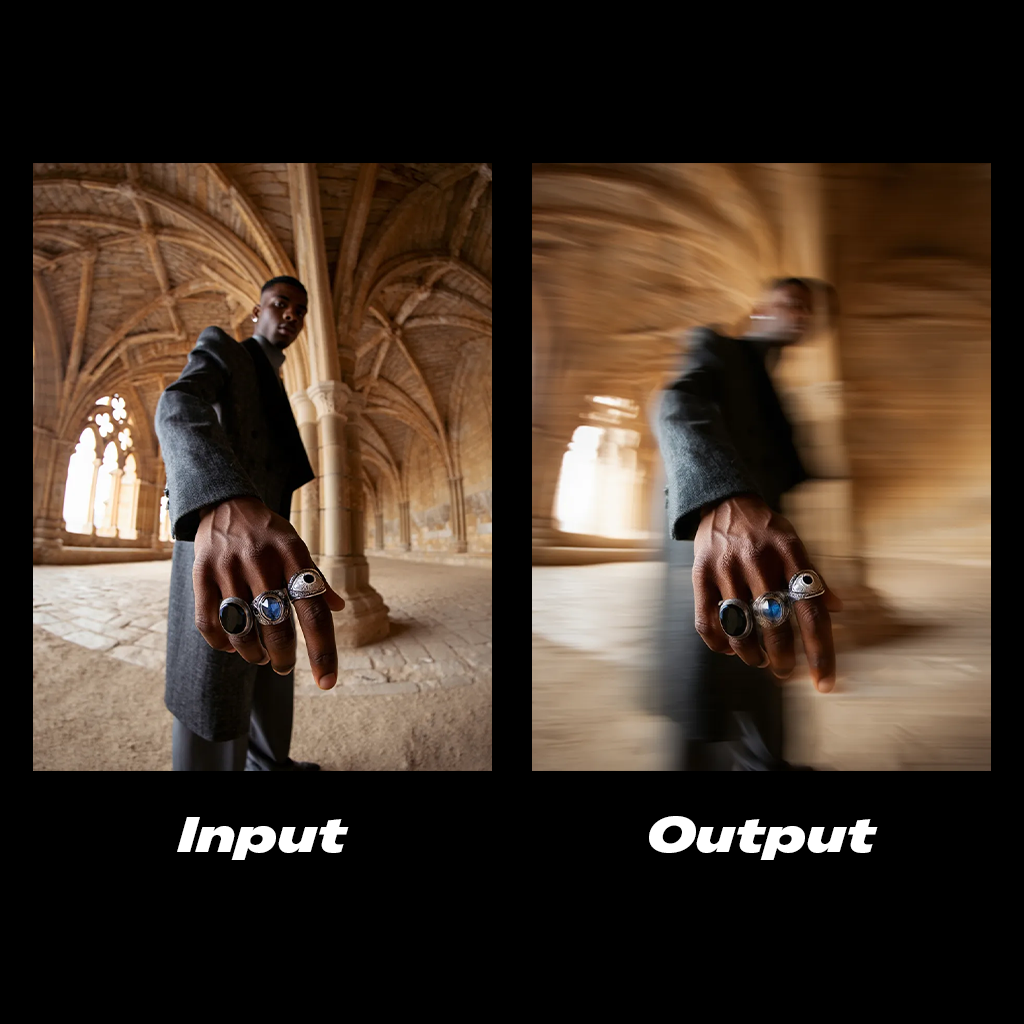
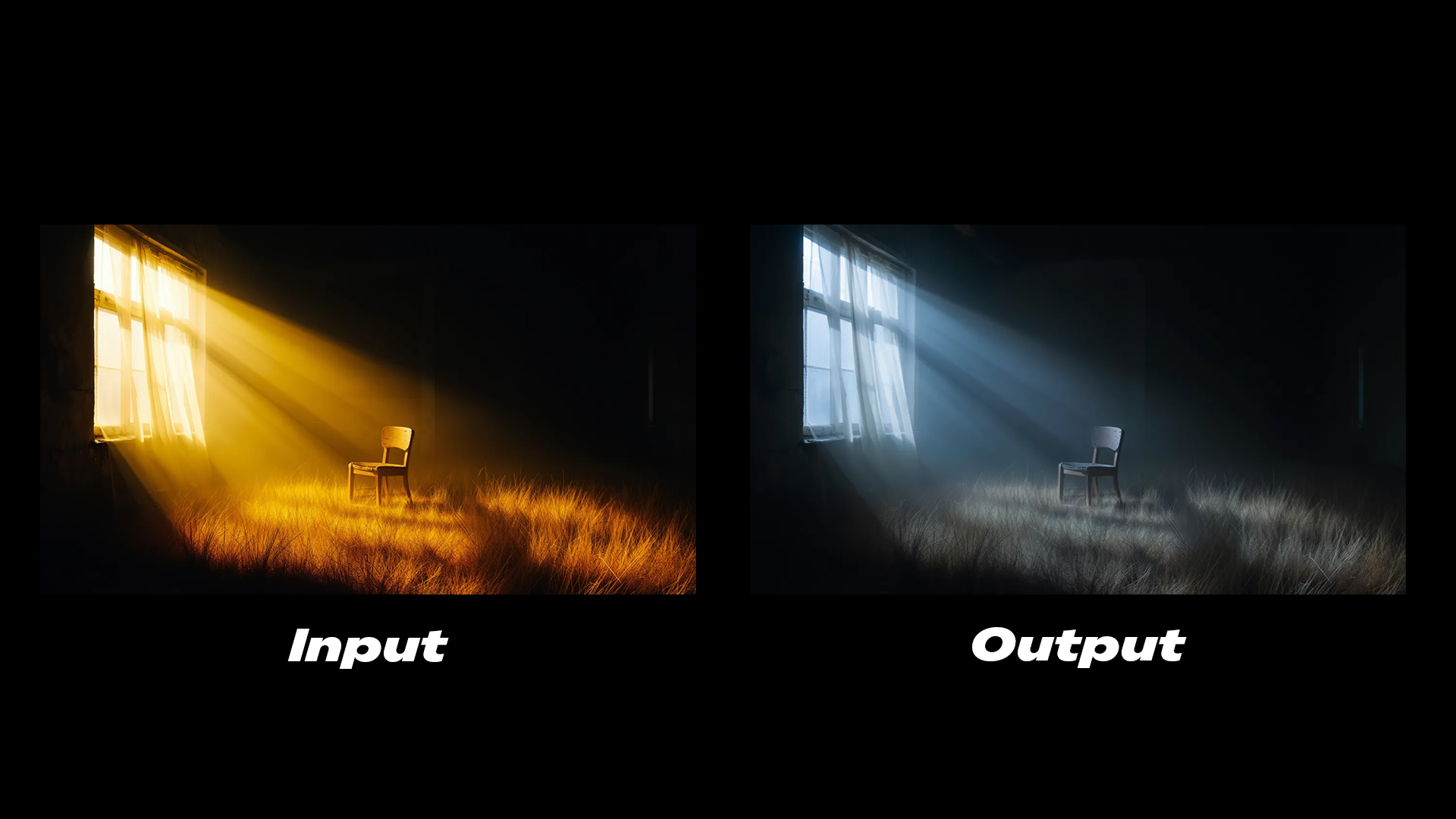
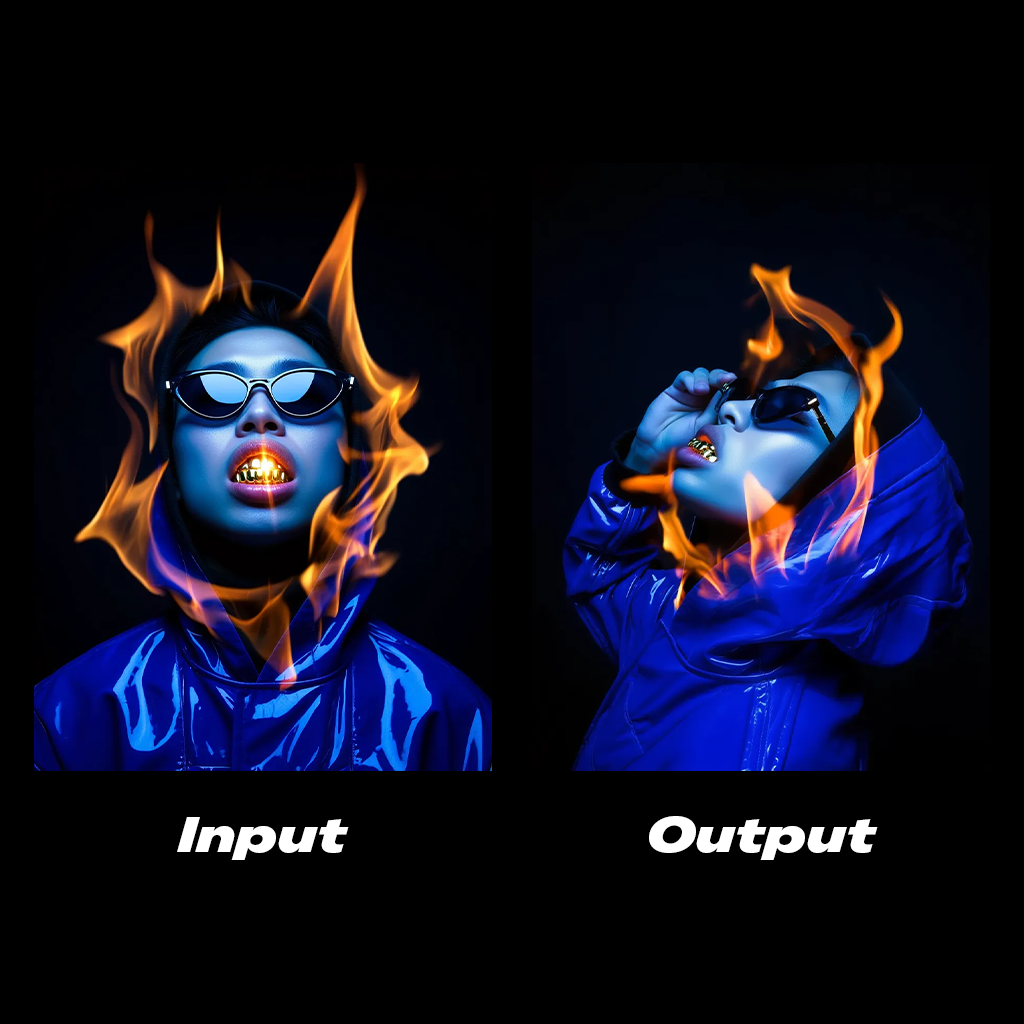
The Reve Image Edit node modifies existing images based on text instructions. It supports editing lighting conditions, color grading, and adding motion effects.
Run the Reve Image Edit workflow on Comfy Cloud.
Download the workflow JSON file for local use.
### Example outputs
```
Add a cinematic horizontal streaks motion blur to the subject's body. The hand stays in clear focus.
```
```
The lighting is cold, soft glow emits from the window.
```
```
Side profile shot of the subject, his hand is grabbing the sunglasses.
```
## Reve Remix
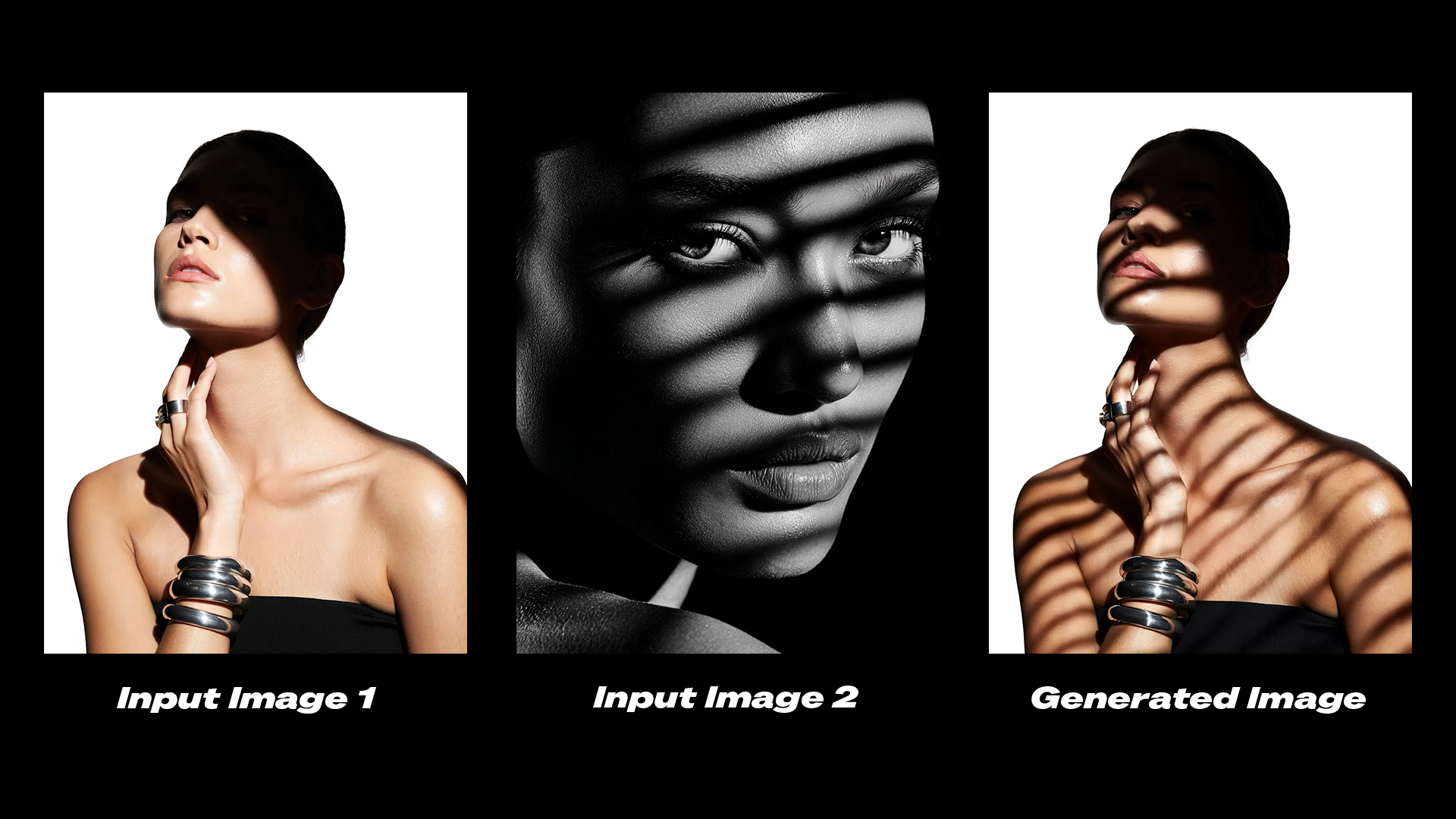
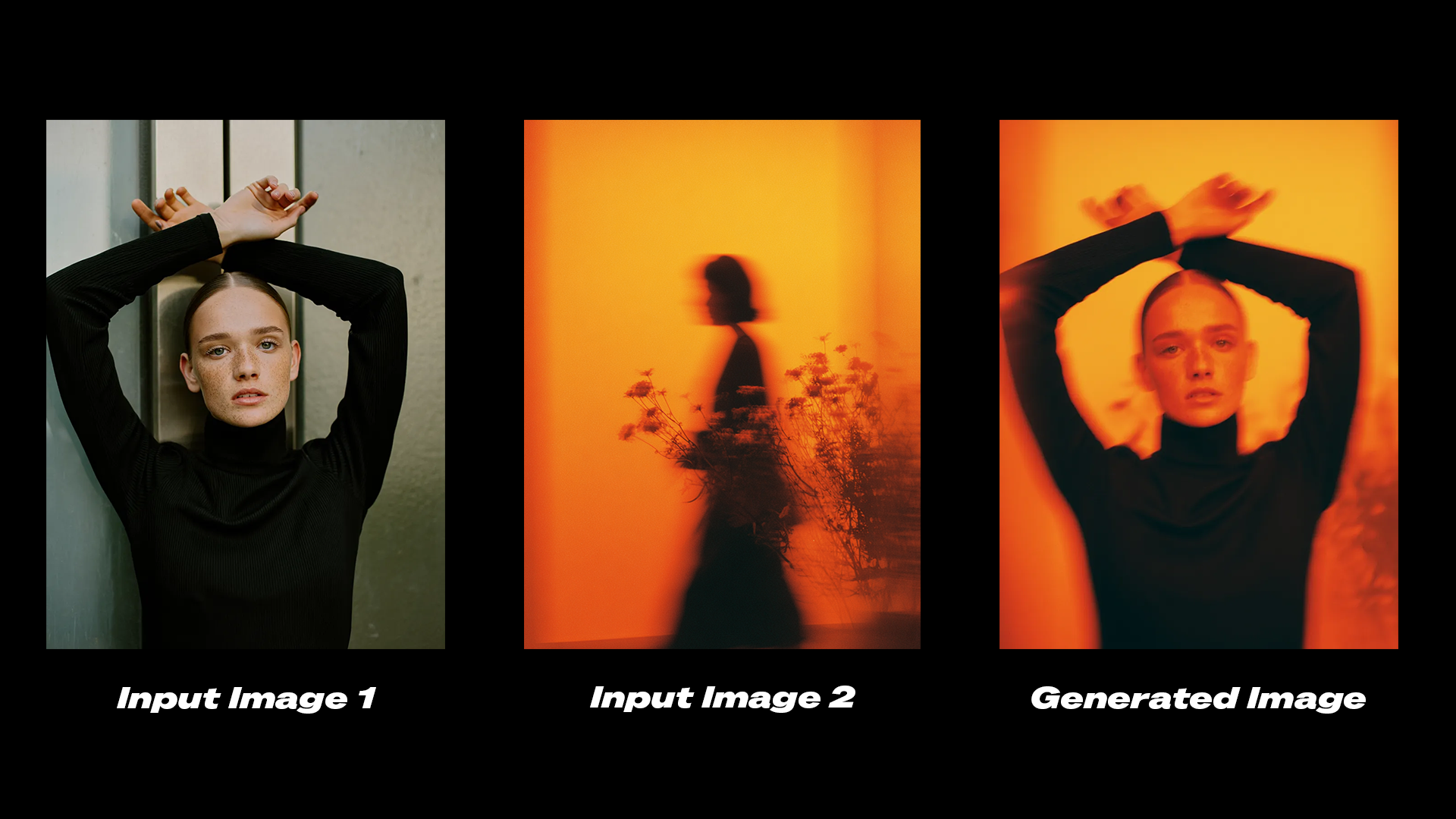
The Reve Image Remix node uses elements from reference images as layers and applies them to a target image. This allows you to transfer specific visual properties such as shadows, color grading, or aesthetic styles between images.
Run the Reve Image Remix workflow on Comfy Cloud.
Download the workflow JSON file for local use.
### Example outputs
```
Edit the shadows on the subject in image 1 to match the shadows from image 2.
```
```
Transfer the color grading and aesthetic from image 2 onto image 1.
```
## Get started
1. **Update** ComfyUI to the latest version or visit [Comfy Cloud](https://cloud.comfy.org/?utm_source=docs).
2. **Find** the Reve Image Create, Reve Image Remix, and Reve Image Edit nodes in the Node Library or Templates in the left sidebar.
3. **Drop a node** on your canvas to begin.
## Available nodes
| Node | Type | Description |
| --------------------- | ------------- | ------------------------------------------------------------------- |
| **Reve Image Create** | Text-to-Image | Generates images at up to 4K resolution from text prompts |
| **Reve Image Edit** | Image Edit | Modifies lighting, color grading, and motion in existing images |
| **Reve Image Remix** | Image Remix | Transfers visual properties from reference images to a target image |