> ## Documentation Index
> Fetch the complete documentation index at: https://docs.comfy.org/llms.txt
> Use this file to discover all available pages before exploring further.
# Luma Concepts - ComfyUI 原生节点文档
> 为Luma图像生成提供概念引导的辅助节点
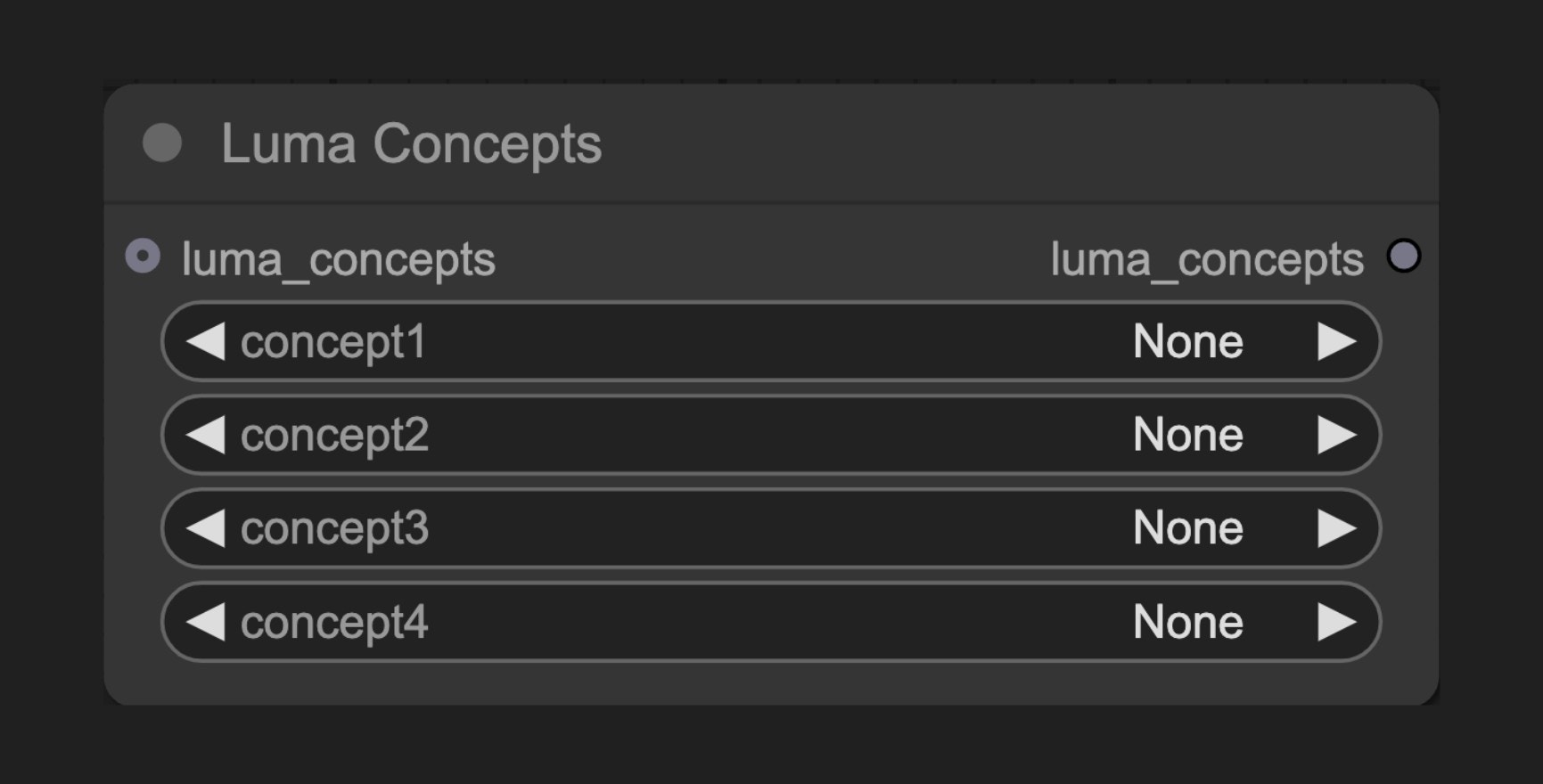 Luma Concepts 节点允许你将预定义的镜头概念应用到Luma生成过程中,提供更精确的镜头和视角控制,无需复杂的提示词描述。
## 节点功能
此节点作为Luma生成节点的辅助工具,让用户能够选择和应用预定义的镜头概念,这些概念包括不同的拍摄角度(如俯视、仰视)、镜头距离(如特写、远景)、运动方式(如推进、跟随)等摄影参数。它简化了创作工作流程,提供了一种直观的方式来控制生成结果的镜头效果。
## 参数说明
### 基本参数
| 参数 | 类型 | 说明 |
| -------- | --- | --------------------------- |
| concept1 | 选择项 | 第一个镜头概念选择,包含多种预设镜头选项和"none" |
| concept2 | 选择项 | 第二个镜头概念选择,包含多种预设镜头选项和"none" |
| concept3 | 选择项 | 第三个镜头概念选择,包含多种预设镜头选项和"none" |
| concept4 | 选择项 | 第四个镜头概念选择,包含多种预设镜头选项和"none" |
### 可选参数
| 参数 | 类型 | 说明 |
| -------------- | -------------- | ---------------------------------- |
| luma\_concepts | LUMA\_CONCEPTS | 可选的额外Camera Concepts,会与此处选择的镜头概念合并 |
### 输出
| 输出 | 类型 | 说明 |
| -------------- | ------------- | --------------- |
| luma\_concepts | LUMA\_CONCEPT | 包含所有选定镜头概念的组合对象 |
## 使用示例
Luma Text to Video 工作流示例
Luma Image to Video 工作流示例
## 工作原理
Luma Concepts 节点提供了丰富的预定义镜头概念供选择,包括但不限于:
* 不同的拍摄距离(如特写、中景、远景)
* 视角高度(如地平、俯视、仰视)
* 运动方式(如推进、跟随、环绕)
* 特殊效果(如手持、稳定、漂浮)
用户可以从这些选项中选择最多4个概念组合使用。节点会创建一个包含所选镜头概念的对象,该对象随后传递给Luma生成节点。在生成过程中,Luma AI会根据这些镜头概念来影响生成结果的视角和构图,确保输出图像体现所选的摄影效果。
通过组合多个镜头概念,用户可以创建复杂的镜头指导,而无需撰写详细的提示词描述。这对于需要特定摄影视角或构图的场景特别有用。
## 源码参考
\[节点源码 (更新于2025-05-03)]
```python theme={null}
class LumaConceptsNode(ComfyNodeABC):
"""
Holds one or more Camera Concepts for use with Luma Text to Video and Luma Image to Video nodes.
"""
RETURN_TYPES = (LumaIO.LUMA_CONCEPTS,)
RETURN_NAMES = ("luma_concepts",)
DESCRIPTION = cleandoc(__doc__ or "") # Handle potential None value
FUNCTION = "create_concepts"
CATEGORY = "api node/image/Luma"
@classmethod
def INPUT_TYPES(s):
return {
"required": {
"concept1": (get_luma_concepts(include_none=True),),
"concept2": (get_luma_concepts(include_none=True),),
"concept3": (get_luma_concepts(include_none=True),),
"concept4": (get_luma_concepts(include_none=True),),
},
"optional": {
"luma_concepts": (
LumaIO.LUMA_CONCEPTS,
{
"tooltip": "Optional Camera Concepts to add to the ones chosen here."
},
),
},
}
def create_concepts(
self,
concept1: str,
concept2: str,
concept3: str,
concept4: str,
luma_concepts: LumaConceptChain = None,
):
chain = LumaConceptChain(str_list=[concept1, concept2, concept3, concept4])
if luma_concepts is not None:
chain = luma_concepts.clone_and_merge(chain)
return (chain,)
```
Luma Concepts 节点允许你将预定义的镜头概念应用到Luma生成过程中,提供更精确的镜头和视角控制,无需复杂的提示词描述。
## 节点功能
此节点作为Luma生成节点的辅助工具,让用户能够选择和应用预定义的镜头概念,这些概念包括不同的拍摄角度(如俯视、仰视)、镜头距离(如特写、远景)、运动方式(如推进、跟随)等摄影参数。它简化了创作工作流程,提供了一种直观的方式来控制生成结果的镜头效果。
## 参数说明
### 基本参数
| 参数 | 类型 | 说明 |
| -------- | --- | --------------------------- |
| concept1 | 选择项 | 第一个镜头概念选择,包含多种预设镜头选项和"none" |
| concept2 | 选择项 | 第二个镜头概念选择,包含多种预设镜头选项和"none" |
| concept3 | 选择项 | 第三个镜头概念选择,包含多种预设镜头选项和"none" |
| concept4 | 选择项 | 第四个镜头概念选择,包含多种预设镜头选项和"none" |
### 可选参数
| 参数 | 类型 | 说明 |
| -------------- | -------------- | ---------------------------------- |
| luma\_concepts | LUMA\_CONCEPTS | 可选的额外Camera Concepts,会与此处选择的镜头概念合并 |
### 输出
| 输出 | 类型 | 说明 |
| -------------- | ------------- | --------------- |
| luma\_concepts | LUMA\_CONCEPT | 包含所有选定镜头概念的组合对象 |
## 使用示例
Luma Text to Video 工作流示例
Luma Image to Video 工作流示例
## 工作原理
Luma Concepts 节点提供了丰富的预定义镜头概念供选择,包括但不限于:
* 不同的拍摄距离(如特写、中景、远景)
* 视角高度(如地平、俯视、仰视)
* 运动方式(如推进、跟随、环绕)
* 特殊效果(如手持、稳定、漂浮)
用户可以从这些选项中选择最多4个概念组合使用。节点会创建一个包含所选镜头概念的对象,该对象随后传递给Luma生成节点。在生成过程中,Luma AI会根据这些镜头概念来影响生成结果的视角和构图,确保输出图像体现所选的摄影效果。
通过组合多个镜头概念,用户可以创建复杂的镜头指导,而无需撰写详细的提示词描述。这对于需要特定摄影视角或构图的场景特别有用。
## 源码参考
\[节点源码 (更新于2025-05-03)]
```python theme={null}
class LumaConceptsNode(ComfyNodeABC):
"""
Holds one or more Camera Concepts for use with Luma Text to Video and Luma Image to Video nodes.
"""
RETURN_TYPES = (LumaIO.LUMA_CONCEPTS,)
RETURN_NAMES = ("luma_concepts",)
DESCRIPTION = cleandoc(__doc__ or "") # Handle potential None value
FUNCTION = "create_concepts"
CATEGORY = "api node/image/Luma"
@classmethod
def INPUT_TYPES(s):
return {
"required": {
"concept1": (get_luma_concepts(include_none=True),),
"concept2": (get_luma_concepts(include_none=True),),
"concept3": (get_luma_concepts(include_none=True),),
"concept4": (get_luma_concepts(include_none=True),),
},
"optional": {
"luma_concepts": (
LumaIO.LUMA_CONCEPTS,
{
"tooltip": "Optional Camera Concepts to add to the ones chosen here."
},
),
},
}
def create_concepts(
self,
concept1: str,
concept2: str,
concept3: str,
concept4: str,
luma_concepts: LumaConceptChain = None,
):
chain = LumaConceptChain(str_list=[concept1, concept2, concept3, concept4])
if luma_concepts is not None:
chain = luma_concepts.clone_and_merge(chain)
return (chain,)
```