> ## Documentation Index
> Fetch the complete documentation index at: https://docs.comfy.org/llms.txt
> Use this file to discover all available pages before exploring further.
# 创建 Comfy API 构建的其他方式
> 通过 Comfy Desktop 快照或已保存的工作流 JSON 创建 Comfy API 构建。
已经有 Desktop 快照或工作流?使用下方对应的路径开始构建,然后在发布之前检查其内容。
## Comfy Desktop 快照
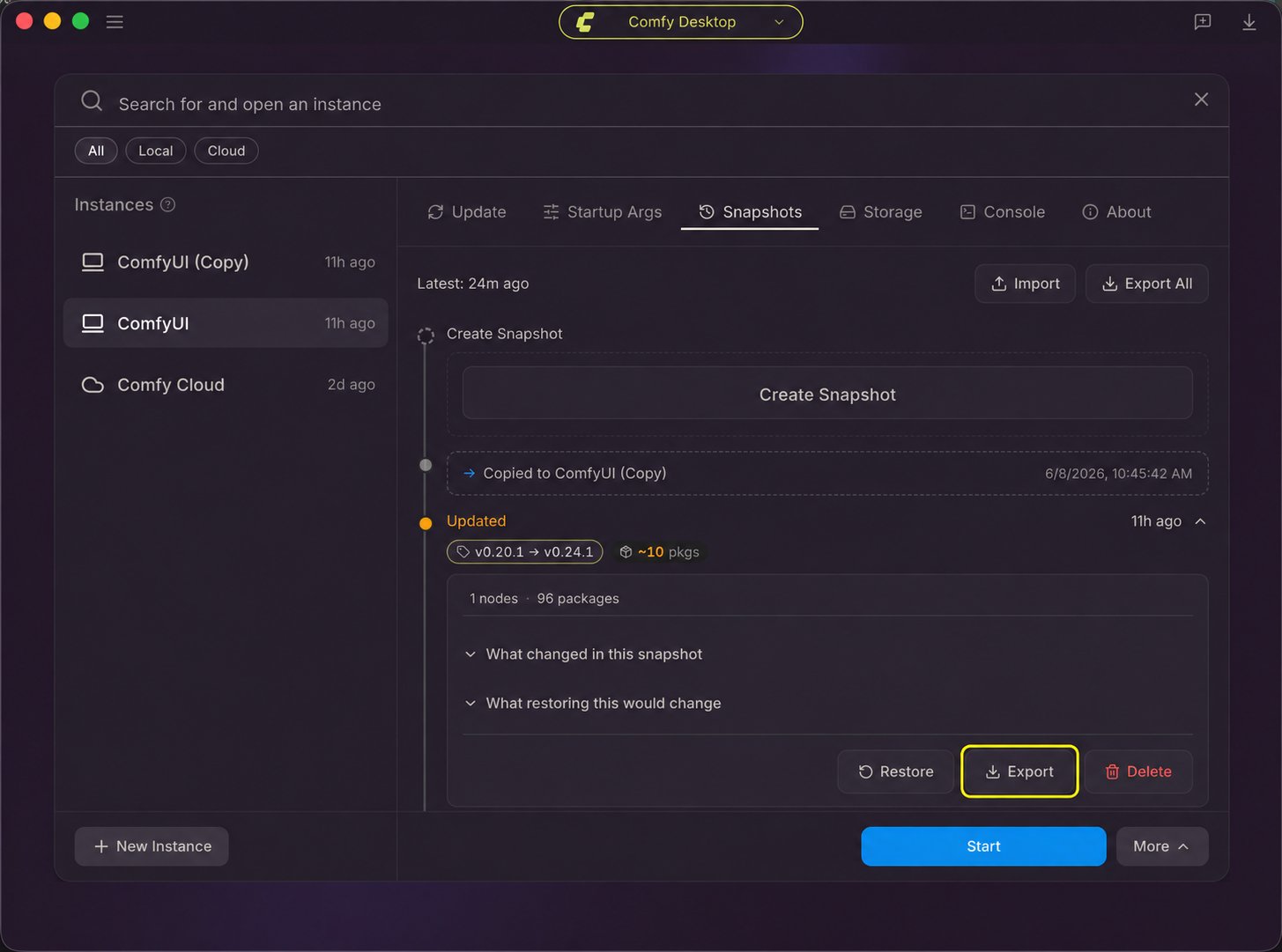
使用快照可以将 Desktop 实例的 ComfyUI 版本、自定义节点和 Python 包带入构建中。
1. 在 Comfy Desktop 中,打开该实例的 **管理** 面板并选择 **快照**。选择你要构建的环境所对应的快照,然后点击其 **导出** 按钮。如果当前状态未列出,请先手动创建快照。参见 [Desktop 快照步骤](/zh/installation/desktop/usage/snapshots#快照标签页总览)。
2. 打开 [Comfy API Build Wizard](https://platform.comfy.org/?onboarding=comfyapi) 并导入快照文件。
3. 在创建发布之前,检查构建内容,并添加或修正任何缺失的模型或依赖关系。
 ## 工作流 JSON
使用已保存的工作流文件在 Build Wizard 中配置构建:
1. 打开 [Comfy API Build Wizard](https://platform.comfy.org/?onboarding=comfyapi)。
2. 将工作流 JSON 拖入导入步骤。
3. 在创建发布之前,检查构建内容,并添加或修正任何缺失的模型或依赖关系。
## 工作流 JSON
使用已保存的工作流文件在 Build Wizard 中配置构建:
1. 打开 [Comfy API Build Wizard](https://platform.comfy.org/?onboarding=comfyapi)。
2. 将工作流 JSON 拖入导入步骤。
3. 在创建发布之前,检查构建内容,并添加或修正任何缺失的模型或依赖关系。
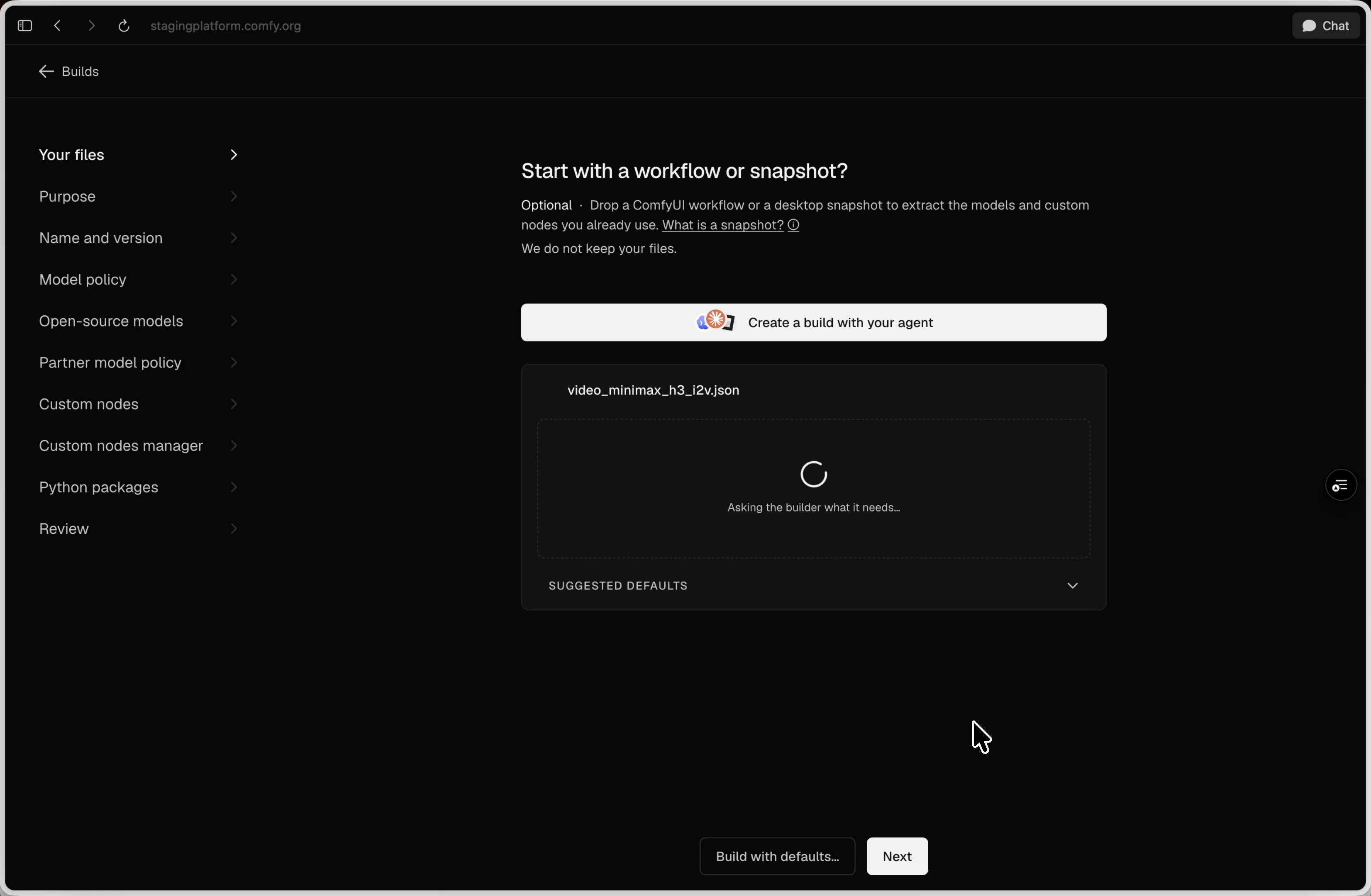 向导会检查工作流,并在你继续之前建议构建设置。
## 下一步
创建发布、部署发布,并使用智能体或 CLI 运行工作流。
管理构建文件、更新、发布、扩缩容、计费以及故障排查。
This documentation is built and hosted on [Mintlify](https://mintlify.com), a developer documentation platform.
向导会检查工作流,并在你继续之前建议构建设置。
## 下一步
创建发布、部署发布,并使用智能体或 CLI 运行工作流。
管理构建文件、更新、发布、扩缩容、计费以及故障排查。
This documentation is built and hosted on [Mintlify](https://mintlify.com), a developer documentation platform.