> ## Documentation Index
> Fetch the complete documentation index at: https://docs.comfy.org/llms.txt
> Use this file to discover all available pages before exploring further.
# Comfy Desktop 概览
> 了解 Comfy Desktop — 一个现代化的桌面应用,用于管理多个 ComfyUI 安装
**Comfy Desktop** 是一个桌面应用,让你从一个启动器中安装、管理和启动多个 ComfyUI 安装。
简单来说:**Comfy Desktop** 是管理并启动 **ComfyUI**(基于节点的生成式 AI 引擎)的应用。你不用单独安装 ComfyUI — Comfy Desktop 会自动处理安装、Python 环境和依赖。每个 ComfyUI 实例独立运行,拥有自己的版本、自定义节点和设置。
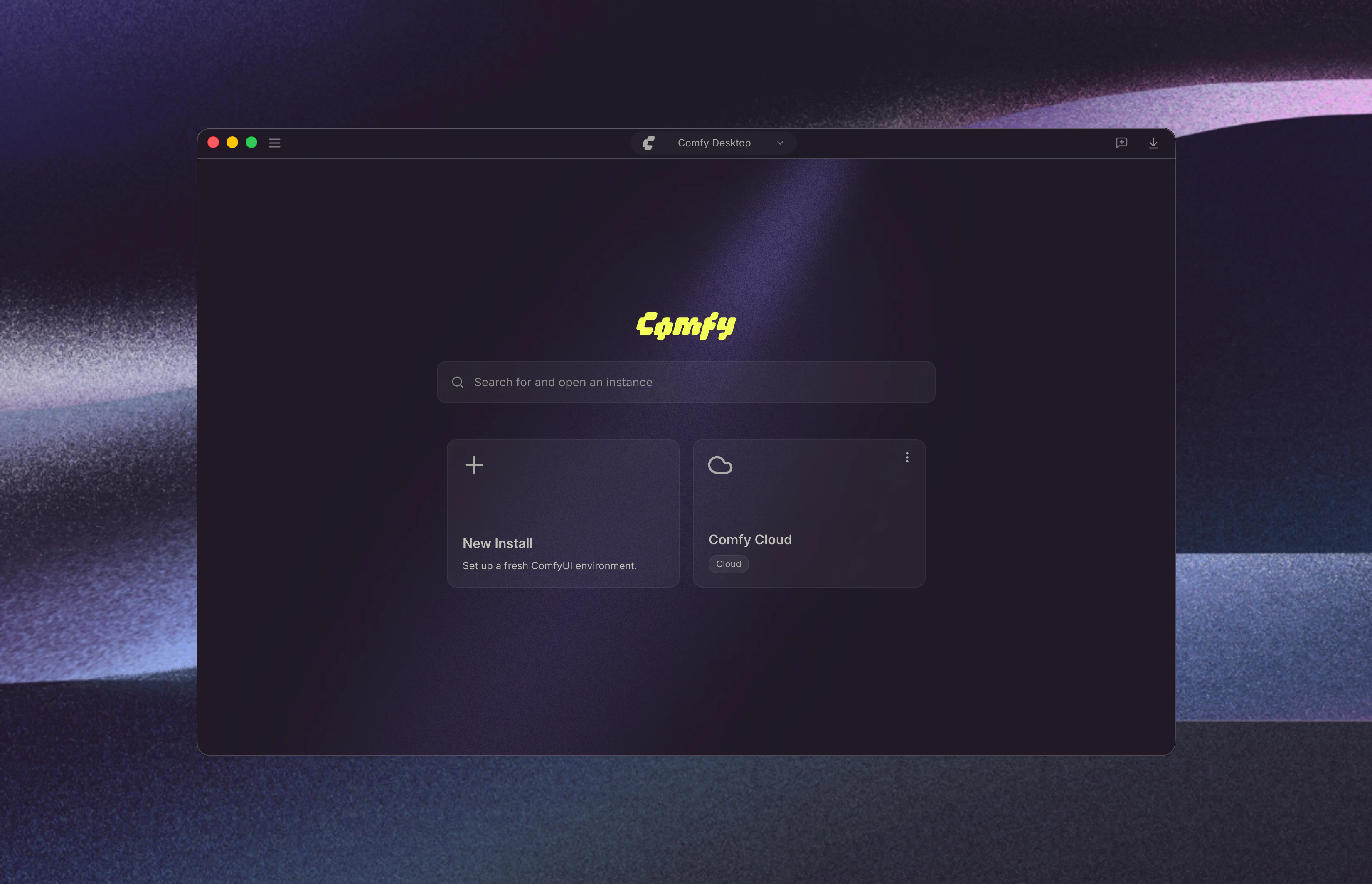 Comfy Desktop 支持 **Windows 10+**、**macOS 13+(Apple Silicon)** 和 **基于 Debian 的 Linux**。每个独立安装需要至少 **4.85 GB** 磁盘空间和 **8 GB 内存(推荐 16 GB)**。详细要求请查看各平台安装页面。
## 开始使用
选择你的平台开始:
Windows 10 或更新版本的分步安装指南。
macOS 13+(Apple Silicon)的分步安装指南。
在基于 Debian 的发行版上从源码构建并安装的指南。
## 使用指南
安装完成后,了解如何使用 Comfy Desktop:
Dashboard 总览、实例管理、设置、快照等。
## 从旧版迁移
如果你仍在使用旧版 Desktop Legacy(单实例桌面应用),你可以将自定义节点、工作流和模型迁移到新的 Comfy Desktop。数据完整保留,无需手动迁移。
从 Desktop Legacy 迁移到 Comfy Desktop 的分步指南。
## 开源
Comfy Desktop 完全开源。在 [GitHub](https://github.com/Comfy-Org/Comfy-Desktop) 上查看源代码。
Comfy Desktop 支持 **Windows 10+**、**macOS 13+(Apple Silicon)** 和 **基于 Debian 的 Linux**。每个独立安装需要至少 **4.85 GB** 磁盘空间和 **8 GB 内存(推荐 16 GB)**。详细要求请查看各平台安装页面。
## 开始使用
选择你的平台开始:
Windows 10 或更新版本的分步安装指南。
macOS 13+(Apple Silicon)的分步安装指南。
在基于 Debian 的发行版上从源码构建并安装的指南。
## 使用指南
安装完成后,了解如何使用 Comfy Desktop:
Dashboard 总览、实例管理、设置、快照等。
## 从旧版迁移
如果你仍在使用旧版 Desktop Legacy(单实例桌面应用),你可以将自定义节点、工作流和模型迁移到新的 Comfy Desktop。数据完整保留,无需手动迁移。
从 Desktop Legacy 迁移到 Comfy Desktop 的分步指南。
## 开源
Comfy Desktop 完全开源。在 [GitHub](https://github.com/Comfy-Org/Comfy-Desktop) 上查看源代码。