> ## Documentation Index
> Fetch the complete documentation index at: https://docs.comfy.org/llms.txt
> Use this file to discover all available pages before exploring further.
# ComfyUI 帮助中心:发行说明、支持与反馈
> 打开 ComfyUI 帮助中心,即可访问发行说明、文档、社区链接、支持、系统状态、反馈以及 ComfyUI 更新操作。
帮助中心是 ComfyUI 侧边栏底部问号图标背后的面板。它汇集了原本需要在编辑器之外查找的链接和操作:发行说明、文档、社区与支持渠道、系统状态、反馈以及 ComfyUI 更新操作。
## 打开帮助中心
点击左侧侧边栏底部的问号图标。工具提示显示 **帮助中心**,图标上出现红点表示有新的内容可阅读。
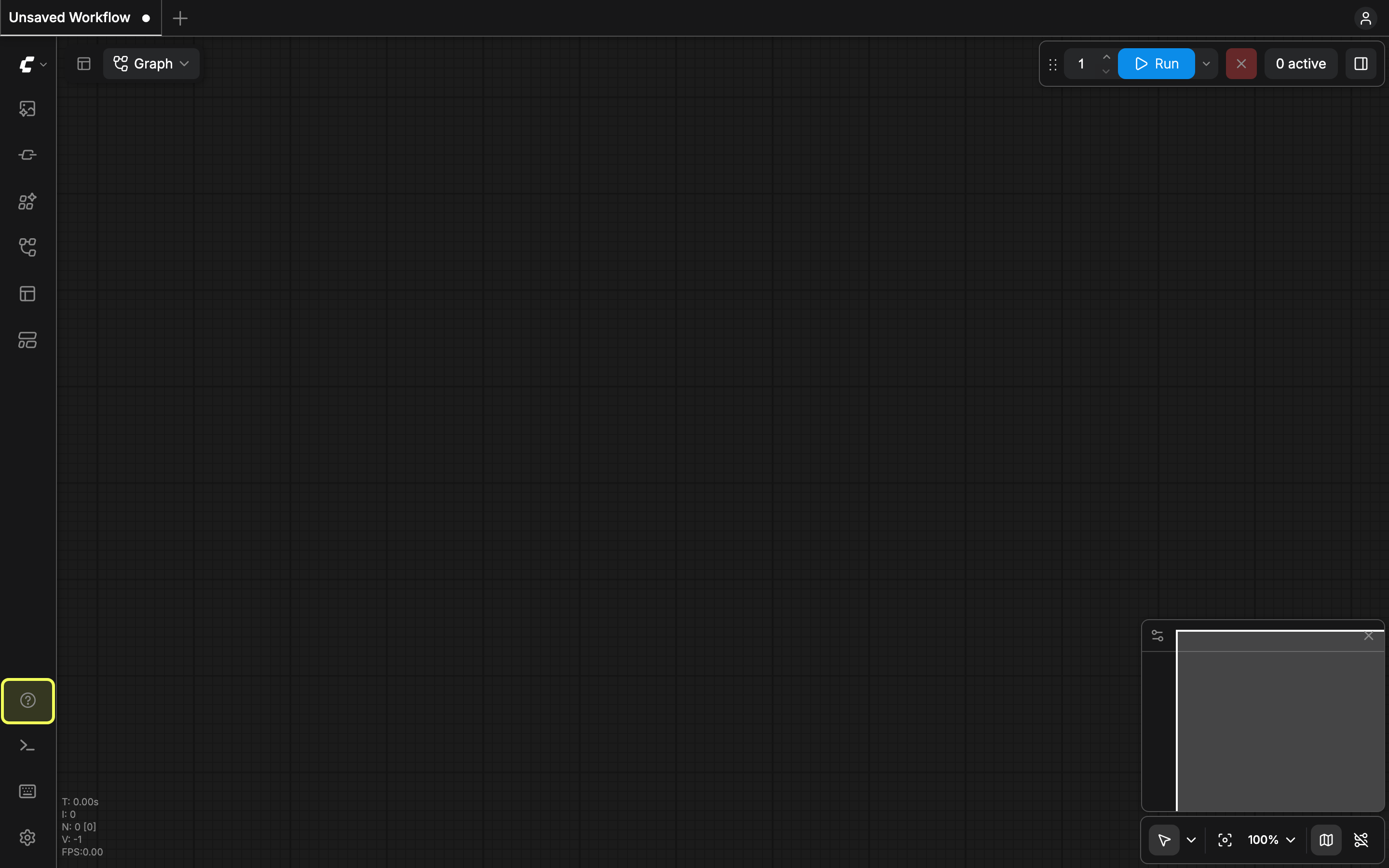 再次点击该图标即可关闭面板。在 **App 模式**(线性模式)下,同一个图标会直接打开反馈表单,而不是菜单。
## 菜单项
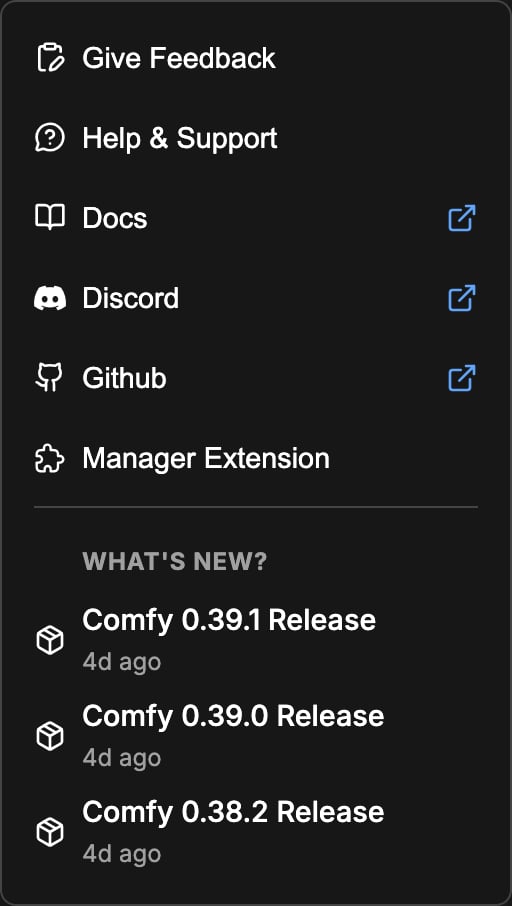
面板中列出了以下条目。其中一些仅出现在 Comfy Cloud 版本上,另一些仅出现在本地安装中。
| 条目 | 作用 |
| - | - |
| **提交反馈** | 在 Comfy Cloud 和每夜版上打开反馈表单。在其他版本上则启动支持联系流程。 |
| **帮助和支持** | 打开支持联系流程。 |
| **文档** | 打开 docs.comfy.org;如果你使用的是 Comfy Cloud,则打开云端入门页面。 |
| **Discord** | 打开 ComfyUI Discord 服务器。 |
| **Github** | 打开 ComfyUI 仓库。 |
| **系统状态** | 打开位于 status.comfy.org 的 Comfy 状态页面。仅 Comfy Cloud 可用。 |
| **管理扩展** | 打开自定义节点管理器。仅本地安装可用。 |
| **更新 ComfyUI** | 将 ComfyUI 更新加入队列。仅适用于使用新版管理器的本地安装,不包括桌面端应用。 |
| **更多...** | 额外条目,仅在至少有一个可用时显示。在桌面端应用上:**桌面端用户指南**、**打开开发者工具** 和 **重新安装**。开启开发者模式后:**重放新手引导**。 |
再次点击该图标即可关闭面板。在 **App 模式**(线性模式)下,同一个图标会直接打开反馈表单,而不是菜单。
## 菜单项
面板中列出了以下条目。其中一些仅出现在 Comfy Cloud 版本上,另一些仅出现在本地安装中。
| 条目 | 作用 |
| - | - |
| **提交反馈** | 在 Comfy Cloud 和每夜版上打开反馈表单。在其他版本上则启动支持联系流程。 |
| **帮助和支持** | 打开支持联系流程。 |
| **文档** | 打开 docs.comfy.org;如果你使用的是 Comfy Cloud,则打开云端入门页面。 |
| **Discord** | 打开 ComfyUI Discord 服务器。 |
| **Github** | 打开 ComfyUI 仓库。 |
| **系统状态** | 打开位于 status.comfy.org 的 Comfy 状态页面。仅 Comfy Cloud 可用。 |
| **管理扩展** | 打开自定义节点管理器。仅本地安装可用。 |
| **更新 ComfyUI** | 将 ComfyUI 更新加入队列。仅适用于使用新版管理器的本地安装,不包括桌面端应用。 |
| **更多...** | 额外条目,仅在至少有一个可用时显示。在桌面端应用上:**桌面端用户指南**、**打开开发者工具** 和 **重新安装**。开启开发者模式后:**重放新手引导**。 |
 ## 最新动态
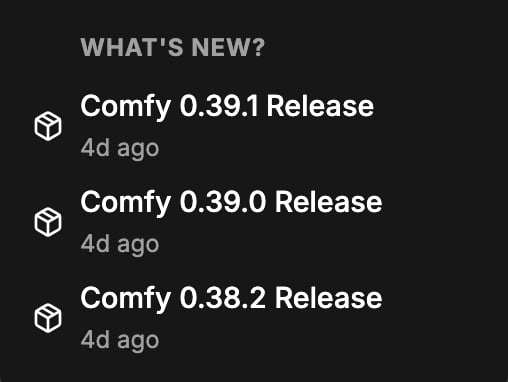
菜单下方的 **最新动态** 部分列出了最新的 ComfyUI 版本,并附有版本号和发布日期。点击某个版本可在 [更新日志](/zh/changelog) 页面打开对应条目。
## 最新动态
菜单下方的 **最新动态** 部分列出了最新的 ComfyUI 版本,并附有版本号和发布日期。点击某个版本可在 [更新日志](/zh/changelog) 页面打开对应条目。
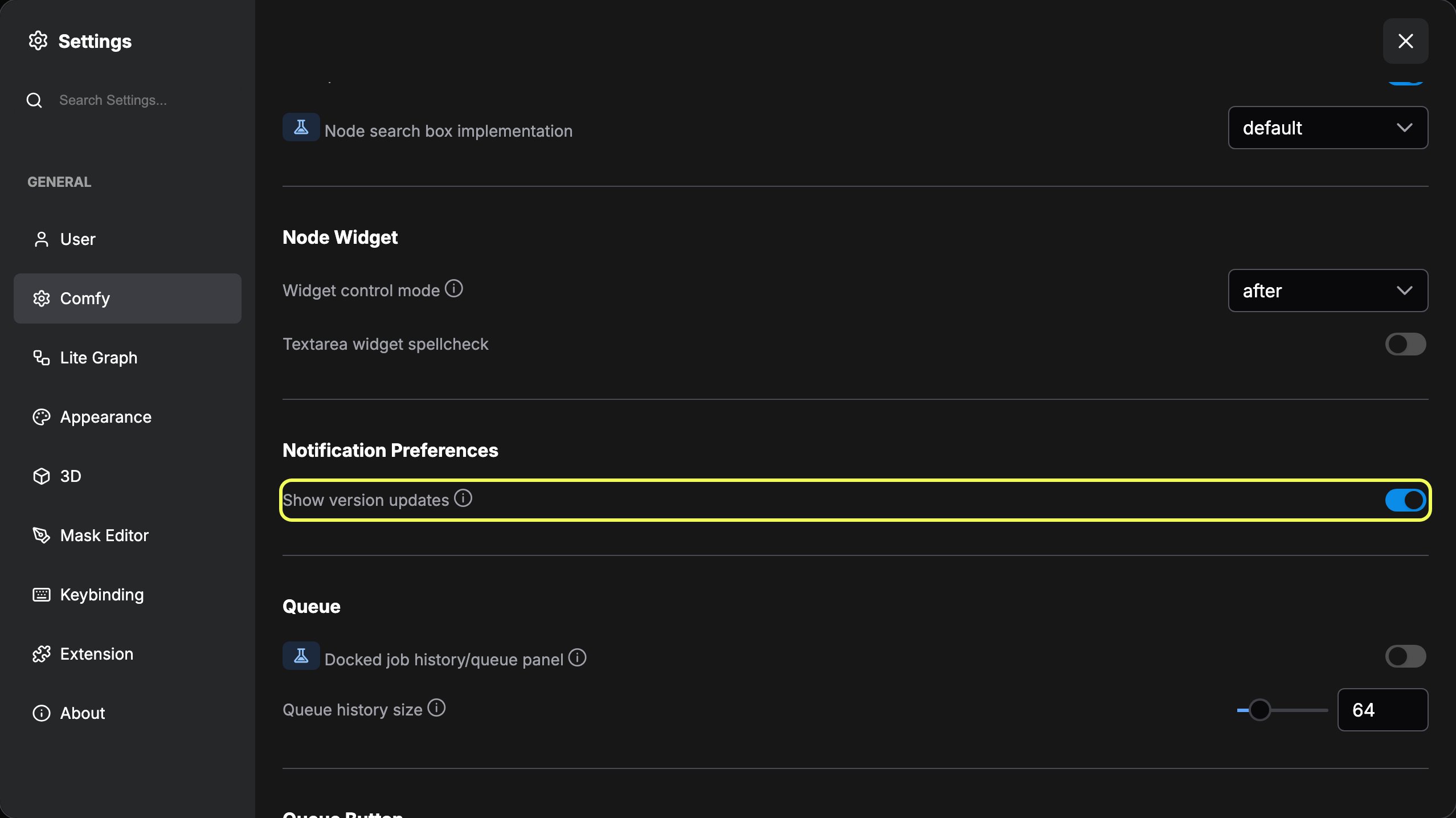
 该部分遵循设置中 **Comfy** 下 **通知偏好** 里的 **显示版本更新** 设置,该设置默认开启。关闭它会隐藏该部分。
 ## 红点
当有需要阅读或处理的内容时,侧边栏图标会显示红点:
* **未读发行说明**:有更新的版本可用,而你尚未打开其说明。桌面端应用会显示此标记,且仅在 **显示版本更新** 开启时显示。
* **节点冲突**:自定义节点管理器发现已安装的自定义节点存在问题,例如 ComfyUI 或前端版本不匹配、节点导入失败,或某个包在你的操作系统或 GPU 上不受支持。
当你打开发行说明并确认节点冲突后,红点会消失。
This documentation is built and hosted on [Mintlify](https://mintlify.com), a developer documentation platform.
## 红点
当有需要阅读或处理的内容时,侧边栏图标会显示红点:
* **未读发行说明**:有更新的版本可用,而你尚未打开其说明。桌面端应用会显示此标记,且仅在 **显示版本更新** 开启时显示。
* **节点冲突**:自定义节点管理器发现已安装的自定义节点存在问题,例如 ComfyUI 或前端版本不匹配、节点导入失败,或某个包在你的操作系统或 GPU 上不受支持。
当你打开发行说明并确认节点冲突后,红点会消失。
This documentation is built and hosted on [Mintlify](https://mintlify.com), a developer documentation platform.