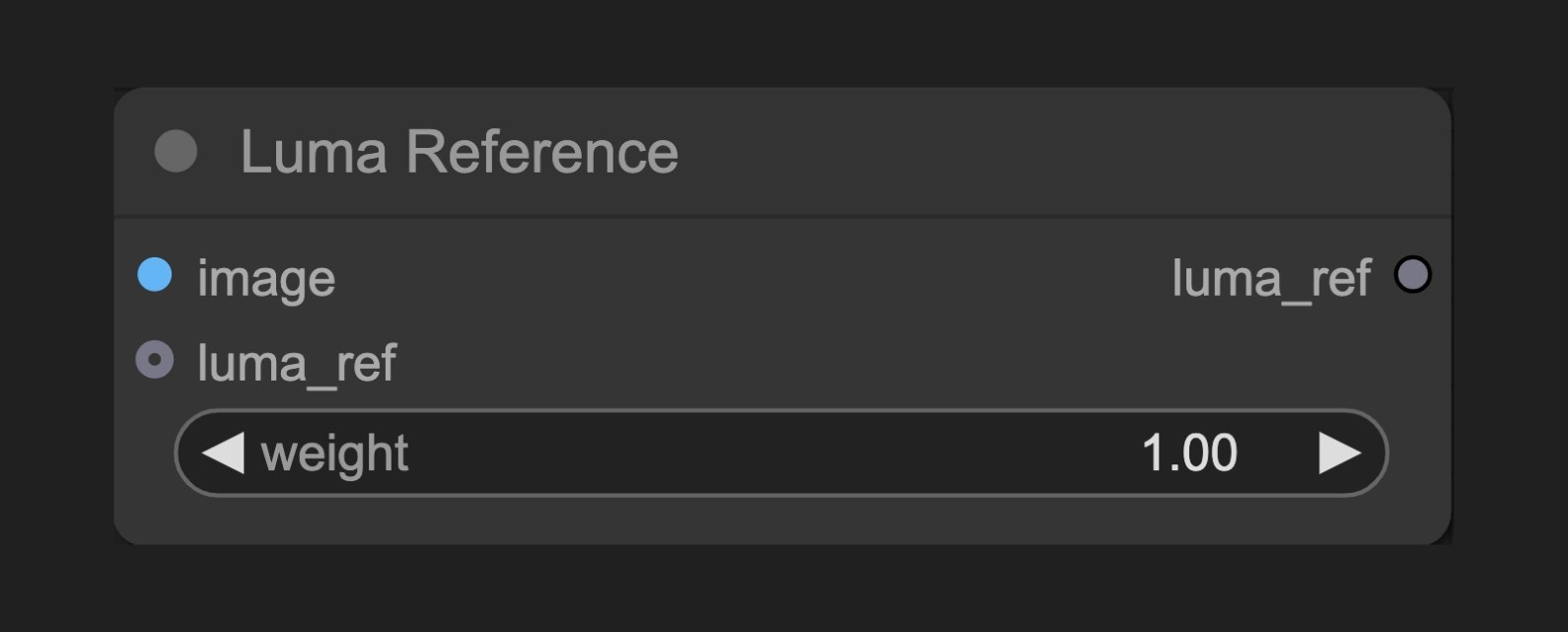
此节点作为Luma生成节点的辅助工具,允许用户提供参考图像来影响生成结果。它让用户能够设置参考图像的权重,以控制参考图像对最终结果的影响程度。
多个 Luma Reference 节点可以串联,根据对应的 API 要求,最多运行同时串联 4 个进行工作
参数说明
基本参数
参数
类型
默认值
说明
image
图像
-
作为参考的输入图像
weight
浮点数
1.0
控制参考图像的影响强度 (0-1)
输出
输出
类型
说明
luma_ref
LUMA_REF
包含图像和权重的参考对象
使用示例
Luma Text to Image 工作流示例
Luma Text to Image 工作流示例
工作原理
Luma Reference 节点接收图像输入并允许设置权重值。该节点不直接生成或修改图像,而是创建一个包含图像数据和权重信息的参考对象,后续传递给Luma生成节点。在生成过程中,Luma AI 会分析参考图像的特征,并根据设定的权重将这些特征融入到生成结果中。较高的权重值意味着生成的图像将更接近参考图像的特征,而较低的权重值则表示参考图像只会轻微影响最终结果。
源码参考
[节点源码 (更新于2025-05-03)]
class LumaReferenceNode(ComfyNodeABC):
    """
    Holds an image and weight for use with Luma Generate Image node.
    """

    RETURN_TYPES = (LumaIO.LUMA_REF,)
    RETURN_NAMES = ("luma_ref",)
    DESCRIPTION = cleandoc(__doc__ or "")  # 处理可能的 None 值
    FUNCTION = "create_luma_reference"
    CATEGORY = "api node/image/Luma"

    @classmethod
    def INPUT_TYPES(s):
        return {
            "required": {
                "image": (
                    IO.IMAGE,
                    {
                        "tooltip": "Image to use as reference.",
                    },
                ),
                "weight": (
                    IO.FLOAT,
                    {
                        "default": 1.0,
                        "min": 0.0,
                        "max": 1.0,
                        "step": 0.01,
                        "tooltip": "Weight of image reference.",
                    },
                ),
            },
            "optional": {"luma_ref": (LumaIO.LUMA_REF,)},
        }

    def create_luma_reference(
        self, image: torch.Tensor, weight: float, luma_ref: LumaReferenceChain = None
    ):
        if luma_ref is not None:
            luma_ref = luma_ref.clone()
        else:
            luma_ref = LumaReferenceChain()
        luma_ref.add(LumaReference(image=image, weight=round(weight, 2)))
        return (luma_ref,)