

What is a workflow?
A workflow is a set of steps that tells ComfyUI how to create something. You can think of a workflow like a recipe:- The recipe is the workflow.
- Each instruction in the recipe is a node.
- The ingredients include prompts, images, and models.
- The result is the generated image, video, audio, or other output.
- Load a model.
- Read a text prompt.
- Generate an image.
- Save the image.
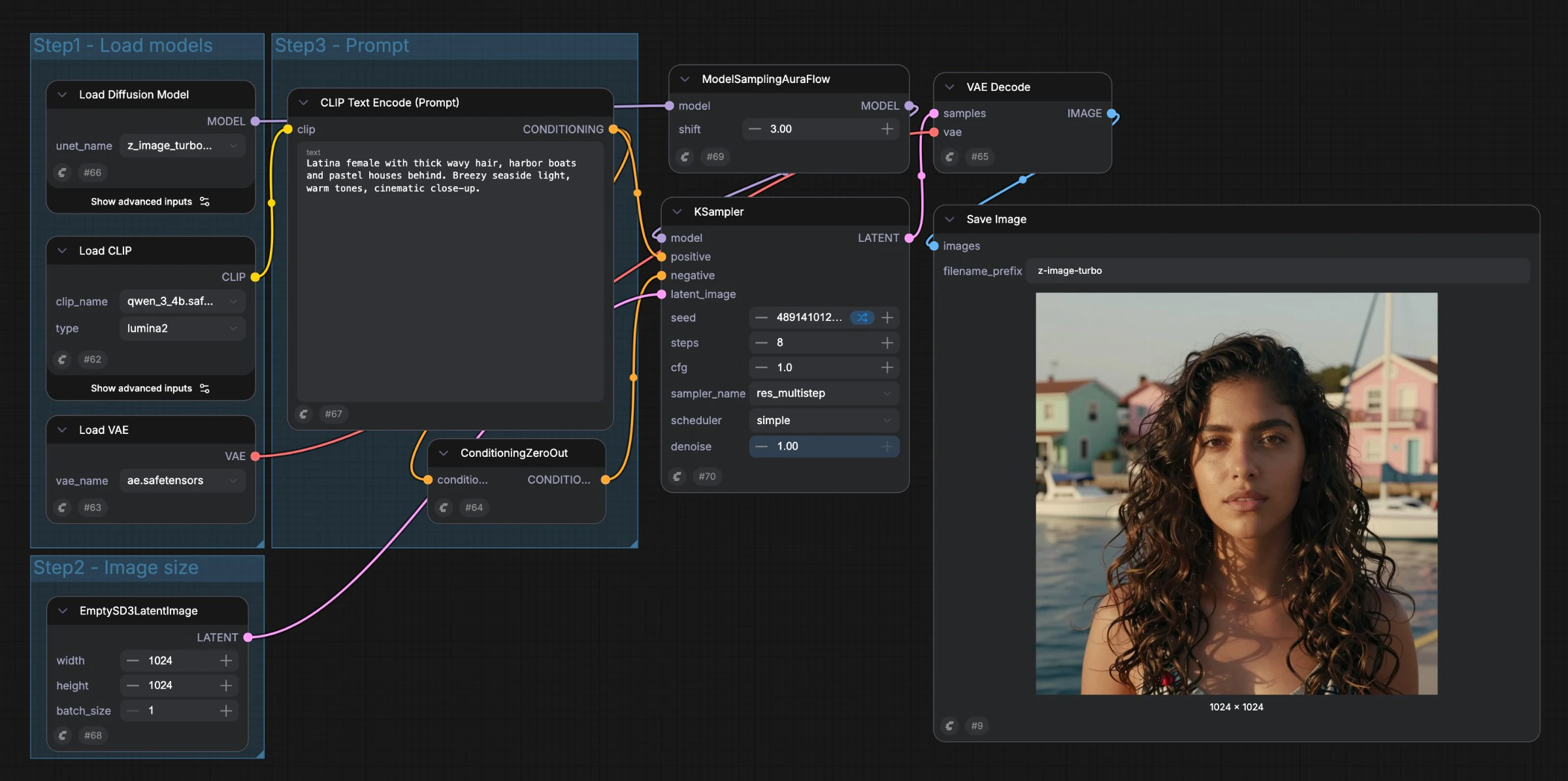
Nodes are the steps
A node performs one specific job. Some nodes load files, some change data, and others generate or save the result. For example:- A Load Checkpoint node loads an AI model.
- A CLIP Text Encode node turns your prompt into instructions for the model.
- A KSampler node generates an image from the model and those instructions.
- A Save Image node saves the result to your computer.
Links pass data between nodes
Nodes work together by passing data from one node to another. A link connects an output from one node to an input on another node. For example, a model loaded by a Load Checkpoint node can be passed to a KSampler node. Text instructions created by a text-encoding node can also be passed to the sampler. Only compatible data types can be connected. For example, an image output cannot be connected directly to an input that expects a number. Learn more about links in Links.Properties control each step
Nodes contain properties. Properties are the settings that control how a node works. For example, a sampler node may have properties for:- The number of steps
- The guidance scale
- The sampling method
- The image size