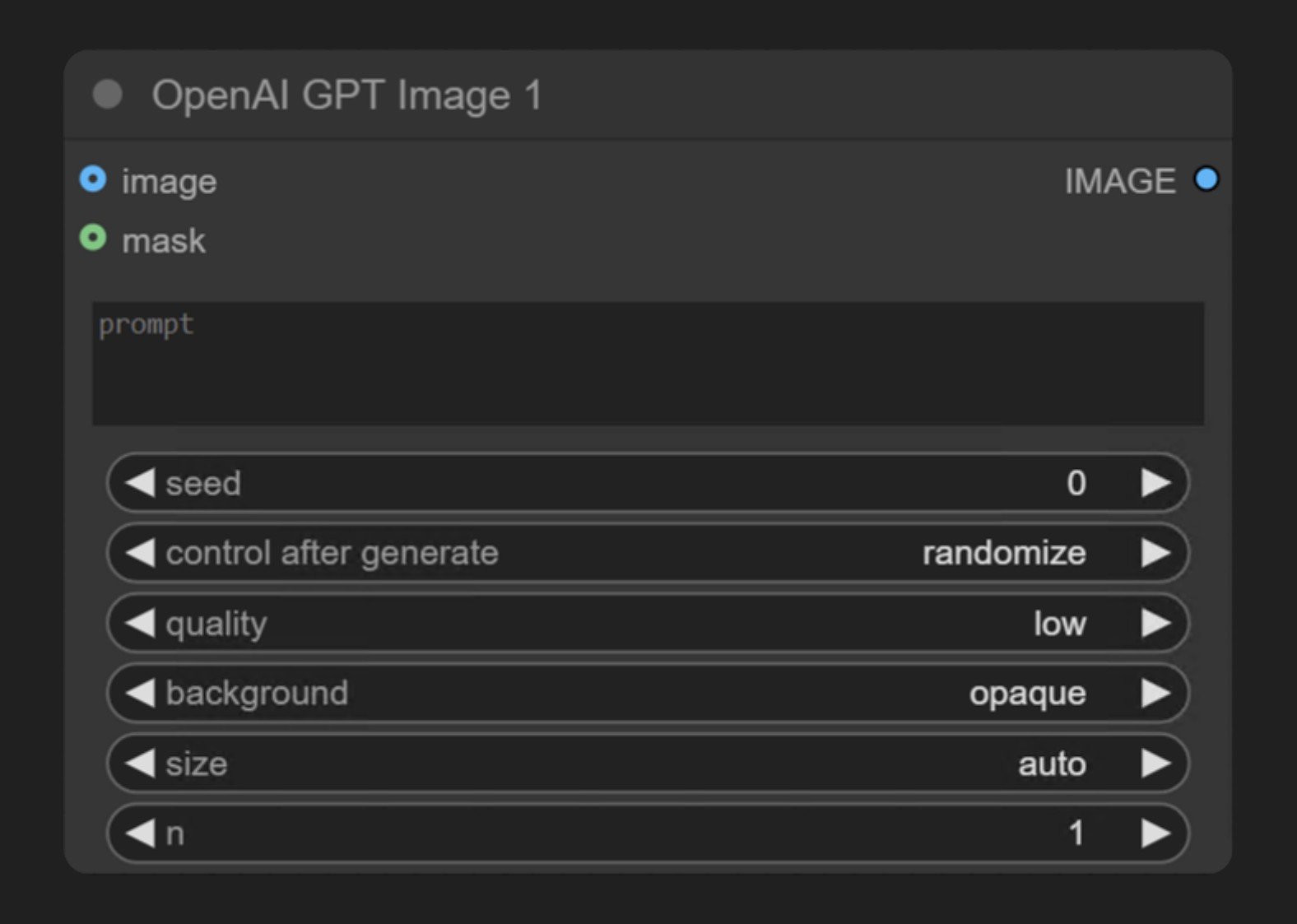
class OpenAIGPTImage1(ComfyNodeABC):
    """
    Generates images synchronously via OpenAI's GPT Image 1 endpoint.

    Uses the proxy at /proxy/openai/images/generations. Returned URLs are short‑lived,
    so download or cache results if you need to keep them.
    """

    def __init__(self):
        pass

    @classmethod
    def INPUT_TYPES(cls) -> InputTypeDict:
        return {
            "required": {
                "prompt": (
                    IO.STRING,
                    {
                        "multiline": True,
                        "default": "",
                        "tooltip": "Text prompt for GPT Image 1",
                    },
                ),
            },
            "optional": {
                "seed": (
                    IO.INT,
                    {
                        "default": 0,
                        "min": 0,
                        "max": 2**31 - 1,
                        "step": 1,
                        "display": "number",
                        "control_after_generate": True,
                        "tooltip": "not implemented yet in backend",
                    },
                ),
                "quality": (
                    IO.COMBO,
                    {
                        "options": ["low", "medium", "high"],
                        "default": "low",
                        "tooltip": "Image quality, affects cost and generation time.",
                    },
                ),
                "background": (
                    IO.COMBO,
                    {
                        "options": ["opaque", "transparent"],
                        "default": "opaque",
                        "tooltip": "Return image with or without background",
                    },
                ),
                "size": (
                    IO.COMBO,
                    {
                        "options": ["auto", "1024x1024", "1024x1536", "1536x1024"],
                        "default": "auto",
                        "tooltip": "Image size",
                    },
                ),
                "n": (
                    IO.INT,
                    {
                        "default": 1,
                        "min": 1,
                        "max": 8,
                        "step": 1,
                        "display": "number",
                        "tooltip": "How many images to generate",
                    },
                ),
                "image": (
                    IO.IMAGE,
                    {
                        "default": None,
                        "tooltip": "Optional reference image for image editing.",
                    },
                ),
                "mask": (
                    IO.MASK,
                    {
                        "default": None,
                        "tooltip": "Optional mask for inpainting (white areas will be replaced)",
                    },
                ),
            },
            "hidden": {"auth_token": "AUTH_TOKEN_COMFY_ORG"},
        }

    RETURN_TYPES = (IO.IMAGE,)
    FUNCTION = "api_call"
    CATEGORY = "api node/image/openai"
    DESCRIPTION = cleandoc(__doc__ or "")
    API_NODE = True

    def api_call(
        self,
        prompt,
        seed=0,
        quality="low",
        background="opaque",
        image=None,
        mask=None,
        n=1,
        size="1024x1024",
        auth_token=None,
    ):
        model = "gpt-image-1"
        path = "/proxy/openai/images/generations"
        content_type="application/json"
        request_class = OpenAIImageGenerationRequest
        img_binaries = []
        mask_binary = None
        files = []

        if image is not None:
            path = "/proxy/openai/images/edits"
            request_class = OpenAIImageEditRequest
            content_type ="multipart/form-data"

            batch_size = image.shape[0]

            for i in range(batch_size):
                single_image = image[i : i + 1]
                scaled_image = downscale_image_tensor(single_image).squeeze()

                image_np = (scaled_image.numpy() * 255).astype(np.uint8)
                img = Image.fromarray(image_np)
                img_byte_arr = io.BytesIO()
                img.save(img_byte_arr, format="PNG")
                img_byte_arr.seek(0)
                img_binary = img_byte_arr
                img_binary.name = f"image_{i}.png"

                img_binaries.append(img_binary)
                if batch_size == 1:
                    files.append(("image", img_binary))
                else:
                    files.append(("image[]", img_binary))

        if mask is not None:
            if image.shape[0] != 1:
                raise Exception("Cannot use a mask with multiple image")
            if image is None:
                raise Exception("Cannot use a mask without an input image")
            if mask.shape[1:] != image.shape[1:-1]:
                raise Exception("Mask and Image must be the same size")
            batch, height, width = mask.shape
            rgba_mask = torch.zeros(height, width, 4, device="cpu")
            rgba_mask[:, :, 3] = 1 - mask.squeeze().cpu()

            scaled_mask = downscale_image_tensor(rgba_mask.unsqueeze(0)).squeeze()

            mask_np = (scaled_mask.numpy() * 255).astype(np.uint8)
            mask_img = Image.fromarray(mask_np)
            mask_img_byte_arr = io.BytesIO()
            mask_img.save(mask_img_byte_arr, format="PNG")
            mask_img_byte_arr.seek(0)
            mask_binary = mask_img_byte_arr
            mask_binary.name = "mask.png"
            files.append(("mask", mask_binary))

        # Build the operation
        operation = SynchronousOperation(
            endpoint=ApiEndpoint(
                path=path,
                method=HttpMethod.POST,
                request_model=request_class,
                response_model=OpenAIImageGenerationResponse,
            ),
            request=request_class(
                model=model,
                prompt=prompt,
                quality=quality,
                background=background,
                n=n,
                seed=seed,
                size=size,
            ),
            files=files if files else None,
            content_type=content_type,
            auth_token=auth_token,
        )

        response = operation.execute()

        img_tensor = validate_and_cast_response(response)
        return (img_tensor,)