

桌面版用户
Comfy Desktop 在每次安装 ComfyUI 时都会一并安装 ComfyUI-Manager,并以--enable-manager 启动它,因此你无需自行安装。管理器按安装实例在应用内进行配置:
1
为该安装实例打开管理面板
在 Comfy Desktop 中打开该安装实例,进入 Manage panel,然后切换到 Startup Args 选项卡。
2
设置管理器选项
- Manager Security Level 决定管理器可以安装哪些节点包:Strict、Standard(推荐)、Relaxed 或 Permissive。当 ComfyUI 通过
--listen暴露到网络时,更严格的级别尤为重要 - Manager Network Mode 决定管理器如何访问节点注册表:Public(默认)、Private、Offline 或 Personal cloud(仅适用于你自己控制的机器)
3
更改管理器启动时使用的标志(可选)
同一选项卡上的 Startup Arguments 控制该安装实例启动时使用的标志。移除
--enable-manager,即可在不带管理器的情况下运行 ComfyUI;也可以保留它并添加 --disable-manager-ui,以隐藏管理器界面,同时让它的后台任务继续运行。便携版用户
对于使用 Windows 便携版 的用户,新版 ComfyUI-Manager 已内置于 ComfyUI 核心中,但需要启用。-
安装管理器依赖:
-
启用管理器启动 ComfyUI:
手动安装用户
对于手动安装的用户,新版 ComfyUI-Manager 已内置于 ComfyUI 核心中,但需要启用。-
激活虚拟环境:
-
安装管理器依赖:
-
运行 ComfyUI 时使用
--enable-manager标志启用管理器:
命令行选项
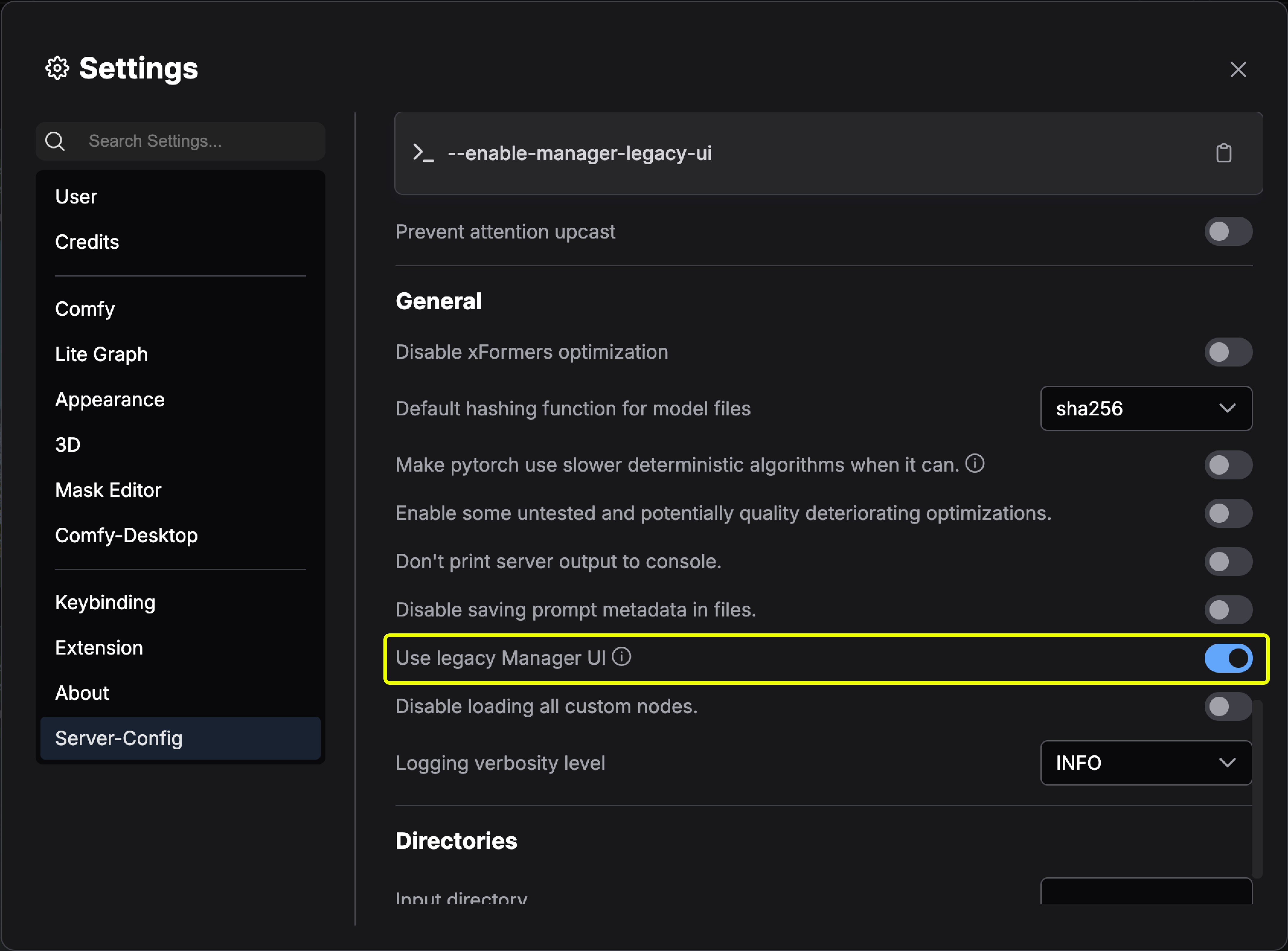
切换新旧版UI
以下版本更新仅支持 pip 版本, 通过自定义节点方式安装的版本不支持切换到新版 UI- 非桌面版用户
- 桌面版用户
使用新版本 UI使用旧版UI
更新 ComfyUI-Manager
ComfyUI-Manager 是与 ComfyUI 本体分开的 Python 包,ComfyUI 本体通过manager_requirements.txt 固定它所对应的版本。管理器的更新方式取决于 ComfyUI 的安装方式:
- 桌面版
- 便携版和手动安装
- Git 克隆
桌面版内置管理器,并随 Comfy Desktop 的更新保持为最新。请从管理面板更新 ComfyUI 引擎。
自定义节点版本安装方法
方法 1:Git clone(通用安装)
方法 1:Git clone(通用安装)
在现有 ComfyUI 安装基础上安装 ComfyUI-Manager:
- 在终端中导航到
ComfyUI/custom_nodes目录 - 克隆仓库:
- 安装管理器依赖:
- 重启 ComfyUI
方法 2:便携版(Windows)
方法 2:便携版(Windows)
- 安装 Git for Windows(独立版本,选择”使用 Windows 默认控制台窗口”)
- 将 install-manager-for-portable-version.bat 下载到您的
ComfyUI_windows_portable目录 - 双击批处理文件进行安装
方法 3:comfy-cli(推荐用于新安装)
方法 3:comfy-cli(推荐用于新安装)
方法 4:Linux + venv
方法 4:Linux + venv
前提条件:python-is-python3、python3-venv、git
- 将 install-comfyui-venv-linux.sh 下载到空的安装目录
- 运行:
- 使用
./run_gpu.sh或./run_cpu.sh执行 ComfyUI