Why this change?
The previous Canvas rendering system had become a development bottleneck. Even small UI changes often required deep modifications and could take days to implement. This slowed the ability to respond to community feedback and made node customization difficult for developers. The new Vue-based system enables:- Faster feature development - UI changes can be implemented more quickly
- Richer interactions - Dynamic widgets, expandable nodes, and better components
- A more flexible foundation - Better support for future tools and customization
Current status and known issues
We’re actively working on improvements and want to be transparent about current limitations:
We’re gathering feedback to prioritize improvements. The LiteGraph.js rendering system remains available, and you can toggle between systems at any time.
How to try it
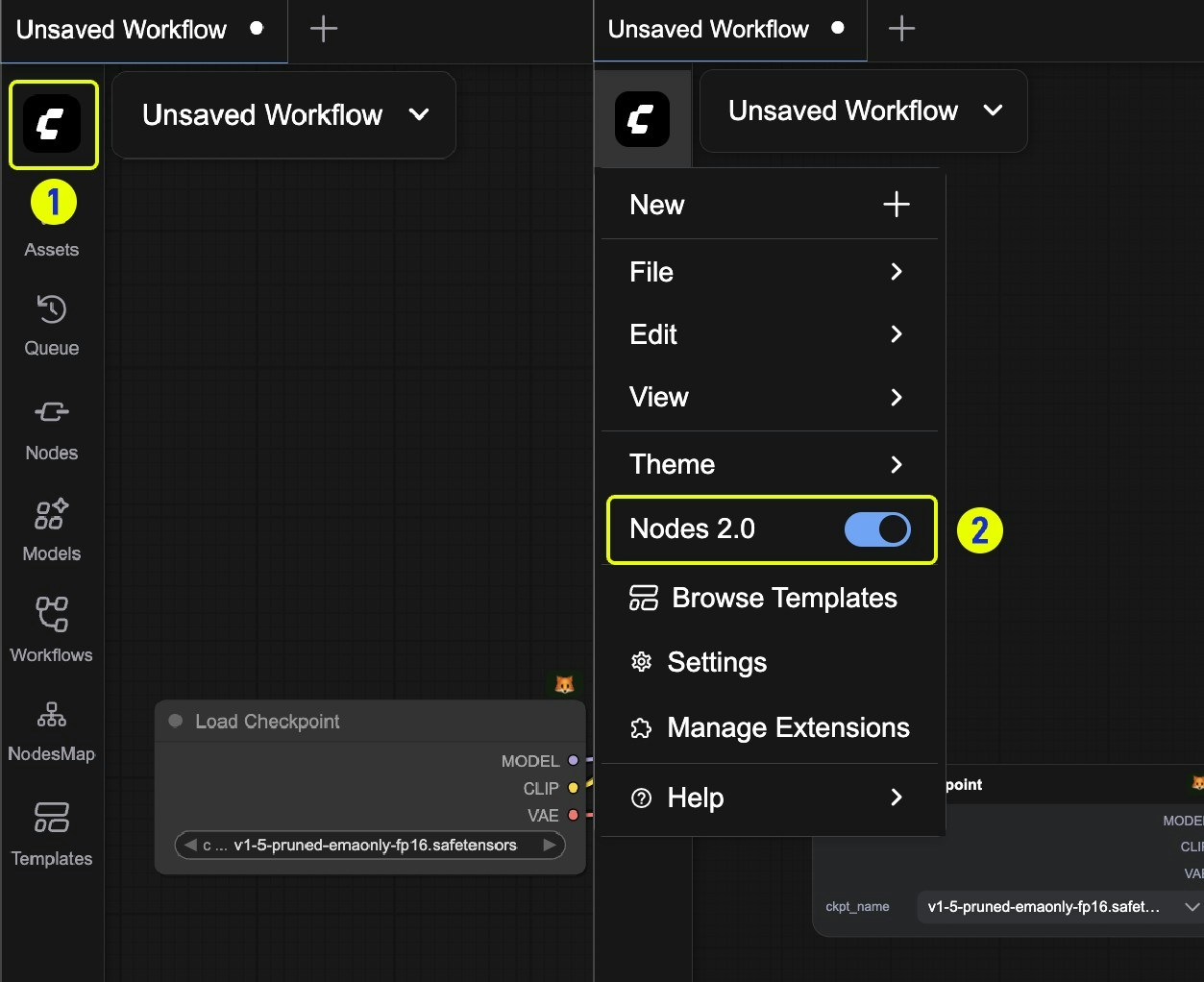
Enable Nodes 2.0
- Visit cloud.comfy.org or update to the latest version of Comfy Desktop, portable, or stable release
- Click Try it out on the top banner when you launch ComfyUI
What to test
Use Nodes 2.0 in your daily workflows and share feedback with us:- Basic interactions - Dragging, resizing, selecting
- Daily workflows - Execution, parameters, custom nodes
- Performance - Especially with complex workflows
How to provide feedback
Encountered issues or have suggestions for interaction improvements?- Support center - ComfyUI Help Center
- GitHub issues - Create an issue in ComfyUI_frontend
Switching back
If you encounter issues:- Click on the ComfyUI logo to open the menu
- Toggle Nodes 2.0 to switch back to the previous interface