This node allows you to stitch two images together in a specified direction (up, down, left, right), with support for size matching and spacing between images.

Inputs

Parameter NameDescriptionData TypeInput TypeDefaultRange
image1The first image to be stitchedIMAGERequired--
image2The second image to be stitched, if not provided returns only the first imageIMAGEOptionalNone-
directionThe direction to stitch the second image: right, down, left, or upSTRINGRequiredrightright/down/left/up
match_image_sizeWhether to resize the second image to match the dimensions of the first imageBOOLEANRequiredTrueTrue/False
spacing_widthWidth of spacing between images, must be an even numberINTRequired00-1024
spacing_colorColor of the spacing between stitched imagesSTRINGRequiredwhitewhite/black/red/green/blue
For spacing_color, when using colors other than “white/black”, if match_image_size is set to false, the padding area will be filled with black

Outputs

Output NameDescriptionData Type
IMAGEThe stitched imageIMAGE

Workflow Example

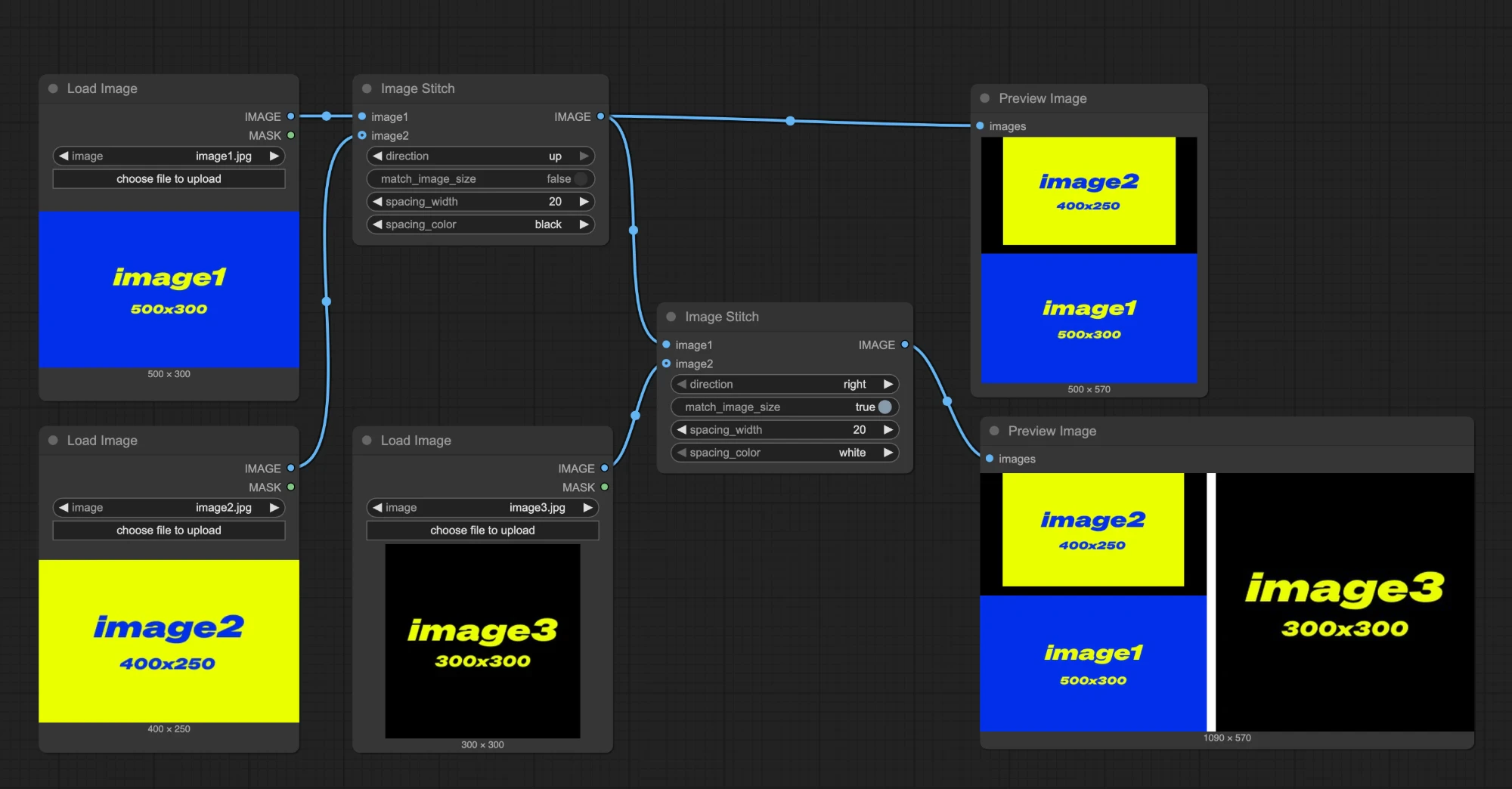
In the workflow below, we use 3 input images of different sizes as examples:
  • image1: 500x300
  • image2: 400x250
  • image3: 300x300
workflow First Image Stitch Node
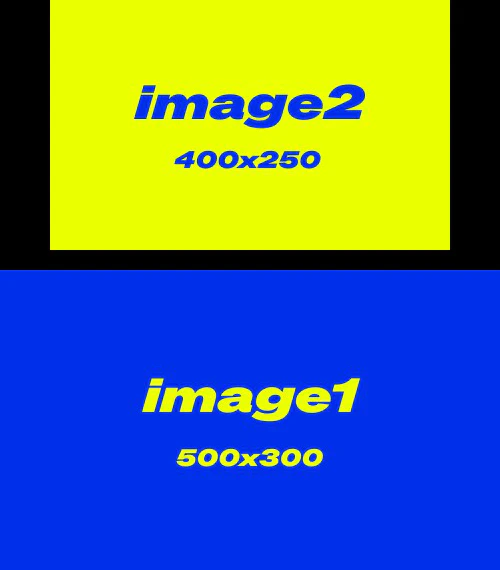
  • match_image_size: false, images will be stitched at their original sizes
  • direction: up, image2 will be placed above image1
  • spacing_width: 20
  • spacing_color: black
Output image 1: output1 Second Image Stitch Node
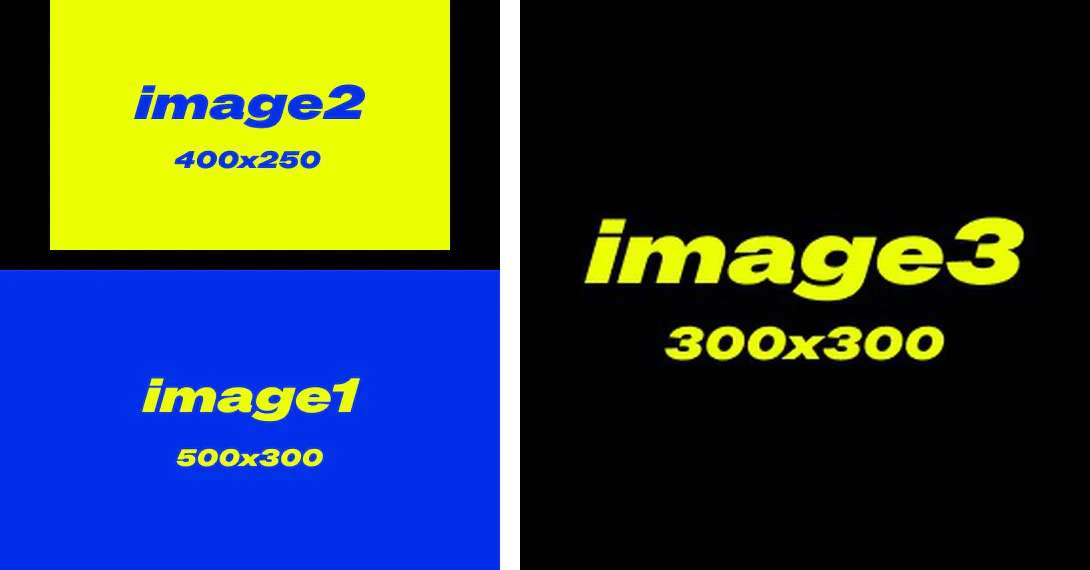
  • match_image_size: true, the second image will be scaled to match the height or width of the first image
  • direction: right, image3 will appear on the right side
  • spacing_width: 20
  • spacing_color: white
Output image 2: output2
This documentation was AI-generated. If you find any errors or have suggestions for improvement, please feel free to contribute! Edit on GitHub