

Available workflows
Virtual Try-On
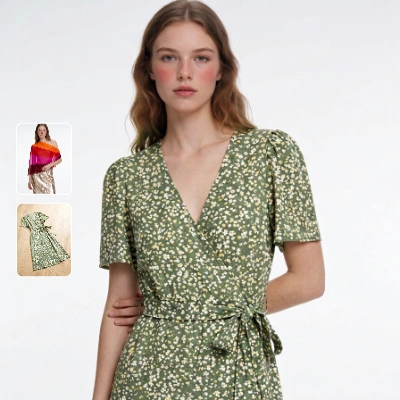
Dress a person in a garment and compare the result against the original person image. The template loads a person photo and a garment photo, runs the try-on at full 2048px fidelity, and shows anImageCompare view of the input person and the output.
Run on Comfy Cloud
Open in Comfy Cloud
Download Workflow
Download JSON or search “Kling: Virtual Try On” in Template Library
model_colorful_outfit.png
Load into the person
LoadImage node that feeds the Kling Virtual Try-On nodegreen_floral_dress.png
Load into the garment
LoadImage node that feeds the Kling Virtual Try-On nodeWorkflow overview
The template uses five functional nodes, plus aMarkdownNote that lists the input assets:
- LoadImage (person): provides the photo of the person
- LoadImage (garment): provides the clothing to put on
- KlingTryOnNode: the core node that combines the two images
- SaveImageAdvanced and ImageCompare: save the result and show it next to the person image
Steps to run
- Load the person photo: upload or select a photo of one person in the person LoadImage node
- Load the garment: upload or select the clothing in the garment LoadImage node
- Set
keep_pose: leave it on to hold the pose, or turn it off to let the pose adapt for a better presentation - Click Queue or press
Ctrl+Enterto generate
Node controls
Tips
- Use a clean, front-facing person photo. The node works best when the subject faces the camera or is turned about three-quarters toward it.
- Clothing only. Shoes, bags, and accessories are not supported; connect the garment itself.
- An on-model garment photo carries more than the item. When the garment image is an on-model shot, the rest of that outfit can come along, which helps when you want a complete look.
- The result keeps the person image size. The output is the same shape as the person photo, capped at 2048 pixels on the longest side.
- Expect variation between runs. The seed does not lock the result; the same settings can still produce a different take.
Get started
- Update ComfyUI to the latest version
- Go to Template Library, search for
Kling: Virtual Try On