

Available workflows
Product Holding
Place a product into the hands of the person in the photo. The node starts with one product socket; the plus button on the node adds sockets for up to three images of the same product, such as the product itself, its packaging, another angle, or a companion item.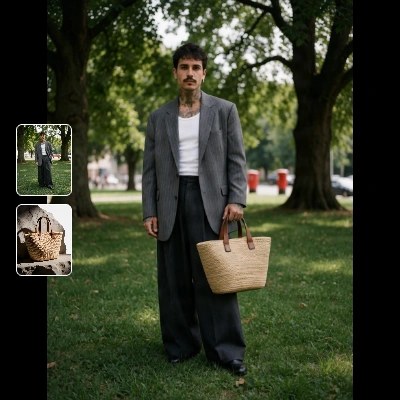
Run on Comfy Cloud
Open in Comfy Cloud
Download Workflow
Download JSON or search “Bria: Product Holding” in Template Library
bria_holding_person.png
Load into the
person_image inputbria_holding_product.png
Load into the
product_images inputVirtual Try-On
Dress the person in a garment or accessory from a separate product shot. Each connected item replaces the matching worn item, and two garments are combined into one layered outfit, so a top and a skirt can go into the same run instead of two runs.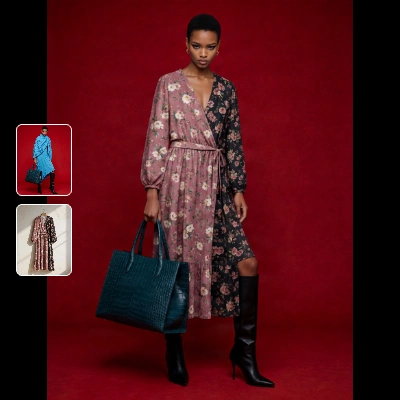
Run on Comfy Cloud
Open in Comfy Cloud
Download Workflow
Download JSON or search “Bria: Virtual Try-On” in Template Library
bria_tryon_man.png
Load into the
person_image inputbria_tryon_shirt.png
Load into the
garment_images inputNode controls
Prompting tips
- Start from empty hands. A person photo with visible, empty hands gives the model room to place the product. A closed fist or an occupied hand usually leads to an awkward result.
- Keep the product shots consistent. One to three images of the same product work best: the front, the packaging, and one alternate angle. Mixing two different products splits the render.
- Leave
instructionempty first. The built-in direction handles most cases. Add a line only for a specific pose or face, such ashold the bag in one handorface the label to the camera. - Use a garment shot, not a full outfit. A hanger shot or flat lay of the single item is what gets refitted to the body. A whole look in one image tends to replace more than intended.
- Layer garments in one run. Two connected garments become one outfit, which keeps the light and the fit consistent across the pieces.
- Keep
aspect_ratioonautofor a matching edit. It preserves the framing of the original photo, so the before and after line up.
Get started
- Update ComfyUI to the latest version
- Go to Template Library, search for
Bria