

Key strengths
- Whole-body keypoints: detects body, hands, face, and feet keypoints in a unified model
- Multi-person support: detects and labels multiple people in a single image or video
- Configurable outputs: choose which body parts to visualize (body, hands, face, feet) and control stick/font size
- Bounding box detection: includes object detection with tunable thresholds and class selection
- Image and video support: dedicated workflows for single images, videos, and OOD pose estimation
Limitations: Detection accuracy depends on image resolution and subject visibility. Extremely occluded or very small subjects may produce fewer keypoints.
SDPose Workflows
Four workflows are available depending on your use case:1. Download Workflows
Update your ComfyUI to the latest version, then go toWorkflow -> Browse Templates and find SDPose workflows under the Utility category.
SDPose: Image Multi-Person Detection
Upload an image to detect human poses. Supports detection for both single individuals and multiple people within the same scene.
Run on Comfy Cloud
Open in Comfy Cloud
Download Workflow
Download JSON or search “SDPose: Image Multi-Person Detection” in Template Library
LoadImage node:
group_photo.png
LoadImage node 679 · group_photo.png
SDPose: Video Multi-Person Detection
Upload a video to detect human poses. Supports detection for both single individuals and multiple people within the same scene.
Run on Comfy Cloud
Open in Comfy Cloud
Download Workflow
Download JSON or search “SDPose: Video Multi-Person Detection” in Template Library
LoadVideo node:
man_playing_violin.mp4
LoadVideo node 694 · man_playing_violin.mp4SDPose-OOD: Image to Pose Map
Upload an image to extract pose keypoints and generate a corresponding pose map using the SDPose-OOD model.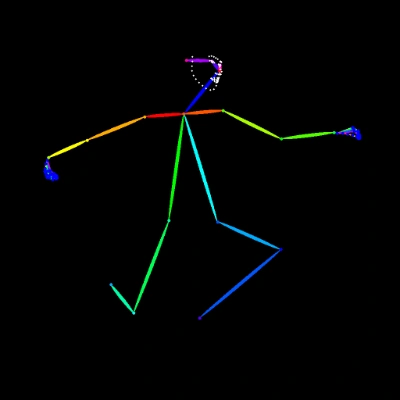
Run on Comfy Cloud
Open in Comfy Cloud
Download Workflow
Download JSON or search “SDPose-OOD: Image to Pose Map” in Template Library
LoadImage node:
dancer.png
LoadImage node 667 · dancer.png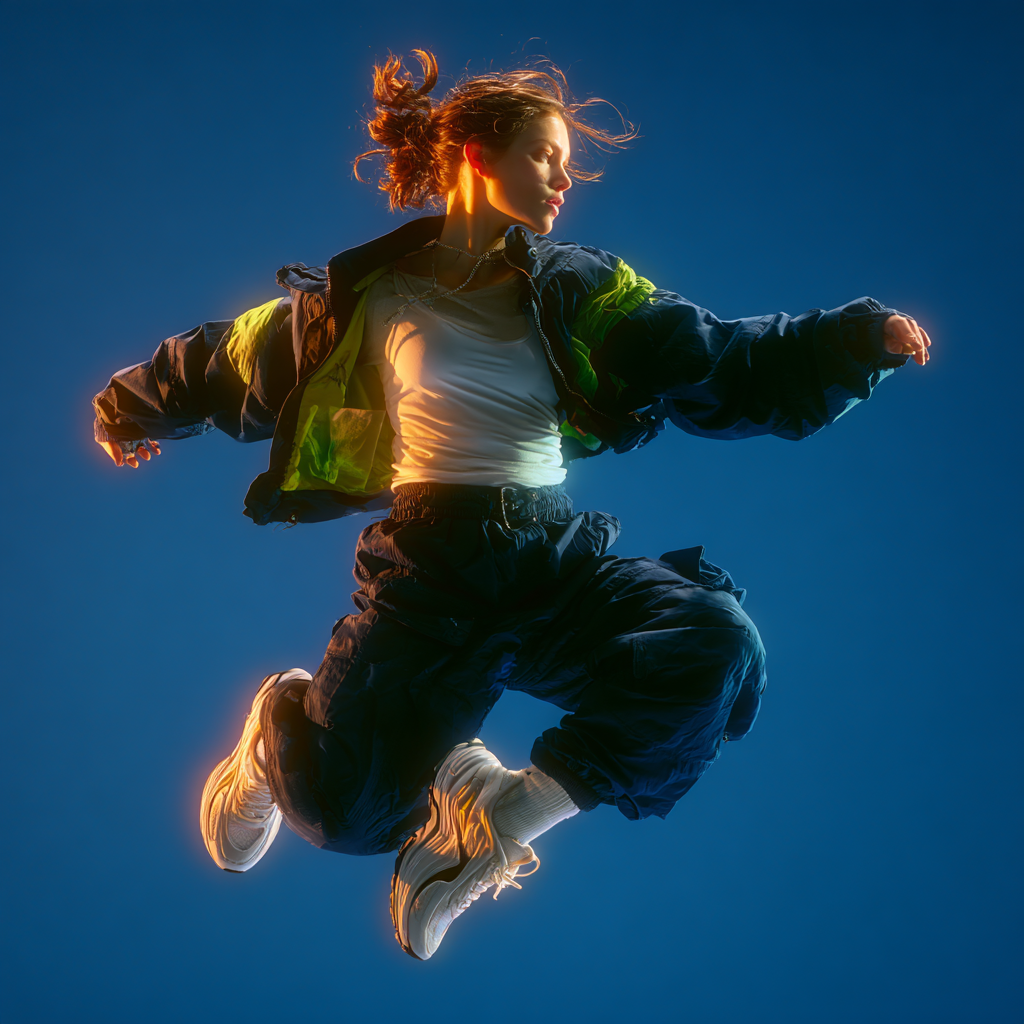
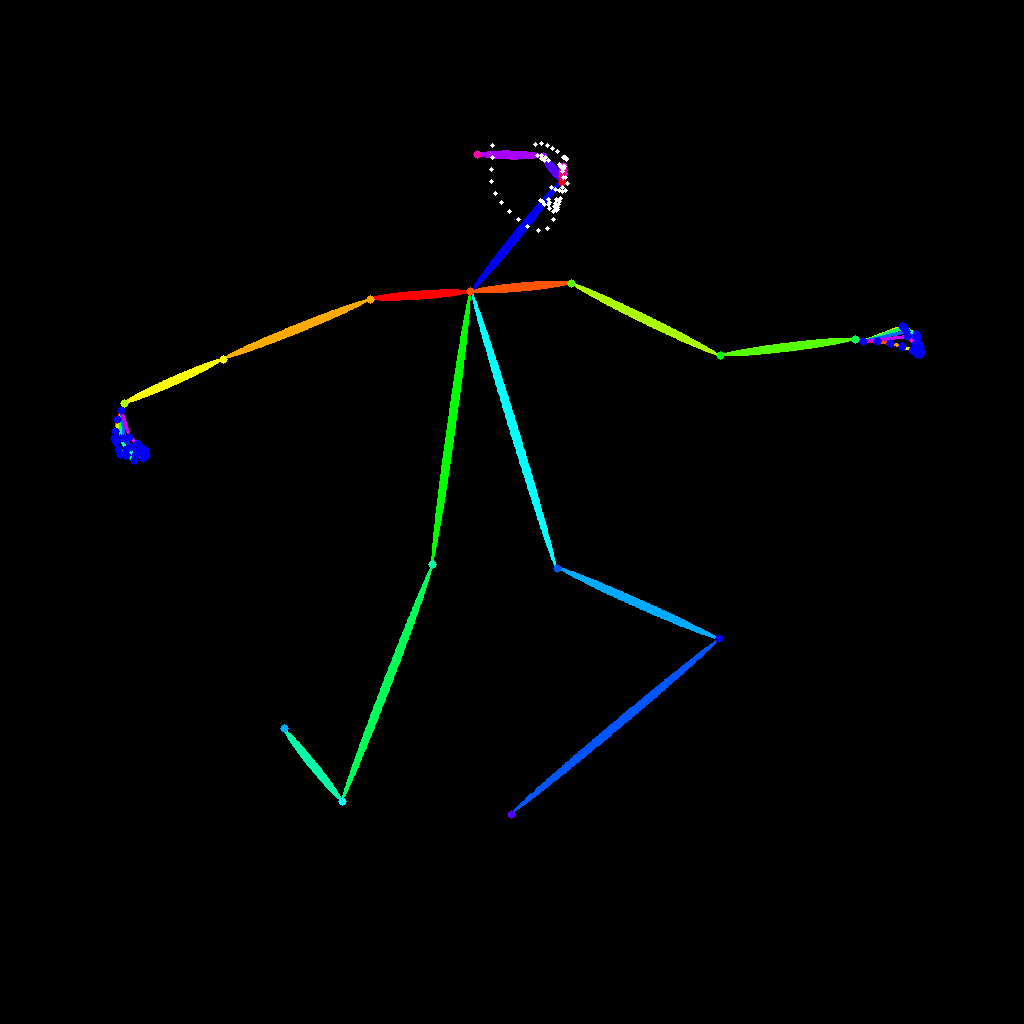
SDPose-OOD: Video to Pose Map
Upload a video to extract pose keypoints and generate a pose map. The workflow supports multiple person detection and uses an enhanced SDPose model for accurate whole-body feature extraction.
Run on Comfy Cloud
Open in Comfy Cloud
Download Workflow
Download JSON or search “SDPose-OOD: Video to Pose Map” in Template Library
LoadVideo node:
man_in_the_rain.mp4
LoadVideo node 679 · man_in_the_rain.mp42. Download Models
The SDPose and RT-DETRv4 model checkpoints are hosted on the Comfy-Org SDPose model repository. checkpoints (SDPose model): diffusion_models (RT-DETRv4 detector):- rt_detr_v4-x-hgnet_fp16.safetensors (recommended)
- rt_detr_v4-x-hgnet_fp32.safetensors (full precision, larger)
3. Using the Workflows
Multi-Person (Image)
- Input: Load an image via the
Load Imagenode. Use an image with one or more people (example:group_photo.png). - Detection: The
Image to Pose Map (SDPose Multi-Person)subgraph processes the image and outputs:- IMAGE: pose skeleton visualization overlaid on the image
- keypoints: raw whole-body keypoint data
- bboxes: bounding box coordinates
- Drawing Options: Configure which body parts to draw:
draw_body,draw_hands,draw_face,draw_feet: toggle visibilitystick_width,face_point_size: adjust visual stylescore_threshold: minimum confidence for displaying keypoints
- Detection Options:
resize_type.longer_size: scale the longer dimension before detectionmax_detections: maximum number of people to detectdetect_threshold: detection confidence thresholddetect_class: object class to detect (default: person)
Multi-Person (Video)
Same as the image workflow but processes video frames sequentially. UseLoad Video to input a video file and Save Video to export the result.
OOD Image to Pose
Uses the SDPose model to generate a clean pose map from an image, without bounding box visualization. This is useful for style transfer where you want to extract the skeleton pose from one image and apply it to another.OOD Video to Pose Map
Generates per-frame pose maps from a video. The output is a video file where each frame contains the extracted pose skeleton, suitable for downstream animation or ControlNet workflows.Learn about Subgraph
These workflows use Subgraph nodes for modular processing. Check out the Subgraph documentation to learn how to customize and extend the workflows.
Additional Notes
- Model directory: the SDPose checkpoint goes in
models/checkpoints/, and the RT-DETRv4 detector goes inmodels/diffusion_models/ - Input image example: the
group_photo.pngfile is available in the workflow template’sinput/directory for testing - Keypoint output: the POSE_KEYPOINT type can be connected to downstream nodes that accept pose data for conditional generation
- Update required: SDPose + RT-DETRv4 support is available in recent ComfyUI versions. Make sure your ComfyUI is up to date.