

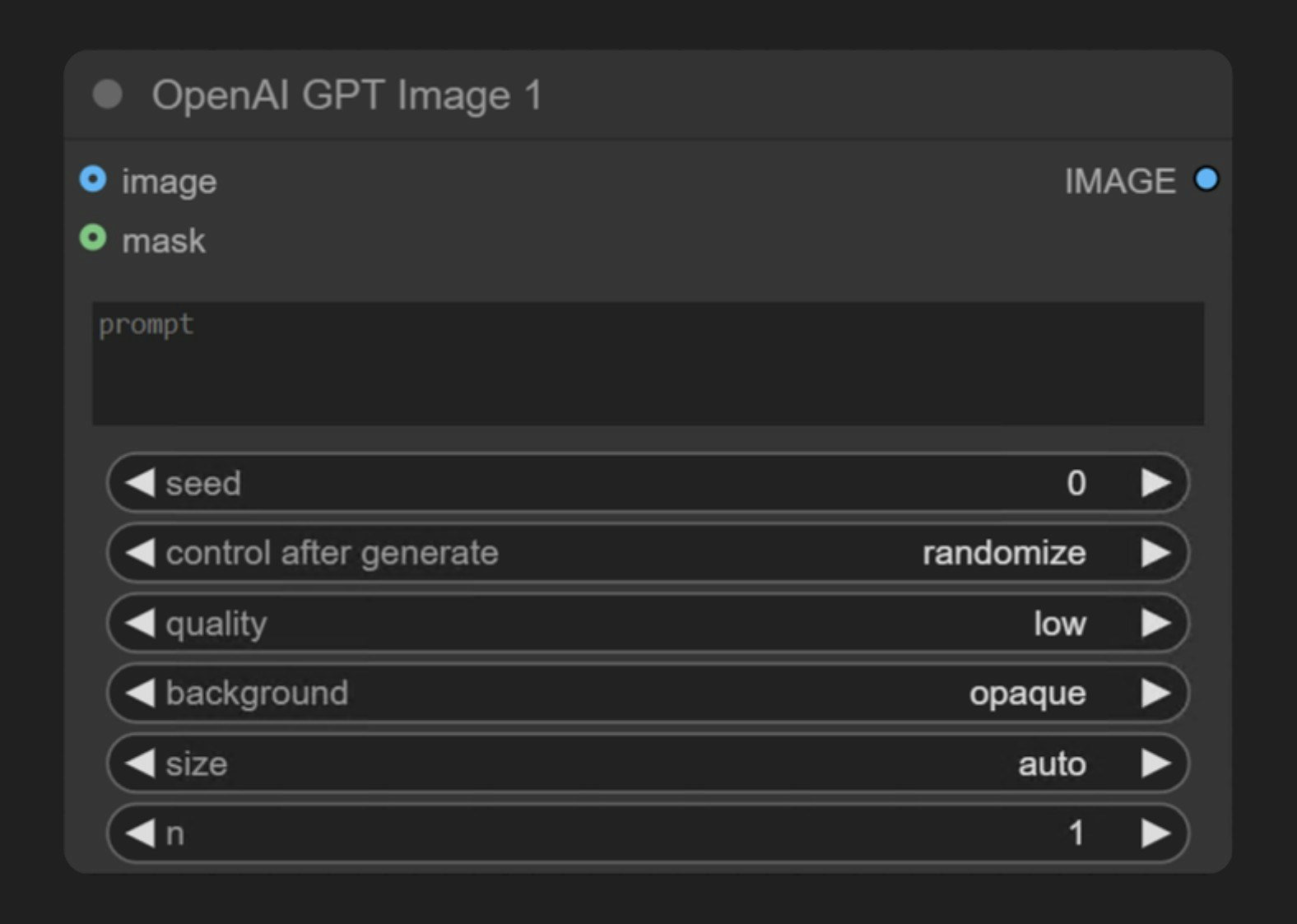
GPT-Image-1이 잘하는 작업
- 텍스트 기반 이미지 생성
- 이미지 편집 기능(마스크를 통한 inpainting)
- 참조 이미지를 사용한 이미지 기반 이미지 생성
- 다중 이미지 입력: 여러 참조 이미지를 한 번의 생성으로 일괄 처리
출력 예시
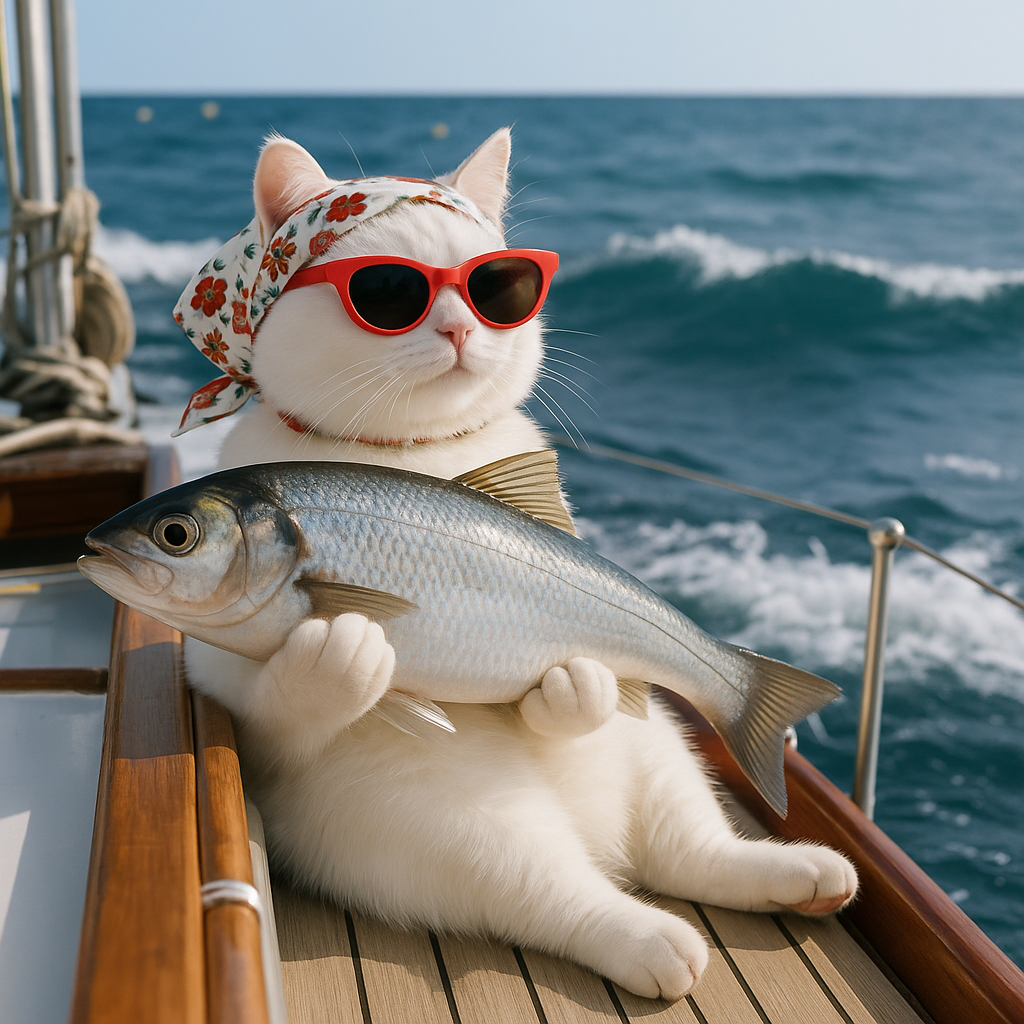
단일 텍스트 프롬프트에서 텍스트 기반 이미지 생성: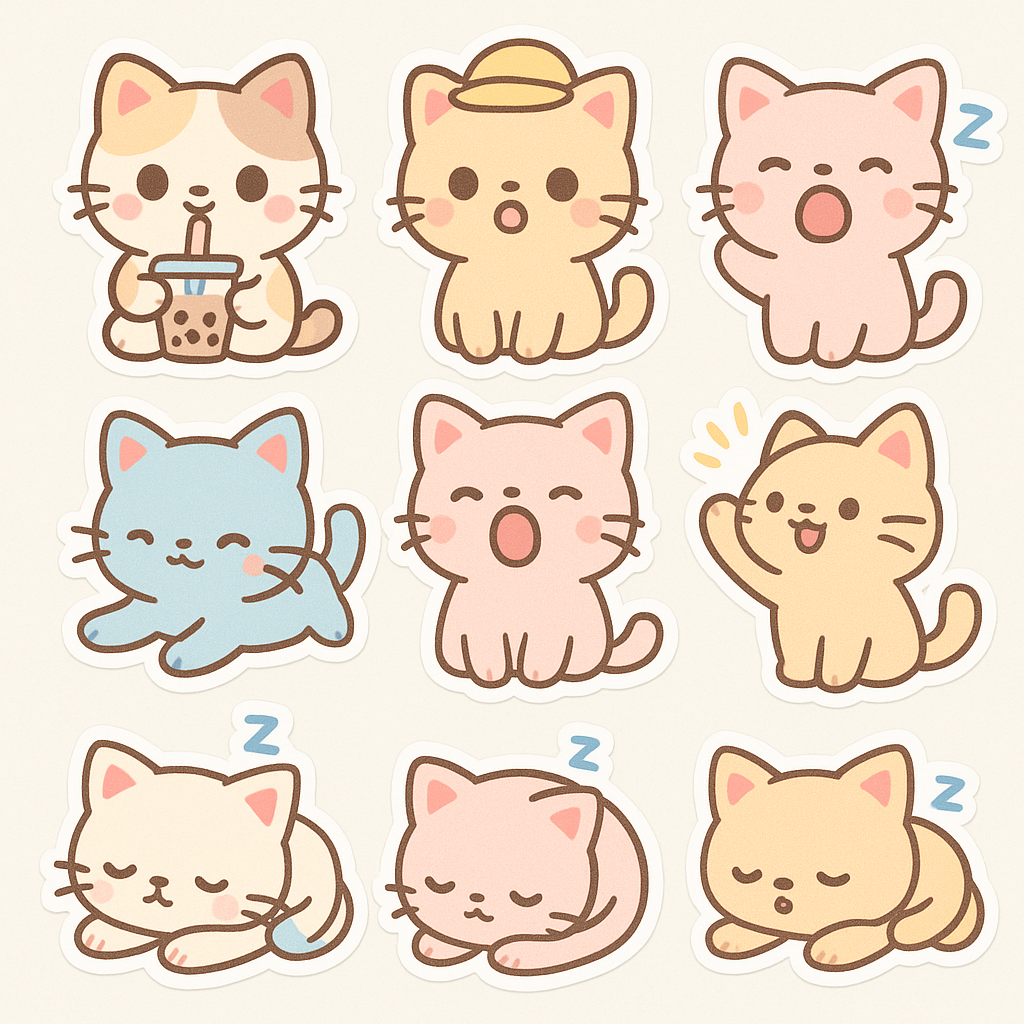 참조 이미지에서 이미지 기반 이미지 생성:
 여러 참조 이미지를 하나의 생성 결과로 결합하는 다중 이미지 입력:
 입력 이미지의 마스크된 영역을 교체하는 인페인팅:
매개변수 설명
필수 매개변수
위젯 매개변수
선택적 매개변수
사용 예시
텍스트 기반 이미지 생성 예시
아래 이미지는 간단한 텍스트 기반 이미지 워크플로우를 포함하고 있습니다. 이미지를 다운로드하여 ComfyUI로 드래그해 해당 워크플로우를 로드해 보세요.
해당 워크플로우는 매우 간단합니다:
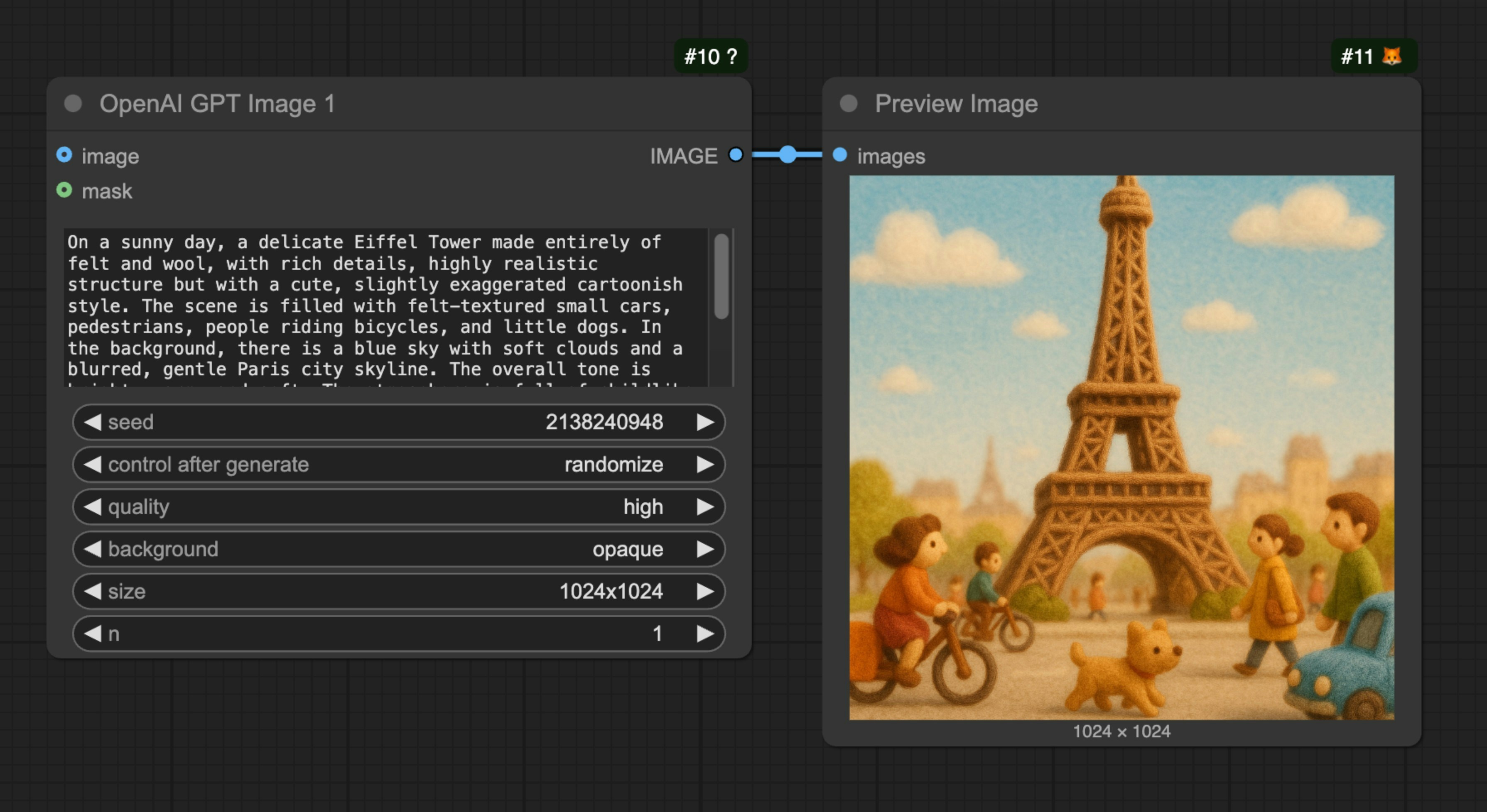
OpenAI GPT-Image-1 노드를 로드하고, prompt 노드에 생성하려는 이미지의 설명을 입력한 후, Save Image 노드를 연결한 다음 워크플로우를 실행하기만 하면 됩니다.
이미지 기반 이미지 생성 예시
아래 이미지는 간단한 이미지 기반 이미지 워크플로우를 포함하고 있습니다. 이미지를 다운로드하여 ComfyUI로 드래그해 해당 워크플로우를 로드해 보세요.
다음 이미지를 입력으로 사용하겠습니다:
 이 워크플로우에서는
 OpenAI GPT-Image-1 노드를 사용해 이미지를 생성하고, Load Image 노드를 사용해 입력 이미지를 로드한 다음, 이를 OpenAI GPT-Image-1 노드의 image 입력에 연결합니다.
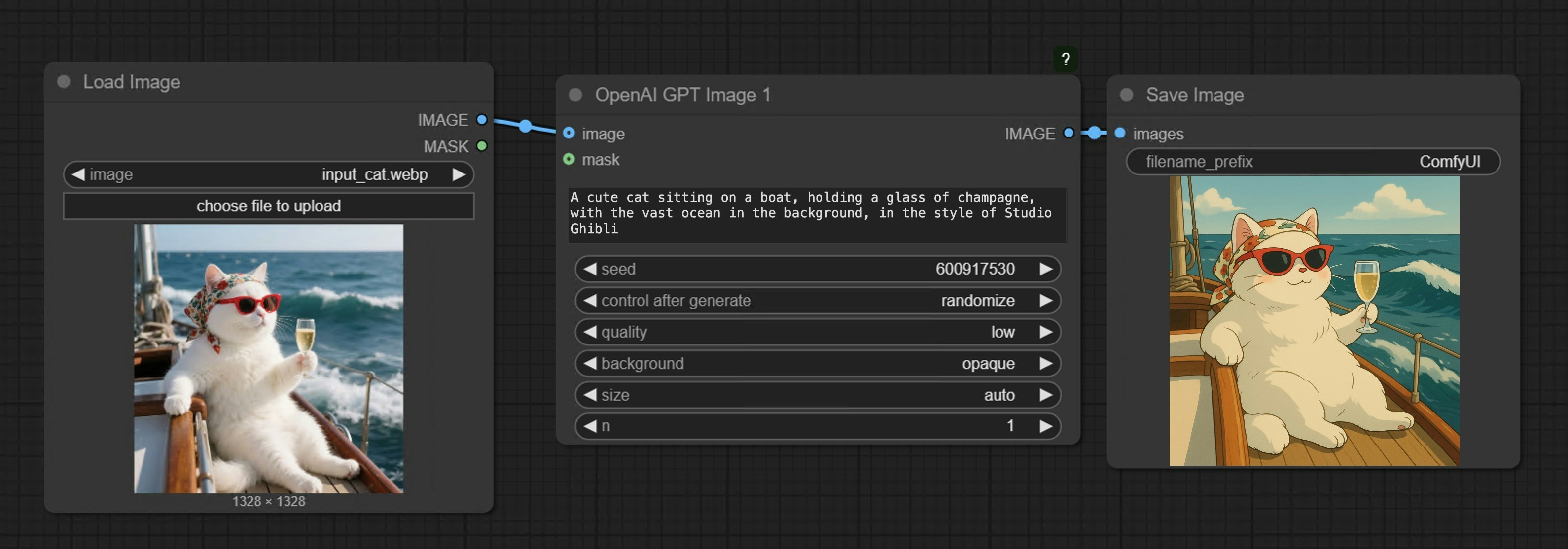
여러 이미지 입력 예시
아래 이미지를 다운로드하여 ComfyUI로 드래그해 해당 워크플로우를 로드해 보세요.
다음 모자 이미지를 추가 입력 이미지로 사용하겠습니다.
 해당 워크플로우는 아래 이미지와 같습니다:
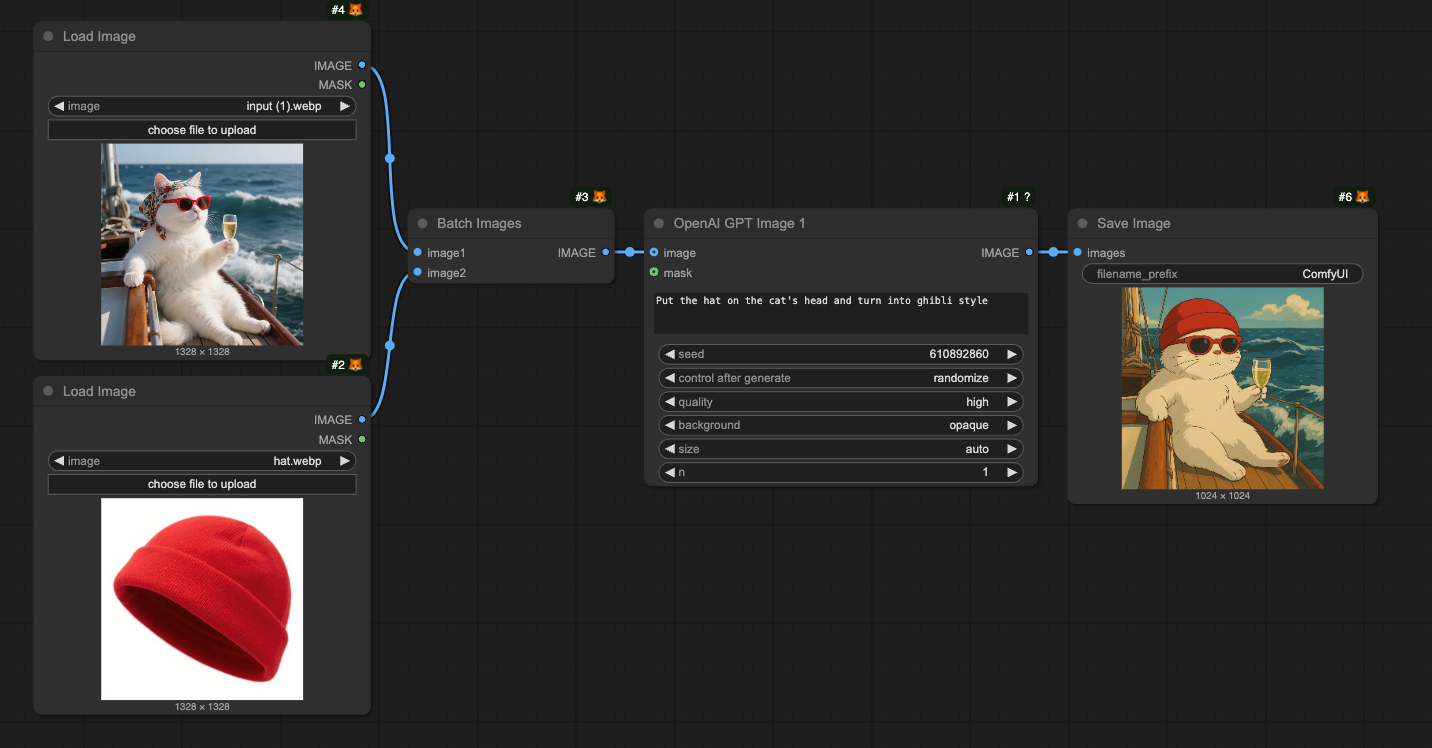
Batch Images 노드를 사용해 여러 이미지를 OpenAI GPT-Image-1 노드에 로드합니다.
인페인팅 워크플로우
GPT-Image-1은 이미지 편집 기능도 지원하며, 마스크를 사용해 교체할 영역을 지정할 수 있습니다. 아래는 간단한 인페인팅 워크플로우 예시입니다: 아래 이미지를 다운로드하여 ComfyUI로 드래그해 해당 워크플로우를 로드해 보세요. 이미지 기반 이미지 생성 섹션에서 사용한 입력 이미지를 계속 사용하겠습니다.
해당 워크플로우는 아래 이미지와 같습니다:
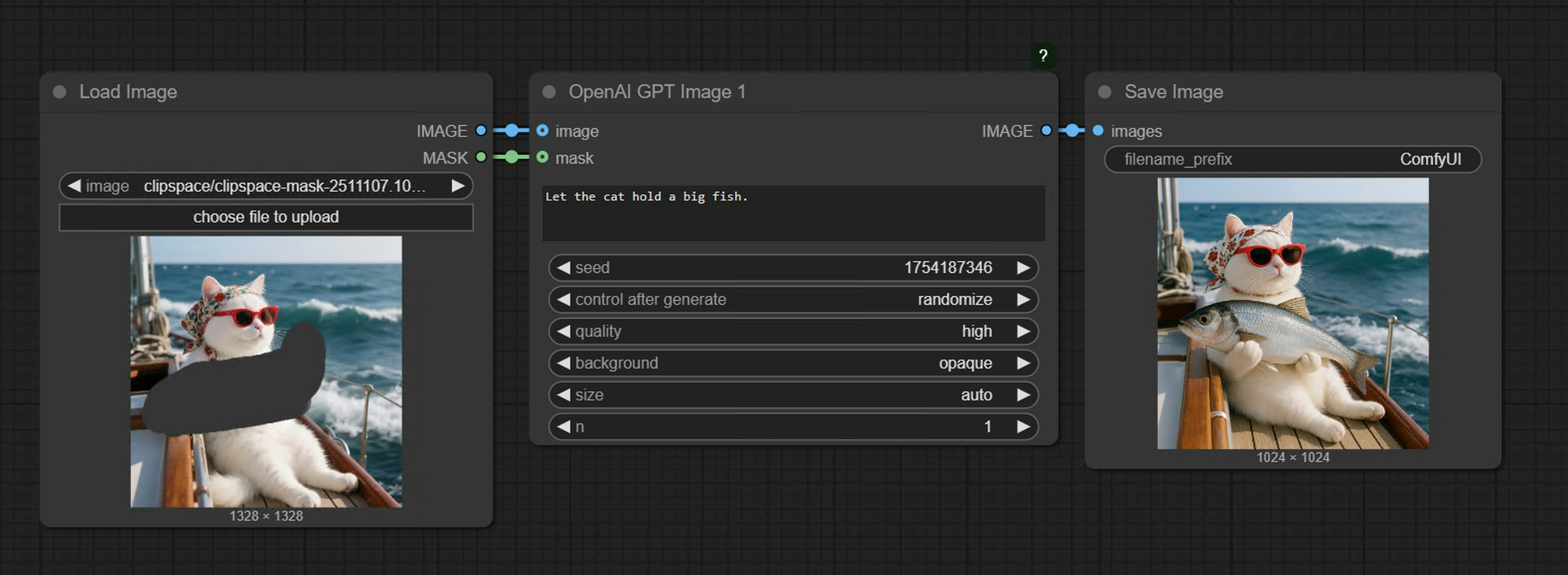
Load Image 노드에서 마우스 오른쪽 클릭 메뉴를 통해 MaskEditor를 사용해 마스크를 그린 다음, 이를 OpenAI GPT-Image-1 노드의 mask 입력에 연결해 워크플로우를 완성합니다.
참고사항
- 마스크와 이미지는 반드시 같은 크기여야 합니다.
- 큰 이미지를 입력할 경우, 노드가 자동으로 이미지를 적절한 크기로 조정합니다.
FAQ
왜 파트너 노드를 찾을 수 없나요?
왜 파트너 노드를 찾을 수 없나요?
ComfyUI를 최신 버전으로 업데이트해 주세요(최신 커밋 또는 최신 데스크톱 버전). 향후 더 많은 API 지원을 추가하고 해당 노드도 업데이트될 예정이니, ComfyUI를 항상 최신 상태로 유지해 주세요.
왜 파트너 노드를 사용하거나 로그인할 수 없나요?
왜 파트너 노드를 사용하거나 로그인할 수 없나요?
API 접근을 위해서는 현재 요청이 안전한 네트워크 환경을 기반으로 해야 합니다. 현재 API 접근 요구사항은 다음과 같습니다:
- 로컬 네트워크는
127.0.0.1또는localhost에서만 접속을 허용하므로, LAN 환경에서--listen매개변수로 시작된 ComfyUI 서비스에서는 파트너 노드를 사용할 수 없습니다. - 당사 API 서비스에 정상적으로 접근 가능해야 합니다(일부 지역에서는 프록시 서비스가 필요할 수 있음).
- 계정에 충분한 크레딧이 있어야 합니다.
로그인 후에도 왜 파트너 노드를 사용할 수 없거나 계속해서 로그인을 요구하나요?
로그인 후에도 왜 파트너 노드를 사용할 수 없거나 계속해서 로그인을 요구하나요?
- 현재
127.0.0.1또는localhost접속만 지원됩니다. - 계정에 충분한 크레딧이 있는지 확인해 주세요.
파트너 노드는 무료로 사용할 수 있나요?
파트너 노드는 무료로 사용할 수 있나요?
파트너 노드는 폐쇄형 모델에 대한 API 호출에 크레딧이 필요하므로, 무료 사용을 지원하지 않습니다.
크레딧을 어떻게 구매하나요?
크레딧을 어떻게 구매하나요?
미사용 크레딧은 환불받을 수 있나요?
미사용 크레딧은 환불받을 수 있나요?
현재 크레딧에 대한 환불은 지원되지 않습니다. 기술적 문제로 인해 미사용 잔액이 발생했다고 판단되는 경우, 지원팀에 문의해 주세요.
크레딧이 마이너스로 갈 수 있나요?
크레딧이 마이너스로 갈 수 있나요?
크레딧은 마이너스 잔액이나 신용 한도로 사용하도록 설계되지 않았습니다. 그러나 경합 조건으로 인해 파트너 노드가 실행 전에 항상 비용을 보고하지 않는 경우, 한 번의 실행으로 남은 잔액보다 더 많은 크레딧을 소모해 일시적으로 마이너스 잔액이 될 수 있습니다. 잔액이 마이너스인 경우, 충전해 양수 잔액을 복원할 때까지 파트너 노드를 실행할 수 없습니다. API 호출 전에 충분한 크레딧이 있는지 확인해 주세요.
사용량과 지출 내역은 어디서 확인할 수 있나요?
사용량과 지출 내역은 어디서 확인할 수 있나요?
로그인 후 크레딧 메뉴를 방문해 해당 크레딧을 확인해 주세요.
내 API 키를 사용할 수 있나요?
내 API 키를 사용할 수 있나요?
현재 파트너 노드는 아직 테스트 단계이며 이 기능을 지원하지 않지만, 추가하는 것을 고려하고 있습니다.
크레딧은 만료되나요?
크레딧은 만료되나요?
예, 만료 기간은 크레딧 종류에 따라 다릅니다:
- 월간 크레딧: 청구 주기 종료 시 만료
- 충전형 크레딧: 구매일로부터 1년 후 만료
크레딧을 이전하거나 공유할 수 있나요?
크레딧을 이전하거나 공유할 수 있나요?
아니요, 귀하의 크레딧은 다른 사용자에게 이전할 수 없으며 현재 로그인된 계정에만 한정됩니다. 다만, 로그인 가능한 기기 수에는 제한이 없습니다.
동일한 계정을 여러 기기에서 사용할 수 있나요?
동일한 계정을 여러 기기에서 사용할 수 있나요?
로그인 가능한 기기 수에는 제한이 없으므로, 원하는 곳에서 계정을 사용할 수 있습니다.
내 계정이나 정보를 삭제해 달라고 요청하려면 어떻게 하나요?
내 계정이나 정보를 삭제해 달라고 요청하려면 어떻게 하나요?
support@comfy.org로 이메일을 보내주시면 귀하의 정보를 삭제해 드립니다.
파트너 노드에 콘텐츠 심사가 있나요?
파트너 노드에 콘텐츠 심사가 있나요?
파트너 노드는 사용자의 입력(프롬프트, 이미지 등)을 타사 제공업체에 전송하여 처리합니다. 해당 제공업체는 자체 콘텐츠 심사 정책을 적용합니다. 파트너 노드에 NSFW 또는 기타 금지된 콘텐츠를 제출하지 마십시오.