

Krea 2 is an image generation model from Krea AI, trained from scratch and focused on creative and stylistic exploration.
Krea 2 ships as two models designed to work together: train LoRAs on RAW, run inference on Turbo:
- Krea 2 RAW: the base model with full-step sampling (52 steps). No distillation, diverse and highly malleable, ideal for fine-tuning and LoRA training.
- Krea 2 Turbo: an 8-step distilled checkpoint for fast, high-quality generation. LoRAs trained on RAW apply seamlessly to Turbo.
Watch the Launch Event
To learn more about Krea 2, the story behind its development, its capabilities, and what it means for the open-source ecosystem, watch the launch event recording above (featuring Victor Perez, Miguel Lara, and ComfyAnonymous).
Available Model Weights
Krea 2 is available in two variants:- Krea 2 RAW: the base model with full-step sampling (52 steps). Designed for diversity and malleability, best for fine-tuning and LoRA training.
- Krea 2 Turbo: an 8-step distilled checkpoint built for fast, high-quality generation. LoRAs trained on RAW apply seamlessly to Turbo.
- Krea 2 on Hugging Face (RAW)
- Krea 2 on Hugging Face (Turbo)
- Comfy-Org/Krea-2 (ComfyUI models)
- Official GitHub repository
- Prompting guidelines
- Technical report
Krea-2 Turbo text-to-image workflow
Krea-2: Text to Image
Generate images from text prompts using Krea 2, a foundation model built for aesthetic quality and creative control. It focuses on rendering expressive, stylistically diverse images.
Run on Comfy Cloud
Open in Comfy Cloud
Download Workflow
Download JSON or search “Krea-2” in Template Library
- Text to Image (Krea-2 Turbo) subgraph: the core generation pipeline, containing model loading, prompt handling, sampling, and VAE decode
- ResolutionSelector: choose your desired output resolution. Krea 2 supports outputs from 1K to 2K. Set the megapixels value to 2.0 to get 2K resolution.
- CustomCombo (LoRA selector): a pre-built trigger word selector for the available style LoRAs. If you download additional LoRAs, you can customize this selector and pair them with the corresponding LoRA files accordingly.
- SaveImage: saves the generated image
Learn about Subgraph
This workflow uses Subgraph nodes for modular processing. Check out the Subgraph documentation to learn how to customize and extend the workflow.
Single-click generation
At its simplest, just enter a text prompt in the subgraph, select a resolution, and click Queue Prompt. The defaults (8 steps, prompt enhancement enabled, no LoRA) produce a high-quality image with minimal configuration.Workflow controls
The Text to Image (Krea-2 Turbo) subgraph exposes the following controls:Style LoRAs
Krea also released a collection of style LoRAs for Krea 2. Select one in the CustomCombo node and enableenable_lora? in the subgraph to apply the style:
Place the
.safetensors files in ComfyUI/models/loras/.
Model downloads
For local use, download the ComfyUI-optimized model files from Comfy-Org/Krea-2.Diffusion Model (FP8)
krea2_turbo_fp8_scaled.safetensors: Turbo FP8 (recommended for most users)
Text Encoder (FP8)
qwen3vl_4b_fp8_scaled.safetensors: Qwen3VL-4B text encoder
VAE
qwen_image_vae.safetensors
Style LoRAs
View all style LoRAs on Hugging Face
Model storage location
Krea-2 Turbo style reference workflow
Krea-2 Int8: Image Style Reference
Generate images with the Krea-2 Turbo model while referencing the style of 1–2 uploaded images, using the high-performance Int8 Convrot format for fast inference.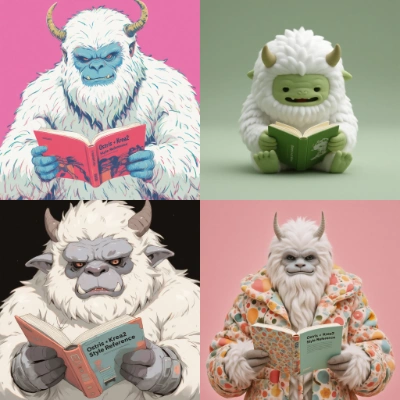
Run on Comfy Cloud
Open in Comfy Cloud
Download Workflow
Download JSON or search “Krea-2 Style Reference” in Template Library
LoadImage node:
krea2_reference_image.png
LoadImage node 69 · krea2_reference_image.png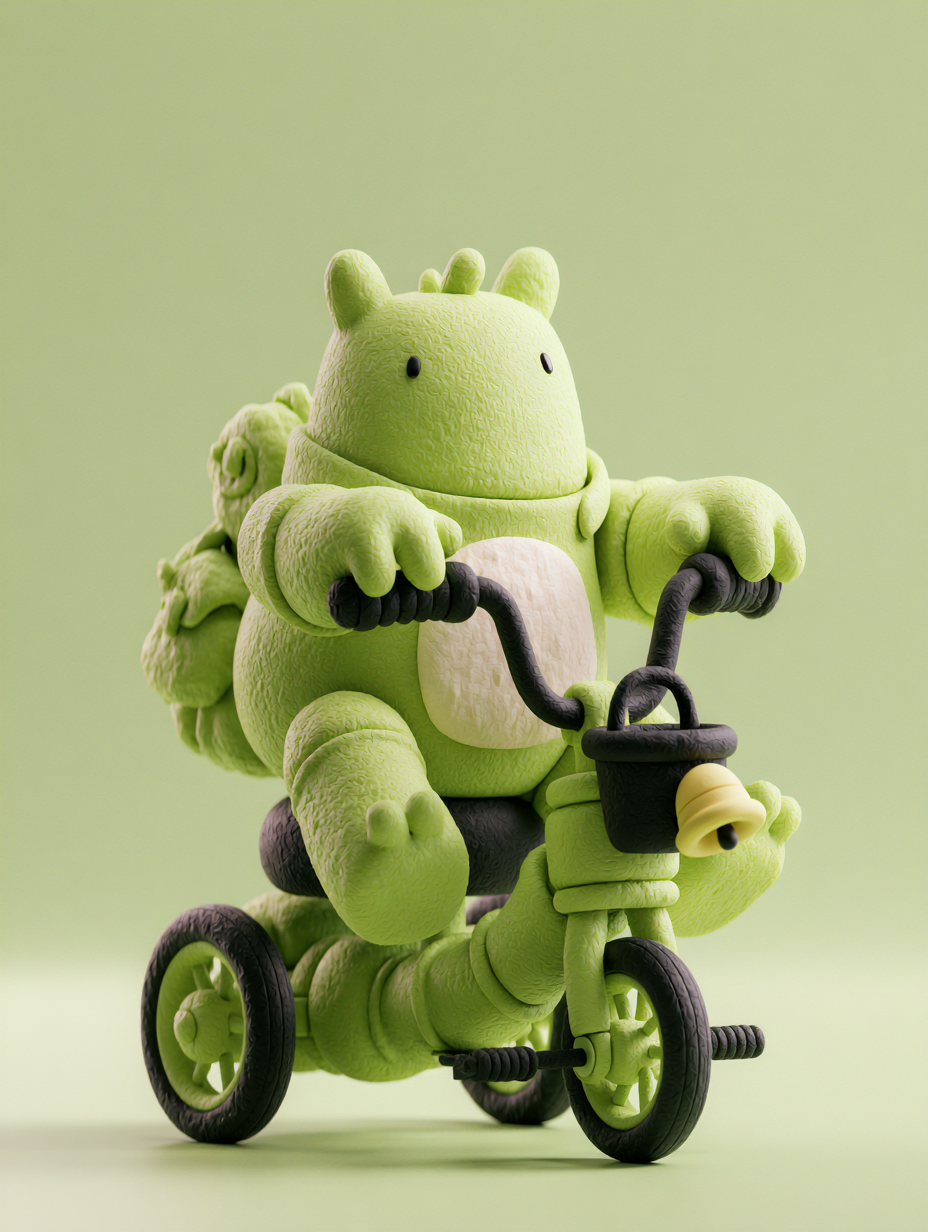
 The style reference workflow builds on the Krea-2 Turbo pipeline by adding reference image conditioning. Upload one or more reference images to influence the aesthetic style, mood, and visual direction of the generated output.
The workflow is organized into a few parts:
The style reference workflow builds on the Krea-2 Turbo pipeline by adding reference image conditioning. Upload one or more reference images to influence the aesthetic style, mood, and visual direction of the generated output.
The workflow is organized into a few parts:
- Image Style Reference (Krea-2 Turbo) subgraph: the core generation pipeline with style reference support, containing model loading, reference image conditioning, prompt handling, and sampling
- LoadImage: upload your style reference images
- ResolutionSelector: choose your desired output resolution. Krea 2 supports outputs from 1K to 2K.
- SaveImage: saves the generated image
Using style reference
- Upload reference images: use the LoadImage node to load one or more style reference images
- Enter your prompt: type a text description in the subgraph’s user prompt input
- Select a model variant: choose the model checkpoint in the subgraph’s model selector
- Adjust settings: configure resolution, seed, and optionally enable prompt enhancement
- Click Queue: press
Ctrl+Enterto generate
Diffusion Model (INT8)
krea2_turbo_int8_convrot.safetensors
Text Encoder (FP8)
qwen3vl_4b_fp8_scaled.safetensors: Qwen3VL-4B text encoder
VAE
qwen_image_vae.safetensors
Style Reference LoRA
krea2_style_reference.safetensors