

- MiniMaxAI/MiniMax-H3-Image (Hugging Face): official model card and weights
- MiniMax-H3-Image (ModelScope): official mirror for mainland China
- MiniMax-AI/MiniMax-H3-Image (GitHub): official examples and skills
- Comfy-Org/MiniMax-H3-Image (Hugging Face): diffusion model and image VAE
- Comfy-Org/MiniMax-H3 (Hugging Face): Qwen3-VL-32B text encoder used by this model
- MiniMaxAI/MiniMax-H3-Image-PE (Hugging Face): official prompt expander
Key features
- Text to image and editing in one checkpoint: no separate edit model or adapter to load
- 6-step sampling: guidance is fixed at 1, so there is no CFG pass and no negative prompt
- About 16 MP natively: 4096 x 4096 up to 6272 x 2688 without an upscale pass
- Multiple references: up to 16 input images, addressed as
<Picture 1>upwards in the prompt - Optional prompt expander: turns a short request into the detailed caption the model reads best
- Open weights: full local control in ComfyUI
Templates
Two template Workflows ship with the model. Both need ComfyUI 0.45.0+ and template pack 0.11.104+.MiniMax-H3-Image Text to Image
Generate an image from a text prompt. The template opens at 4 MP on a square canvas, deliberately below the model’s native resolution so low-VRAM machines do not run out of memory. Raise the size with the resolution selector when the GPU has room.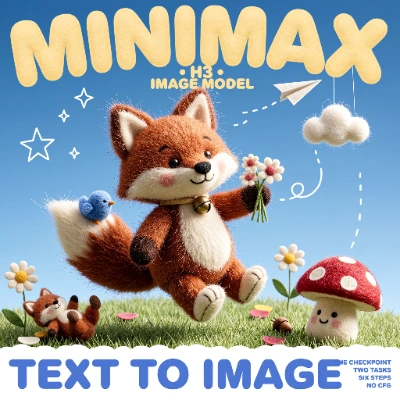
Download Workflow
Download JSON or search “MiniMax-H3-Image: Text to Image” in Template Library
MiniMax-H3-Image Image Edit
Edit a picture by describing the change. The template loads the source as<Picture 1>, builds a reference-aware caption from your instruction, and finishes with a before/after comparison node.
Download Workflow
Download JSON or search “MiniMax-H3-Image: Image Edit” in Template Library
<Picture 1> in its LoadImage node.
vintage_yellow_taxi.png
Source image the template edits
Model downloads
Four files go underComfyUI/models. All of them come from Comfy-Org mirror repositories.
Diffusion model: minimax_h3_image_pruned_int8_convrot.safetensors
Pruned INT8 DiT, 21 GB. Place in
ComfyUI/models/diffusion_models/Text encoder: qwen3vl_32b_minimax_h3_int8_convrot.safetensors
Qwen3-VL-32B, INT8, 25.28 GB. Place in
ComfyUI/models/text_encoders/Prompt expander: qwen3.5_9b_w4a8_gptq.safetensors
Qwen3.5 9B W4A8, 7.34 GB. Place in
ComfyUI/models/text_encoders/VAE: minimax_h3_image_vae_fp16.safetensors
Image VAE, FP16, 1.17 GB. Place in
ComfyUI/models/vae/Sampling and canvas size
Both templates ship the distilled schedule:
With guidance at 1 there is no classifier-free guidance pass, so the templates carry no negative prompt. Write everything you want, including things to avoid, into the positive prompt.
Native output is about 16 MP. Every edge is generated on a multiple of 32 px, and any width and height are accepted. These sizes cover the common ratios:
Smaller canvases work too and cost less time. In the text-to-image template the resolution selector sets the aspect ratio and the target megapixels separately, so 4 MP is a starting point rather than a limit.
Reference images in image editing
The image editing template sends the source image to the model as<Picture 1>. Additional images are labelled in order, <Picture 2>, <Picture 3>, up to 16 references, and the prompt addresses each one by its label. The first picture is the one being edited; the rest supply identity, props, materials, or composition. A short instruction is enough, for example replacing the vehicle in <Picture 1> with the one in <Picture 2>.
To add a reference, place another Load Image node in the workflow and connect it to both the prompt generation step and the conditioning node. Reference images need no preparation: the template rounds the source to a multiple of 32 px, and ComfyUI scales the internal copies itself, a 1024 px short edge for the vision side and a short edge clamped between 1024 and 2048 px for the VAE side, both on the 32 px grid.
If an edit runs out of memory, enable the Resize Image/Mask node in the template and lower its megapixels before sampling.