

What Seedream 5.0 Lite is good at
- Web-connected retrieval: The model pulls from live web data during generation, allowing creations to be tied to real-world trends, current events, and up-to-date knowledge
- Smarter instruction following: Handles complex, multi-step instructional prompts far more reliably. Multi-image inputs, local editing instructions, and batch style requests all land closer to the intended output
- Stronger consistency: Character identity, product appearance, style, and lighting all hold up much better across a set of generated images
- Deeper world knowledge: Expanded knowledge base makes the model useful for technical illustration, educational diagrams, and knowledge-heavy creative work
Example outputs
Multi-step local editing, following several boxed instructions in one pass: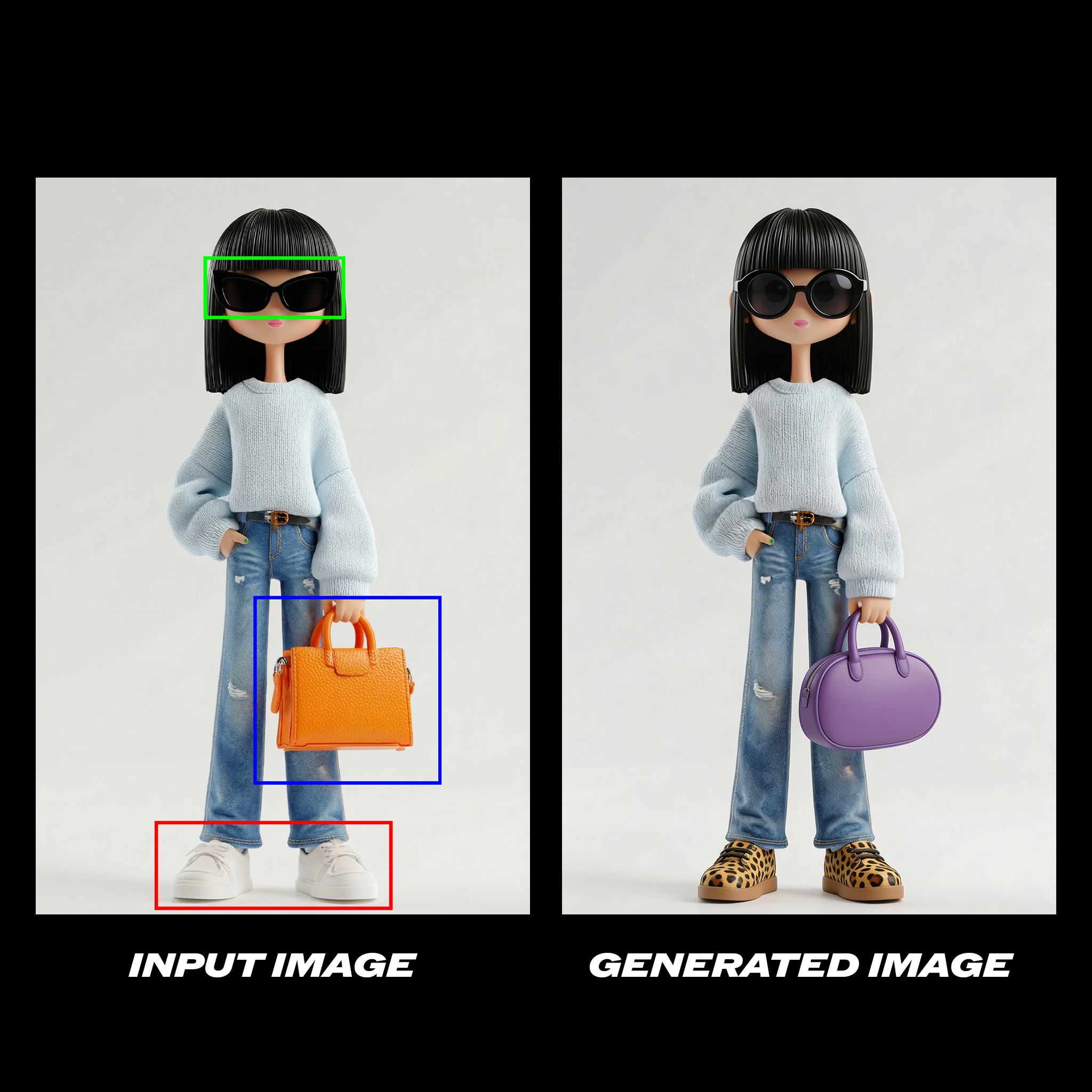 Change the glasses in the green box to circular lenses, the orange purse in the blue box to a purple oval purse, and her shoes in the red box are patterned with leopard print.
Style transfer between two images:
Change the glasses in the green box to circular lenses, the orange purse in the blue box to a purple oval purse, and her shoes in the red box are patterned with leopard print.
Style transfer between two images:
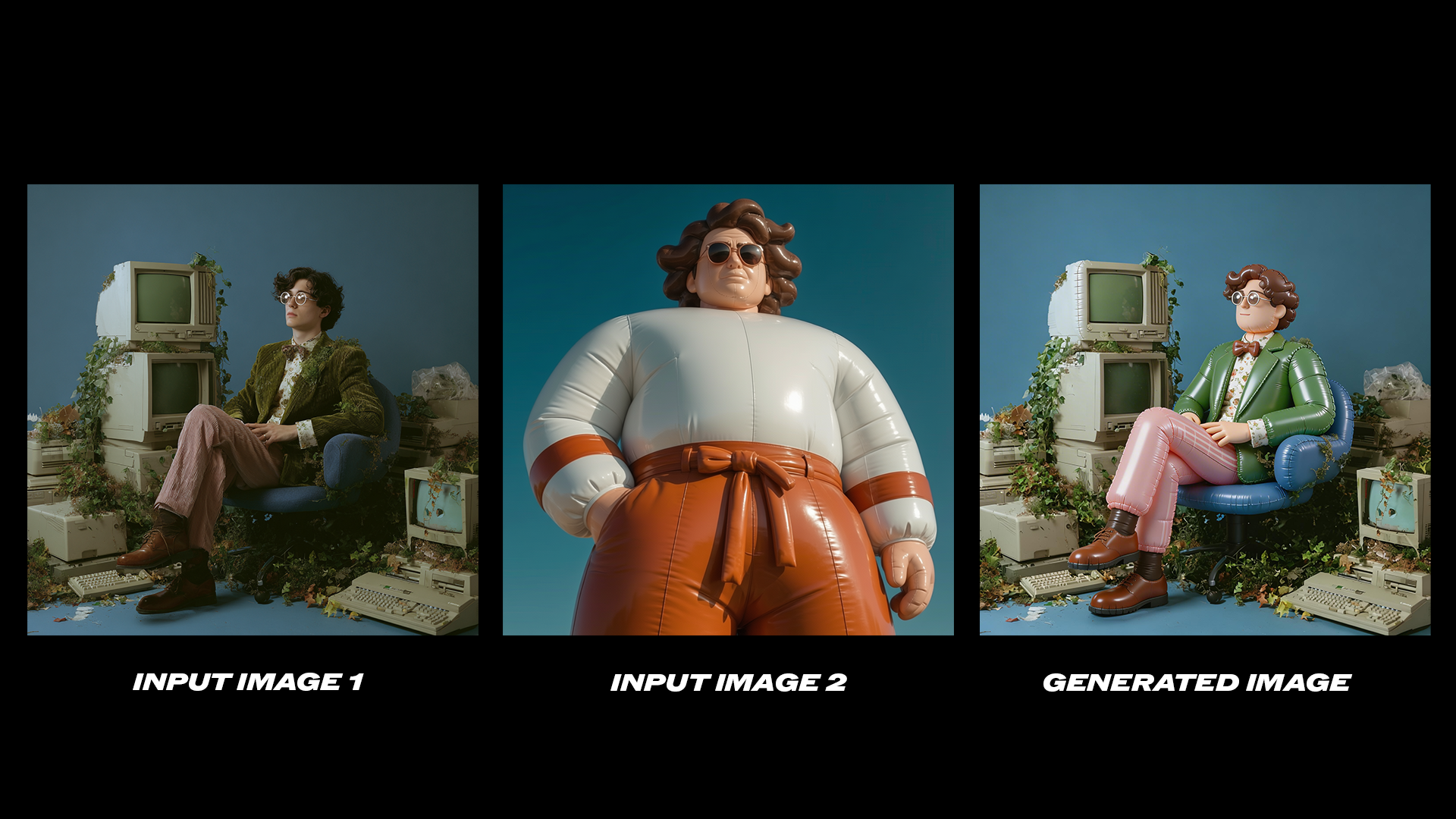 Refer to the second image and change the style of the first picture to match that of the second image.
Product consistency across a batch of generated photos:
Refer to the second image and change the style of the first picture to match that of the second image.
Product consistency across a batch of generated photos:
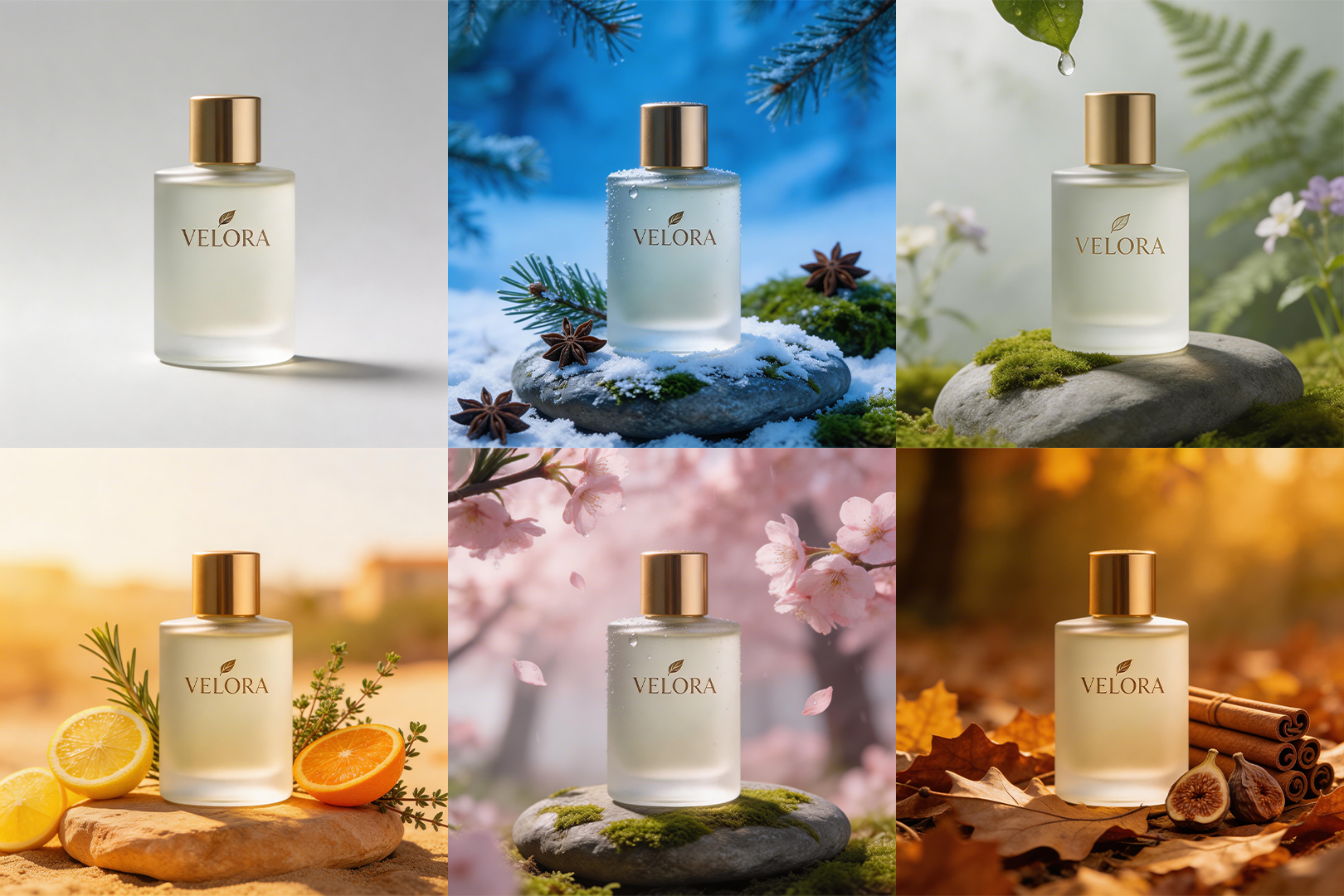 Using the bottle from the reference image, generate six product photos in different seasonal settings. Consistent bottle design across all six.
Knowledge-heavy text-to-image generation:
Using the bottle from the reference image, generate six product photos in different seasonal settings. Consistent bottle design across all six.
Knowledge-heavy text-to-image generation:
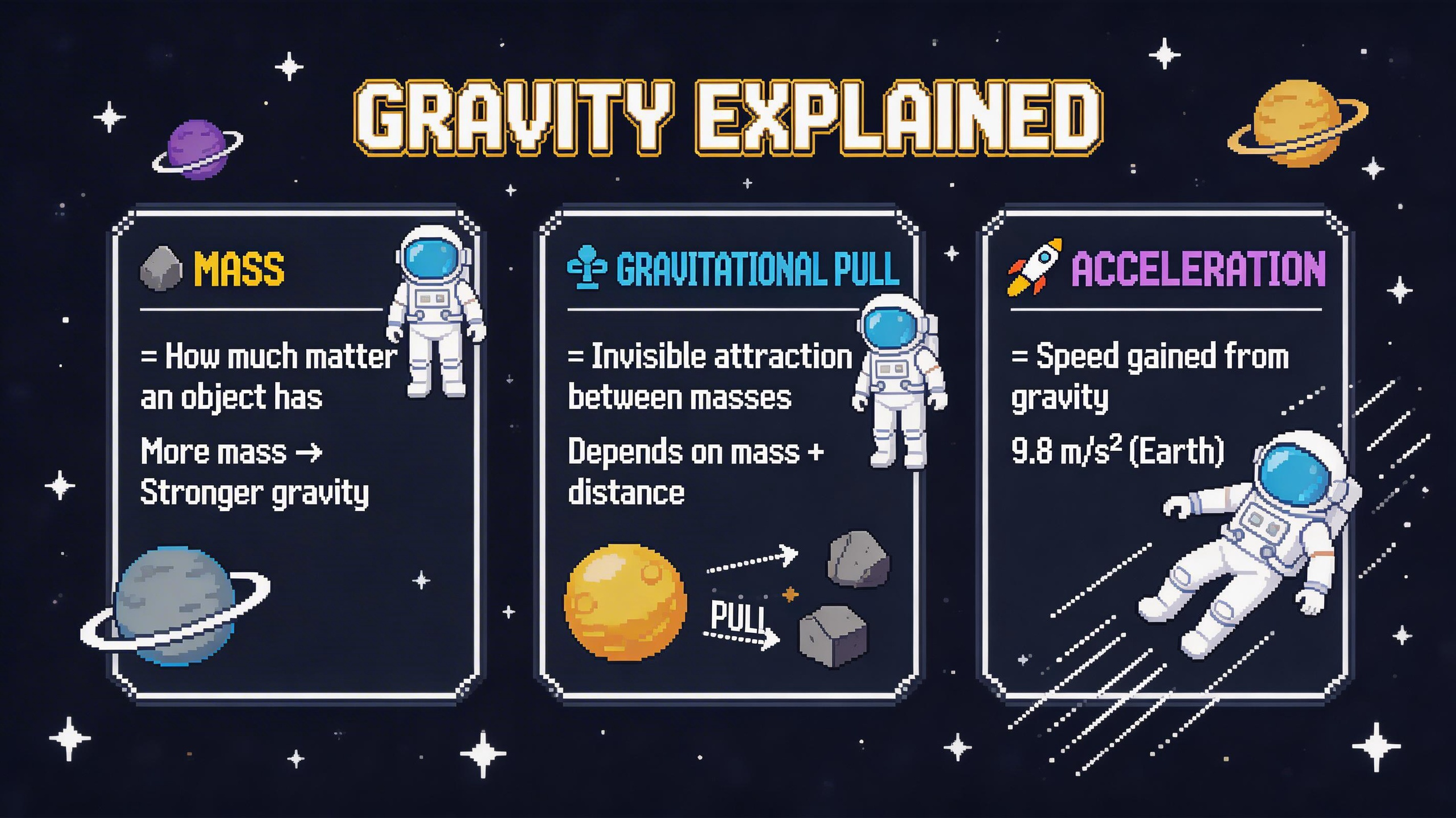 Pixel art infographic for explaining gravity, rendered in crisp 16-bit style with a dark navy/charcoal background and bold cinematic palette tones.
Seedream 5.0 lite image edit workflow
Run on Comfy Cloud
Open in Comfy Cloud
Download Workflow
Download JSON or search “Seedream 5.0 lite” in Template Library
Image edit showcase
Change the glasses in the green box to circular lenses, the orange purse in the blue box to a purple oval purse, and her shoes in the red box are patterned with leopard print.
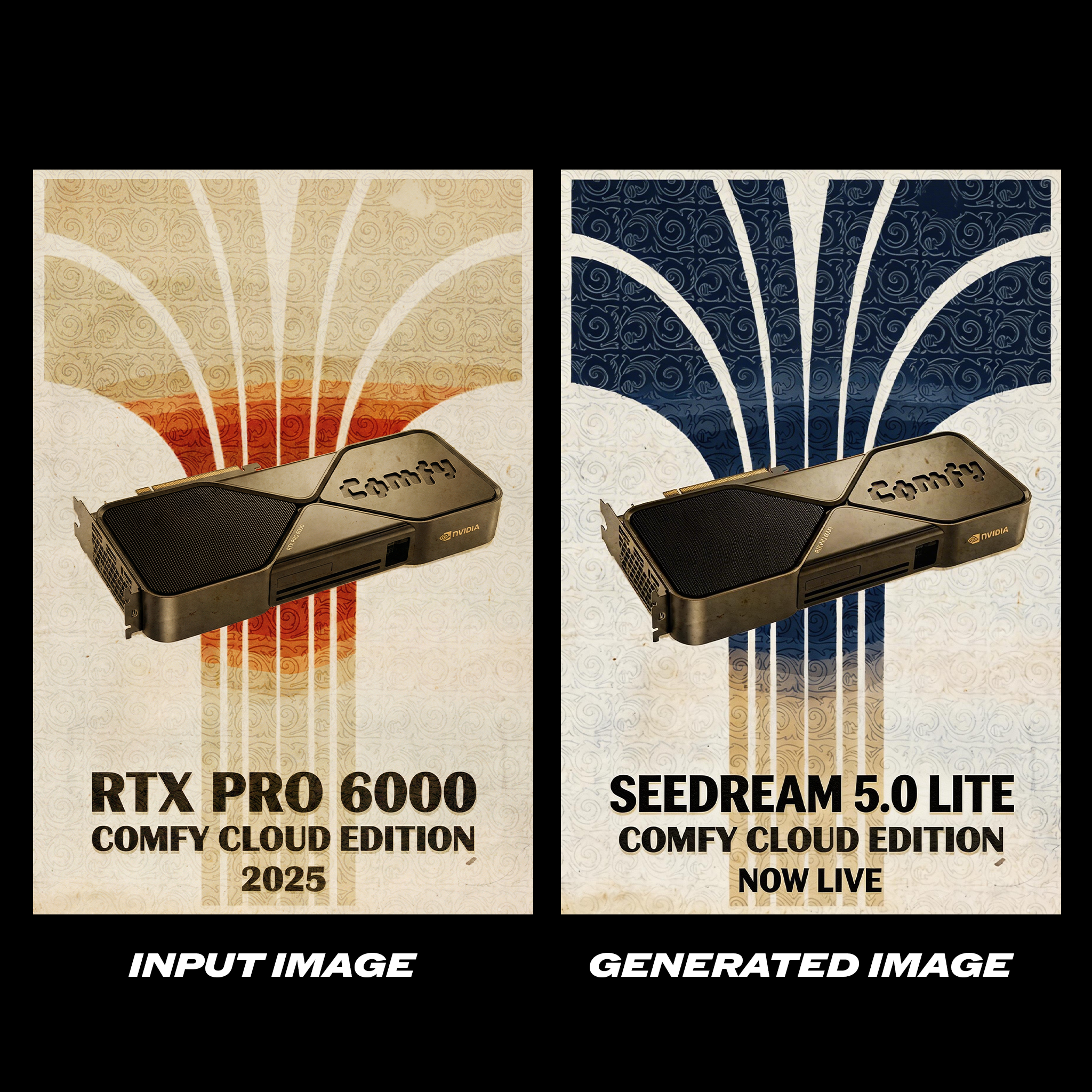 While maintaining the original composition, change the overall color tone to navy and white colors. Change “RTX PRO 6000” to “SEEDREAM 5.0 LITE” in the image, and change “2025” to “NOW LIVE”.
Refer to the second image and change the style of the first picture to match that of the second image.
While maintaining the original composition, change the overall color tone to navy and white colors. Change “RTX PRO 6000” to “SEEDREAM 5.0 LITE” in the image, and change “2025” to “NOW LIVE”.
Refer to the second image and change the style of the first picture to match that of the second image.
Consistency showcase
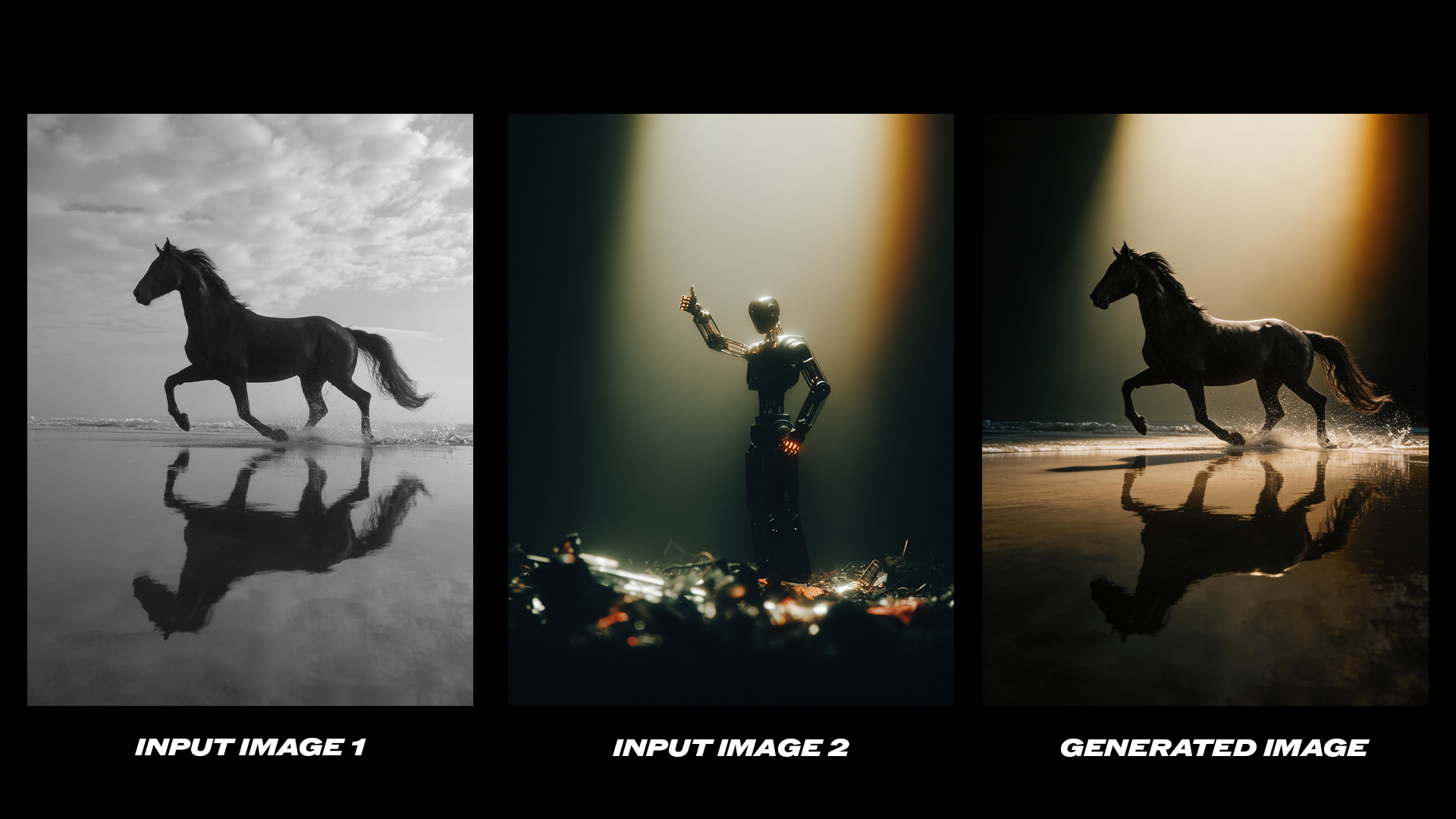 Refer to the design and layout style of Figure 2 and adapt the style of Figure 1 accordingly.
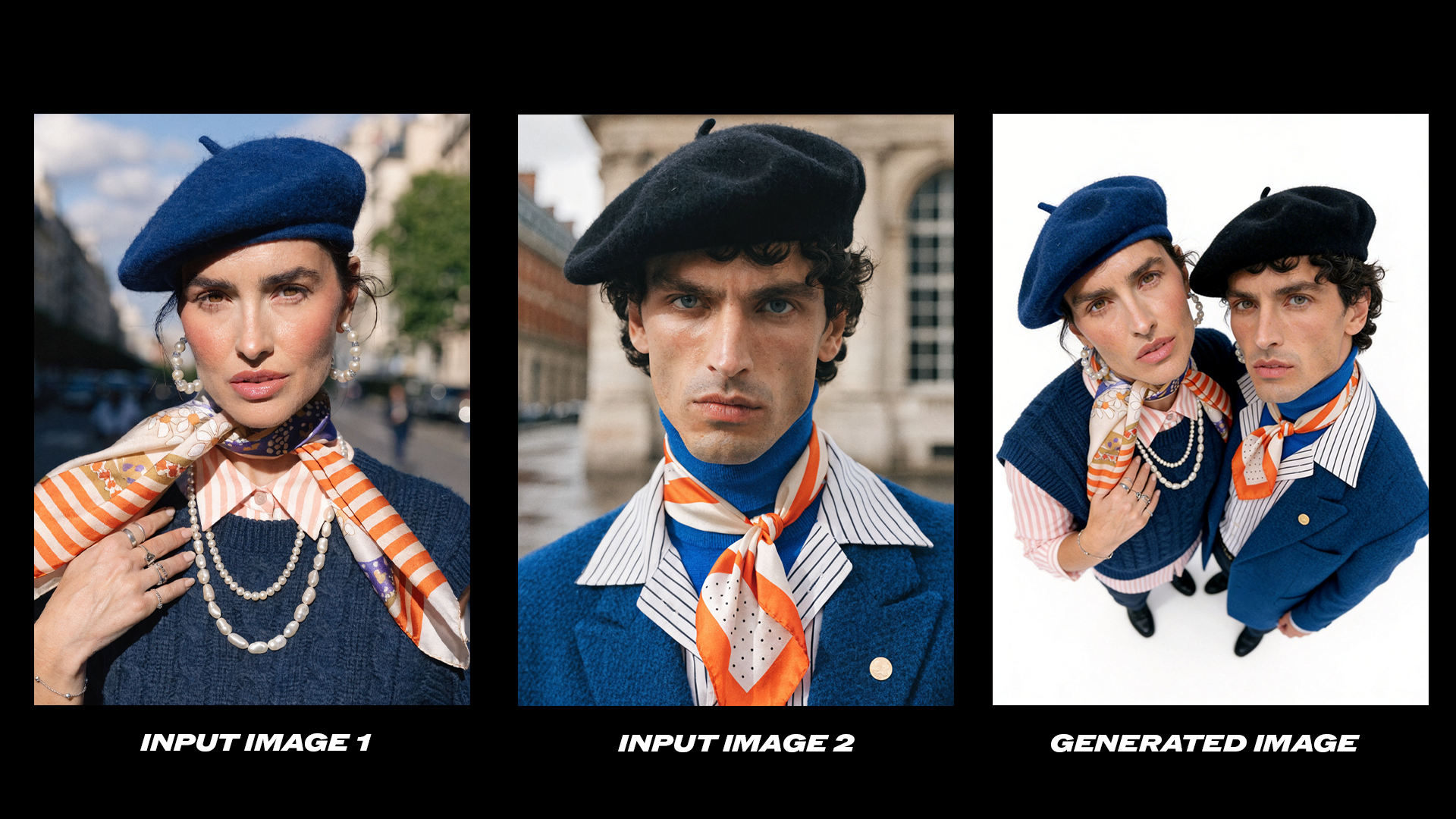 Merge Figure 1 and Figure 2 into a high-angle top-down selfie of two people, compact composition with them close together.
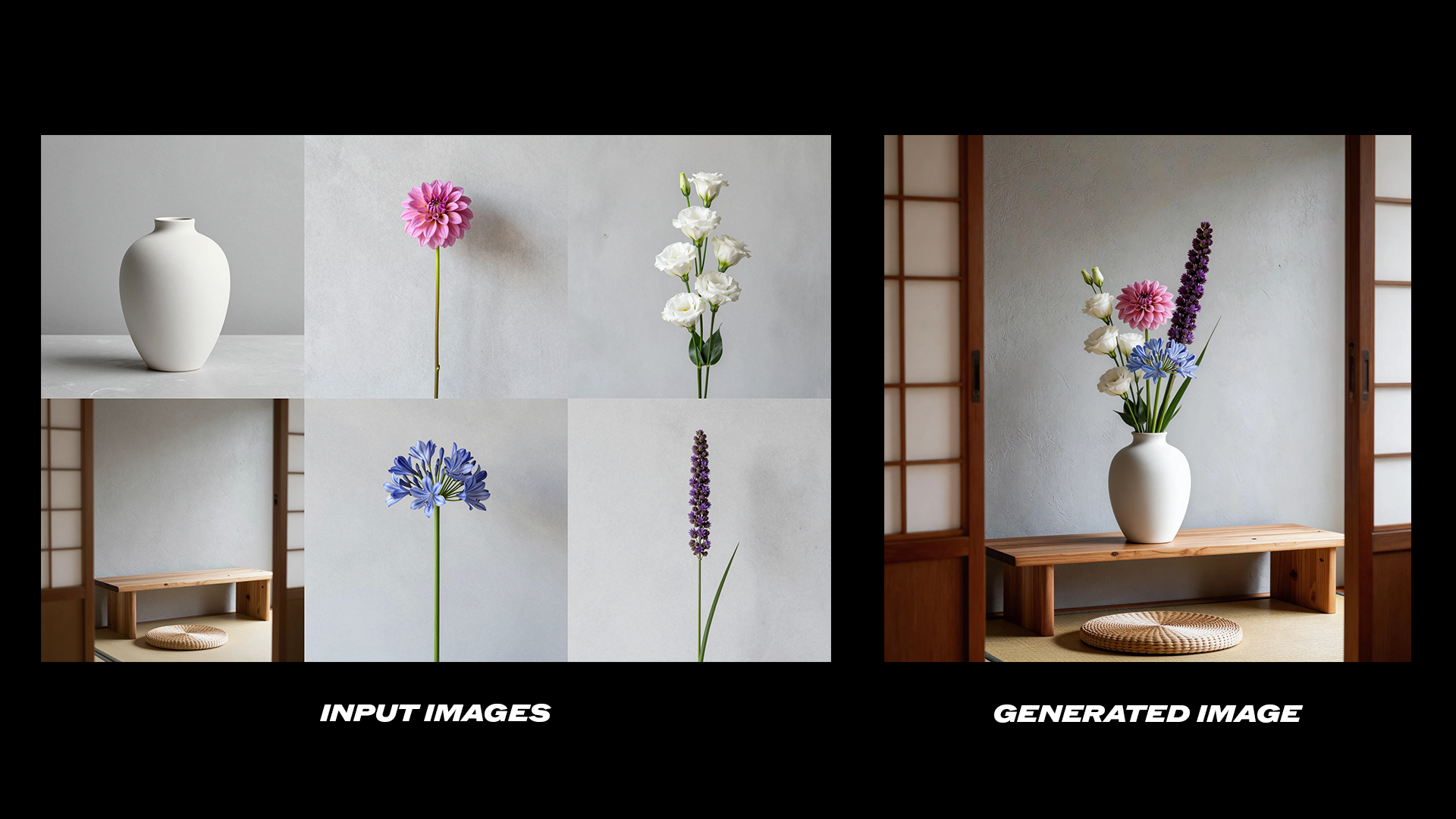 Use the flowers shown in Figure 1‑4 for flower arrangement. Arrange all the flowers in the vase shown in Figure 5, then place the vase on the table shown in Figure 6.
Using the bottle from the reference image, generate six product photos in different seasonal settings. Consistent bottle design across all six.
Use the flowers shown in Figure 1‑4 for flower arrangement. Arrange all the flowers in the vase shown in Figure 5, then place the vase on the table shown in Figure 6.
Using the bottle from the reference image, generate six product photos in different seasonal settings. Consistent bottle design across all six.
Seedream 5.0 lite text to image workflow
Run on Comfy Cloud
Open in Comfy Cloud
Download Workflow
Download JSON or search “Seedream 5.0 lite” in Template Library
World knowledge showcase
Pixel art infographic for explaining gravity, rendered in crisp 16-bit style with a dark navy/charcoal background and bold cinematic palette tones.
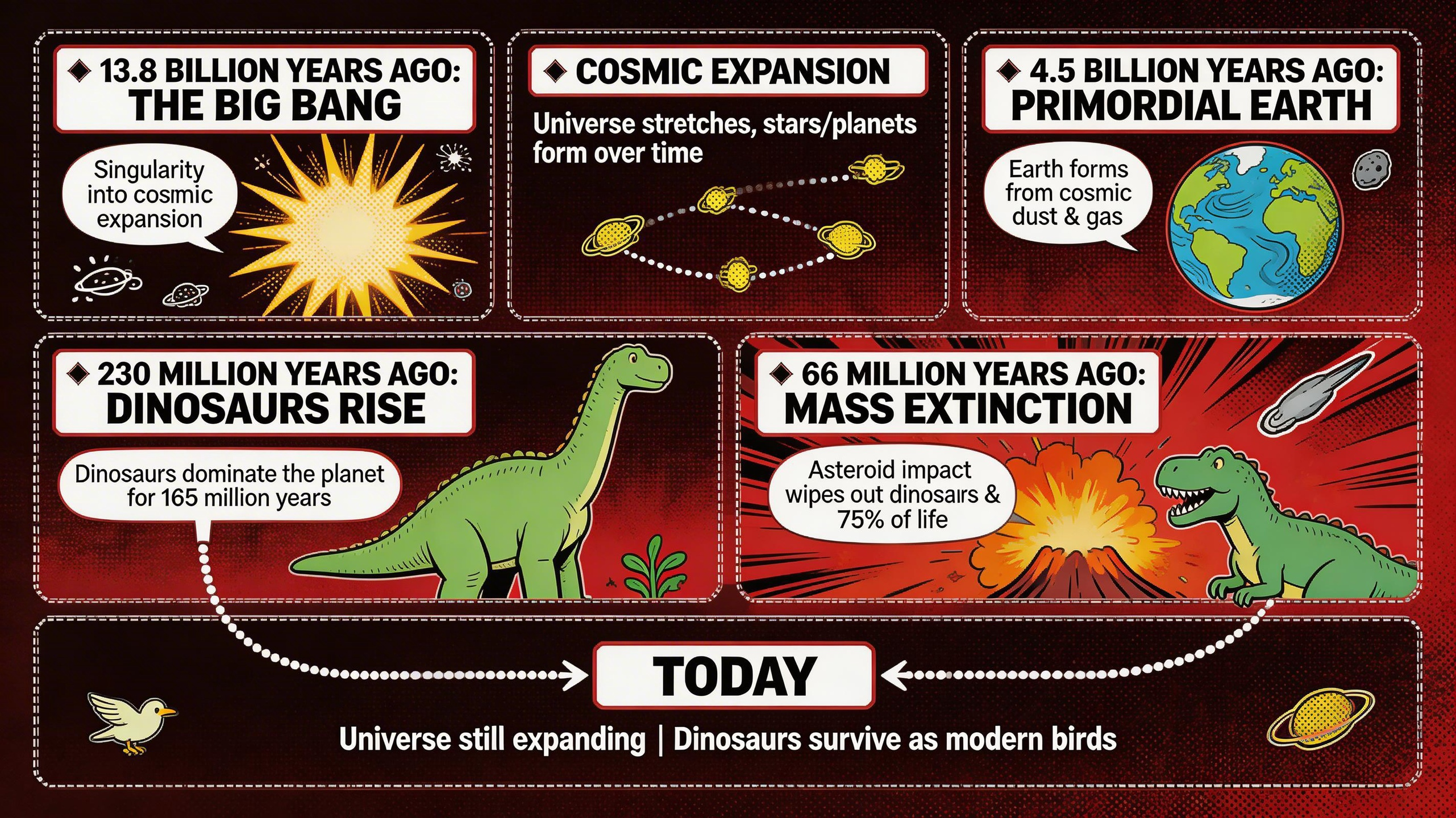 Comic book style infographic for explaining the Big Bang and the age of dinosaurs, with a deep crimson and ink-black background and bold comic palette tones.
Get started
- Update ComfyUI to the latest (0.15.0+)
- Go to Template Library, search for
Seedream 5.0 lite