

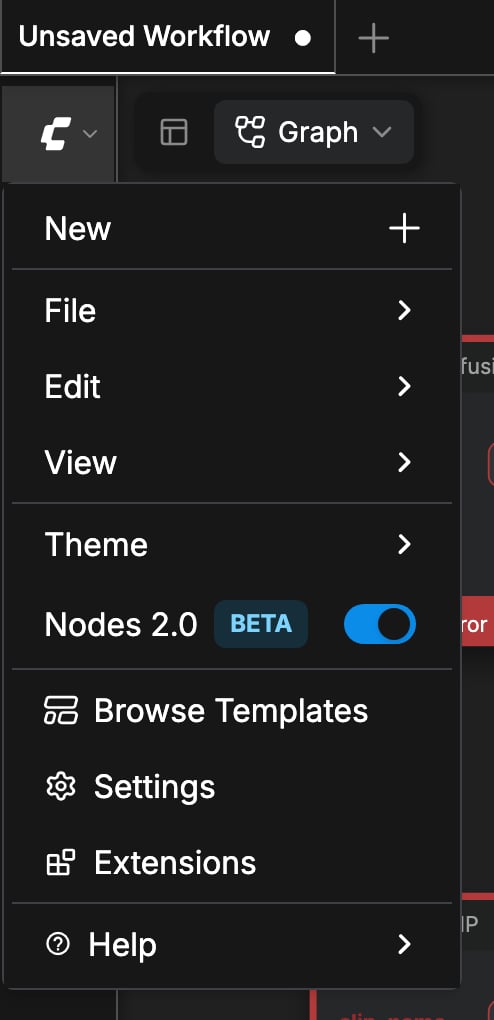
The Comfy menu opens from the Comfy logo at the top of the left sidebar. It holds the commands that have no canvas control: starting and saving workflows, clipboard edits, view toggles, GPU memory cleanup, and links to help. The Comfy menu open from the Comfy logo at the top of the left sidebar Click the logo or the chevron beside it to open the menu. An entry with a chevron on its right has a submenu: hover it to open.

Entries

File

Edit

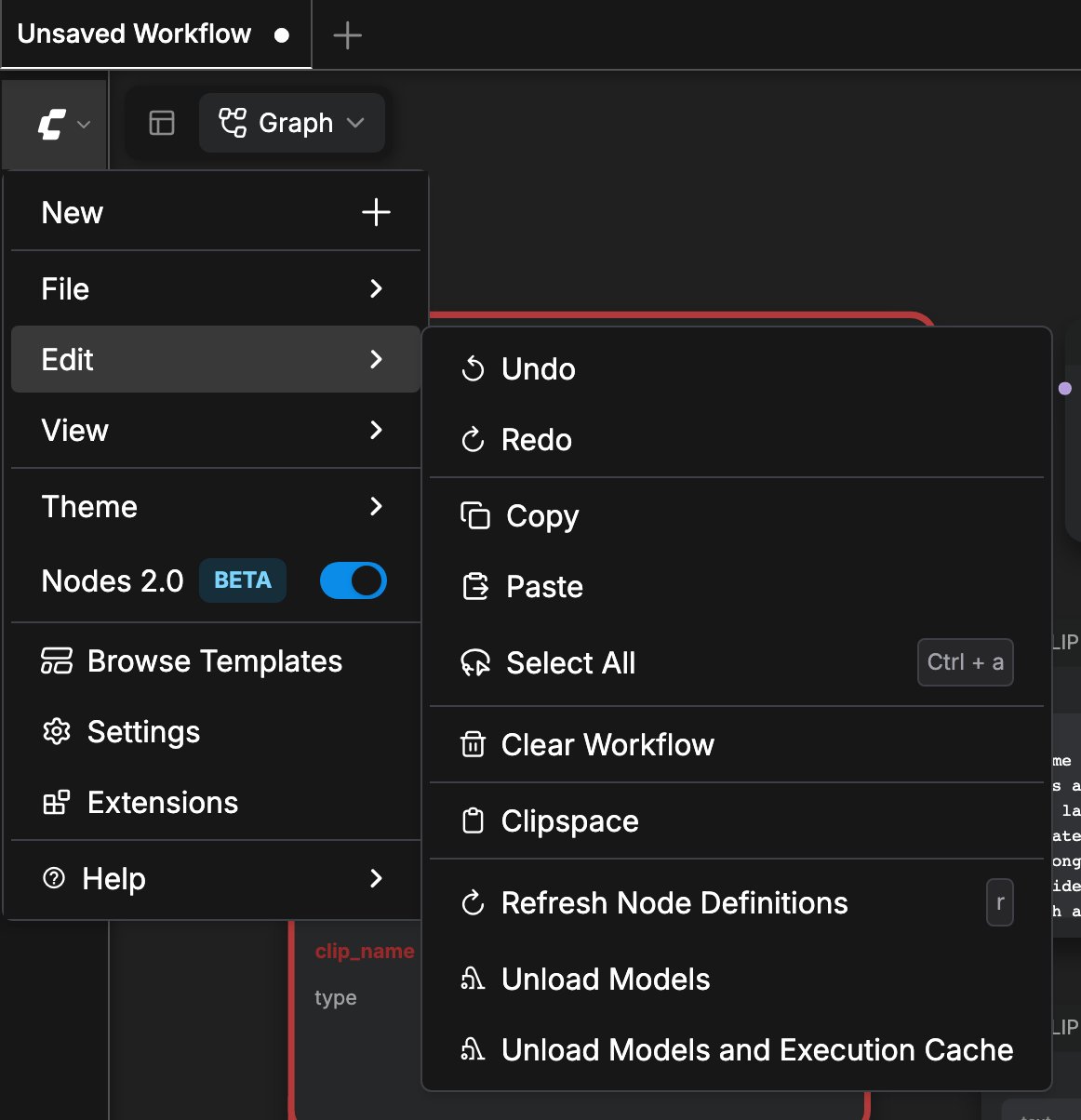
The Edit submenu with the two unload entries

View

Help

Free memory without restarting

Two Edit entries release memory during a session:
  • Unload Models drops every loaded checkpoint, LoRA, and VAE from GPU memory.
  • Unload Models and Execution Cache also clears cached execution results, so the next run computes them again instead of reusing them.
Use the first when you want to load a different model, and the second after changing a model file on disk. Both are local-only: Comfy Cloud hides them because the server manages model memory.

Where the menu differs

  • Comfy Cloud hides the two unload entries. Every other entry behaves as described here.
  • Comfy Desktop adds entries to the Help submenu: Desktop User Guide, Open DevTools, an Open Folder submenu, Check for Updates, and Reinstall.