

System Requirements
- OS: macOS 13 (Ventura) or later
- Hardware: Apple Silicon (M1 or later)
- Disk Space: At least 4.85 GB recommended per installation
Download Comfy Desktop
Download the latest installer for macOS. The page will automatically detect your platform.
Installation
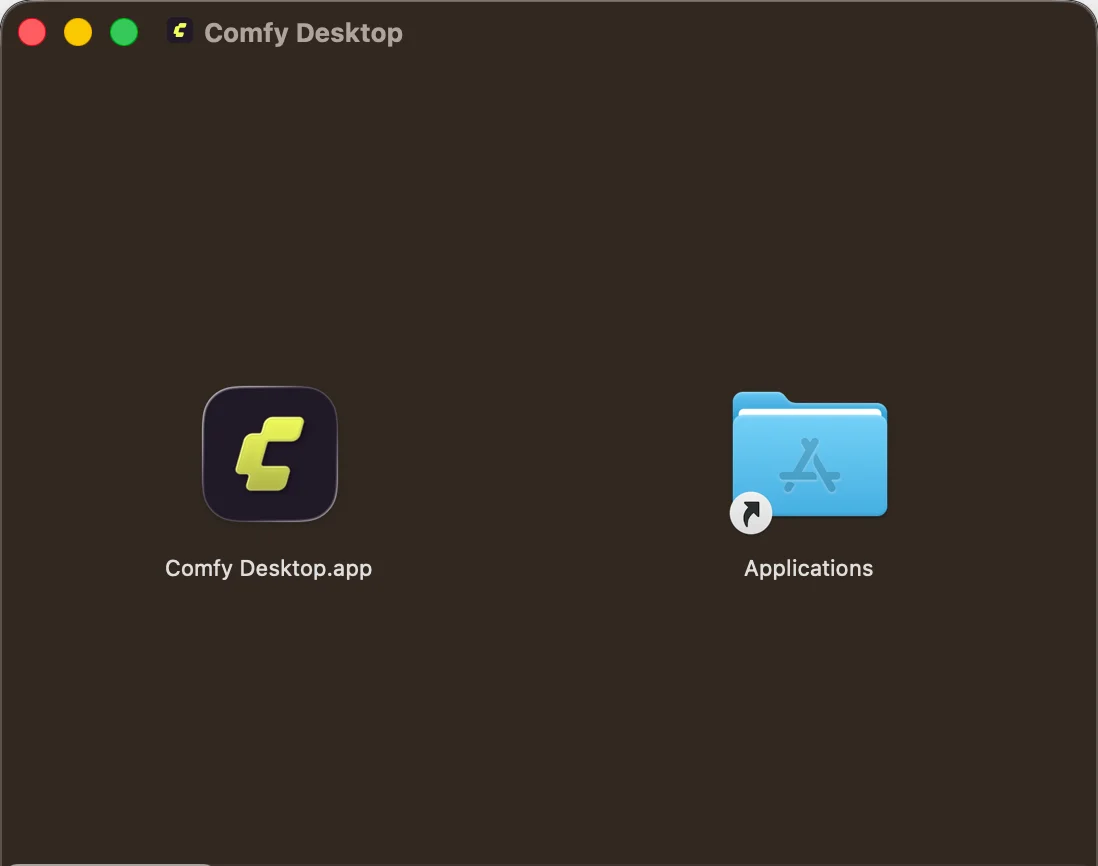
- Open the downloaded
.dmgfile - Drag Comfy Desktop into the Applications folder
- Launch it from Launchpad or Spotlight
Next Step: Using Comfy Desktop
Once installed, learn how to create instances, manage installations, and configure settings.
Updating Comfy Desktop
Comfy Desktop automatically checks for updates and lets you manage them in two ways.Quick Update
When an update is available, a Desktop Update Ready button appears at the top of the window:
Manual Update via Settings
You can also check for and manage updates from the Settings panel:1
Open Desktop Settings
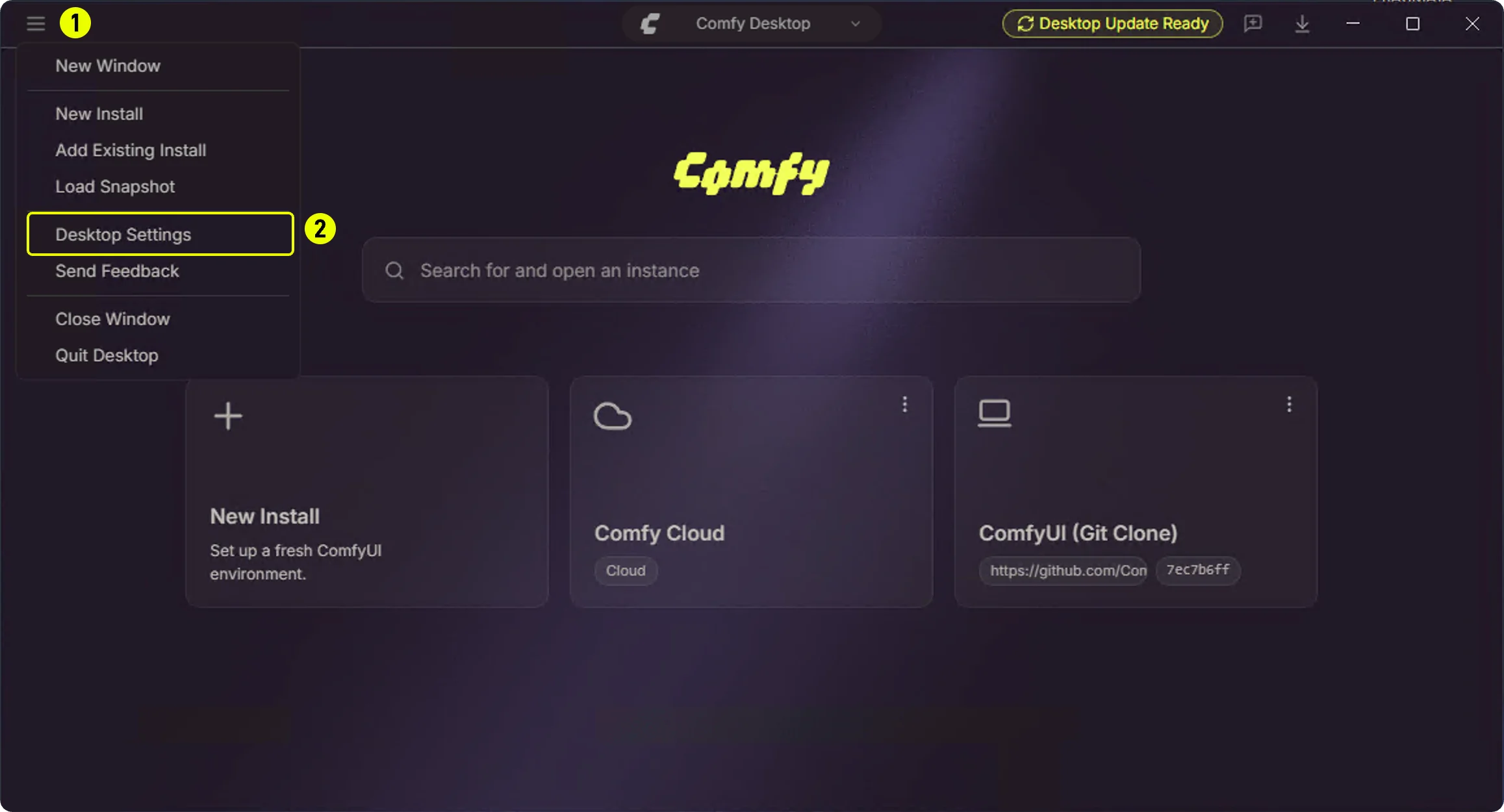
- ① Click the hamburger menu (top-left)
- ② Select Desktop Settings
2
Updates Panel
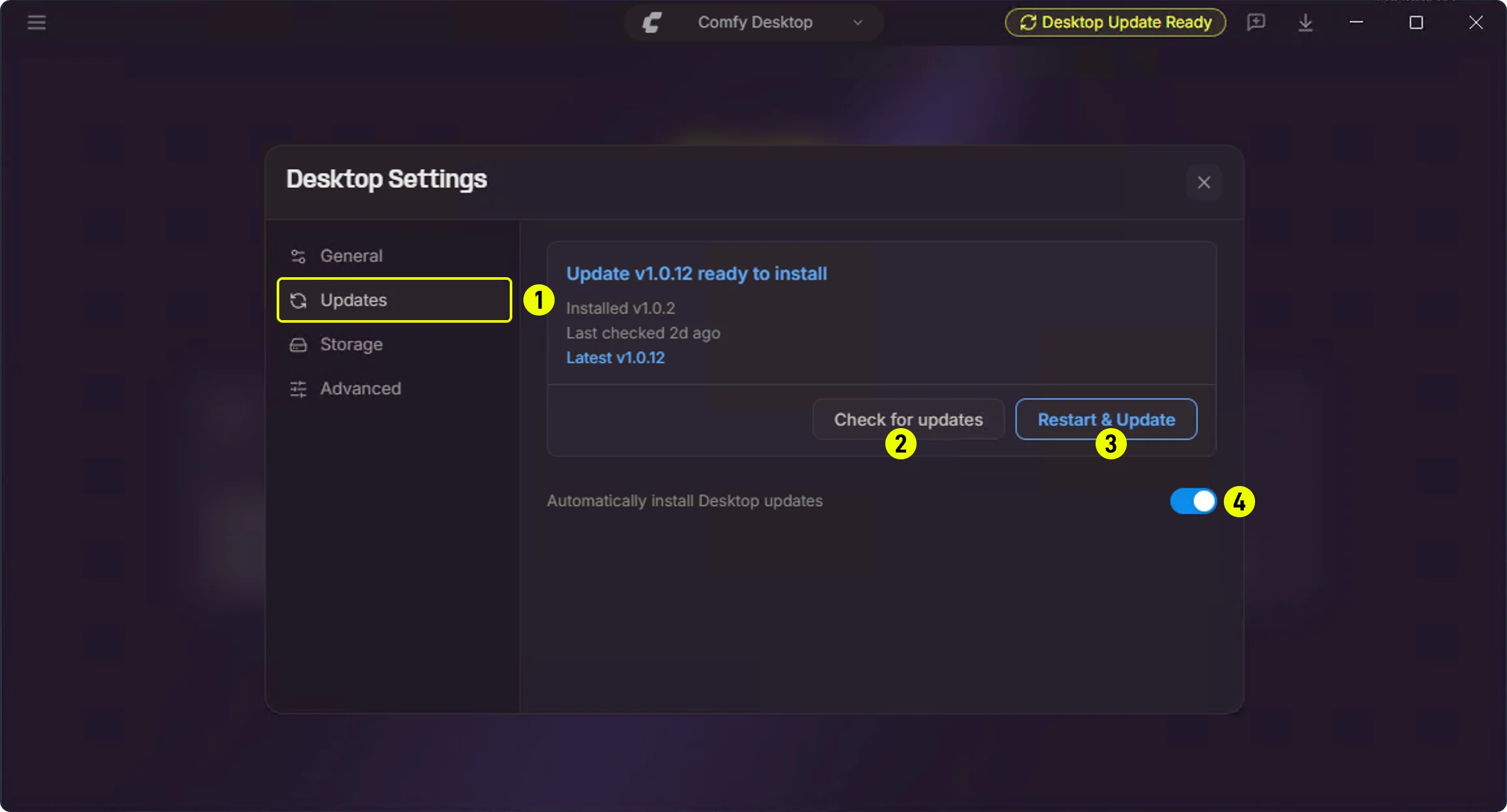
- ① Updates — Click the sidebar Updates tab
- ② Check for updates — Manually check for available updates
- ③ Restart & Update — Appears when a new version is available; click to restart and update
- ④ Automatically install Desktop updates — Toggle this on/off to control automatic updates
Uninstalling
Remove Comfy Desktop
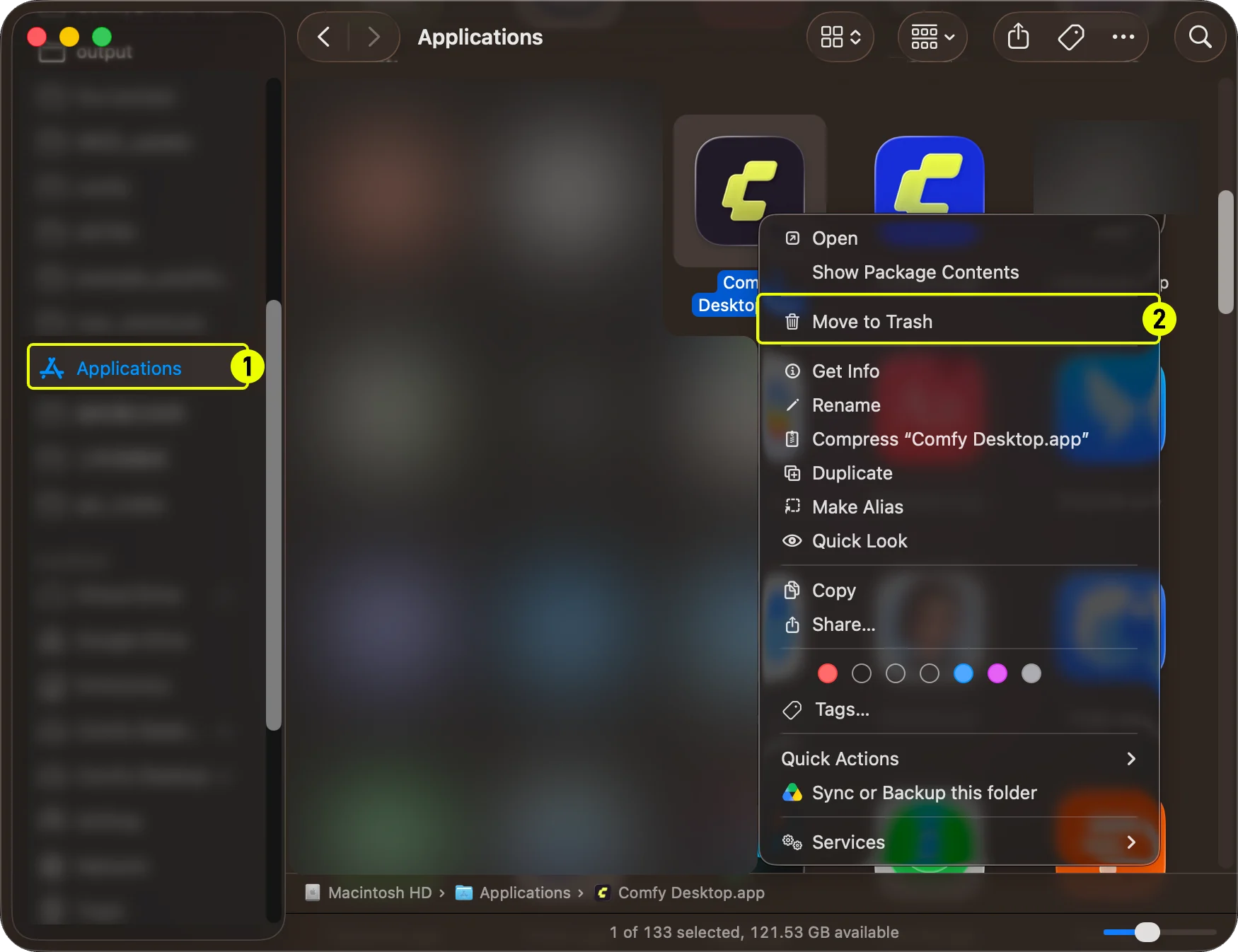
- Open Applications folder in Finder
- Right-click Comfy Desktop and select Move to Trash
What Uninstalling the App Does NOT Remove
Uninstalling Comfy Desktop only removes the launcher app itself. The following data is not removed and must be deleted manually if you want a complete cleanup:
To fully remove everything:
- Delete the app data folder:
~/Library/Application Support/Comfy Desktop - Delete the logs folder:
~/Library/Logs/Comfy Desktop - Delete individual installations from within the app, or manually delete
~/ComfyUI-Installsplus any custom installation directories you configured - Delete the shared model library at
~/ComfyUI-Shared(only if you no longer need these files)