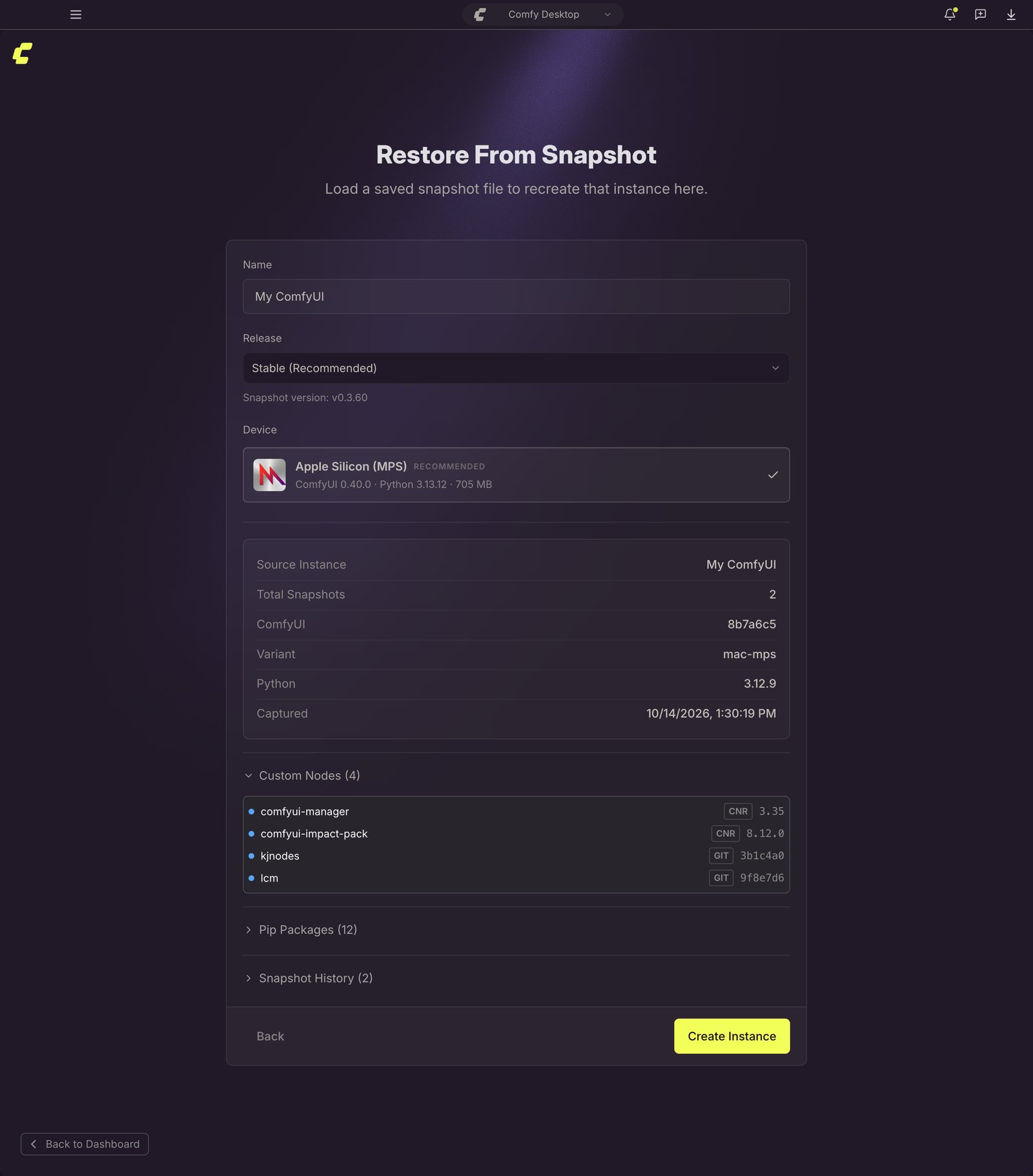
- ComfyUI version:which build of ComfyUI is installed
- Custom nodes:every custom node with its version or commit hash
- pip packages:all Python packages installed in the environment
Accessing Snapshots
From any instance card, click the ⋮ menu (1) and select Restore Snapshot (2) to open the Snapshots tab directly.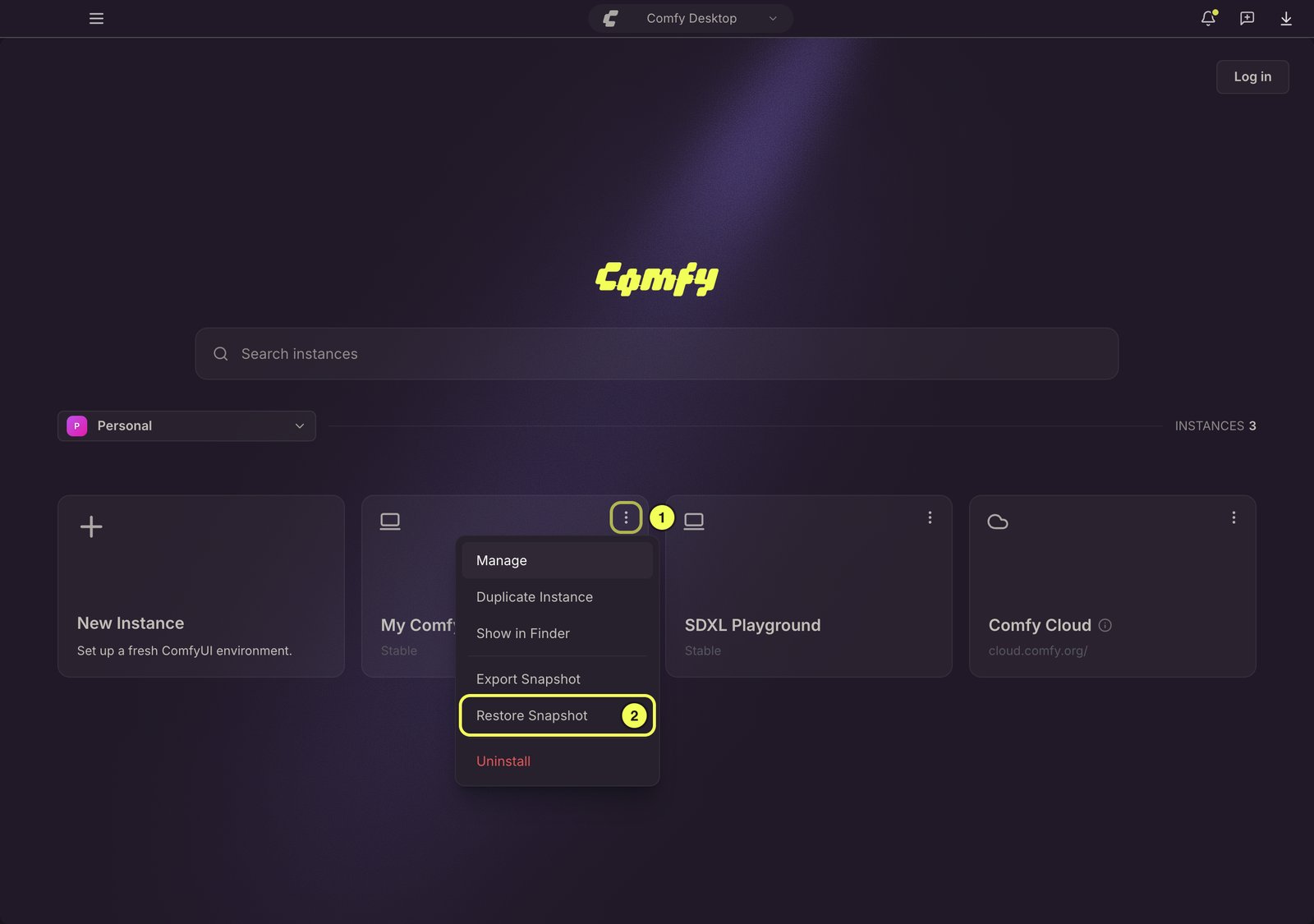
Snapshots Tab Overview
The Snapshots tab is your hub for managing all snapshot actions. The timeline shows snapshots for the instance, newest first, and tags each entry with how it was created: Boot, Manager, Update, Updated, Restored, or Manual. If the instance was copied to or from another instance, the timeline also lists that copy. Key actions available: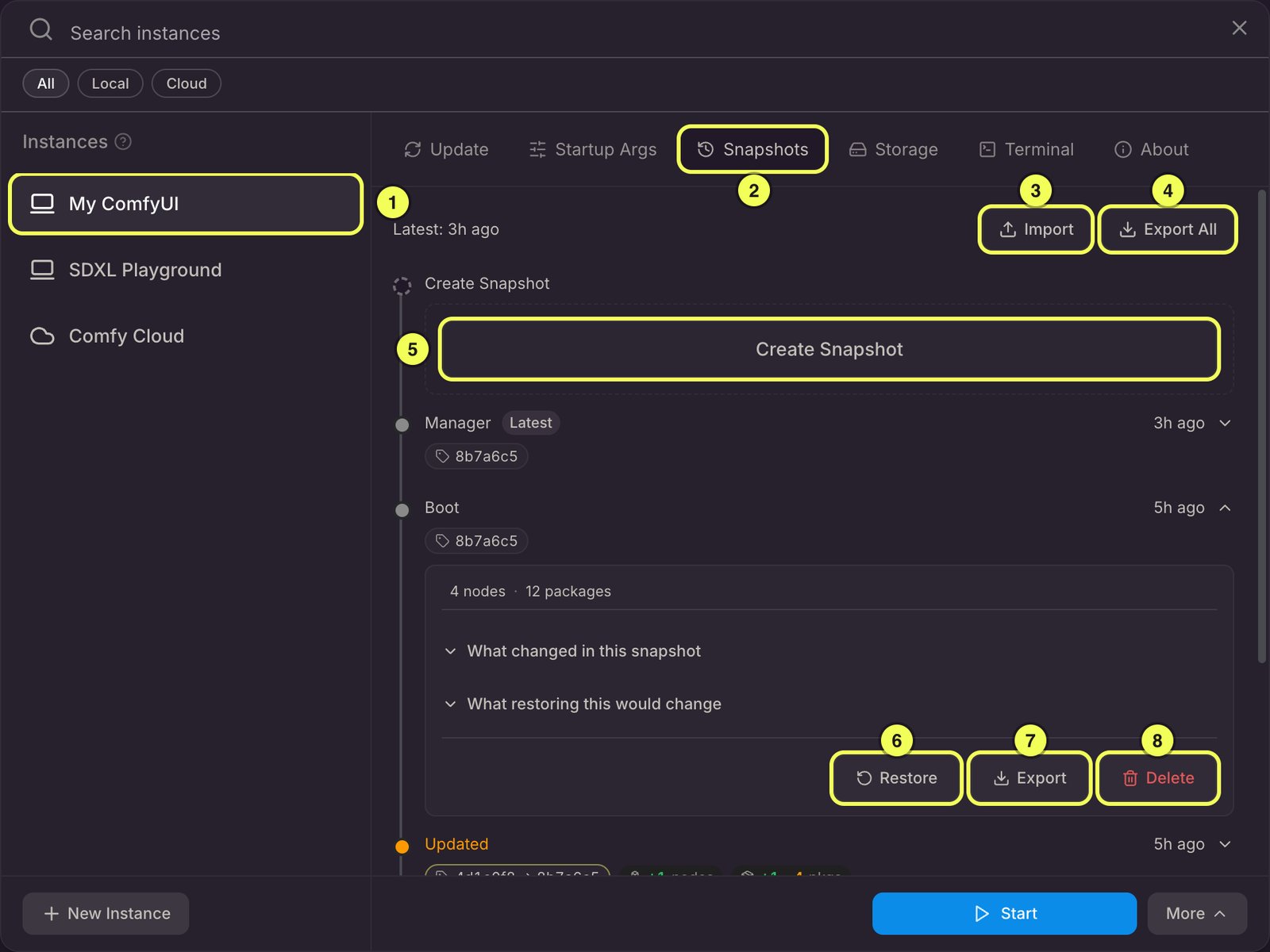
- Selected instance: The instance whose snapshots are shown in the timeline.
- Snapshots tab: Currently active tab in the Manage panel.
- Import: Import a snapshot file exported by another user or instance.
- Export All: Export all snapshots for this instance as a single
.jsonfile. - Create Snapshot: Create a manual snapshot of the current instance state.
- Restore: Restore the instance to a specific snapshot’s state.
- Export: Export a single snapshot from the timeline.
- Delete: Delete a single snapshot from the timeline.
Create a Manual Snapshot
Click Create Snapshot (5) in the Snapshots tab header. You can optionally add a label (e.g. “Before adding LCM LoRA”) to identify it later. The snapshot will capture:- Current ComfyUI Git commit
- All enabled custom nodes (git clone URL + commit, or CNR ID + version)
- All pip packages from
pip freeze
View Snapshot Details
Click any row to expand it. A collapsed row already shows how the snapshot was created, when it was taken, the ComfyUI version, and pills summarizing how many nodes and packages were added, removed, or changed against the previous snapshot. The newest snapshot also carries a Latest badge. The expanded view shows the snapshot’s total node and package counts, its label if it has one, and two collapsible diffs:- What changed in this snapshot:Compares this snapshot with the one right before it. Hidden for the oldest snapshot in the timeline.
- What restoring this would change:Compares this snapshot with the instance’s current state. Hidden for the newest snapshot in the timeline.
Restore from a Snapshot
- In the Snapshots tab, find the snapshot you want to restore.
- Click Restore:a preview shows the diff (what will change).
- Review the changes and click Confirm to begin the restore process.
- Check out the recorded ComfyUI version (Git commit)
- Install missing custom nodes, switch versions, and enable/disable nodes as needed
- Restore pip packages: install missing packages, upgrade/downgrade to the recorded version, and remove extras
- Run post-install scripts for any newly installed or version-switched custom nodes
post-restore snapshot so you can undo the restoration if needed.
Import a Snapshot into an Instance
Use Import in the Snapshots tab to bring a snapshot file into the instance’s own history. Only the newest snapshot in the file is applied. If the environment can be reproduced exactly, that snapshot is added to the timeline; otherwise Comfy Desktop saves a snapshot of the resulting state instead, and older snapshots in the file are ignored. If the snapshot’s PyTorch build cannot be applied on this machine, Comfy Desktop warns you before applying it.Delete a Snapshot
Expand any snapshot and click Delete to remove it. Comfy Desktop keeps the newest 200 unlabeled Boot and Manager snapshots per installation and removes older ones automatically as new ones are written, so you never clean those up by hand. Snapshots captured manually, before or after an update, or after a restore are never removed automatically, so delete them yourself once you no longer need them.Share a Snapshot
Snapshot files are portable: one.json file carries the whole configuration, so you can hand it to a teammate or move it to another machine.
Two shortcuts export an instance’s newest snapshot without opening the Snapshots tab:
- On the instance’s card in the Dashboard, open the ⋮ menu and select Export Snapshot.
- In the instance picker, open the More menu in the footer and select Share.
.json file. If the instance has no snapshots yet, Comfy Desktop tells you there is nothing to share. To export one specific snapshot, or every snapshot at once, use Export and Export All in the Snapshots tab.
A recipient can either create a new instance from the file or import it into an instance they already have.
Create an Instance from a Snapshot File
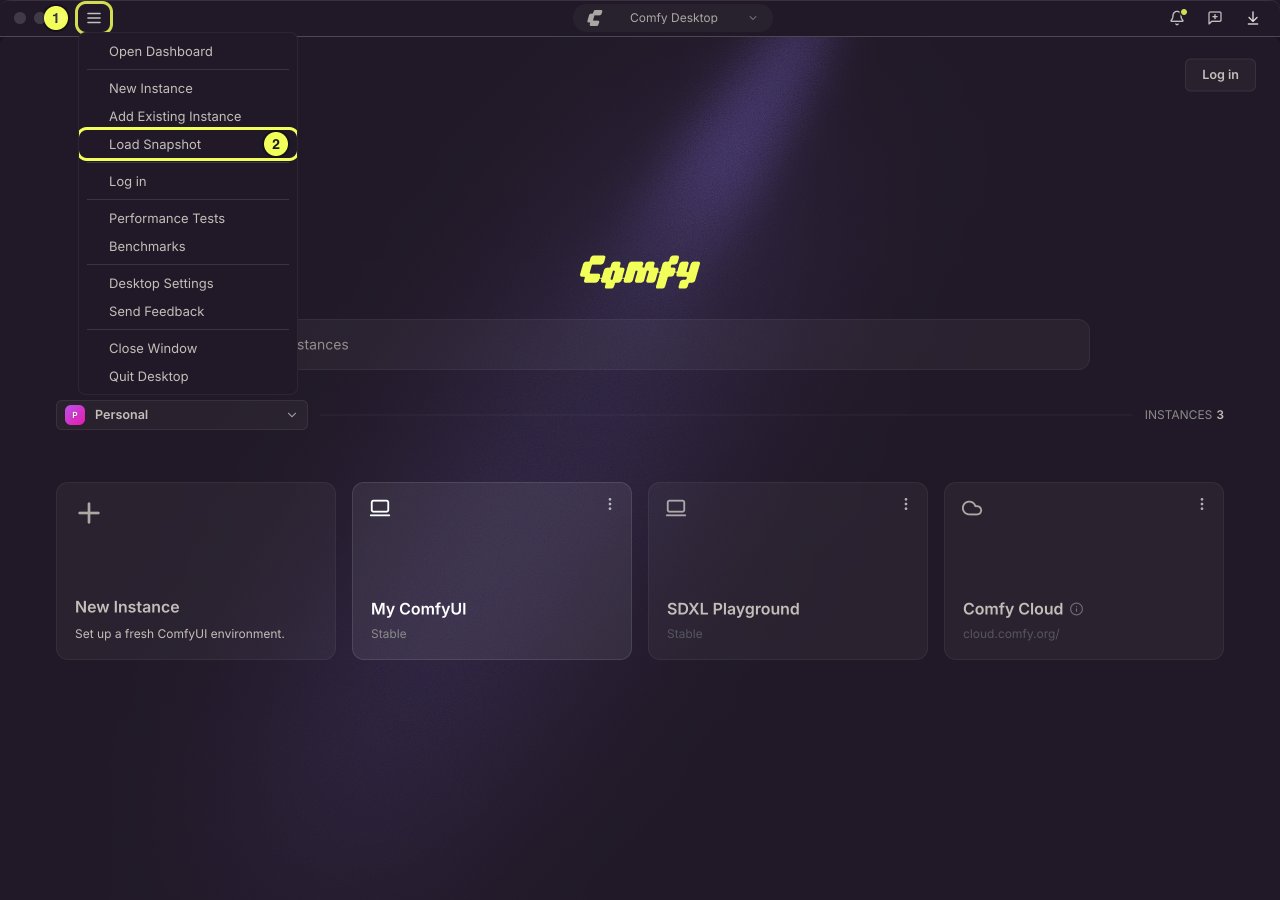
If someone shares a snapshot file with you, you can use it to spin up a new ComfyUI instance with the exact same configuration.- Click the ☰ menu (1) in the top-left corner of the Chooser view and select Load Snapshot (2).
- Browse your file system and select the
.jsonsnapshot file.
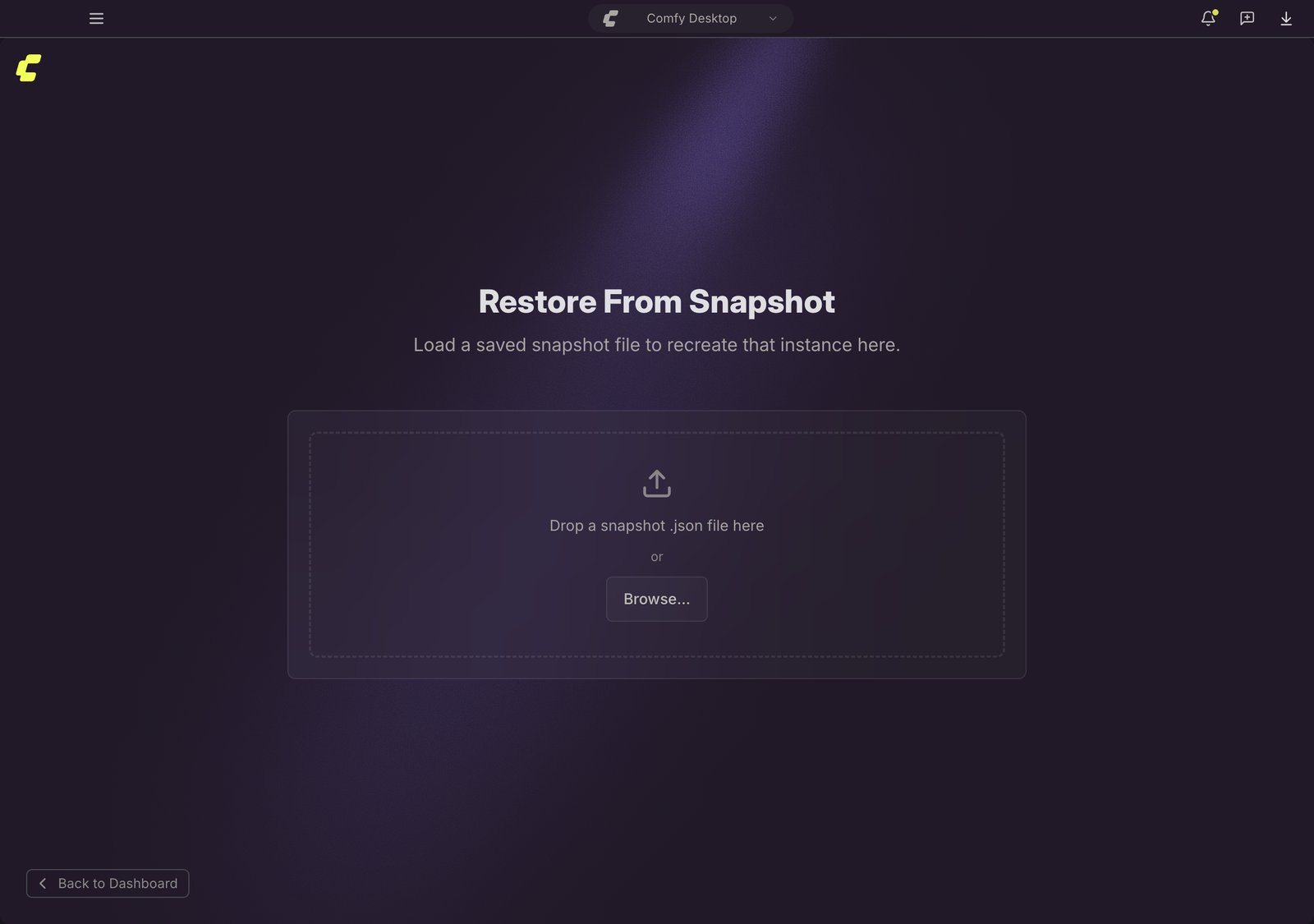
- A preview shows the snapshot contents: source instance name, ComfyUI version, custom nodes, and pip packages. Review the details, then click Create Instance to build a new instance from the snapshot.